Introduzione
Thank you for choosing the MARVO KG925G Mechanical Gaming Keyboard. This manual provides essential information for setting up, operating, maintaining, and troubleshooting your new keyboard. Please read this manual carefully before use to ensure optimal performance and longevity of your device.
Cuntenutu di u pacchettu
Verificate chì tutti l'articuli sò presenti in u pacchettu:
- MARVO KG925G Mechanical Gaming Keyboard
- Manuale d'uso (stu documentu)
Istituisci
Requisiti di u sistema
- Sistema Operativu: Windows 8 o più tardi
- Portu USB 2.0 dispunibule
Cunnettendu u Tastiera
- Truvate un portu USB 2.0 dispunibule nantu à u vostru urdinatore.
- Plug the USB connector of the MARVO KG925G keyboard into the USB port.
- U sistema operativu rileverà è installerà automaticamente i driver necessarii. Stu prucessu pò piglià uni pochi di mumenti.
- Once the drivers are installed, the keyboard's backlighting will illuminate, indicating it is ready for use.
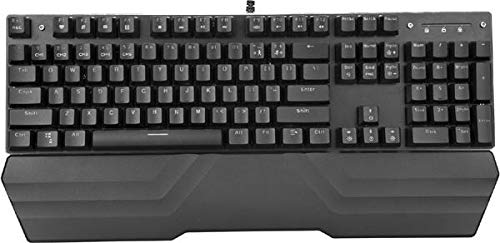
Image: The MARVO KG925G Mechanical Gaming Keyboard with its USB cable connected, ready for use. The keyboard features a wrist rest and illuminated keys.
Istruzzioni di funziunamentu
Funzioni di tastiera basiche
The MARVO KG925G functions as a standard QWERTY keyboard for typing and general computer use.
mediateca Chiavi
The keyboard includes dedicated multimedia functions, typically accessed via the Fn key combined with the F-keys (F1-F12). Refer to the keycap legends for specific functions such as volume control, media playback, and launching applications.
- Fn + F1-F12: Access various multimedia and system functions.
Cuntrollu di a retroilluminazione
The MARVO KG925G features customizable backlighting. Specific key combinations are used to change lighting modes, brightness, and speed. Consult the keyboard's keycap legends or the manufacturer's website for detailed instructions on advanced lighting customization.
- Modi di illuminazione: Typically cycled using a dedicated key or Fn + a specific key (e.g., Scroll Lock, Pause Break, or a dedicated lighting key).
- Ajustamentu di luminosità: Often controlled by Fn + Up/Down arrow keys.
Mantenimentu è Cura
Una manutenzione adatta garantisce a longevità è e prestazioni di a vostra tastiera.
- Pulizia: Use a soft, dry cloth to wipe the keyboard surface. For deeper cleaning, use a can of compressed air to remove dust and debris from between the keycaps. Avoid using harsh chemicals or abrasive materials.
- Sversamenti: In case of liquid spills, immediately unplug the keyboard from your computer. Turn it upside down to drain any liquid and allow it to dry completely for at least 24-48 hours before reconnecting. Do not attempt to use the keyboard while it is wet.
- Conservazione: Conservate a tastiera in un locu frescu è asciuttu, luntanu da a luce diretta di u sole è da temperature estreme.
Risoluzione di prublemi
If you encounter issues with your MARVO KG925G keyboard, refer to the following common solutions:
| Prublemu | Soluzione Possibile |
|---|---|
| A tastiera ùn risponde micca. |
|
| Backlighting is not working. |
|
| Keys are not registering correctly. |
|
Specificazioni
- Mudellu: KG925G
- Marca: MARVU
- Connettività: USB 2.0
- Tipu di tastiera: Tastiera di ghjocu meccanica
- Features: Illumination, Wrist Rest, Multimedia Keys
- OS compatible: Windows 8 è sopra
- Dimensioni: Circa 47.5 x 18.7 x 8.4 cm (18.7 x 7.4 x 3.3 inch)
Garanzia è Supportu
For warranty information and technical support, please refer to the warranty card included with your product or visit the official MARVO websitu. Conservate a vostra prova d'acquistu per e richieste di garanzia.