
1. Introduzione
This user manual provides detailed instructions for the MMK iPad A16 Case with Wireless Detachable Keyboard. It covers compatibility, setup, operation, maintenance, and specifications to ensure optimal use of your product.
1.1 Cumpatibilità
Questa custodia cù tastiera hè cuncipita per i seguenti mudelli d'iPad:
- iPad 11th Gen 11 inch (A16, 2025 models: A3354/A3355/A3356)
- iPad 10.9 inch (2022 models: A2757/A2777/A2696/A3162)
To verify your iPad model number, check the back of your device.

Image 1.1: MMK iPad Case with Wireless Detachable Keyboard and iPad.
2. Cuntenutu di u pacchettu
Verificate u pacchettu per i seguenti elementi:
- 1 x Keyboard Case for iPad 10/11
- 1 x Tastiera Bluetooth Wireless
- 1 x Cavu di carica USB
- 1 x Transparent Keyboard Cover
- 1 x Guida d'utilizatore
3. Setup Instructions
3.1 Installing the iPad into the Case
- Gently align your iPad with the case's edges.
- Press the iPad firmly into the case, ensuring all corners are securely fitted.
- Verificate chì tutti i porti, i buttoni è u ritagliu di a camera sianu currettamente allineati è accessibili.

Image 3.1: Overview of the case features including magnetic design and pencil holder.
3.2 Charging the Wireless Keyboard
Before first use, fully charge the keyboard. Use the provided USB charging cable.
- Connect the small end of the USB charging cable to the Type-C charging port on the keyboard.
- Connect the other end of the USB charging cable to a USB power adapter (not included) or a computer's USB port.
- A luce indicatrice di carica s'illuminerà durante a carica è si spegnerà quandu hè cumpletamente carica.
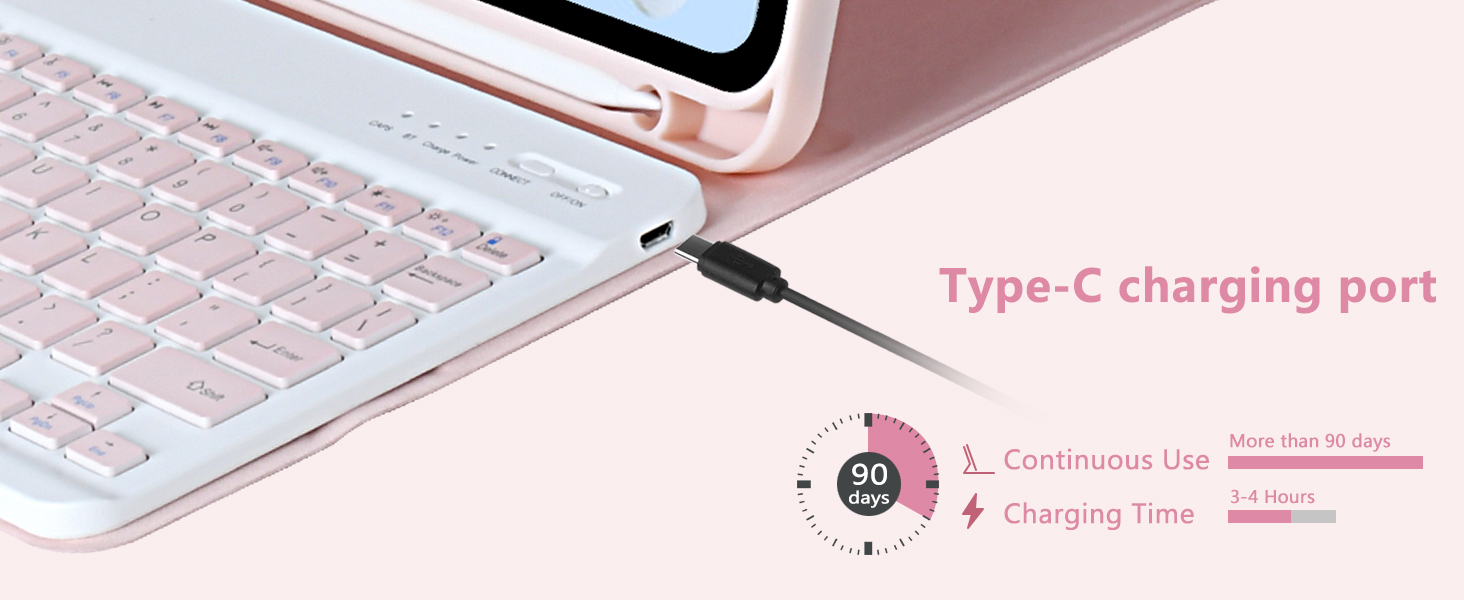
Image 3.2: Keyboard Type-C charging port and estimated charging duration.
3.3 Accoppiamentu di a tastiera Bluetooth
Follow these steps to connect your wireless keyboard to your iPad via Bluetooth:
- Assicuratevi chì a tastiera sia carica.
- Slide the power switch on the keyboard to the 'ON' position. The power indicator light will turn on.
- Press the 'CONNECT' button on the keyboard. The Bluetooth indicator light will start blinking, indicating it is in pairing mode.
- Nant'à u vostru iPad, andate à Settings > Bluetooth.
- Turn on Bluetooth. Your iPad will search for available devices.
- Select 'Bluetooth Keyboard' from the list of devices.
- Once connected, the Bluetooth indicator light on the keyboard will stop blinking.
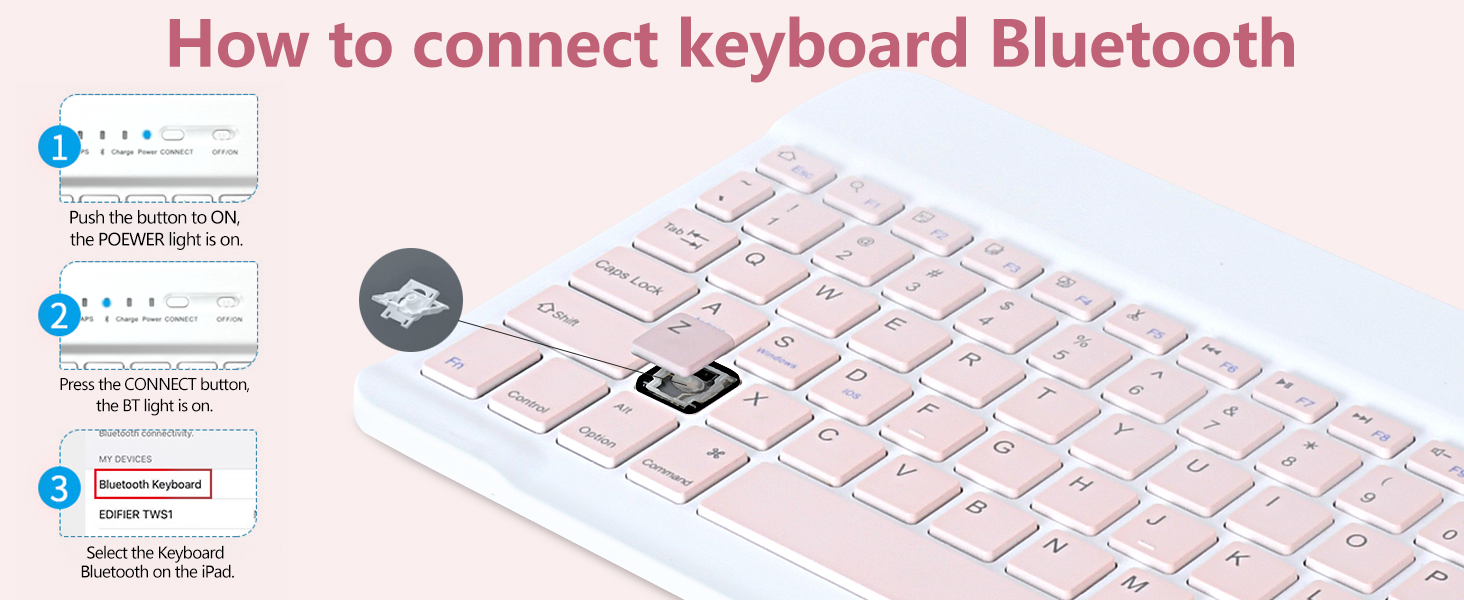
Image 3.3: Visual guide for Bluetooth keyboard connection.
4. Operating Instructions
4.1 Ajustable Viewi pusizioni
The case features multiple grooves to provide adjustable viewing angles for your iPad. Simply position the iPad in the desired groove to achieve angles of 100°, 110°, or 120°.
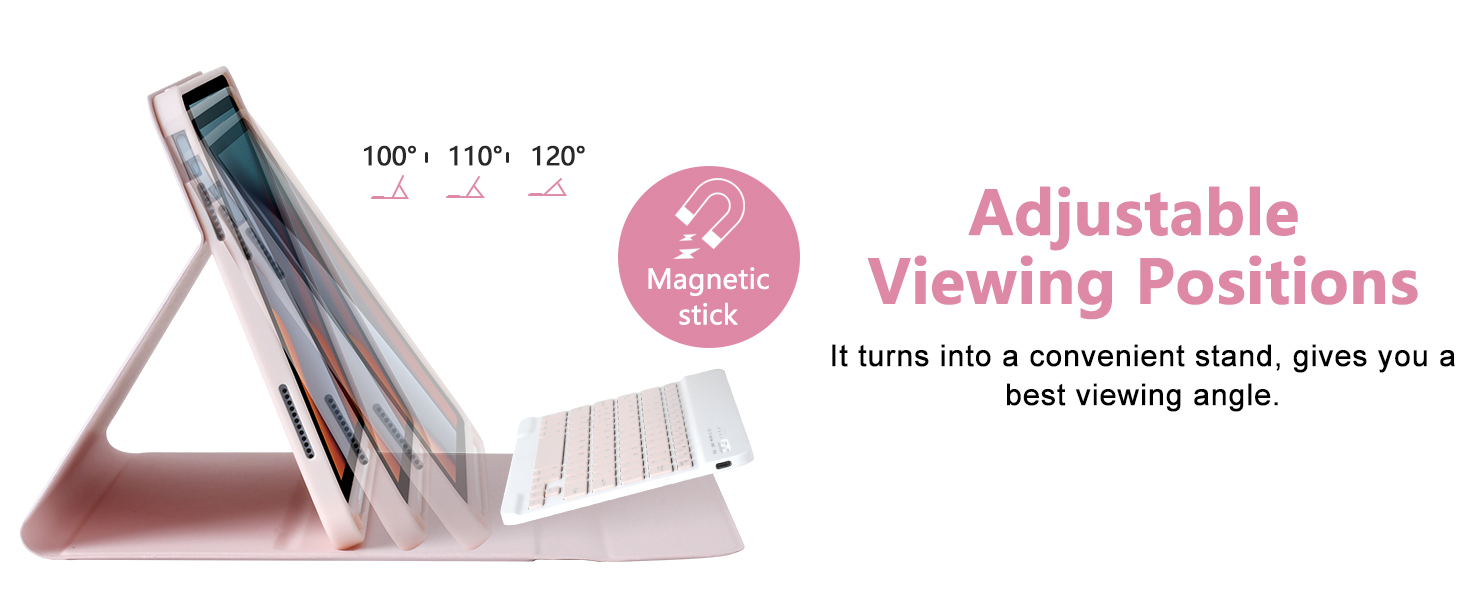
Image 4.1: Illustration of the adjustable viewl'anguli.
4.2 Keyboard Functions and Shortcuts
The keyboard includes a full set of function keys and is compatible with various operating systems. Use the 'Fn' key in combination with other keys for specific shortcuts.
- Fn+D: Apple iOS compatibility
- Fn+S: Cumpatibilità Windows
- Fn+A: Cumpatibilità Android
Refer to the keyboard layout for specific multimedia and system control keys (e.g., volume, brightness, search).
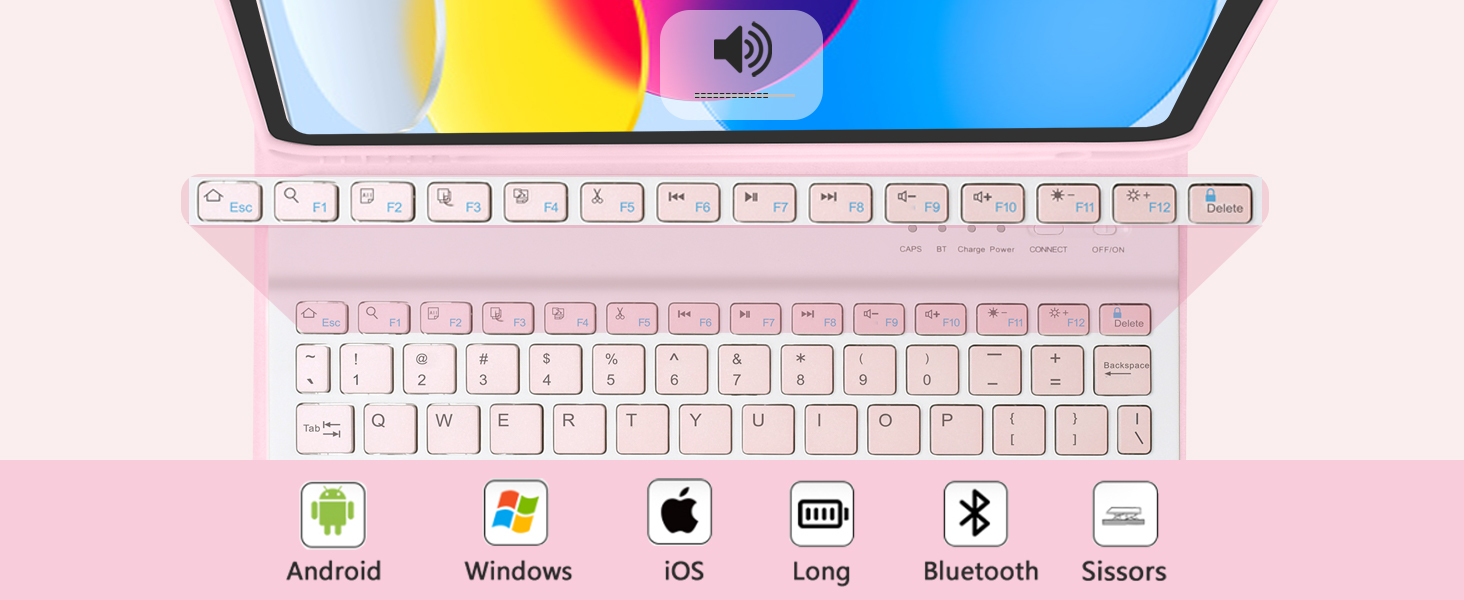
Image 4.2: Keyboard function keys and operating system compatibility.
4.3 Pencil Holder
The case features an integrated pencil holder to securely store your stylus. This ensures your pencil is always accessible and protected.
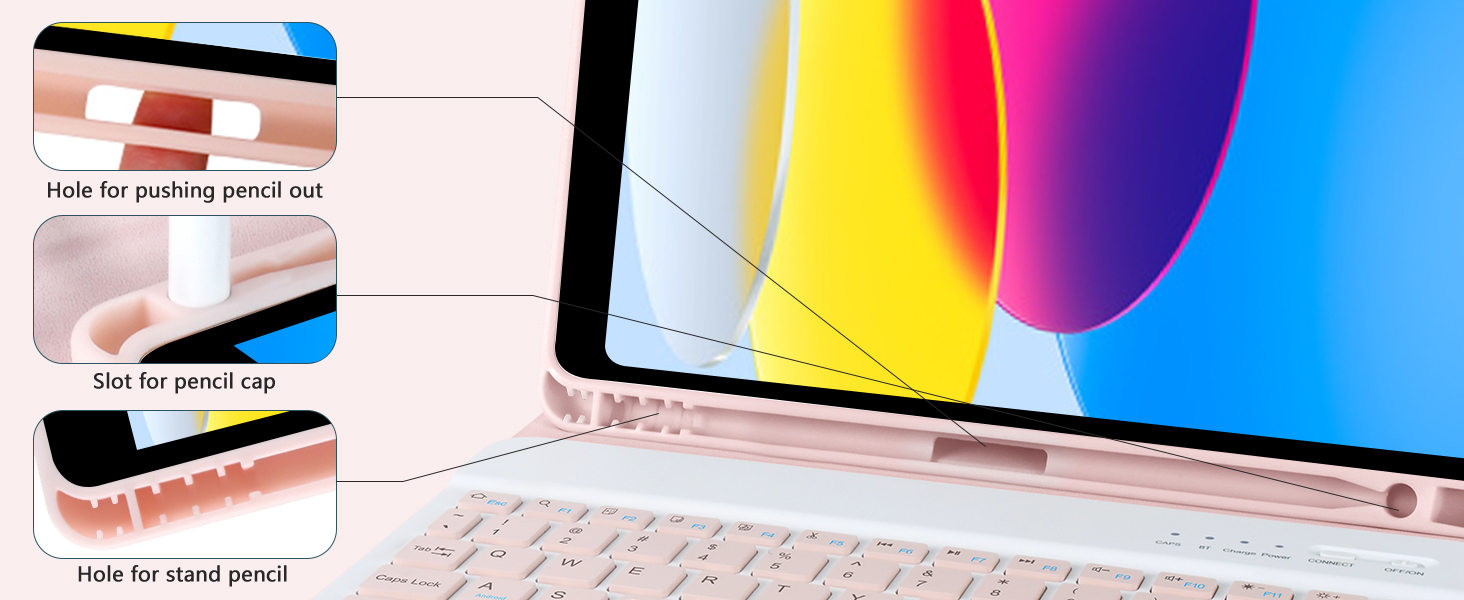
Image 4.3: Details of the integrated pencil holder.
4.4 Modi d'usu
The case supports various modes for different activities:
- Modu di scrittura: Position the iPad in the stand with the keyboard attached for comfortable typing.
- Modu Stand: Detach the keyboard and use the case as a stand for viewing cuntenutu.
- Modalità di Lettura: Fold the case back to hold the iPad comfortably for reading.
- Protect Mode: Close the case to fully protect your iPad during transport.
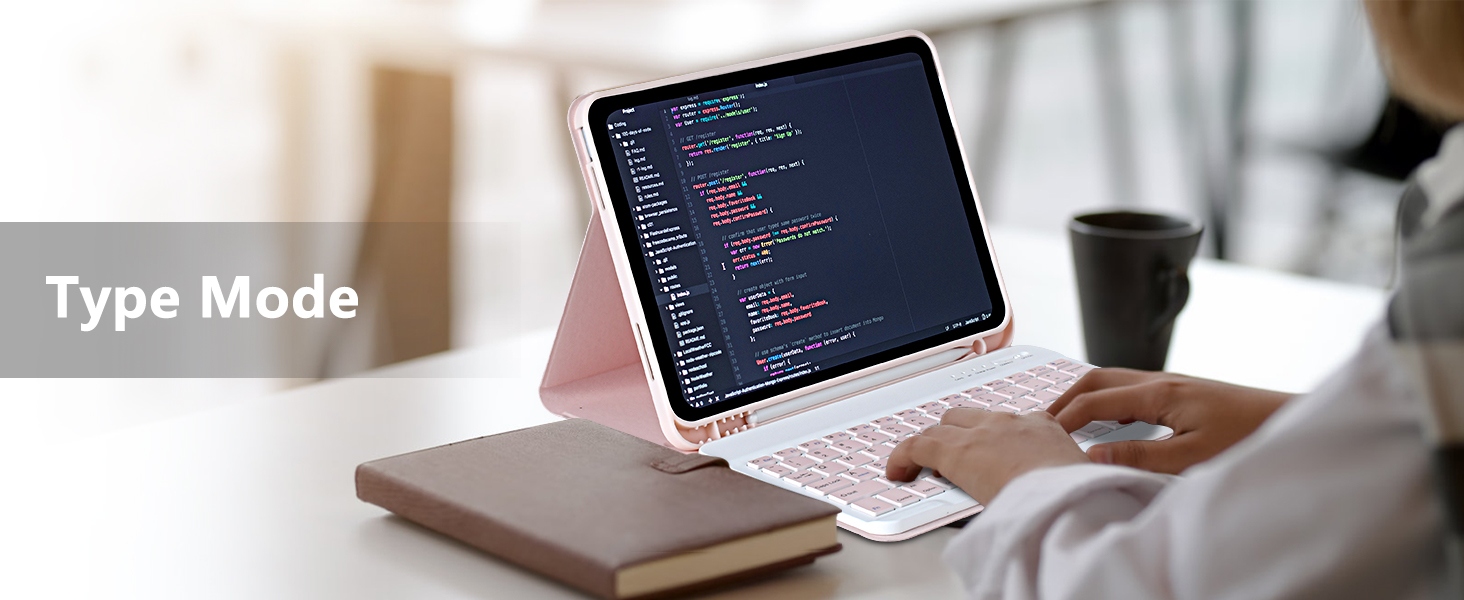
Image 4.4: iPad in Type Mode for productivity.

Image 4.5: iPad in Stand Mode for viewing.
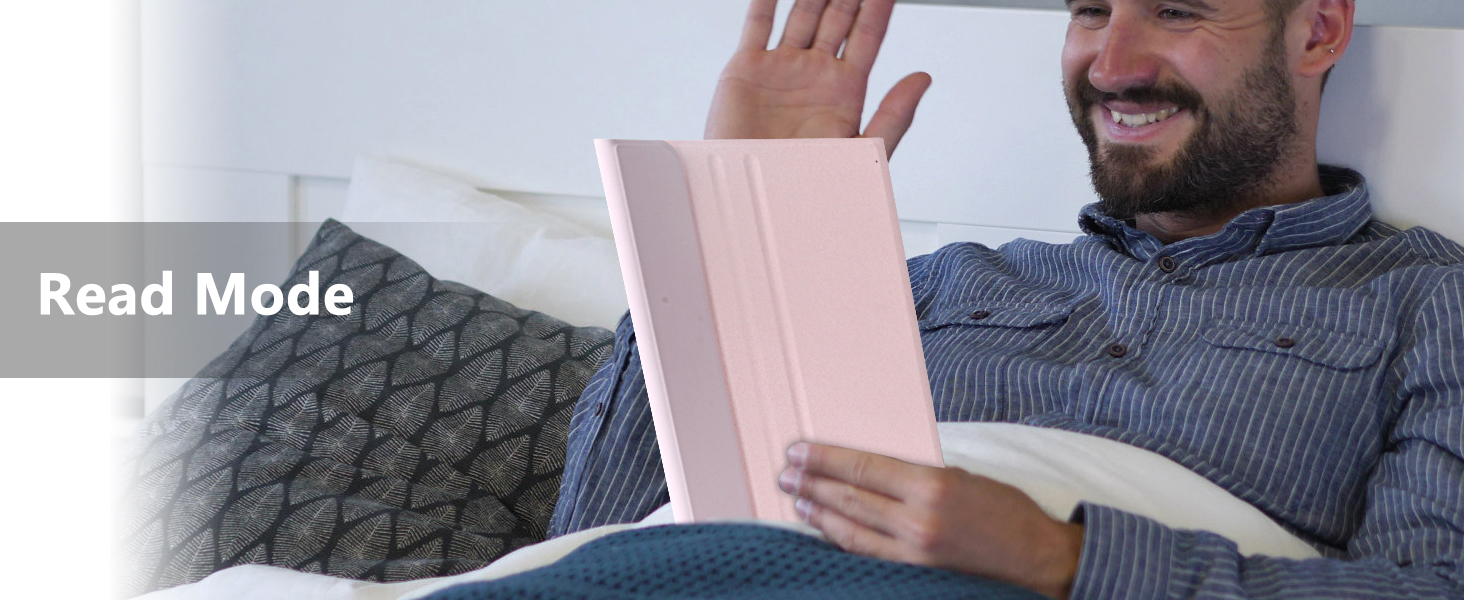
Image 4.6: iPad in Read Mode for comfortable reading.
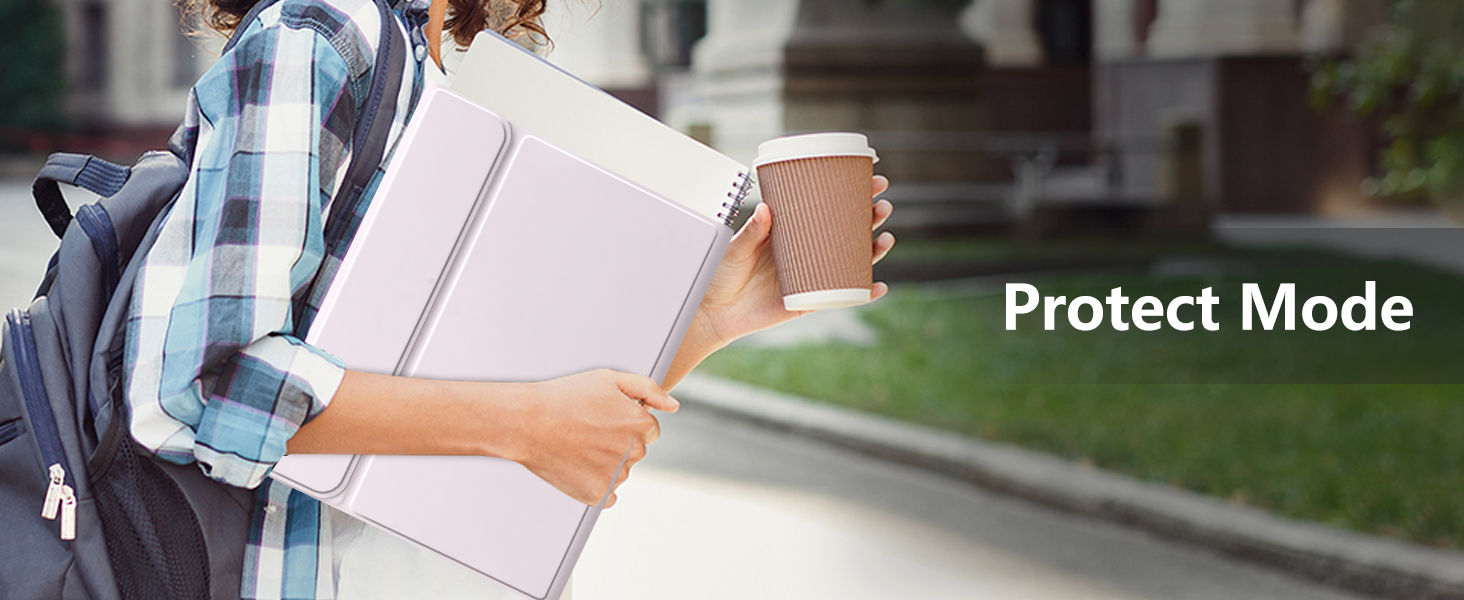
Image 4.7: iPad in Protect Mode for secure transport.
5. Mantenimentu
5.1 Pulizia di a carcassa è di a tastiera
To maintain the appearance and functionality of your MMK iPad case and keyboard:
- Asciugate a custodia cù un pannu dolce, damp pannu. Evitate i prudutti chimichi aggressivi o i detergenti abrasivi.
- For the keyboard, use a dry, soft cloth. Do not spray cleaners directly onto the keyboard.
- Assicuratevi chì a tastiera sia spenta prima di pulisce.
5.2 Funzioni di prutezzione
The case is designed with features to protect your iPad:
- Full 360° Protection: Provides comprehensive coverage for your device.
- Prutezzione di caduta: Designed to absorb impacts from accidental drops.
- Prutezzione di a Camera: Raised edges around the camera cutout help prevent scratches.


Image 5.1: Visual representation of drop and camera protection features.
6. Risoluzione di prublemi
6.1 Tastiera micca cunnessa
- Verificate u putere: Assicuratevi chì a tastiera sia accesa è chì a batteria sia sufficientemente carica.
- Riparà: Turn off Bluetooth on your iPad, then turn it back on. Put the keyboard back into pairing mode by pressing the 'CONNECT' button and try pairing again.
- Riavvia i dispositi: Riavviate u vostru iPad è a tastiera.
6.2 A tastiera ùn si carica micca
- Verificate u cable: Ensure the USB charging cable is securely connected to both the keyboard and the power source.
- Fonte di energia: Try a different USB power adapter or computer USB port.
- Integrità di u cable: Inspect the charging cable for any damage. Try a different compatible USB-C cable if available.
6.3 I chjavi ùn rispondenu micca
- Livellu di batteria: A batteria di a tastiera puderia esse bassa. Caricate cumpletamente a tastiera.
- Cunnessione Bluetooth: Ensure the keyboard is properly connected via Bluetooth. If not, follow the re-pairing steps.
- Riavvia: Spegne è poi accende a tastiera.
7. Specificazioni
| Feature | Detail |
|---|---|
| Marca | MMK |
| Numeru di mudellu di l'articulu | A2757 |
| Dispositivi compatibles | iPad 11th Gen 11 inch (A16, 2025), iPad 10.9 inch (2022) |
| Culore | Rosa |
| Fattore di forma | Casu |
| Tipu di cunchiglia | Soft |
| Pesu di l'articulu | 1.96 liri |
| Dimensioni di u pacchettu | 11.22 x 8.23 x 1.14 inch |
| Batterie | 1 Batteria Lithium Ion (inclusa) |
8. Garanzia è Support
For warranty information or technical support, please refer to the contact details provided with your purchase or visit the official MMK websitu. Mantene a vostra ricevuta di compra per i rivendicazioni di garanzia.