
Introduzione
Thank you for choosing the Baseus Adaman Digital Display Power Bank (Model: PPAD070001). This portable power bank is designed to provide reliable and efficient charging for your electronic devices. Please read this manual carefully before use to ensure proper operation and to maximize the lifespan of your device.
Informazioni di sicurezza
- Ùn espone micca a batteria esterna à temperature estreme, à a luce diretta di u sole o à u focu.
- Evitate di lascià cascà, smuntà o mudificà u dispusitivu.
- Mantene luntanu da l'acqua è altri liquidi.
- Aduprate solu cavi è adattatori di carica certificati.
- Mantene fora di a portata di i zitelli.
- Sè a batteria esterna si gonfia, perde o emette un odore inusual, smette subitu di usalla.
Cuntenutu di u pacchettu
- Baseus Adaman Digital Display Power Bank (PPAD070001)
- Cavu di carica USB
- Manuale d'usu
Product Overview
The Baseus Adaman Power Bank (Model PPAD070001) is a portable charging solution featuring a digital display for battery status and multiple ports for wide compatibility. Its slim design makes it convenient for travel.

Image: Top view of the Baseus Adaman Power Bank showing its various input and output ports. From left to right: Type-C (Input/Output), IP/IN (Input), Micro/IN (Input), USB2 (Output), USB1 (Output).

Image: Side profile of the Baseus Adaman Power Bank, highlighting its slim and portable design.
- Tip-C Port: Supports both input and output (PD 3.0).
- USB1/USB2 Ports: Output ports for charging devices (QC 3.0).
- Portu Micro-USB: Input port for charging the power bank.
- IP/IN Port: Input port for charging the power bank (e.g., for Apple Lightning cables).
- Display Digitale: Mostra a percentuale di batteria in tempu realetage.
Istituisci
Before first use, fully charge the power bank. This ensures optimal battery performance.
Caricà u Power Bank
- Connect the provided USB charging cable to one of the input ports on the power bank (Type-C, Micro-USB, or IP/IN).
- Cunnette l'altra estremità di u cavu à un caricatore murale USB (micca inclusu).
- U display digitale mostrerà u statu di carica è a percentuale di a batteria.tage.
- Once the display shows 100%, the power bank is fully charged. Disconnect it from the charger.
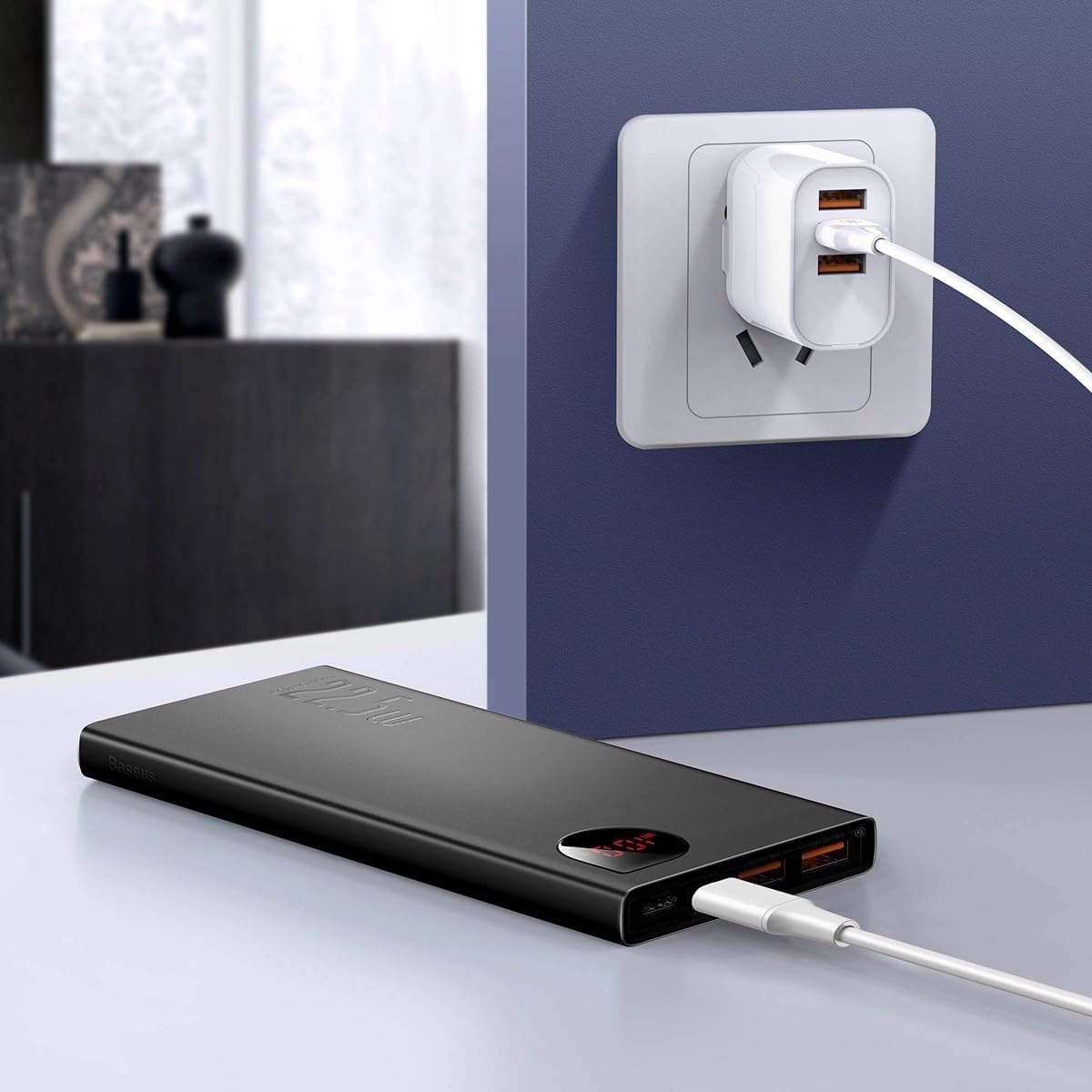
Image: The Baseus Adaman Power Bank connected to a wall charger via a USB cable, illustrating the process of recharging the power bank itself.
Istruzzioni di funziunamentu
Caricà i vostri Dispositivi
- Connect your device's charging cable to one of the output ports on the power bank (Type-C, USB1, or USB2).
- Cunnette l'altra parte di u cavu à u vostru dispositivu.
- A batteria esterna cumincerà automaticamente à caricà u vostru dispositivu. U display digitale mostrerà a percentuale di batteria restante.tage.
- To stop charging, simply disconnect your device from the power bank.

Image: A smartphone being charged by the Baseus Adaman Power Bank, demonstrating the device's charging capability for mobile phones.
Verificate u Livellu di Batteria
The digital display on the power bank will show the current battery percentage when it is in use or when a device is connected. If the power bank is idle, you may need to briefly press the power button (if available, not explicitly mentioned but common) to activate the display.
Mantenimentu
- Pulite a batteria esterna cù un pannu dolce è asciuttu. Ùn aduprate micca prudutti chimichi aggressivi o materiali abrasivi.
- Mantene u power bank in un locu frescu è seccu quandu ùn hè micca in usu.
- For optimal battery health, fully charge and discharge the power bank at least once every three months if it's not used regularly.
Risoluzione di prublemi
| Prublemu | Causa Possibile | Soluzione |
|---|---|---|
| A batteria esterna ùn carica micca i dispositivi. | Low battery, faulty cable, incompatible device. | Charge the power bank. Try a different cable. Ensure your device is compatible. |
| A batteria esterna ùn si ricarica micca. | Faulty charging cable/adapter, damaged port. | Try a different charging cable and wall adapter. Check ports for damage. |
| U display digitale ùn funziona micca. | Power bank is off, low battery, malfunction. | Ensure power bank is on or connected to a device. Charge the power bank. If issue persists, contact support. |
Specificazioni
| Feature | Detail |
|---|---|
| Numero di mudellu | PPAD070001 |
| Marca | Baseus |
| Capacità batterie | 10000 mAh |
| Funzioni spiciali | Display digitale |
| Tipi di cunnessu | Input: USB Type-C, Micro-USB, IP/IN; Output: USB Type-C, USB-A (x2) |
| Voltage | 5 Volts |
| currente | 5 Amps |
| Forza di putenza | Up to 22.5W (PD 3.0, QC 3.0) |
| A cumpusizioni di a batteria | Lithium Polymer |
| Numaru di Porti di Output | 3 (1x Type-C, 2x USB-A) |
| Number of Input Ports | 3 (1x Type-C, 1x Micro-USB, 1x IP/IN) |
| Dispositivi compatibles | All Smartphones and other USB-powered devices |
| Portable | Iè |
Garanzia è Supportu
Stu pruduttu vene cun Nisuna Garanzia as per the provided specifications. For any technical support or inquiries, please refer to the official Baseus websitu o cuntattate u vostru rivenditore.
Per più infurmazione, visitate: www.baseus.com