
Baseus WM01
Baseus Bowie WM01 TWS Earphones User Manual
Model: WM01 (NGTW370001)
Introduzione
Thank you for choosing the Baseus Bowie WM01 True Wireless Stereo (TWS) Earphones. This manual provides detailed instructions on how to set up, operate, maintain, and troubleshoot your earphones to ensure optimal performance and longevity.

Image: The Baseus Bowie WM01 TWS Earphones, charging case, and product packaging.
Cuntenutu di u pacchettu
Verificate u cuntenutu di u pacchettu quandu apre a scatula:
- Baseus Bowie WM01 TWS Earphones (Left and Right)
- Casu di carica
- Cavu di carica USB-C
- Punte per l'arechje in silicone (diverse dimensioni)
- Manuale d'usu

Image: All items included in the Baseus Bowie WM01 package: earphones, charging case, USB-C cable, and multiple sizes of ear tips.
Istituisci
1. Carica iniziale
Prima di u primu usu, caricate cumpletamente l'auricolari è a custodia di ricarica.
- Pone i dui cuffie in u casu di carica.
- Connect the USB-C charging cable to the charging port on the case and the other end to a USB power adapter (not included).
- A luce indicatrice nantu à a custodia mostrerà u statu di carica. Una volta cumpletamente carica, a luce cambierà o si spegnerà.

Image: The Baseus Bowie WM01 charging case in its closed state, ready for charging.
2. Pairing cù un dispusitivu
L'auricolari entreranu automaticamente in modalità di accoppiamentu quandu sò estratti da a custodia di ricarica.
- Aprite a custodia di carica è cacciate i dui auricolari. S'accenderanu automaticamente è entreranu in modalità di accoppiamentu.
- Nant'à u vostru apparechju (smartphone, tableta, ecc.), attivate Bluetooth.
- Cerca "Baseus Bowie WM01" in the list of available Bluetooth devices.
- Select "Baseus Bowie WM01" to connect. Once connected, you will hear a confirmation tone.
Nota: Sè l'accoppiamentu fiasca, rimettite l'auricolari in a custodia, chjude u coperchio, aspettate uni pochi di secondi, è poi ripetite i passi.
Istruzzioni di funziunamentu
Touch Controls
The Baseus Bowie WM01 earphones feature touch-sensitive areas for easy control of music and calls.
| Azzione | Funzione |
|---|---|
| Toccu unicu (sinistra/destra) | Riproduce/Mette in pausa a musica, Rispondi/Fine chjama |
| Doppiu Toccu (Destra) | Next Song |
| Doppiu Toccu (Sinistra) | Canzona Precedente |
| Long Press (Left/Right, 2s) | Attivà l'Assistente Vocale |
| Long Press (Left/Right, 3s during call) | Reject Call |

Imagine: Un primu pianu view of the Baseus Bowie WM01 earbuds, highlighting their compact design and touch-sensitive surfaces.
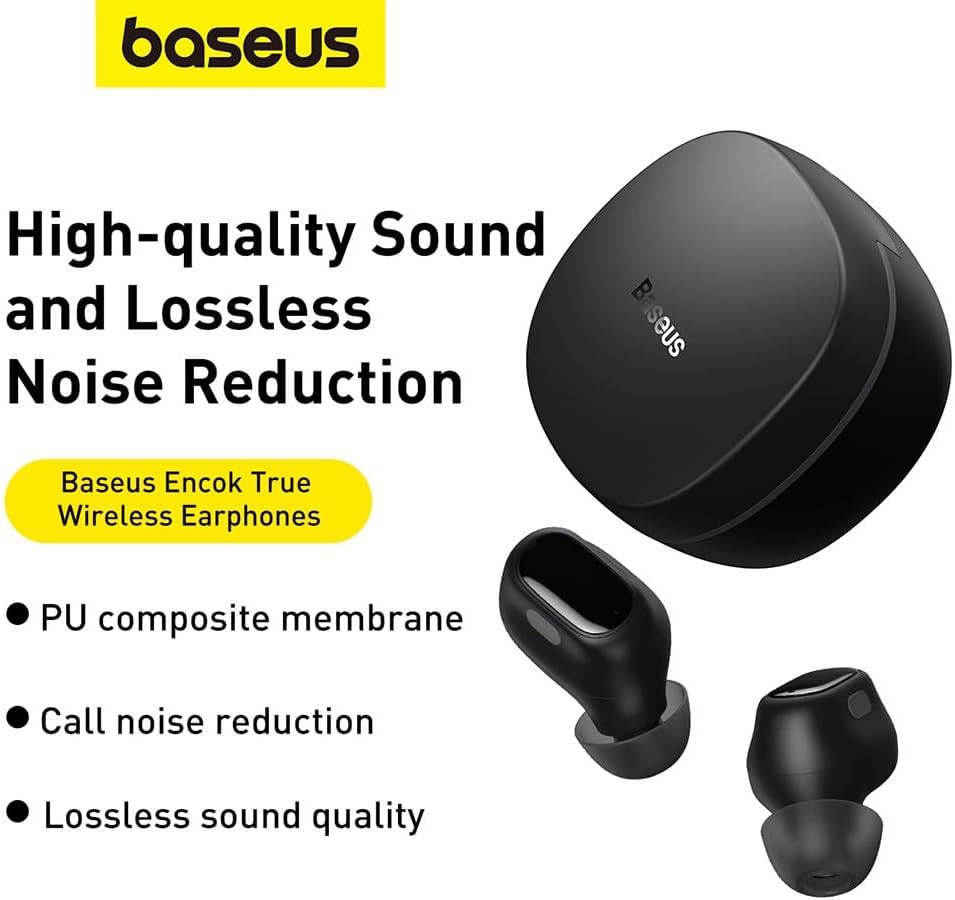
Image: The Baseus Bowie WM01 earbuds alongside their charging case, illustrating their sleek design.
Mantenimentu
Proper maintenance will extend the lifespan of your earphones.
- Pulizia: Pulite regularmente l'auricolari è a custodia di ricarica cù un pannu dolce, asciuttu è senza pelu. Ùn aduprate micca prudutti chimichi aggressivi o materiali abrasivi.
- Cunsiglii per l'orecchie: Remove and clean the silicone ear tips periodically with mild soap and water. Ensure they are completely dry before reattaching.
- Cuntatti di carica: If sound quality or charging issues occur, gently clean the charging contacts on both the earphones and inside the case with a cotton swab dipped in rubbing alcohol.
- Conservazione: Quandu ùn sò micca in usu, conservate l'auricolari in a so custodia di ricarica per prutegeli è manteneli carichi.
- Evite e cundizioni estremi: Do not expose the earphones to extreme temperatures, humidity, or direct sunlight. Avoid dropping or subjecting them to strong impacts.
Risoluzione di prublemi
If you encounter issues with your Baseus Bowie WM01 earphones, try the following solutions:
| Prublemu | Soluzione Possibile |
|---|---|
| L'auricolari ùn si accoppianu / ùn si cunnettanu micca |
|
| Solu un auricolare funziona |
|
| Vulume bassu o qualità di sonu scarsa |
|
| Problemi di carica |
|
Specificazioni
| Feature | Detail |
|---|---|
| Nome di mudellu | Bowie WM01 |
| Numero di mudellu | NGTW370001 |
| Marca | Baseus |
| Culore | Neru |
| Connettività | Wireless (Bluetooth) |
| Dimensioni di u produttu | 10 x 5 x 1.27 cm |
| Pesu | 50 grammi |
| Tipu di batterie | Lithium-Ion |
| Cumpunenti inclusi | Earphones, Charging Case, USB Charging Cable, Ear Tips |

Imagine: Un esplosu view illustrating the internal components of a Baseus Bowie WM01 earbud, including the driver and circuit board.
Garanzia è Supportu
Baseus products are designed and manufactured to the highest quality standards. For warranty information and technical support, please refer to the warranty card included in your product package or visit the official Baseus websitu.
For further assistance, you may contact Baseus customer service through their official channels. Please have your product model number (WM01 / NGTW370001) and purchase details ready.
Disclaimer: This manual is for informational purposes only. Specifications and features are subject to change without notice.