Introduzione
This manual provides detailed instructions for the safe and effective use of your Csasan J90 Pro Bluetooth 5.3 Wireless Earbuds. Please read this manual thoroughly before using the product and retain it for future reference.

Image: Csasan J90 Pro Wireless Earbuds in their purple charging case, displaying an LED power indicator.
Cuntenutu di u pacchettu
Assicuratevi chì tutti l'articuli elencati quì sottu sianu presenti in u vostru pacchettu:
- 2 x Bluetooth Earbuds (Left and Right)
- 1 x Casu di ricarica rapida
- 1 x Cavu di Carica USB-C
- 3 x Paia di Tappi per l'Auricolari (S, M, L)
- 1 x Manuale di istruzioni

Image: The Csasan J90 Pro earbuds, charging case, USB-C cable, and various ear tip sizes laid out, alongside the user guide.
Product Overview
The Csasan J90 Pro earbuds feature a compact and ergonomic design for comfortable wear. The charging case includes an LED display to show battery levels.

Image: A visual representation of the compact and lightweight design of the earbuds and charging case, with measurements and a US quarter for size comparison.
Istituisci
1. Caricamentu di l'auricolari è di a custodia
Before first use, fully charge the earbuds and the charging case. Connect the provided USB-C cable to the charging port on the case and a power source. The LED display on the case will indicate the charging status.
- Tempu di carica: Circa 1.5 ore per una carica completa.
- Durata di a batteria: Up to 6-8 hours on a single charge, with the charging case providing an additional 4 charges for a total of 40 hours playtime.

Image: The charging case with its LED display showing battery levels, highlighting the long-lasting battery capacity of the earbuds.
2. Accoppiamentu cù u vostru dispositivu
L'auricolari utilizanu a tecnulugia Bluetooth 5.3 per una cunnessione stabile è efficiente.
- Assicuratevi chì u Bluetooth di u vostru dispositivu sia attivatu.
- Aprite a custodia di carica. L'auricolari s'accenderanu automaticamente è entreranu in modalità di accoppiamentu.
- On your device, search for "J90 Pro" in the Bluetooth settings and select it to connect.
- Once connected, the earbuds will automatically pair with your device in subsequent uses when the case is opened.

Image: A visual guide demonstrating the one-step pairing process of the J90 Pro earbuds with a smartphone, showing the device name "J90 Pro" in the Bluetooth list.

Image: An illustration showing the flexibility of using the J90 Pro earbuds in either single ear mode or binaural (both ears) mode, connecting to a smartphone.
3. Purtà l'auricolari
Select the ear tips (S, M, L) that provide the most comfortable and secure fit for optimal sound quality and noise isolation. Insert the earbuds into your ears and gently twist them until they are snug.
Istruzzioni di funziunamentu
The J90 Pro earbuds feature sensitive touch controls on both earbuds for easy management of audio and calls.

Image: A detailed graphic illustrating the smart touch control functions for the Csasan J90 Pro earbuds, including playback, call management, volume adjustment, and track navigation.

Image: A comprehensive guide to the touch controls for both the left and right earbuds, detailing actions like single tap, double tap, and press-and-hold for various functions.
Riproduzione musicale
- Play/Pause: Toccate duie volte unu di l'auricolari.
- Prussima pista: Pulsà è mantene l'auricula dritta per 2 secondi.
- Pista Precedente: Pulsà è mantene l'auriculare di manca per 2 secondi.
- Aument du volume : Toccate l'auricula diritta una volta.
- Volume Imbruglia: Toccate l'auricula sinistra una volta.
Gestione di Chjamate
- Rispondi à a chjama: Toccate una volta l'auriculare.
- Chjama finita: Mantene premutu l'auriculare per 2 seconde.
- Reject Call: Tenite premutu unu di l'auricolari per 2 secondi durante una chjama in entrata.
Assistant vocale
- Attivà l'Assistente Vocale: Tap either earbud three times.
Mantenimentu
Pulizia
Una pulizia regulare aiuta à mantene prestazioni è igiene ottimali.
- Aduprate un pannu dolce, asciuttu è senza pelu per asciugà l'auricolari è a custodia di ricarica.
- Eliminate i tappi di l'arechje è puliteli cù acqua è sapone dolce, poi asciugateli accuratamente prima di riattaccalli.
- Ùn aduprate micca detergenti abrasivi o oggetti taglienti.
Storage
Quandu ùn sò micca in usu, conservate l'auricolari in a so custodia di ricarica per prutegeli da a polvere è i danni.
Resistenza à l'acqua (IP7)
The earbuds feature IP7 nano-coating technology, making them resistant to sweat and rain. This allows for use during workouts or in various weather conditions. However, they are not designed for submersion in water.

Image: A woman at a gym, wearing the Csasan J90 Pro earbuds, demonstrating their IP7 waterproof capability for active use.
Risoluzione di prublemi
Sè avete qualchì prublema, vi pregu di cunsultà e seguenti suluzioni cumuni:
- Auricolari chì ùn si accoppianu micca:
- Assicuratevi chì e duie cuffie sò caricate.
- Attivate è disattivate u Bluetooth di u vostru dispositivu.
- Rimettite l'auricolari in a custodia, chjudetela, poi apritela di novu per rientre in modalità di accoppiamentu.
- Forget "J90 Pro" from your device's Bluetooth list and try pairing again.
- Un auriculare ùn funziona micca:
- Assicuratevi chì e duie cuffie sò caricate.
- Rimettite i dui auricolari in a custodia di carica, chjude u coperchio, aspettate uni pochi di secondi, poi apritelo di novu.
- Try resetting the earbuds (refer to manufacturer's specific reset instructions if available, otherwise, a full charge and re-pairing often resolves this).
- Qualità di sonu scarsa:
- Ensure earbuds are properly seated in your ears with the correct size ear tips.
- Pulite i puntali di l'arechje è e griglie di l'auricolari.
- Ensure your device is within the Bluetooth range (up to 10 meters).
- Casu di carica ùn hè micca carica:
- Verificate u cavu USB-C è l'adattatore di alimentazione per s'ellu sò dannighjati.
- Ensure the cable is securely connected to both the case and the power source.
Specificazioni
| Nome di mudellu | J90 Pro |
| Versione Bluetooth | 5.3 |
| Tecnulugia di cunnessione | Wireless (Bluetooth) |
| Tecnulugia di cumunicazione wireless | Bluetooth |
| Autonomia di a batteria (auricolari) | 6-8 ore |
| Tempu di ghjocu tutale cù a custodia di ricarica | 40 Ore |
| Tempu di carica | 1.5 Ore |
| Livellu di resistenza à l'acqua | IP7 Impermeabile |
| Metudu di cuntrollu | Tocca |
| Tipu di Driver Audio | Driver dinamicu (13 mm) |
| Gamma Bluetooth | 10 metri |
| Gamma di Frequency | 20 Hz - 20,000 Hz |
| Pesu di l'articulu | 0.1 kilogrammi (3.52 ounces) |
| Dispositivi compatibles | Most iOS and Android devices with Bluetooth |
Garanzia è Supportu
Csasan is committed to providing quality products and customer satisfaction.
- Garanzia: Your Csasan J90 Pro earbuds come with a 2-year warranty. Please retain your proof of purchase.
- Serviziu à i clienti: For any inquiries or support needs, please contact our customer service. We aim to respond within 24 hours.
For further assistance, please visit the official Csasan store or contact customer support through your purchase platform.
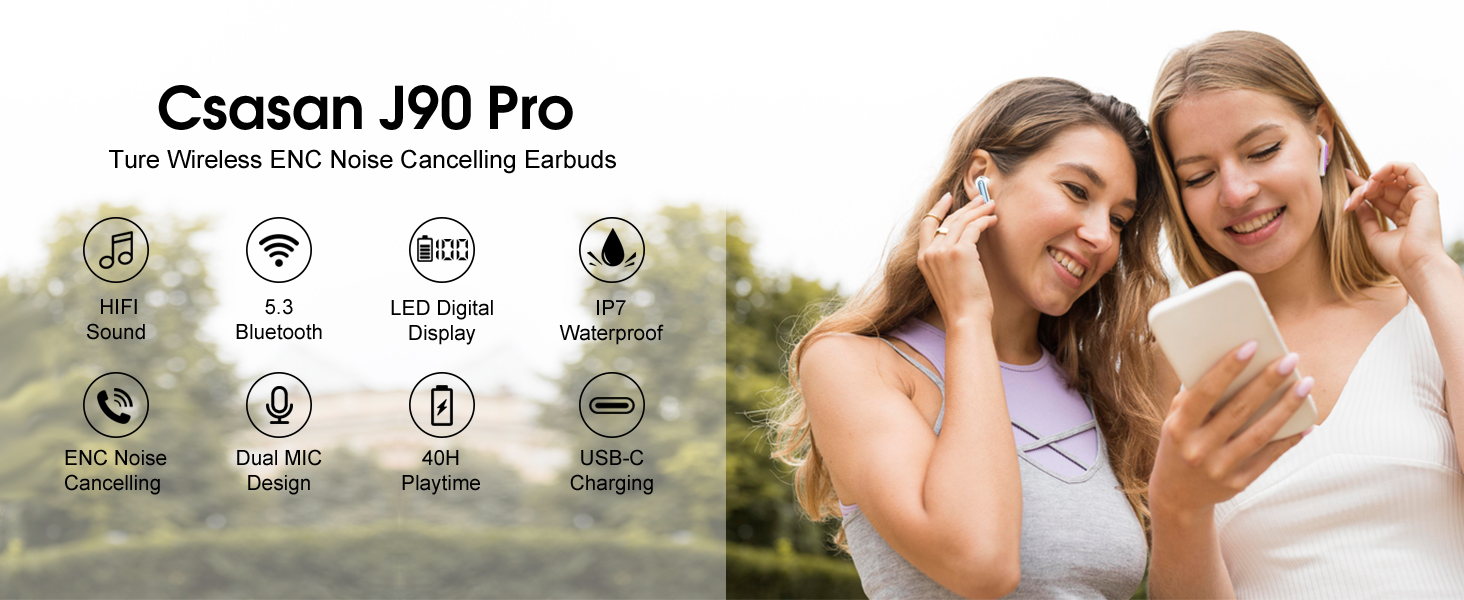
Imagine: Un sopraview of key features of the Csasan J90 Pro earbuds, including sound quality, connectivity, battery life, and water resistance.