Introduzione
Thank you for choosing the Generic Wireless Bluetooth Keyboard with Touchpad. This ultra-slim, portable keyboard is designed for seamless connectivity with your tablets, smartphones, and laptops running iOS, Android, or Windows operating systems. This manual provides essential information for setup, operation, maintenance, and troubleshooting to ensure optimal performance.
Chì ci hè in u Box
- 1 x Tastiera Bluetooth Wireless
- 1 x USB Charging Cable (No Charger)
- 1 x Manuale d'utilizatore

Image: The Wireless Bluetooth Keyboard connected to a tablet, ready for use.
Funzioni di u produttu
- Ampia cumpatibilità: Compatible with iOS, Android, and Windows tablets, smartphones, and laptops. Note: Not compatible with Mac OS.
- Integrated Multi-Touch Trackpad: Features a sensitive and precise touchpad for navigation and control, eliminating the need for an external mouse.
- Batteria ricaricabile: Built-in battery provides over 130 days of standby time on a single charge (2-3 hours charging time) and includes an automatic sleep mode for power saving.
- Ultra-Slim & Portable Design: Compact size (9.56 x 6.85 x 0.23 inches) and lightweight (0.49 lb) for easy transport during travel or business trips.
- Connettività Bluetooth 5.1: Ensures a stable wireless connection with a working distance of up to 33 feet.
- Scrittura cunfortu: Ergonomic design with scissors-key construction provides a laptop-like typing experience, reducing finger fatigue.
- Attaccu Magneticu: The aluminum alloy bottom allows for magnetic attachment to compatible iPad cases.
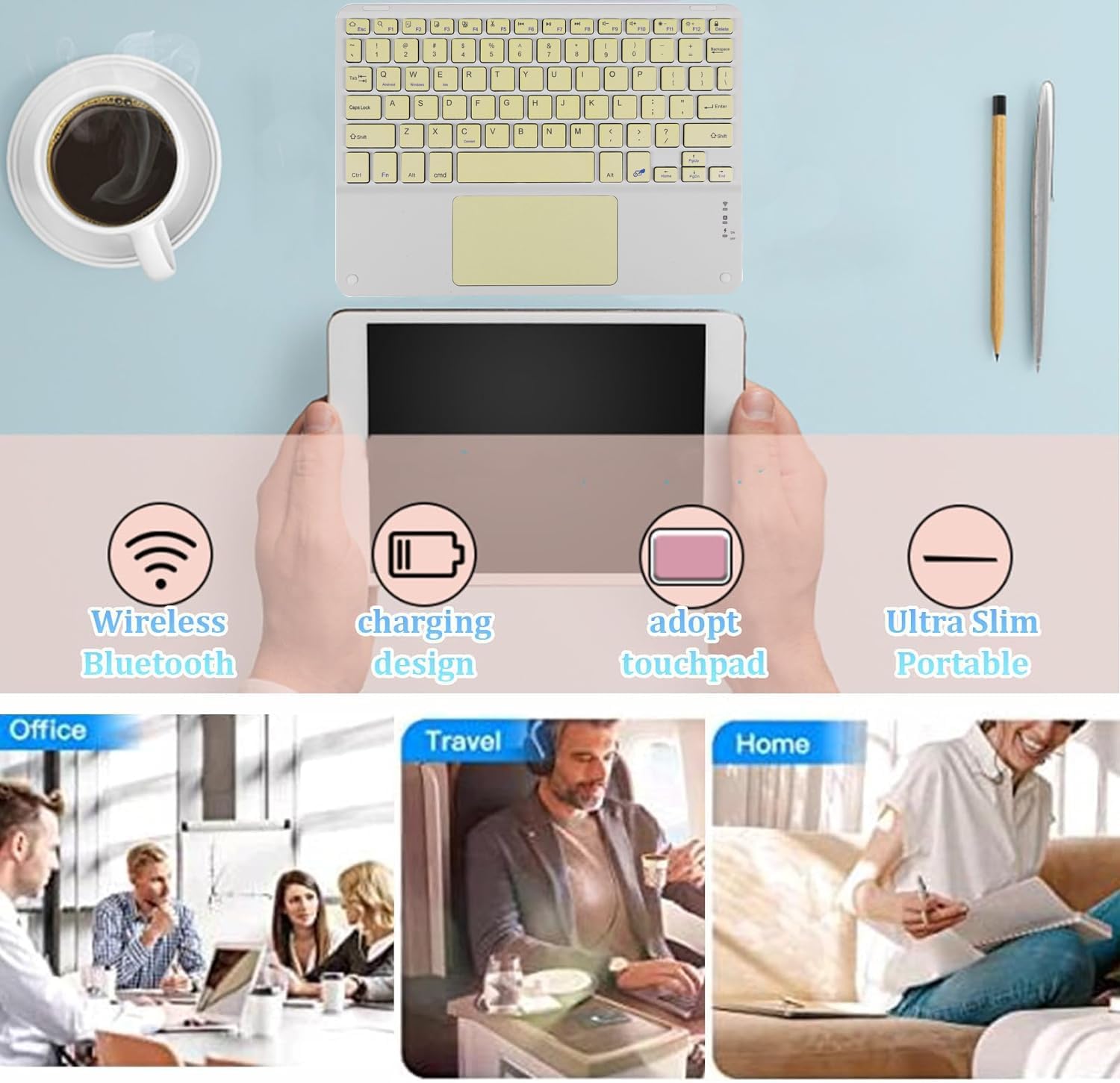
Imagine: Più diview of the keyboard's main features and versatile usage environments.
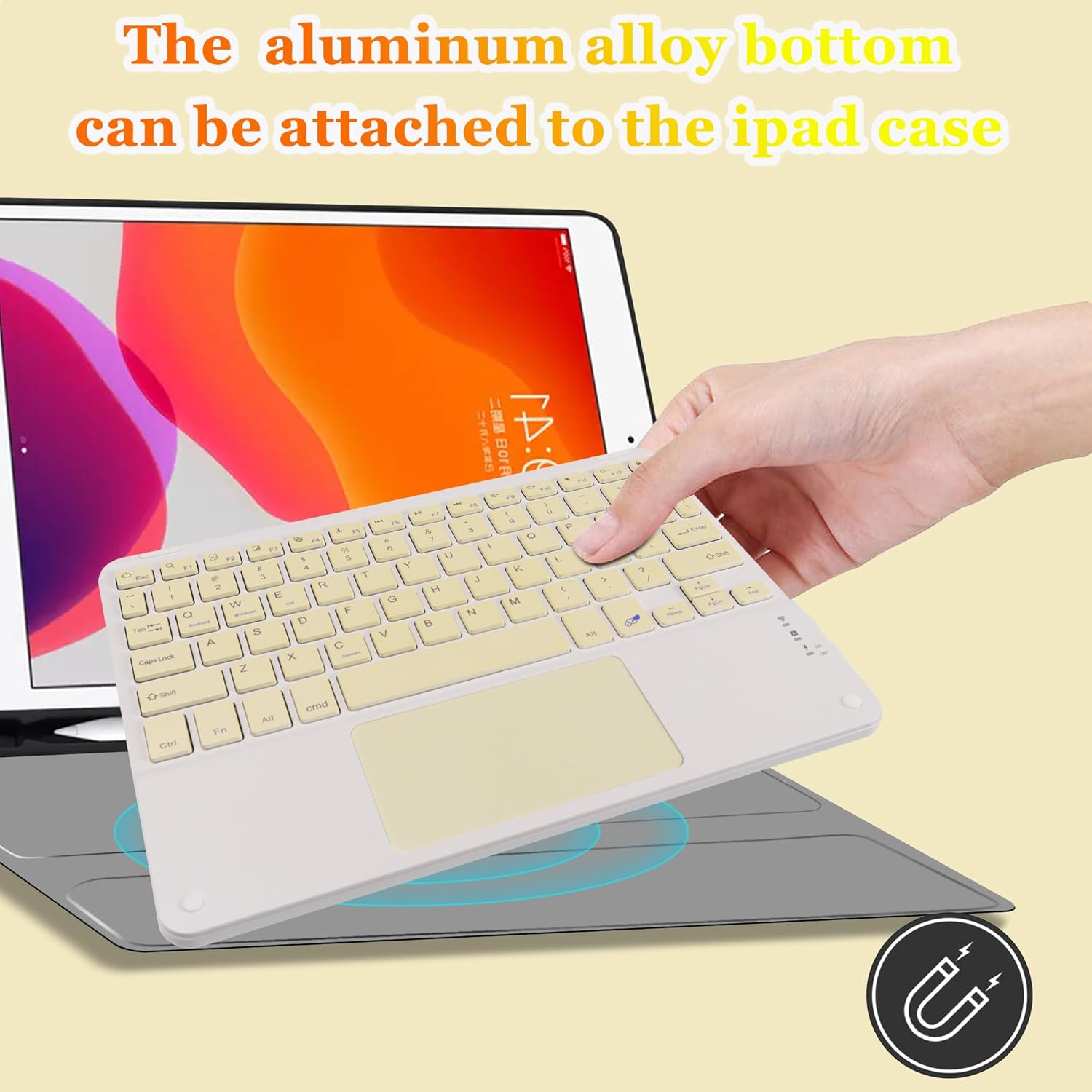
Image: Demonstrating the magnetic attachment feature of the keyboard to a tablet case.

Image: Detail of the keyboard's keys and the comfortable typing experience provided by its design.
Istruzzioni di stallazione
Follow these steps to connect your Wireless Bluetooth Keyboard to your device:
- Power On: Locate the ON/OFF switch on the keyboard and slide it to the 'ON' position.
- Attivà l'accoppiamentu Bluetooth: Press u FN + C keys simultaneously. The Bluetooth indicator light on the keyboard will begin to flash, indicating it is in pairing mode.
- Attivate Bluetooth nant'à u vostru dispusitivu: On your tablet, smartphone, or other Bluetooth-enabled device, go to the Bluetooth settings and turn on Bluetooth.
- Cerca Dispositivu: Your device will search for available Bluetooth devices. Look for a device named "Bluetooth Keyboard" in the list.
- Cunnette: Click on "Bluetooth Keyboard" on your device's screen. Your device may prompt you to enter a code displayed on the screen; type this code on the keyboard and press Entre per compie a cunnessione.
Once connected, the Bluetooth indicator light on the keyboard will stop flashing and remain solid or turn off, depending on the keyboard model, indicating a successful connection.

Image: The keyboard demonstrating its wide compatibility with Windows, Android, and iOS devices.
Istruzzioni di funziunamentu
Utilizà u Touchpad
The integrated multi-touch touchpad allows for intuitive navigation without a separate mouse. Use standard gestures for pointing, clicking, and scrolling. Refer to your device's operating system settings for specific touchpad gesture configurations.
- Tap unicu: Funziona cum'è un clic sinistro.
- Toccu à dui dite: Funziona cum'è un clicu drittu.
- Scrolling à dui dite: Drag two fingers up or down to scroll content.

Image: A hand interacting with the keyboard's built-in multi-touch trackpad.
Caricà a Tastiera
The keyboard features a built-in rechargeable battery. When the battery is low, the indicator light will signal. Use the provided USB charging cable to recharge the keyboard.
- Connect the small end of the USB charging cable to the keyboard's charging port.
- Cunnette l'estremità più grande di u cavu USB à una fonte d'alimentazione USB (per esempiu, una porta USB di l'urdinatore, un adattatore USB da parete).
- A luce indicatrice di carica s'illuminerà durante a carica è si spegnerà una volta cumpletamente caricata.
- Una carica completa dura generalmente 2-3 ore.
Mantenimentu
Per assicurà a longevità è e prestazioni ottimali di a vostra tastiera, seguitate queste linee guida di manutenzione:
- Pulizia: Aduprate un pannu dolce, asciuttu è senza pelu per pulisce a superficia di a tastiera. Per a sporcizia ostinata, asciugate leggermente.ampSciacquate u pannu cù acqua o una suluzione di pulizia dolce. Evitate l'umidità eccessiva.
- Conservazione: Quandu ùn hè micca aduprata per periodi prolungati, cunservate a tastiera in un locu frescu è asciuttu, luntanu da a luce diretta di u sole è da temperature estreme.
- Evite i liquidi: Do not expose the keyboard to liquids. In case of accidental spills, immediately power off the keyboard and allow it to dry completely before reuse.
- Maneggiate cù cura: Avoid dropping the keyboard or subjecting it to strong impacts, which can damage internal components.
Risoluzione di prublemi
Sè avete prublemi cù a vostra tastiera, vi pregu di cunsultà e seguenti suluzioni cumuni:
- Tastiera micca cunnessa:
- Assicuratevi chì a tastiera sia accesa è cumpletamente carica.
- Assicuratevi chì Bluetooth hè attivatu nantu à u vostru dispositivu.
- Put the keyboard back into pairing mode (FN + C) and re-attempt connection.
- Forget the "Bluetooth Keyboard" device from your device's Bluetooth settings and try pairing again.
- Ensure the keyboard is within the 33-foot operating range of your device.
- I chjavi ùn rispondenu micca:
- Check if the keyboard battery is low and recharge it.
- Reconnect the keyboard to your device.
- Riavviate sia a tastiera sia u vostru dispositivu cunnessu.
- Touchpad Not Working Correctly:
- Ensure your device's operating system supports external touchpads and that touchpad functionality is enabled in settings.
- Pulite a superficia di u touchpad per caccià ogni sporcizia o detriti.
- Ricollegate u teclatu.
- Ritardu o disconnessioni:
- Reduce the distance between the keyboard and your device.
- Avoid interference from other wireless devices operating on the same frequency.
- Assicuratevi chì a tastiera sia cumpletamente carica.
Specificazioni
| Feature | Detail |
|---|---|
| Dimensioni di u produttu | 9.64 x 7.08 x 0.2 inch (24.48 x 17.98 x 0.5 cm) |
| Pesu di l'articulu | 8.6 ounces (243.8 grammi) |
| Tecnulugia di cunnessione | Bluetooth 5.1 |
| Dispositivi compatibles | iOS, Android, Windows Tablets, Smartphones, Laptops (Not Mac OS) |
| Funzioni spiciali | Lightweight, Portable, Built-in Trackpad |
| Batteria | 1 Batteria Lithium Ion (inclusa) |
| Tempu di carica | 2-3 ore |
| Tempu di Standby | Finu à 130 ghjorni |
| Materiale | Plastic (with aluminum alloy bottom) |
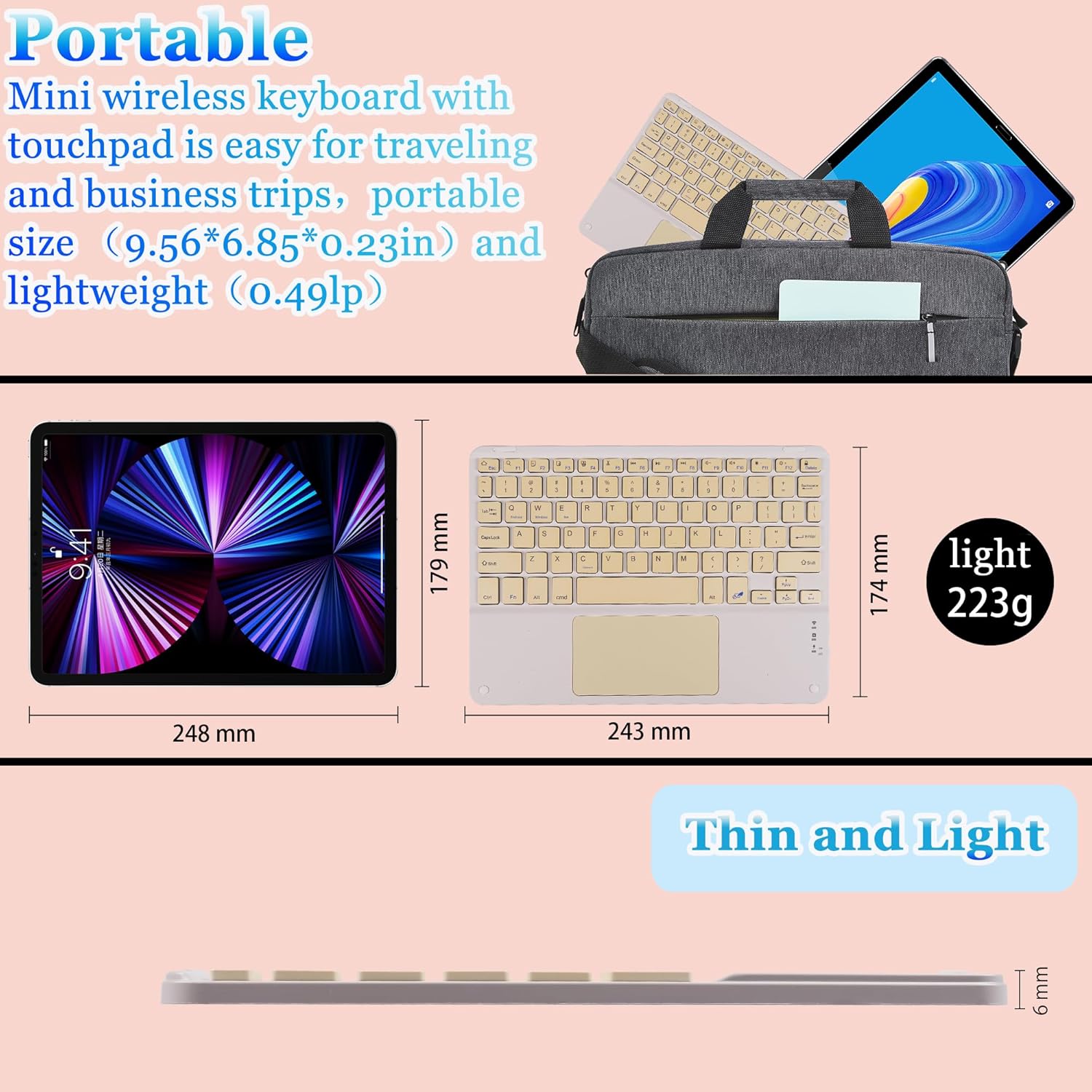
Image: Visual representation of the keyboard's dimensions and lightweight design.
Garanzia è Supportu
This product comes with a standard manufacturer's warranty. For specific warranty details, please refer to the documentation included with your purchase or contact the retailer.
If you require further assistance, technical support, or have questions not covered in this manual, please contact the seller or manufacturer through your purchase platform. Please have your product model number (B0CS63W1NC) and purchase date ready when contacting support.