
1. Introduzione
This manual provides detailed instructions for the installation, operation, and maintenance of your Aqonsie SL-288 Solar Shed Lights. Please read this manual thoroughly before use to ensure proper function and longevity of the product. This solar lighting system is designed for both indoor and outdoor applications, offering versatile illumination with motion sensing capabilities and remote control.
2. Produttu Finituview
2.1 Cumponenti inclusi
- Solar Pendant Light Unit (Quantity: 2 for 2-pack)
- Solar Panel (Quantity: 2 for 2-pack)
- Remote Control (Quantity: 2 for 2-pack)
- Viti di Muntamentu è Ancore
- 16.5 ft Waterproof Connection Cable (Quantity: 2 for 2-pack)
2.2 Funzioni chjave
- Alta luminosità: Equipped with 288 white LEDs, providing up to 1200 lumens of illumination.
- Copertura larga: 8-sided LED panel design ensures broader light dispersion.
- Modi di illuminazione versatili: Features 5 distinct lighting modes, including motion sensor activation for both night and daytime use.
- Control remoto: Allows for convenient adjustment of power, modes, brightness, and motion sensing delay.
- Split Design: Separate solar panel and light unit connected by a 16.5 ft waterproof cable, enabling flexible indoor and outdoor installation.
- Custruzzione durabile: IP65 waterproof rating and ABS material ensure resistance to rain and various weather conditions.
- Daytime Functionality: Specific modes (Mode 4 and AUTO Mode 5) allow for light operation during daylight hours.
3. Setup è Installazione
Before installation, ensure the light unit's ON button is pressed. The remote control will not function if the light is not initially activated manually.
3.1 Sceglie un locu
- Pannellu Solar: Select a location for the solar panel that receives direct sunlight for at least 6-8 hours daily. Avoid shaded areas from trees, buildings, or other obstructions.
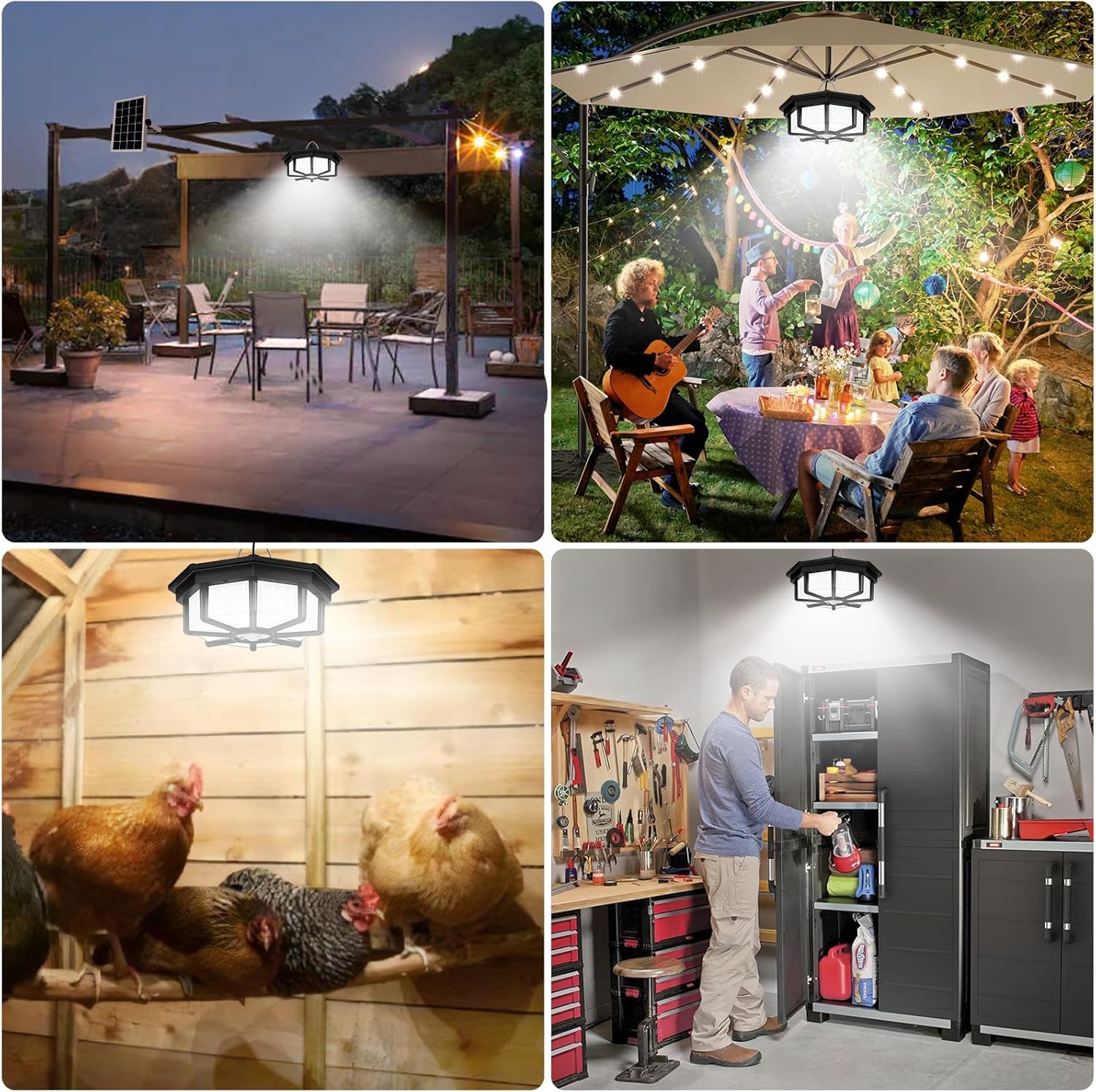
- Unità di luce: The pendant light can be installed indoors (shed, garage, barn, chicken coop) or outdoors (gazebo, patio, porch) using the provided 16.5 ft cable to connect to the solar panel.
3.2 Passi di stallazione
- Muntà u pannellu solare: Use the provided screws and anchors to securely mount the solar panel in your chosen sunny location. Adjust the angle of the panel to maximize sun exposure.
- Muntà l'unità di luce: Install the pendant light unit in the desired indoor or outdoor area. It can be wall-mounted or hung from a ceiling using appropriate hardware.
- Cunnette u cable: Connect the 16.5 ft waterproof cable from the solar panel to the light unit. Ensure the connection is secure to prevent water ingress.
- Attivazione iniziale: Locate the ON/OFF switch on the light unit and press it to activate the light. The remote control will now be functional.


4. Operating Instructions
The Aqonsie SL-288 Solar Shed Lights offer multiple operating modes controlled by the included remote.
4.1 Funzioni Control Remote
- ON/OFF: Accende o spegne a luce.
- MODE 1-5: Select desired lighting mode.
- Ajustamentu di luminosità: Adjust light intensity (e.g., 20%, 40%, 60%, 80%, 100%).
- Sensing Delay: Set the duration the light stays on after motion detection (25s, 35s, 45s).
4.2 Modi di illuminazione
The light features 5 distinct modes, catering to different lighting needs:
- MODE 1 (Night Motion Dim to Bright): At night, the light stays dim (25% brightness) and brightens to 100% for 15 seconds when motion is detected.
- MODE 2 (Night Motion Off to Bright): At night, the light remains off and turns on to 100% brightness for 15 seconds when motion is detected.
- MODE 3 (Night Constant ON): At night, the light stays constantly on at 25% brightness.
- MODE 4 (Daytime Motion Off to Bright): During the day, the light remains off and turns on to 100% brightness for 15 seconds when motion is detected.
- AUTO MODE 5 (Daytime Constant ON with Auto Switch): The light stays on all day at 25% brightness. It automatically switches to MODE 4 (Daytime Motion Off to Bright) when the battery level drops to 50%.
Important Note for Daytime Use: If the solar panel is connected, Modes 1, 2, and 3 will only activate when the solar panel is covered or in darkness (at night). Modes 4 and AUTO Mode 5 are specifically designed for daytime operation.

5. Mantenimentu
Regular maintenance ensures optimal performance and extends the lifespan of your solar shed lights.
- Pulite u pannellu solare: Asciugate periodicamente a superficia di u pannellu solare cù un pannu dolce èamp cloth to remove dust, dirt, snow, or debris. A clean panel ensures efficient charging.
- Verificate e cunnessione: Ensure all cable connections between the solar panel and the light unit remain secure and free from damage.
- Cura di a batteria: The integrated Lithium Polymer batteries are designed for long-term use. Avoid prolonged storage in extreme temperatures.
- Pulizia generale: Clean the light unit with a soft, dry cloth as needed. Do not use abrasive cleaners.
6. Risoluzione di prublemi
If you encounter issues with your Aqonsie SL-288 Solar Shed Lights, refer to the following common solutions:
- Luce chì ùn si accende micca:
- Ensure the light unit's ON/OFF switch has been pressed to the 'ON' position.
- Verify the solar panel is receiving adequate direct sunlight for charging.
- Check that the cable connection between the solar panel and light unit is secure.
- Confirm the selected lighting mode is appropriate for the current light conditions (e.g., night modes won't work in daylight if the solar panel is exposed).
- Light Not Charging Effectively:
- Pulite a superficia di u pannellu solare per rimuovere qualsiasi ostaculu.
- Relocate the solar panel to an area with more direct, unobstructed sunlight.
- Ensure the solar panel is angled correctly towards the sun.
- U cuntrollu remoto ùn risponde micca:
- Ensure the light unit's ON/OFF switch has been pressed to the 'ON' position first.
- Verificate a batteria in u telecomandu è rimpiazzatela se necessariu.
- Ensure there are no obstructions between the remote and the light unit's sensor.
- U sensoru di muvimentu ùn funziona micca:
- Verify the light is in a motion-sensing mode (Mode 1, 2, 4, or AUTO Mode 5).
- Ensure the sensor is not obstructed or dirty.
- Test the sensor's range and sensitivity.
7. Specificazioni
| Feature | Specificazione |
|---|---|
| Numero di mudellu | SL-288 |
| Marca | Aqonsie |
| Tipu di fonte di luce | LED |
| Numero di LED | 288 |
| Luminosità | 1200 lumens |
| Fonte d'energia | A energia solare |
| Tipu di batterie | 2 batterie di polimeru di litio (incluse) |
| Voltage | 12 Volts (DC) |
| Materiale | Acrilonitrile Butadiene Stirene (ABS) |
| Valutazione impermeabile | IP65 |
| Lunghezza di u cable di cunnessione | 16.5 pedi |
| Product Dimensions (Light) | 7.5"L x 7.5"L x 4.5"A |
| Pesu di l'articulu | 4.71 liri |
| Funzioni spiciali | Motion Sensor, Daytime Availability Modes, Remote Control |
8. Garanzia è Support
For warranty information or technical support, please refer to the product packaging or contact Aqonsie customer service directly. Contact details are typically available on the manufacturer's official websitu o per mezu di a vostra piattaforma di compra.