
1. Introduzione
Thank you for choosing the Quntis LED Cabinet Light. This manual provides essential information for the safe and efficient use of your new product. Please read these instructions carefully before installation and operation, and retain them for future reference.
2. Caratteristiche di u produttu
- High-Sensitivity PIR Motion Sensor: Detects motion within a 120° range and up to 10-16 feet (approx. 3-5 meters), automatically illuminating when movement is detected.
- Tre modi di illuminazione: Choose between Always On Mode, Night Sensing Mode (activates only in dark environments), and All-day Sensing Mode (activates anytime motion is detected).
- USB-C Fast Charging & Long Battery Life: Equipped with a built-in 2200mAh rechargeable battery, fully charged in approximately 3 hours via the included 50cm USB-C cable. Provides 40-50 days of use in motion sensor mode or up to 13 hours in always-on mode.
- Installazione faciule: Features strong internal magnets for direct attachment to metal surfaces, or use the included adhesive metal plates for non-metal surfaces. Tool-free setup allows for quick and versatile placement.
- Adjustable Color Temperature & Stepless Dimming: Fingerprint touch control allows switching between 3000K (Warm White), 4500K (Neutral White), and 6000K (Cool White). Long press for stepless brightness adjustment from 10% to 100%.
- Ultra-Thin Design & Durable Material: Slim 1cm thick aluminum alloy body ensures durability and a modern aesthetic, suitable for various interior spaces.
3. Cuntenutu di u pacchettu
- Quntis LED Cabinet Light (2 pieces)
- Cavu di ricarica USB-C (50 cm)
- Piastre metalliche adesive
- Manuale d'usu
4. Informazioni di sicurezza
- Ùn disassemble o mudificà u pruduttu.
- Tenite luntanu da l'acqua è da l'ambienti cù alta umidità.
- Aduprate solu u cavu USB-C furnitu o un equivalente certificatu per a carica.
- Évitez d'exposer le produit à des températures extrêmes ou à la lumière directe du soleil.
- Ensure the installation surface is clean and dry before applying adhesive plates.
5. Setup
5.1 Caricamentu di a Luce
Before first use, fully charge the LED cabinet light. Connect the supplied USB-C cable to the charging port on the light and to a standard USB power adapter (not included). The indicator light will show charging status.

Image: The Quntis LED Cabinet Light connected via USB-C for charging, highlighting its 2200mAh battery and estimated usage times.
5.2 Installazione
The Quntis LED Cabinet Light offers two convenient installation methods:
- Attaccu Magneticu: For metal surfaces, simply place the light directly onto the surface. The built-in magnets will hold it securely.
- Adhesive Plate Attachment: For non-metal surfaces (wood, plastic, etc.), use the included adhesive metal plates.
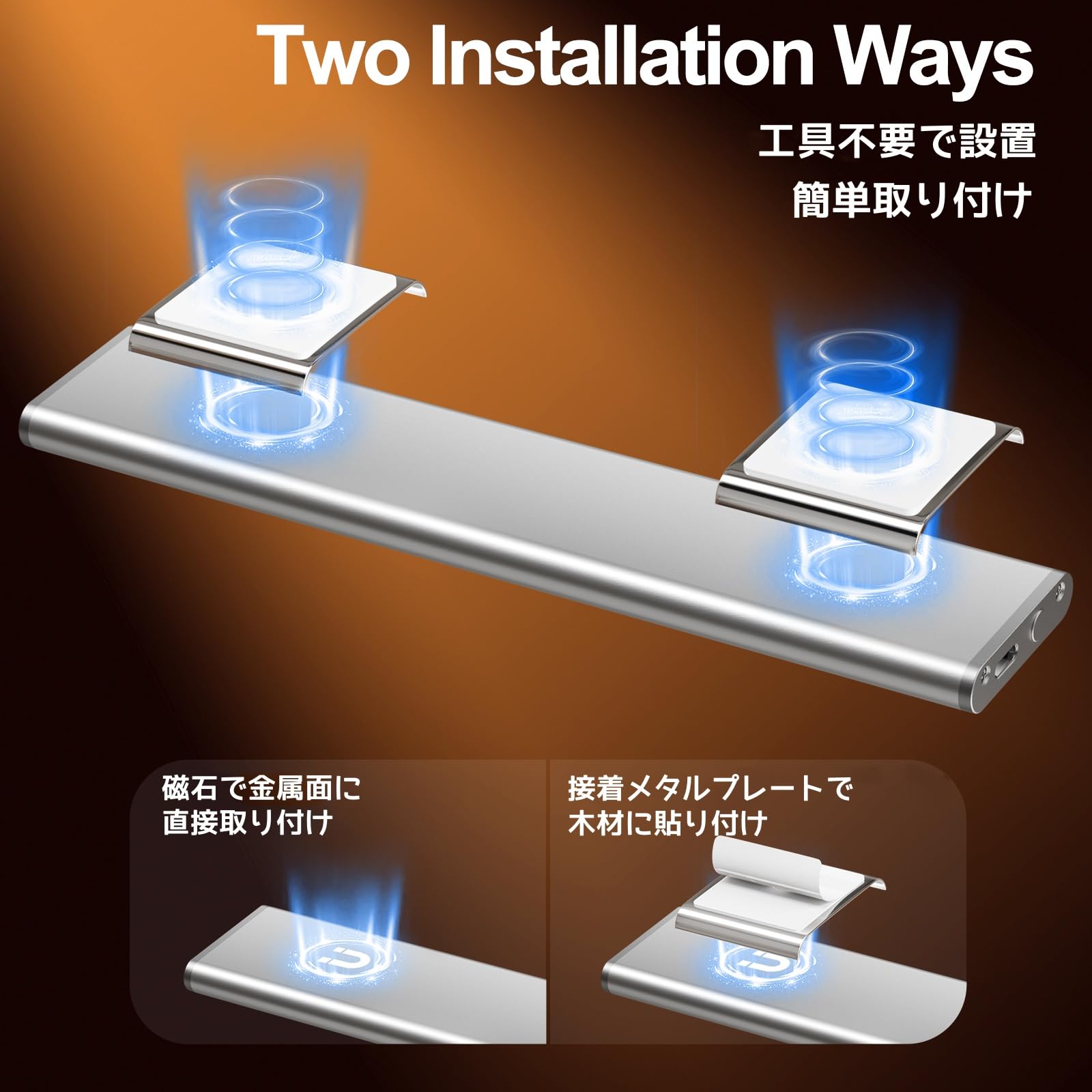
Image: Visual representation of the two installation methods: magnetic for metal surfaces and adhesive plates for other materials.
Steps for Adhesive Plate Installation:
- Clean the surface where you intend to install the light to ensure it is free of dust and grease.
- Peel off the protective film from the adhesive metal plate.
- Press the adhesive plate firmly onto the desired surface for a few seconds to ensure a strong bond.
- Attach the LED cabinet light to the metal plate using its built-in magnets.

Image: Step-by-step guide for installing the light using adhesive metal plates.
6. Operating Instructions
The Quntis LED Cabinet Light features a multi-functional touch control button and a PIR motion sensor for versatile operation.
6.1 Power On/Off & Mode Selection
Use the fingerprint touch control button to cycle through the operating modes:
- Cliccate unicu: Attiva Sempre in Modu. The light remains continuously on.
- Doppiu clic: Attiva Night Sensing Mode. The light will only turn on when motion is detected in a dark environment.
- Triple Clic: Attiva All-day Sensing Mode. The light will turn on whenever motion is detected, regardless of ambient light conditions.
- Quadruple Click: Turns the light Off.

Image: Illustration of how to use the touch control for different lighting modes.
6.2 Motion Sensor Operation
In Night Sensing Mode or All-day Sensing Mode, the built-in PIR sensor detects movement. The light will automatically turn on when motion is detected within its 120° range and up to 10-16 feet. If no further motion is detected for approximately 20 seconds, the light will automatically turn off to conserve battery.
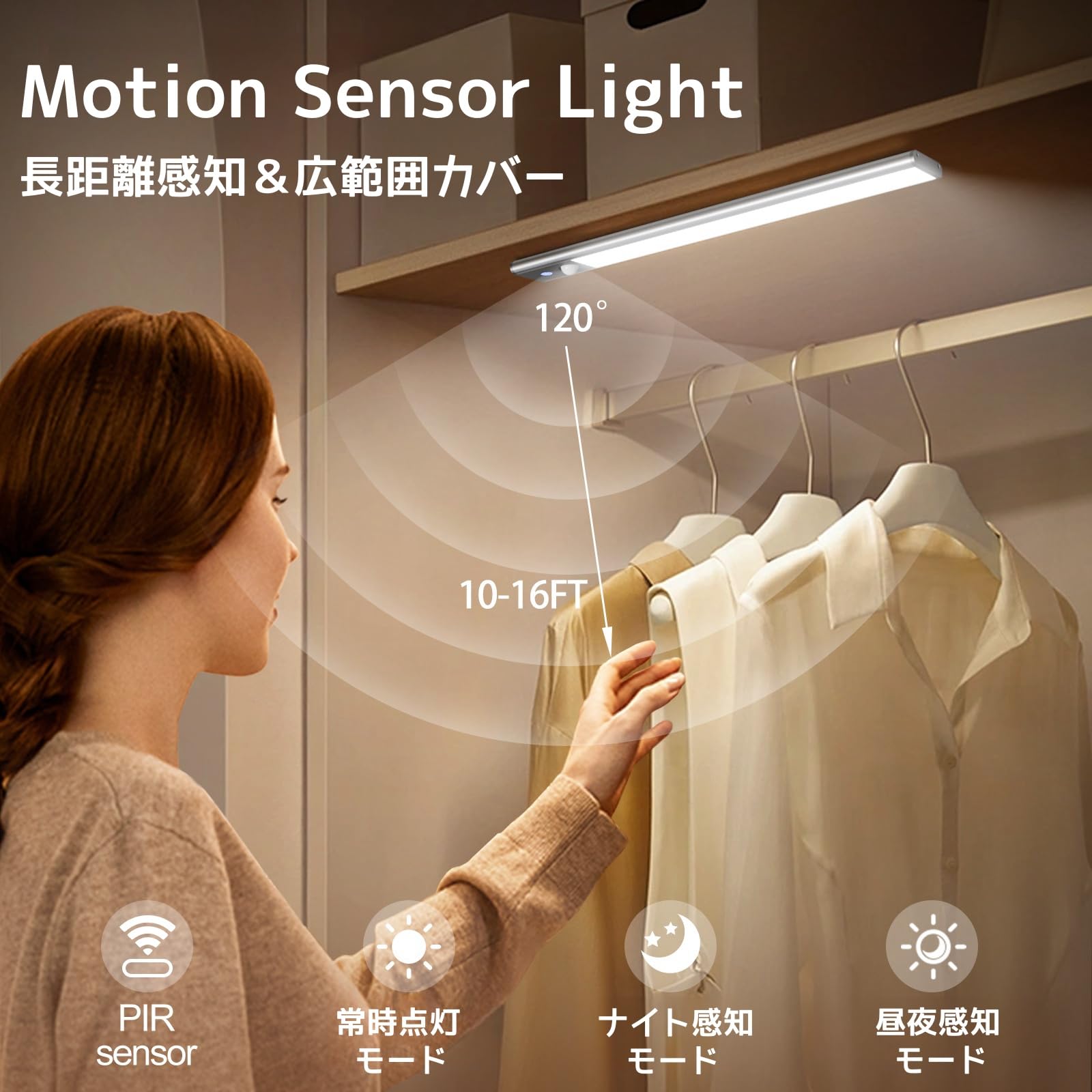
Image: The motion sensor light activating in a closet, demonstrating its detection capabilities.
Video: A demonstration of the Quntis LED Motion Sensor Light's automatic activation and shut-off feature when motion is detected and then ceases.
6.3 Ajuste di temperatura di culore
While the light is on, short press the fingerprint touch control button to cycle through the three available color temperatures: 3000K (Warm White), 4500K (Neutral White), and 6000K (Cool White).
6.4 Ajustamentu di a luminosità (Dimming Stepless)
While the light is on, long press the fingerprint touch control button to adjust the brightness. The brightness will cycle between 10% and 100%. Release the button when the desired brightness level is reached.

Image: Visual guide for adjusting color temperature with a short press and brightness with a long press.
7. Mantenimentu
7.1 Pulizia
To clean the light, gently wipe it with a soft, dry cloth. Do not use abrasive cleaners, solvents, or immerse the light in water.
7.2 Cura di a batteria
To prolong battery life, avoid fully discharging the light frequently. Charge the light regularly, especially if it has not been used for an extended period. Store the light in a cool, dry place when not in use.
8. Risoluzione di prublemi
| Prublemu | Causa Possibile | Soluzione |
|---|---|---|
| A luce ùn accende micca. | Battery is low or depleted. Incorrect mode selected. | Charge the light fully. Ensure the correct operating mode (Always On, Night Sensing, or All-day Sensing) is selected. |
| U sensoru di muvimentu ùn funziona micca. | Light is in Always On Mode or Off. Ambient light is too bright (for Night Sensing Mode). Sensor is obstructed. | Switch to Night Sensing Mode or All-day Sensing Mode. Ensure the environment is dark enough for Night Sensing Mode. Clear any obstructions from the sensor. |
| Light falls off the surface. | Magnets not strong enough for the weight/surface. Adhesive plate not properly secured or surface was dirty. | Ensure the light is properly attached to the magnetic surface. If using adhesive plates, clean the surface thoroughly before re-applying new adhesive plates. Consider a more secure mounting method if the surface is unsuitable. |
| A luminosità o a temperatura di u culore ùn ponu esse aghjustate. | Funzionamentu sbagliatu. | Ensure the light is on. Short press for color temperature change. Long press for stepless dimming. |
9. Specificazioni
- Marca: Quntis
- Mudellu: LI-HL-0033-SR-SWE
- Culore: Argentu
- Dimensioni (L x W x H): 30 cm x 3 cm x 0.3 cm (circa 12 x 1.2 x 0.12 pollici)
- Batteria: 2200mAh Ricaricabile
- Portu di carica: USB-C
- Tempu di carica: Circa. 3 ore
- Tempu di operazione: 40-50 days (Motion Sensor Mode), up to 13 hours (Always On Mode)
- Temperature di culore: 3000K (Biancu Caldu), 4500K (Biancu Neutru), 6000K (Biancu Freddu)
- Dimora: 10%-100% Stepless
- Gamma di sensori di muvimentu: 120°, 10-16 ft (approx. 3-5 meters)
- Spegnimentu Auto: 20 seconds (in sensor modes)
- Materiale: Alloy d'aluminium
10. Garanzia è Support
Quntis provides the following support for this product:
- Garanzia di 1 anni: Product replacement for defects, no repair needed.
- Risposta in 24 ore: E dumande di l'assistenza à i clienti riceveranu una risposta in 24 ore.
- Restituzione è scambiu gratuiti di 30 ghjorni: Hassle-free returns and exchanges within 30 days of purchase.
For further assistance or technical support, please contact Quntis customer service through your purchase platform or visit our official websitu.