Introduzione
This manual provides detailed instructions for the safe and effective use of your Generic Ultrapods Pro Wireless Noise Cancelling Earbuds. Please read this manual thoroughly before using the product and retain it for future reference.
The Ultrapods Pro are designed to deliver high-quality audio with advanced features such as Bluetooth 5.3 connectivity, Environmental Noise Cancellation (ENC), and IPX4 water resistance.
Imagine: Davanti è daretu views of the Ultrapods Pro charging case, showcasing its design and the DUOTRONIX branding often associated with Generic products.

Image: People enjoying music and calls with Ultrapods Pro earbuds in different scenarios, highlighting general usage.
Chì ci hè in u Box
- Bluetooth Earbuds (Ultrapods Pro)
- Cavu di carica
- Manuale d'usu
Funzioni di u produttu
- Bluetooth 5.3: Assicura una cunnessione wireless stabile è efficiente.
- 30 Hours Total Playtime: Extended battery life with the included charging case.
- Smart ENC (Environmental Noise Cancellation): Riduce u rumore di fondu per chjamate chjare.
- IPX4 Splash & Water Resistance: Prutege contr'à u sudore è i schizzi ligeri.
- 40ms Bassa Latenza: Provides synchronized audio for gaming and video calls.
- Carica rapida: 10 minutes of charge provides up to 100 minutes of playback.
- High Fidelity 13mm Drivers: Delivers immersive sound quality.
- Cuntrolli Touch: Intuitive control for media and calls.

Image: A graphic illustrating the noise reduction capability of the earbuds, emphasizing the 'Tune the World Out' feature with 38 dB reduction.
Istituisci
1. Carica iniziale
Before first use, fully charge the Ultrapods Pro earbuds and their charging case.
- Pone l'auriculare in u casu di carica.
- Connect the charging case to a USB power source using the provided charging cable.
- L'indicatore LED nantu à a custodia mostrerà u statu di carica. Una carica cumpleta dura di solitu circa 1.5 ore.

Image: The Ultrapods Pro charging case displaying its battery level, indicating the charging status.

Image: Close-up of the Ultrapods Pro charging case featuring a 3D embossed digital power display.
2. Abbinamentu Bluetooth
- Aprite a custodia di carica. L'auricolari entreranu automaticamente in modalità di accoppiamentu, indicata da luci LED lampeggianti.
- Nant'à u vostru apparechju (smartphone, tableta, ecc.), attivate Bluetooth è cercate l'apparechji dispunibili.
- Select "Ultrapods Pro" from the list of found devices.
- Once connected, the earbud LEDs will stop flashing, and you will hear a confirmation tone.
3. Purtà l'auricolari
Gently insert the earbuds into your ears, ensuring a comfortable and secure fit. Adjust them until the sound is clear and the fit is snug to optimize audio quality and noise cancellation.

Image: An Ultrapods Pro earbud shown correctly positioned within the ear for optimal fit and sound.
Istruzzioni di funziunamentu
Touch Controls
The Ultrapods Pro feature intuitive touch controls on each earbud.
| Azzione | Funzione |
|---|---|
| Toccu unicu (sinistra/destra) | Riproduce/Mette in pausa a musica, Rispondi/Fine chjama |
| Doppiu toccu (cuffia diritta) | Next Track |
| Doppiu toccu (cuffia sinistra) | Pista Precedente |
| Triplu Toccu (Sinistra/Destra) | Attivà l'Assistente Vocale |
| Pressione Longa (2 secondi) | Reject Call, Toggle Gaming Mode (Low Latency) / Normal Mode |
| Pressione Longa (3 secondi) | Toggle ENC (Environmental Noise Cancellation) On/Off |
Annullamentu di u Rumore Ambientale (ENC)
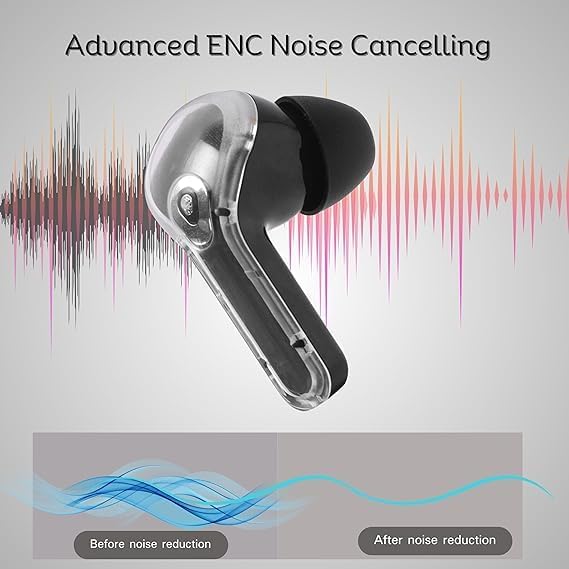
The Ultrapods Pro feature Smart ENC technology to reduce ambient noise during calls, ensuring clearer communication.

Image: A visual representation of how Advanced ENC Noise Cancelling technology reduces background noise for improved audio clarity.

Imagine: Un esplosu view of the earbud highlighting the dual microphones and 10+6mm double moving coil drivers for ENC and sound quality.
Modu di ghjocu (bassa latenza)
Activate Gaming Mode for a low-latency audio experience, ideal for gaming and video playback where audio-visual synchronization is critical.
- To activate: Long press the touch control area for 2 seconds.
- To deactivate: Long press again for 2 seconds.
Mantenimentu
Pulizia
Una pulizia regulare aiuta à mantene prestazioni è igiene ottimali.
- Aduprate un pannu dolce, asciuttu è senza pelu per asciugà l'auricolari è a custodia di ricarica.
- Ùn aduprate micca detergenti abrasivi, alcolu o solventi chimichi.
- Gently remove any earwax or debris from the earbud tips and speaker mesh using a small, clean brush or cotton swab.
Resistenza à l'acqua (IPX4)
The Ultrapods Pro are IPX4 rated, meaning they are resistant to splashes and sweat. They are not designed for submersion in water.
- Avoid exposing the earbuds to running water or heavy rain.
- Ùn li purtate micca mentre natate o fate a doccia.
- If they get wet, wipe them dry thoroughly before placing them back in the charging case or using them.
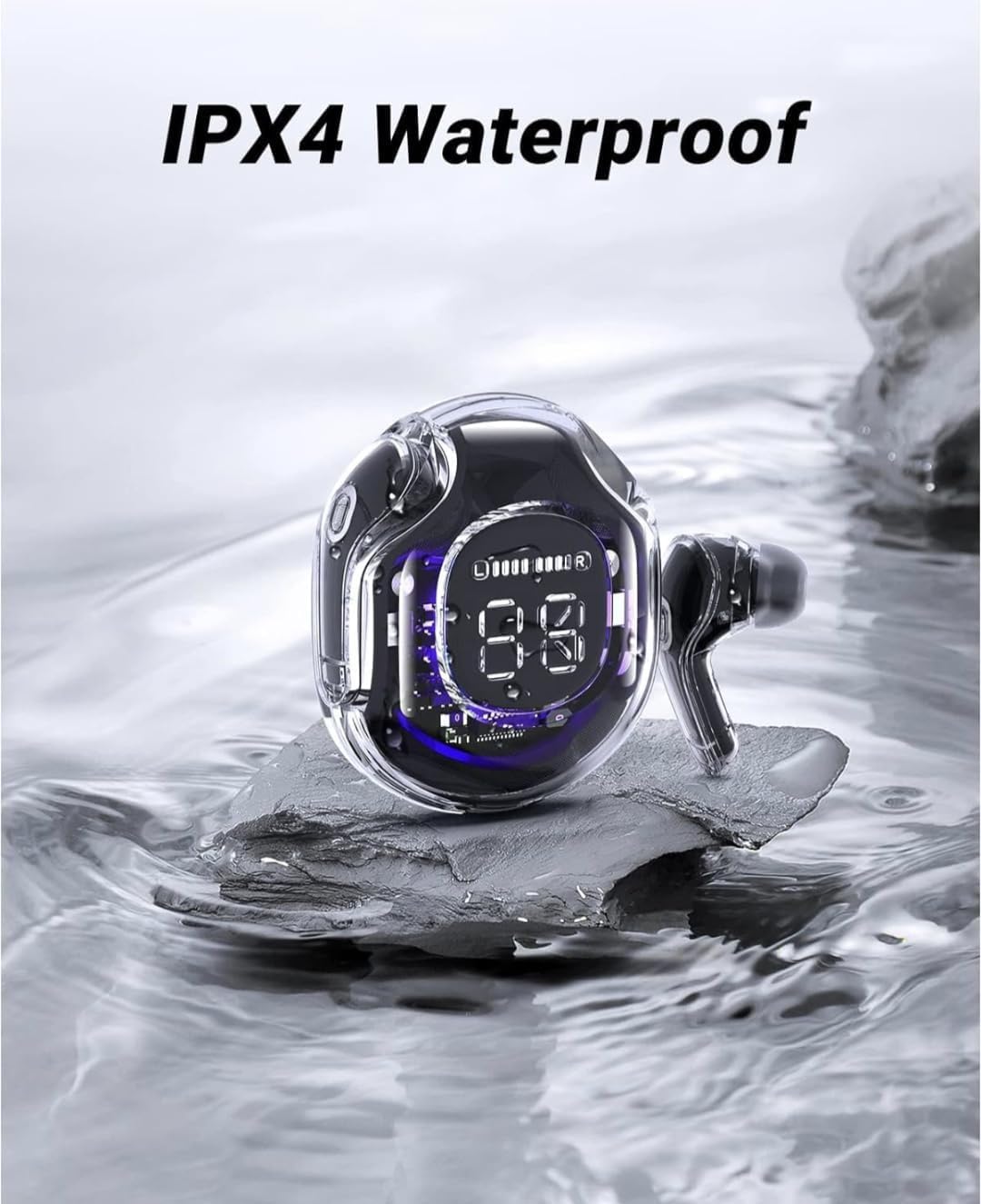
Image: The Ultrapods Pro charging case and earbuds shown with water splashes, illustrating their IPX4 water resistance rating.

Image: A person wearing Ultrapods Pro earbuds while being splashed with water, highlighting the product's IPX4 water resistance against sweat and splashes.
Storage
Mantene l'auriculare in u so casu di carica quandu ùn sò micca in usu per prutege è mantene cariche.
- Keep the product away from extreme temperatures, humidity, and dust.
- Evitate di lascià cascà o di sottumette l'auricolari à impatti forti.
Risoluzione di prublemi
| Prublemu | Soluzione Possibile |
|---|---|
| Earbuds ùn sò micca accoppiati |
|
| Nisun sonu da un auricular |
|
| Casu di carica ùn hè micca carica |
|
| Povera qualità di chjama |
|
Ripristinendu i Earbuds
Sè avete prublemi persistenti, un reset di fabbrica pò risolve li.
- Pone i dui auriculari in u casu di carica.
- With the case open, press and hold the reset button (if available, otherwise refer to specific product instructions for a long press on both earbuds simultaneously) for approximately 10-15 seconds until the LED indicators flash rapidly.
- Remove "Ultrapods Pro" from your device's Bluetooth list and re-pair the earbuds.
Specificazioni
| Feature | Detail |
|---|---|
| Nome di mudellu | Ultrapods Pro |
| Tecnulugia di cunnessione | Wireless (Bluetooth) |
| Tecnulugia di cumunicazione wireless | Bluetooth 5.3 |
| Controlu di u rumore | Annullamentu di u Rumore Ambientale (ENC) |
| A vita di a batteria | Finu à 30 ore (cù a custodia di ricarica) |
| Tempu di carica | Approx. 10 minutes for 100 minutes playback (Fast Charging) |
| Livellu di resistenza à l'acqua | IPX4 (Splash & Sweat Resistant) |
| Tipu di Driver Audio | Driver dinamicu (13 mm) |
| Metudu di cuntrollu | Tocca |
| Formatu di u microfonu | Built-in HD Mic |
| Latenza | 40ms (Low Latency Gaming Mode) |
| Materiale | Plastica, Silicone |
| Dimensioni di u produttu | 12 x 8 x 8 cm |
| Pesu di l'articulu | 200 g |
Garanzia è Supportu
Per infurmazioni nantu à a garanzia è l'assistenza à i clienti, vi pregu di cunsultà a ducumentazione furnita à u mumentu di l'acquistu o cuntattate u vostru rivenditore. Cunservate a vostra prova d'acquistu per qualsiasi reclamazione di garanzia.


