
Introduzione
Thank you for choosing the Csasan T70 Smart Watch. This manual provides essential information for setting up, operating, and maintaining your device. The T70 Smart Watch features a 1.91-inch HD display, Bluetooth calling capabilities, over 110 sports modes, 24/7 health monitoring, and IP68 water resistance. Please read this manual thoroughly to ensure optimal performance and longevity of your smartwatch.

Image: Csasan T70 Smart Watch highlighting key features.
Chì ci hè in u Box
Verificate chì tutti l'articuli sò presenti in u vostru pacchettu:
- Smart watch x1
- Caricatore magneticu x1
- Manuale d'uso x1

Image: Illustration of the Csasan T70 Smart Watch package contents.
Istituisci
1. Caricamentu di l'orologio intelligente
Before first use, fully charge your Csasan T70 Smart Watch. Connect the magnetic charger to the charging points on the back of the watch and plug the USB end into a power adapter (not included) or a computer's USB port. A full charge typically takes approximately 2 hours.

Image: Smartwatch charging process and battery life details.
2. Installazione App
To unlock all features and synchronize data, download and install the Gloryfit app nantu à u vostru smartphone. Cerca "Gloryfit" in the Apple App Store (for iOS devices) or Google Play Store (for Android devices).
3. Accoppiamentu cù u vostru Smartphone
- Assicuratevi chì Bluetooth hè attivatu nantu à u vostru smartphone.
- Open the Gloryfit app and follow the on-screen instructions to create an account or log in.
- In l'app, navigate à a sezzione di u dispusitivu è selezziunate "Aghjunghje dispusitivu" o una opzione simile.
- The app will search for available devices. Select "T70" or the corresponding device name when it appears.
- Cunfirmate a dumanda di accoppiamentu sia nant'à u vostru orologio sia nant'à u vostru smartphone.
Istruzzioni di funziunamentu
Navigazione basica
- Touch Screen: Scorri à manca, à diritta, in sù o in giù per navigà trà i menu è e funzioni. Tocca per selezziunà.
- Sveglia u schermu: Raise your wrist or press the side button to wake the screen.
- Faces d'orologio persunalizati: Customize your watch face through the Gloryfit app using personal photos or pre-set designs.

Image: Customizable watch faces on the 1.91-inch HD screen.
Wireless Calls and Message Push
Once paired with your smartphone, the T70 Smart Watch allows you to manage calls and notifications directly from your wrist.
- Rispondi / Fà chjama: Use the watch to answer incoming calls or dial numbers. The watch syncs with your mobile contacts.
- Notificazioni di messagiu: Receive notifications from various apps including Instagram, YouTube, Messenger, Gmail, Snapchat, Facebook, Twitter, and WhatsApp. Note: The watch does not support replying to messages.

Image: Smartwatch displaying Bluetooth call functionality.

Image: Smartwatch showing notifications and other features like drink water reminder, sedentary reminder, weather, and alarm clock.
Modi Sportivi è Monitoraghju di l'Attività
The watch offers over 110 sports modes to track your physical activities. It records steps, distance, calories burned, and more.
- Accessu à i Modi Sportivi: Swipe on the watch face to find the sports mode menu and select your desired activity.
- Dati di l'attività: View real-time data during your workout and detailed summaries in the Gloryfit app.

Image: Smartwatch displaying various sports modes and activity metrics.
Cunsigliu di Salute
The T70 Smart Watch includes sensors for continuous health monitoring.
- Monitor di frequenza cardiaca: Monitors your heart rate 24/7. Data is for reference and not for medical diagnosis.
- Tracker di u sonnu: Automatically tracks your sleep patterns, including awake, light, and deep sleep stages. Review sleep data in the Gloryfit app to adjust habits.
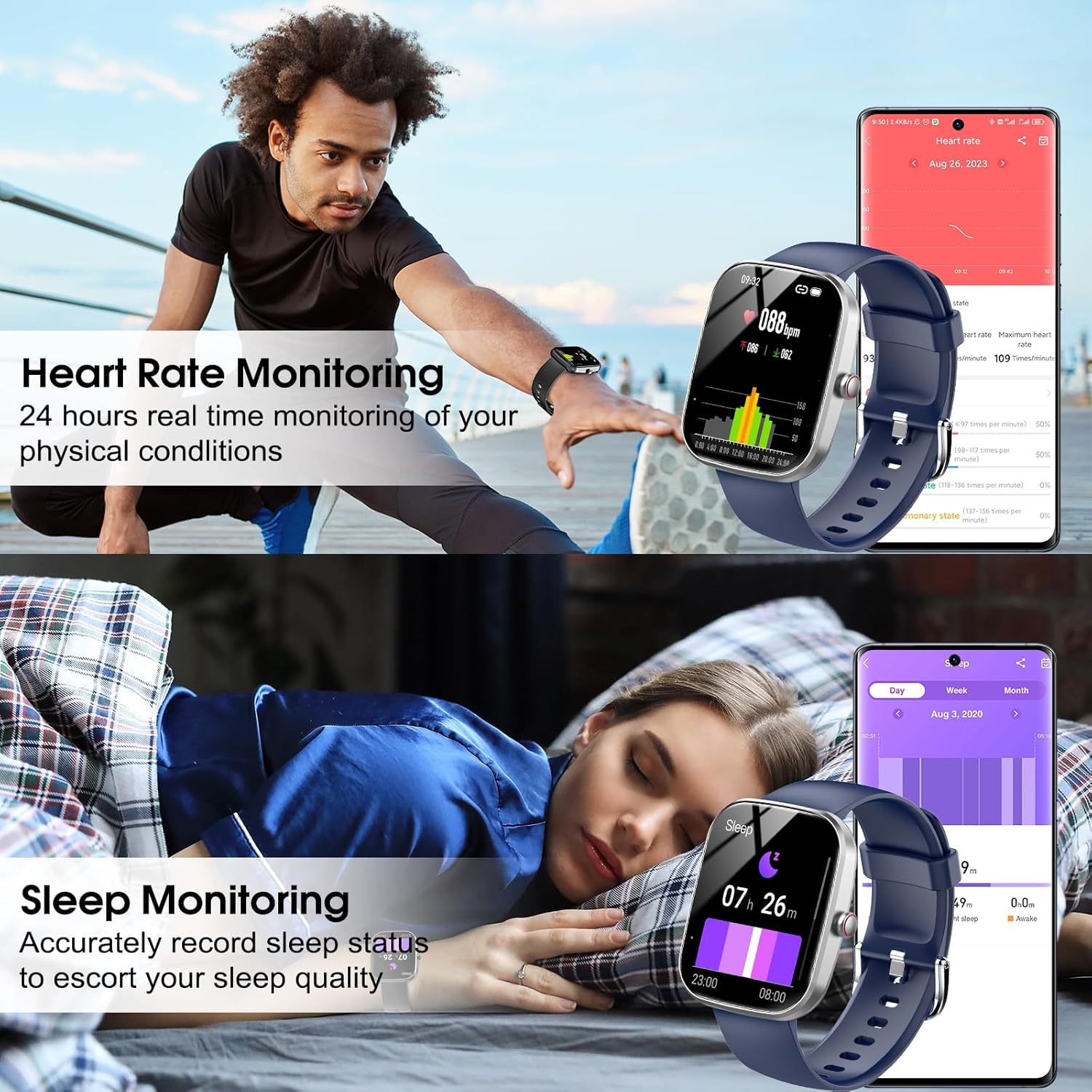
Image: Smartwatch displaying heart rate and sleep monitoring functions.
Music Control
Cuntrolla a riproduzione di musica nant'à u vostru smartphone direttamente da u vostru orologio.
- Cuntrolla di riproduzione: Play, pause, skip tracks, and adjust volume without needing to access your phone.

Image: Smartwatch demonstrating music control functionality.
Camera Control Remote
Aduprate u vostru smartwatch cum'è un otturatore remoto per a camera di u vostru smartphone.
- Otturatore remoto: Open the camera function in the Gloryfit app and use your watch to trigger photos.
Altre funzioni
The Csasan T70 Smart Watch includes several other useful features:
- Previsioni Meteo
- Ricordu sedentariu
- Cronometru
- Alarm Clock
- Timer
- Female Cycle Tracking
- Truvà u telefunu
Mantenimentu
Resistenza à l'acqua (IP68)
The Csasan T70 Smart Watch is IP68 waterproof, meaning it is resistant to dust and can withstand immersion in water up to 1.5 meters for 30 minutes. It is suitable for daily activities like washing hands or exercising in the rain.
Nota impurtante:
- Do not use the watch in hot water, saunas, or steam rooms.
- Avoid prolonged soaking in water, as this can affect the waterproof seal over time.
- Water resistance is not a permanent condition and may decrease over time with normal wear and tear.

Image: Smartwatch demonstrating IP68 water resistance.
Pulizia è Cura
- Asciugate l'orologio regularmente cù un pannu dolce è asciuttu.
- Evite l'usu di sustanzi chimichi duri o materiali abrasivi.
- Mantene i cuntatti di carica puliti è asciutti per assicurà una carica curretta.
A vita di a batteria
The Csasan T70 Smart Watch offers:
- Finu à 30 ghjorni di tempu in standby.
- 5-7 days of average usage, depending on feature usage.
Risoluzione di prublemi
If you encounter issues with your Csasan T70 Smart Watch, refer to the following common solutions:
| Prublemu | Soluzione Possibile |
|---|---|
| Fighjate micca accende | Ensure the watch is fully charged. Connect to the magnetic charger for at least 30 minutes. |
| Ùn si pò micca accoppià cù u telefunu | Make sure Bluetooth is on, the Gloryfit app is open, and the watch is within range. Restart both the watch and phone. |
| Notificazioni micca ricevute | Check app permissions for Gloryfit on your phone. Ensure notifications are enabled within the Gloryfit app settings for specific applications. Verify the watch is connected via Bluetooth. |
| Conte di passi imprecisu | Ensure the watch is worn snugly on your wrist. Arm movements without actual steps (e.g., pushing a stroller) may not be accurately counted. |
| Heart rate/sleep data incorrect | Ensure the watch is worn correctly and snugly. Clean the sensor on the back of the watch. Note that data is for reference only. |
| Corta vita di a bateria | Reduce screen brightness, disable continuous heart rate monitoring if not needed, and limit frequent notifications. |
Specificazioni
| Feature | Detail |
|---|---|
| Nome di mudellu | T70 |
| Marca | Csasan |
| Size Screen | 1.91 inch |
| Forma | Rettangulare |
| GPS | Nisun GPS |
| A cumpusizioni di a batteria | Lithium Polymer |
| Standard di Cumunicazione Wireless | Bluetooth |
| Tecnulugia di cunnessione | Bluetooth |
| Funzione speciale | Tracker di l'attività |
| Sistema upirativu | Android (compatible with Android 5.0+ and iOS 9.0+) |
| Pesu di l'articulu | 0.09 kilogrammi (3.2 ounces) |
| U fabricatore | Csasan |
| Valutazione impermeabile | IP68 |
Garanzia è Supportu
Infurmazioni di Garanzia
The Csasan T70 Smart Watch comes with a 2-year free replacement policy da a data di compra, chì copre i difetti di fabricazione.
Assistenza Clienti
Csasan provides sustegnu di a vita for its products. For any inquiries, technical assistance, or warranty claims, please contact our customer service team. We offer 24-hour quick service via email.
Please refer to the contact information provided in your product packaging or on the official Csasan websitu per i dettagli di supportu.