
ILEBYGO B0F83Q1HHT
Manuale d'usu di u mini pruiettore ILEBYGO B0F83Q1HHT
Model: B0F83Q1HHT
1. Introduzione
Thank you for choosing the ILEBYGO Mini Projector B0F83Q1HHT. This portable projector is designed to provide a versatile entertainment experience with its Android 13 operating system, WiFi 6, Bluetooth 5.0, 1080P Full HD resolution with 4K support, 320 ANSI lumens brightness, 270-degree rotation, auto keystone correction, and autofocus. This manual provides essential information for setting up, operating, and maintaining your projector.
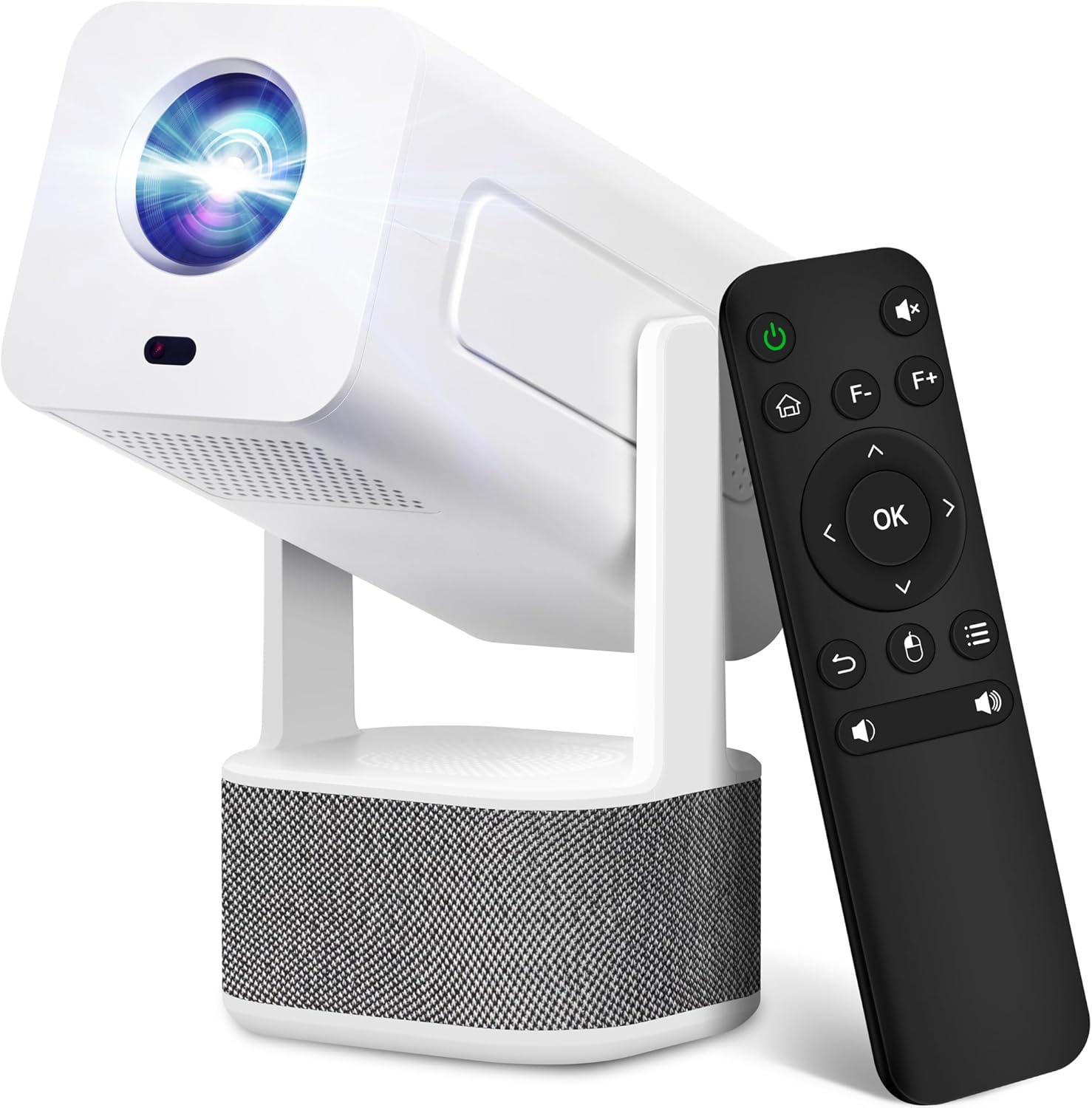
Image 1.1: ILEBYGO Mini Projector and Remote Control
The ILEBYGO Mini Projector B0F83Q1HHT offers a projection size ranging from 30 to 200 inches, making it suitable for various environments from small rooms to outdoor settings. Its dual 5W speakers deliver integrated audio, and multiple connectivity options ensure compatibility with a wide range of devices.
2. Ciò chì hè in a scatula
Per piacè verificate u cuntenutu di u vostru pacchettu. Sè qualchì articulu manca o hè dannighjatu, cuntattate l'assistenza clienti.
- 1x ILEBYGO Mini Projector
- 1x Manuale d'utilizatore
- 1x Adattatore d'alimentazione
- 1x Control Remote
3. Setup Guide
3.1. Accensione
- Cunnette l'adattatore di alimentazione à u portu d'entrata DC di u prughjettore.
- Inserite l'adattatore di corrente in una presa murale.
- Pulsà u buttone di putenza nantu à u projector o u telecomando per accende u dispusitivu.

Image 3.1: Projector Connectivity Ports (DC, HDMI, USB, Audio)
3.2. Initial Placement and Adjustment
The projector features a 270-degree rotatable design, allowing flexible placement.
- Pone u projector nantu à una superficia stabile.
- Adjust the projector's angle to direct the image onto your desired projection surface (wall, screen, ceiling).
- The projector will automatically perform keystone correction and autofocus to optimize the image clarity and shape.
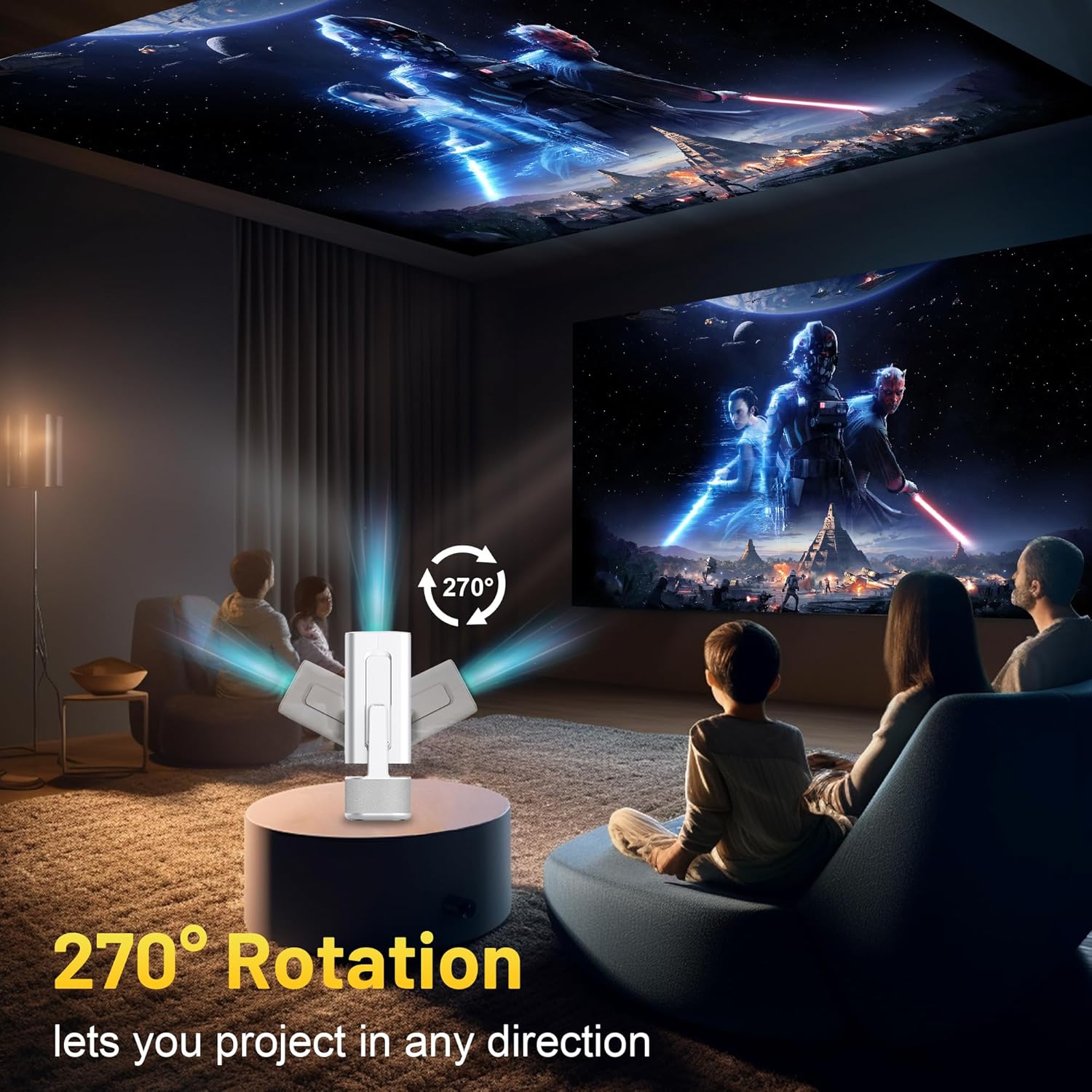
Image 3.2: 270-Degree Rotation Capability
3.3. Cunnessione di rete (WiFi)
To access online content and streaming services, connect the projector to a Wi-Fi network.
- From the home screen, navigate to 'Settings'.
- Selezziunate "Rete è Internet".
- Attivate u Wi-Fi è selezziunate a rete desiderata da a lista.
- Inserite a password Wi-Fi se dumandata è cunnette vi.

Image 3.3: Dual Band WiFi 6 and Bluetooth 5.0
3.4. Abbinamentu Bluetooth
Pair Bluetooth devices like external speakers or headphones for enhanced audio.
- From the home screen, navigate to 'Settings'.
- Selezziunate "Dispositivi cunnessi" o "Bluetooth".
- Accende u Bluetooth.
- Mette u vostru dispositivu Bluetooth in modu d'abbinamentu.
- Select your device from the list of available devices on the projector screen to pair.
4. Operating Instructions
4.1. Navigazione
Use the included remote control to navigate the projector's interface. The directional buttons, 'OK' button, 'Back' button, and 'Home' button are primary controls.
4.2. App Usage (Android 13)
The projector runs on Android 13 and comes with pre-installed streaming applications.
- From the home screen, select the desired application (e.g., Netflix, YouTube, Prime Video).
- Cunnettatevi cù e vostre credenziali di contu se necessariu.
- Browse and play content as you would on any Android smart device.
- Additional apps can be downloaded from the Google Play Store.

Image 4.1: Built-in Android 13 System with Apps
4.3. Screen Mirroring/Casting
Mirror content from your smartphone, tablet, or computer wirelessly.
- Ensure both the projector and your device are connected to the same Wi-Fi network.
- On the projector, select the screen mirroring/casting application (e.g., Miracast, AirPlay).
- On your mobile device, enable screen mirroring or casting and select the projector from the list of available devices.
4.4. External Device Connection (HDMI, USB)
Connect external devices such as laptops, gaming consoles, or USB drives.
- HDMI: Connect an HDMI cable from your device to the HDMI port on the projector. Select the HDMI input source from the projector's input menu.
- USB: Insert a USB drive into the USB port. The projector's file manager will typically open automatically, allowing you to browse and play media files.

Image 4.2: Multi-Device Compatibility
4.5. Ajustamentu di l'Image
The projector features automatic adjustments for convenience.
- Correzione Auto Keystone: The projector automatically corrects vertical image distortion. If manual adjustment is needed, navigate to 'Settings' > 'Projection Settings' > 'Keystone Correction'.
- Autofocus: The image will automatically focus when the projector is moved or powered on. Manual focus adjustment can be found in 'Settings' > 'Projection Settings' > 'Focus'.
- Zoom: Adjust the projection size from 50% to 100% without moving the projector. This setting is typically found in 'Settings' > 'Projection Settings' > 'Zoom'.

Image 4.3: Auto Keystone Correction and Autofocus
5. Mantenimentu
5.1. Pulizia
- Lenti: Aduprate un pannu dolce è senza pelu specificamente cuncipitu per lenti ottiche. Evitate materiali abrasivi o prudutti chimichi aggressivi.
- Esternu: Asciugate l'esternu di u prughjettore cù un pannu dolce è asciuttu. Ùn aduprate micca detergenti liquidi direttamente nantu à u dispusitivu.
- Ventilazione: Assicuratevi chì l'aperture di ventilazione sianu libere da polvere è ostruzioni per impedisce u surriscaldamentu.
5.2. Storage
When not in use, store the projector in a cool, dry place away from direct sunlight and extreme temperatures. Use the original packaging or a protective case to prevent dust accumulation and physical damage.
6. Risoluzione di prublemi
Vede a tavula quì sottu per i prublemi cumuni è e so suluzioni.
| Issue | Causa Possibile | Soluzione |
|---|---|---|
| Nisun putere | Power cable not connected; Power outlet malfunction | Assicuratevi chì u cavu di alimentazione sia cunnessu bè. Pruvate una presa di corrente diversa. |
| Nisuna Image | Incorrect input source; Device not connected; Projector in standby mode | Select correct input source (HDMI, USB). Ensure external device is powered on and connected. Press power button to wake projector. |
| Image sfocata | Out of focus; Keystone not corrected | Allow autofocus to adjust. Manually adjust focus in settings if needed. Check keystone correction settings. |
| Nisun sonu | Volume too low; Muted; External audio device not connected/paired | Increase volume. Unmute projector. Ensure Bluetooth audio device is paired and connected, or external speakers are properly connected via audio jack. |
| Problemi di cunnessione Wi-Fi | Incorrect password; Network interference; Router issues | Verificate a password Wi-Fi. Avvicinate u prughjettore à u router. Riavviate u router. |
| Fallimentu di l'accoppiamentu Bluetooth | Device not in pairing mode; Interference; Device too far | Ensure Bluetooth device is in pairing mode. Keep devices close. Turn off other Bluetooth devices to reduce interference. |
7. Specificazioni
| Feature | Detail |
|---|---|
| Marca | ILEBYGO |
| Mudellu | B0F83Q1HHT |
| Risoluzione di visualizazione | 1920 x 1080 (Full HD), Supportu 4K |
| Luminosità | 320 Lumen ANSI |
| Tecnulugia di cunnessione | Bluetooth 5.0, HDMI, USB, Wi-Fi 6 (2.4G+5G) |
| Sistema upirativu | Android 13 |
| Funzioni spiciali | Auto Keystone Correction, Autofocus, 270° Rotation, Built-in Dual 5W Speakers |
| Dimensione di prughjezzione | 30''-200'' |
| Rapportu d'aspettu | 16:9 / 4:3 |
| Pesu di l'articulu | 2.72 liri |
| Dimensioni di u pacchettu | 13.54 x 5.39 x 5.2 inch |
8. Garanzia è Support
The ILEBYGO Mini Projector B0F83Q1HHT comes with a standard manufacturer's warranty. Please refer to the warranty card included in your package for specific terms and conditions.
For technical support, troubleshooting assistance, or warranty claims, please contact ILEBYGO customer service through the retailer's platform or the contact information provided in your product documentation.