Introduzione à Windows 8
This manual is designed for all users who wish to understand the functionality of Microsoft's Windows 8 operating system and leverage its full potential. Addressing contemporary demands, Windows 8 features an attractive, refreshed design, alongside new technologies that enable complete integration with touch screens and innovative software options, such as the Microsoft application store. This practical guide visually reviews all new features and advanced functionalities to assist with daily tasks. Upon completing this manual, readers will possess the essential knowledge and tips to maximize the capabilities and uncover all the hidden details offered by this version of the most widely used operating system.
Getting Started and Initial Setup
This section covers the initial steps to familiarize yourself with Windows 8, from understanding its core features to configuring your system for optimal use.
Key Learning Points:
- Introduzione: Explore the characteristics and novelties of the operating system, including a complete tour of its various options.
- Interface and Basic Options: Understand the features and functions of the Start Screen. Learn to use and configure the new desktop environment. Discover how to work with files, folders, and other everyday elements.
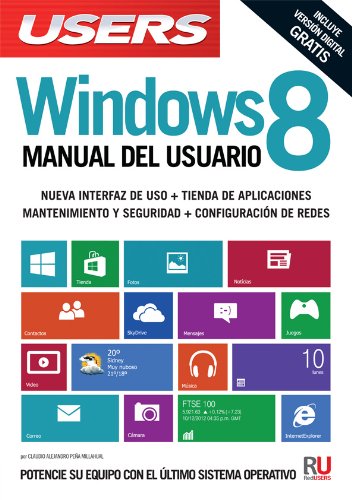
Figure 1: Front cover of the Microsoft Windows 8 User Manual, highlighting key features.
Operating Windows 8
This section guides you through the daily operation of Windows 8, covering interface navigation, application management, and system personalization.
Personalization and Configuration:
- persunalizazione: Adjust the appearance of the operating system. Understand important elements of the Control Panel.
- Applications and Multimedia: Explore new applications and their characteristics. Discover novelties in multimedia management and playback.
- Internet, Networks, and Connectivity: Learn about the functions and features of the integrated web browser. Connect devices and share files.
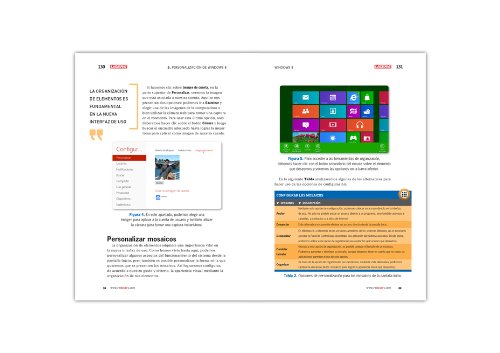
Figura 2: Un example page from the manual showing Windows 8 personalization options, including customizing tiles.
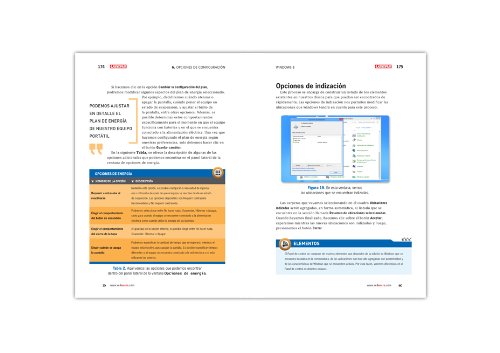
Figura 3: Un example page from the manual detailing Windows 8 configuration and indexing options.
File Gestione:
Efficiently manage your digital assets. Learn how to organize and access files and folders, and understand image metadata.
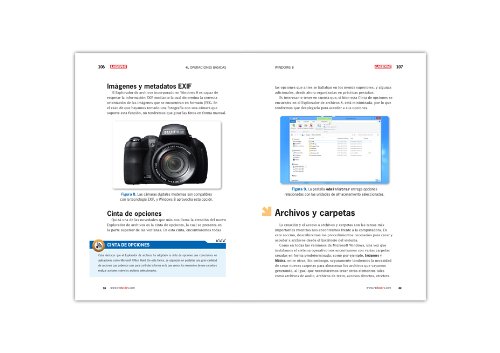
Figura 4: Un example page from the manual illustrating file and folder management, including image metadata.
Security and System Maintenance
Maintaining your system's security and performance is crucial. This section provides guidance on protecting your computer and optimizing its functionality.
- Sicurezza è Mantenimentu: Scopre l'avanzatutages the system offers to better protect your equipment and enhance its performance.
Gestione di password:
Learn how to secure your Windows 8 account with various password options, including creating a picture password for enhanced security.
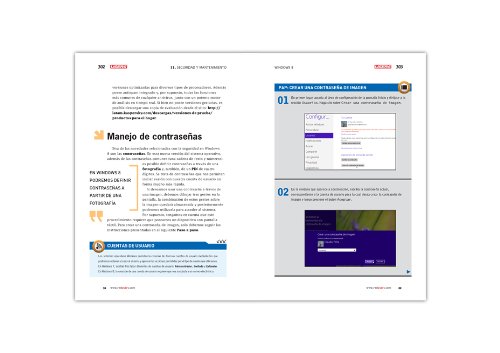
Figura 5: Un example page from the manual demonstrating password management and how to create a picture password in Windows 8.
Risoluzione di prublemi cumuni
While this manual focuses on comprehensive usage, general troubleshooting steps for common Windows 8 issues often involve checking system settings, driver updates, and running built-in diagnostic tools. For specific problems, refer to Microsoft's official support documentation.
Product Specifications (Manual)
| Editore | Creative Andina Corp. |
| Data di Publicazione | 25 di lugliu di u 2013 |
| Edizione | 2013u |
| Lingua | Spagnolu |
| Stampa Lunghezza | 320 pagine |
| ISBN-10 | 987194909X |
| ISBN-13 | 978-9871949090 |
| Pesu di l'articulu | 15.2 once |
Infurmazioni di Garanzia
This manual is a published book and does not come with a warranty for the Microsoft Windows 8 software itself. For warranty information regarding the Windows 8 operating system, please refer to Microsoft's official documentation or websitu.
Supportu è Risorse Addiziunali
For technical support related to the Microsoft Windows 8 operating system, please visit the official Microsoft support website. This manual serves as a comprehensive guide to the features and usage of Windows 8.


