1. Introduzione
This manual provides detailed instructions for the installation, operation, and maintenance of your Lantronix KVM Serverswitch, model 300.000.9000. This device allows you to control multiple computers from a single PS/2 keyboard, PS/2 mouse, and VGA monitor console. Please read this manual thoroughly before using the product to ensure proper setup and optimal performance.
2. Informazioni di sicurezza
To prevent damage to the product or injury to yourself, observe the following safety precautions:
- Assicuratevi chì u dispusitivu sia piazzatu nantu à una superficia stabile è piana.
- Ùn espone micca u dispusitivu à l'umidità, à temperature estreme o à a luce diretta di u sole.
- Aduprate solu l'adattatore di alimentazione furnitu cù l'unità.
- Ùn aprite micca l'apparecchiu casing. Affidate tutta a manutenzione à persunale qualificatu.
- Disconnect power before cleaning. Use a soft, dry cloth for cleaning.
3. Cuntenutu di u pacchettu
Verificate chì tutti l'articuli sò presenti in u vostru pacchettu:
- Lantronix KVM Serverswitch (Model 300.000.9000)
- Adattatore di putenza
- Rack Mount Kit (optional, may be sold separately)
- Guida di avviamentu rapidu (stu documentu serve cum'è manuale cumpletu)
4. Produttu Finituview
The Lantronix KVM Serverswitch 300.000.9000 is an 8-port KVM switch designed for managing multiple PS/2-based servers or PCs. It features a robust design suitable for server room environments.
4.1 Pannellu Frontale
The front panel typically includes port selection buttons and LED indicators for active ports.
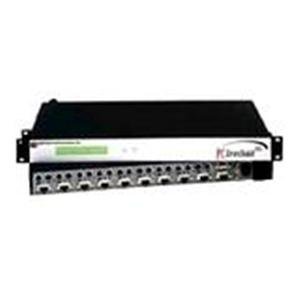
Image: Front view of the Lantronix KVM Serverswitch. This image displays the device's front panel, featuring multiple buttons for selecting connected computers and corresponding LED indicators to show the active port.
4.2 Panel posteriore
The rear panel houses the console ports for your keyboard, mouse, and monitor, as well as the KVM ports for connecting to the servers/PCs and the power input.
Note: A specific image for the rear panel is not available. Please refer to the physical device for port identification.
5. Setup
Follow these steps to set up your KVM Serverswitch:
- Power Off All Devices: Assicuratevi chì tutti l'urdinatori è l'interruttore KVM sianu spenti prima di fà qualsiasi cunnessione.
- Cunnette i dispusitivi di a cunsola:
- Connect your PS/2 keyboard to the keyboard port on the KVM switch's console section.
- Connect your PS/2 mouse to the mouse port on the KVM switch's console section.
- Connect your VGA monitor to the VGA port on the KVM switch's console section.
- Cunnette l'urdinatori: For each computer you wish to connect:
- Connect a KVM cable (VGA, PS/2 keyboard, PS/2 mouse) from the computer's respective ports to an available KVM port on the switch.
- Ensure a secure connection for all cables.
- Connect Power: Plug the supplied power adapter into the KVM switch's power input, then plug the adapter into a power outlet.
- Power On: First, power on the KVM switch. Then, power on all connected computers.
6. Operating the KVM Serverswitch
The Lantronix KVM Serverswitch offers multiple methods for switching between connected computers.
6.1 Front Panel Push Buttons
Press the corresponding button on the front panel to switch to the desired computer. The LED indicator for the selected port will illuminate.
6.2 Hotkey Switching
Use keyboard hotkeys to switch between computers without needing to reach the switch. Common hotkey sequences include:
- [Scroll Lock] + [Scroll Lock] + [Port Number]: Switches directly to the specified port.
- [Scroll Lock] + [Scroll Lock] + [Up/Down Arrow]: Switches to the next/previous port.
- Refer to the specific hotkey combinations printed on the device or in a separate quick start guide if available, as they can vary.
6.3 Auto-Scan Mode
The KVM switch may feature an auto-scan mode that automatically cycles through all connected computers, displaying each for a set duration. This is useful for monitoring multiple systems. Consult the device's specific features for activating and configuring auto-scan.
7. Mantenimentu
Regular maintenance ensures the longevity and optimal performance of your KVM switch.
- Pulizia: Disconnect power before cleaning. Use a soft, dry, lint-free cloth to wipe the exterior of the device. Do not use liquid or aerosol cleaners.
- Ventilazione: Assicuratevi chì l'aperture di ventilazione ùn sianu micca bluccate. Un flussu d'aria adattatu impedisce u surriscaldamentu.
- Gestione di Cable: Keep cables organized and free from kinks or excessive tension to prevent damage to connectors and ensure reliable signal transmission.
8. Risoluzione di prublemi
If you encounter issues with your KVM Serverswitch, refer to the following common problems and solutions:
| Prublemu | Causa Possibile | Soluzione |
|---|---|---|
| No video display. | Loose VGA cable connection. Incorrect port selected. Monitor not powered on. | Check all VGA cable connections. Ensure the correct port is selected on the KVM switch. Verify monitor power. |
| A tastiera o u mouse ùn risponde micca. | Loose PS/2 cable connection. Incorrect port selected. Keyboard/mouse not compatible. | Check all PS/2 cable connections. Ensure the correct port is selected. Try a different keyboard/mouse if available. |
| KVM switch not powering on. | Power adapter not connected or faulty. Power outlet not working. | Verify power adapter connection to the switch and outlet. Test the outlet with another device. |
| Cannot switch between computers. | Hotkeys not recognized. Front panel buttons unresponsive. | Ensure hotkey sequence is correct. Try using front panel buttons. Power cycle the KVM switch and connected computers. |
9. Specificazioni
Key technical specifications for the Lantronix KVM Serverswitch 300.000.9000:
- Numero di mudellu: 300.000.9000
- ASIN: B00006B74R
- Marca: Lantronix
- Numaru di Porti: 8 (for PS/2 PCs/Servers)
- Console Connections: 1 x VGA, 1 x PS/2 Keyboard, 1 x PS/2 Mouse
- PC Connections: 8 x VGA, 8 x PS/2 Keyboard, 8 x PS/2 Mouse (via KVM cables)
- Metodi di cambiamentu: Front Panel Push Buttons, Hotkeys
- Dimensioni di u pacchettu: 22.5 x 12.25 x 6.5 inch
- Pesu di l'articulu: 11.18 liri
- Produttore: LANTRONIX
- Data prima dispunibule: 21 di ghjugnu 2002
- UPC: 783384222113
10. Garanzia è Support
For warranty information and technical support, please refer to the official Lantronix websitu o cuntattate u so serviziu clienti. Cunservate a vostra ricevuta d'acquistu cum'è prova d'acquistu per e richieste di garanzia.
Lantronix Official Websitu: www.lantronix.com


