Introduzione
The Microsoft LifeCam HD-3000 is a high-definition webcam designed for clear video conferencing and communication. It features true 720p HD video capabilities, a 16:9 widescreen aspect ratio, and a built-in noise-cancelling microphone to ensure clear audio. Its universal attachment base allows for flexible placement on various devices and surfaces.
This manual provides essential information for setting up, operating, maintaining, and troubleshooting your LifeCam HD-3000.

Figure 1: Microsoft LifeCam HD-3000, showcasing its compact design and universal attachment base.
Istituisci
The Microsoft LifeCam HD-3000 is designed for simple plug-and-play installation on compatible operating systems.
- Unpack u Webcamma: Carefully remove the LifeCam HD-3000 from its packaging.
- Cunnette vi à l'urdinatore: Plug the USB cable of the LifeCam HD-3000 into an available USB 2.0 port on your desktop, laptop, or notebook computer.
- Installazione automatica di driver: For Windows 7 and newer operating systems, the necessary drivers will typically install automatically upon connection. Allow a few moments for the system to recognize the device and complete the installation.
- Posiziona u Webcamma: Utilize the universal attachment base to securely position the webcam. It can be placed on top of a monitor, on a flat surface like a desk, or adjusted for various angles. The flexible rubberized foot provides stability.
- Verificate l'installazione: Once installed, you can verify the webcam's functionality through your computer's camera application or a video conferencing software.

Figura 2: Fronte view of the LifeCam HD-3000, showing the lens and microphone placement.
Istruzzioni di funziunamentu
The LifeCam HD-3000 is designed for ease of use with various video communication platforms.
- Videoconferenza: U webcam is compatible with popular video calling applications such as Microsoft Teams, Zoom, Skype, and Google Hangouts. Select "Microsoft LifeCam HD-3000" as your video input device within the settings of your chosen application.
- Video in alta definizione: The camera captures true 720p HD video, providing clear and detailed images for your calls and recordings. The 16:9 widescreen format is ideal for cinematic video recording and broader field of view.
- Microfonu à cancellazione di rumore: The built-in unidirectional microphone features acoustic noise cancellation, ensuring your voice is captured clearly with reduced background noise. Select "Microsoft LifeCam HD-3000" as your audio input device in your application settings.
- Correzione di luce: The LifeCam HD-3000 includes light correction features to optimize video quality in various lighting conditions.
- Impostazioni di risoluzione: Depending on your internet speed and application, you may be able to adjust the video resolution. Lower resolutions can be beneficial for slower internet connections to maintain smooth video. Refer to your video conferencing software's settings for these options.
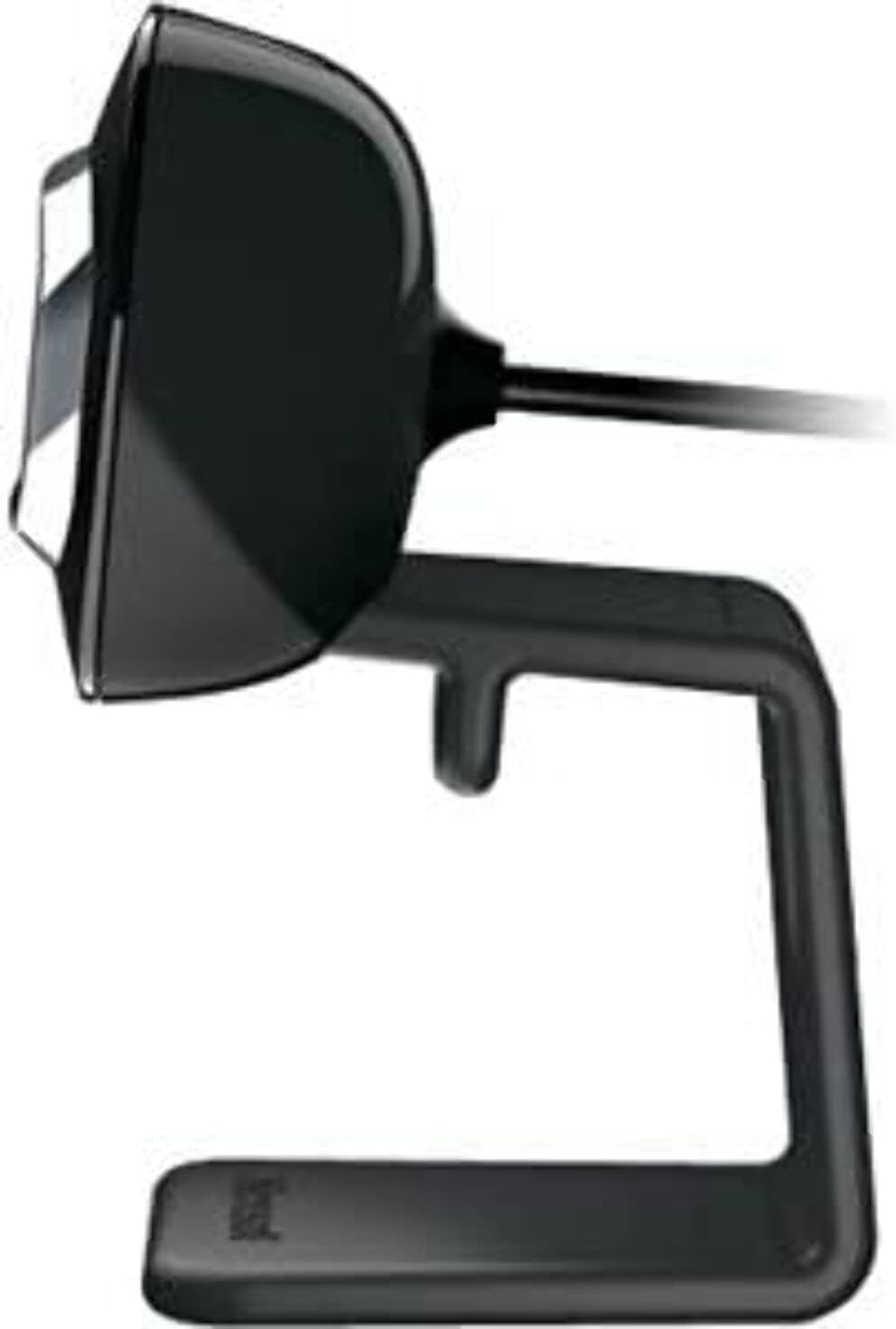
Figura 3: Side view of the LifeCam HD-3000, illustrating its slim profile.
Mantenimentu
Proper care and maintenance will help prolong the life of your Microsoft LifeCam HD-3000.
- Pulizia di a lente: Use a soft, lint-free cloth specifically designed for optics to gently wipe the camera lens. Avoid abrasive materials or harsh cleaning chemicals, which can scratch or damage the lens.
- Pulizia di u corpu: Asciugà u corpu di u webcam with a soft, slightly damp cloth. Ensure no moisture enters the USB port or microphone opening.
- Conservazione: Quandu ùn hè micca in usu, conservate u webcunservatu in un ambiente pulitu è asciuttu, luntanu da temperature estreme è da a luce diretta di u sole.
- Cura di u cable: Avoid bending or crimping the USB cable excessively. Do not pull the cable to disconnect the webcam; always grasp the USB connector.
Risoluzione di prublemi
If you encounter issues with your LifeCam HD-3000, try the following troubleshooting steps:
- Webcamera micca rilevata:
- Ensure the USB cable is securely plugged into a functioning USB port. Try a different USB port.
- Restart u vostru urdinatore.
- Verificate u Gestione di dispositivi (Windows) o l'Infurmazioni di u sistema (macOS) di u vostru urdinatore per vede s'ellu hè webcam is listed and recognized.
- Nisun video o schermu neru:
- Assicurà u webcam is selected as the primary video device in your video conferencing application's settings.
- Check privacy settings on your operating system that might be blocking camera access for certain applications.
- Ensure no physical obstruction is covering the lens.
- Poor Video Quality (Blurry, Grainy):
- Ensure the lens is clean (refer to Maintenance section).
- Check lighting conditions. The webcam has light correction, but sufficient ambient light is beneficial.
- Verify your internet connection stability if streaming video.
- Adjust resolution settings within your application if available.
- No Audio or Muffled Sound:
- Ensure the LifeCam HD-3000 microphone is selected as the audio input device in your application settings and operating system sound settings.
- Check microphone volume levels in your system settings.
- Ensure there are no obstructions to the microphone opening.
- Problemi di software:
- If using specific Microsoft LifeCam software, ensure it is up to date.
- For Windows 10, the built-in camera software is often sufficient and may work better than older dedicated software.
Specificazioni
| Feature | Detail |
|---|---|
| Numero di mudellu | T4H-00002 |
| Marca | Microsoft |
| Risoluzione Video Capture | 720p HD |
| Rapportu d'aspettu | 16: 9 Widescreen |
| Micrufonu | Built-in, Noise-Cancelling, Unidirectional |
| Tecnulugia di cunnessione | USB 2.0 |
| Piattaforma Hardware | PC, Laptop |
| Culore | Neru |
| Pesu di l'articulu | 3.17 once |
| Dimensioni di u produttu (LxWxH) | 11.13 x 5.75 x 5.88 inch |
| Funzione speciale | Correzione di poca luce |
| Photo Sensor Technology | CMOS |
Warranty and Protection Plans
Microsoft offers various options for product protection and support.
- Standard Return Policy: Typically, products purchased from Amazon.com are eligible for a return within 30 days of receipt for a refund or replacement. Please refer to Amazon's current return policy for specific details.
- Piani di prutezzione opzionali: Extended protection plans may be available for purchase to cover your device beyond the standard manufacturer's warranty. These plans are offered by third-party providers and can include:
- Pianu di prutezzione di 2 anni
- Pianu di prutezzione di 3 anni
- Complete Protect (a monthly plan covering eligible past and future purchases)
Supportu
For further assistance, technical support, or driver updates, please refer to the official Microsoft support channels.
- Support Microsoft Websitu: Visita u supportu ufficiale di Microsoft website for your region. This is the primary resource for troubleshooting guides, FAQs, and driver downloads.
- Microsoft Store: For general product information or to explore other Microsoft products, you can visit the Microsoft Store on Amazon.
- Cuntattate u Supportu: If you require direct assistance, contact Microsoft customer support through their official channels, which typically include phone, chat, or email options.


