1. Introduzione
The Extech HDV600 High Definition VideoScope is an advanced inspection camera designed for detailed visual inspections in various environments. This device features a large LCD screen, high-resolution imaging, and the capability to record images and video with audio annotations. Its robust design ensures reliable performance in demanding industrial settings.
E caratteristiche chjave includenu:
- 5.7-inch color LCD TFT display with 640 x 480 resolution.
- SD memory card for storing over 14,600 images or up to 4 hours of video.
- Video recording with voice annotation capability.
- AV output for external monitor viewing.
- Optional wireless transmitter (HDV-WTX) for remote video transmission up to 100ft (30m).
2. Informazioni di sicurezza
Please read and understand all safety instructions before operating the Extech HDV600 VideoScope. Failure to follow these instructions may result in injury or damage to the device.
- Ùn aduprate micca u dispusitivu in atmosfere esplosive.
- Ensure the device is clean and dry before connecting or disconnecting components.
- Avoid bending the camera probe beyond its specified flexibility limits.
- Mantene u dispusitivu luntanu da campi magnetichi forti.
- Aduprate solu accessori è adattatori di alimentazione appruvati.
3. Produttu Finituview
3.1 Unità di visualizazione principale
The main unit features a 5.7-inch LCD screen for clear viewing of inspections. It includes intuitive controls for navigation, image/video capture, and light adjustment. The unit is designed to be rugged, waterproof to IP67 standards, and drop-proof up to 2 meters.
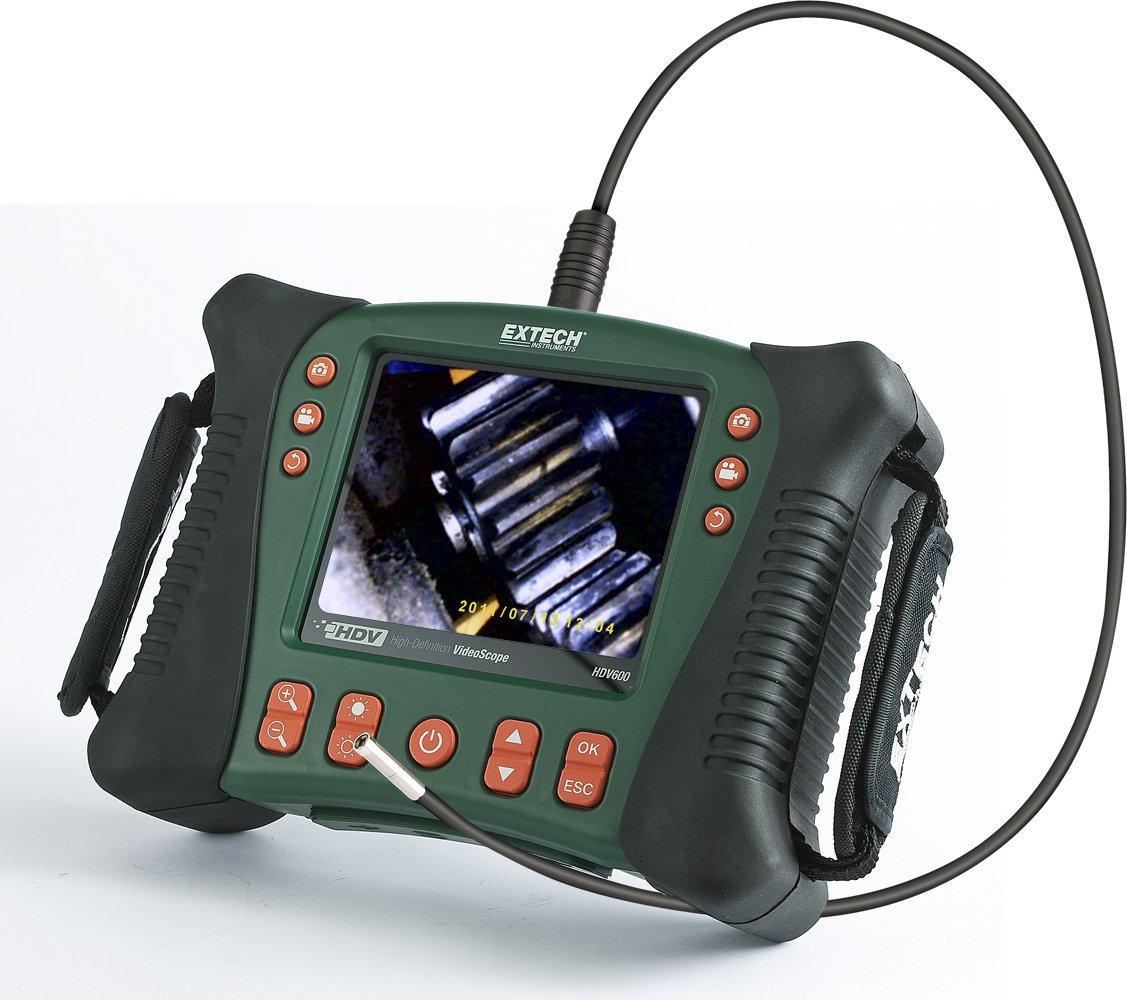
Image: The Extech HDV600 main display unit with a camera probe connected, displaying an inspection view.
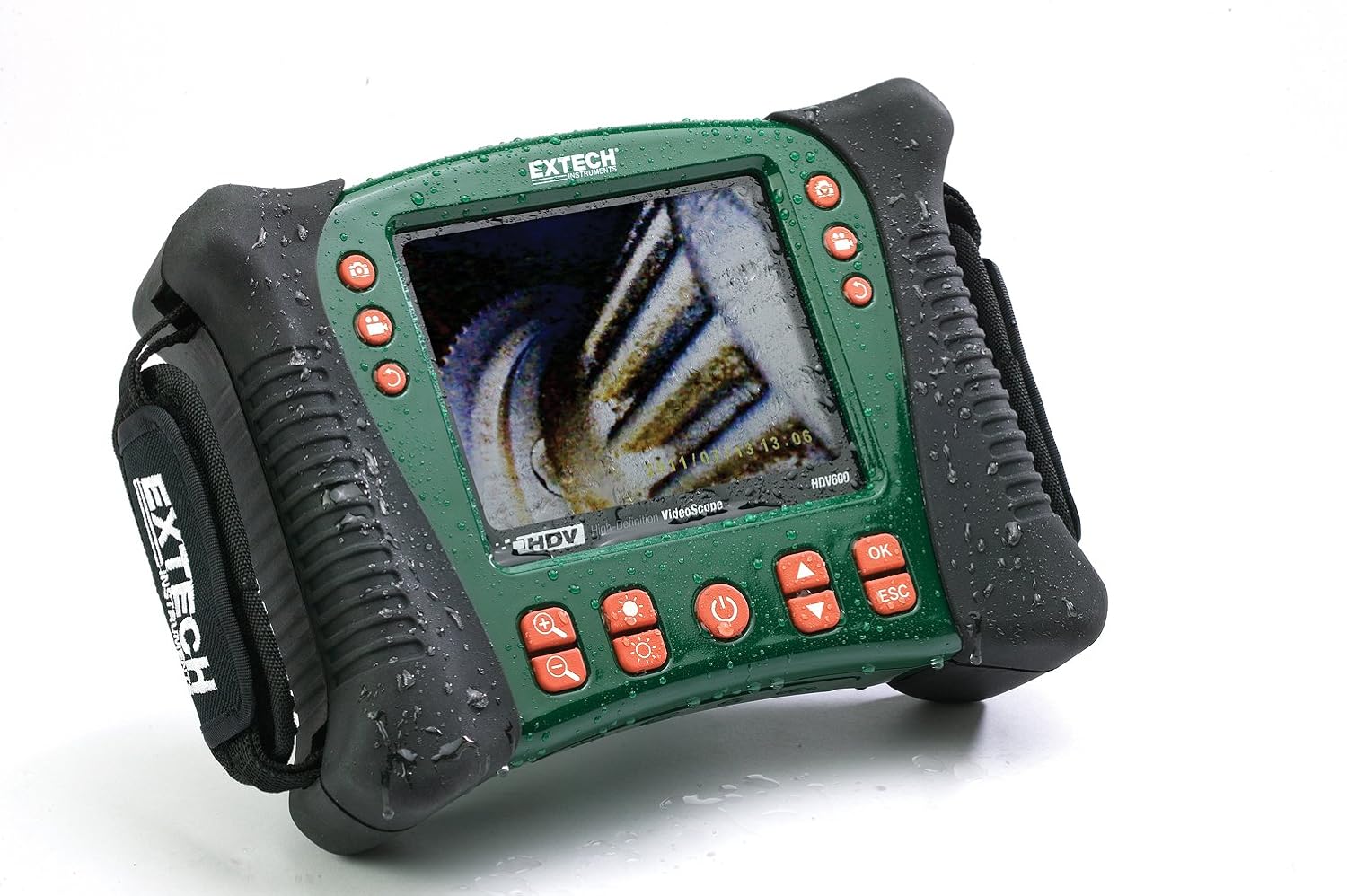
Image: The HDV600 main unit with water droplets, highlighting its waterproof and rugged construction.
3.2 Porti è cunnessione
The main unit includes various ports for connectivity and data management:
- Mini-USB port for data transfer.
- SD card slot for storage.
- AV output for connecting to an external monitor.
- Ingressu di alimentazione per a carica è u funziunamentu.

Imagine: Latu view of the HDV600 main unit, detailing the USB, SD card, AV output, and power ports.
3.3 Camera Probes and Handsets
The HDV600 supports various camera probes, including semi-rigid, flexible, and long-length fiberglass scopes. Articulated controller handsets are available with 6mm scopes and a glove-friendly articulation control knob for precise tip movement. All camera tips are equipped with bright, adjustable LED lighting.
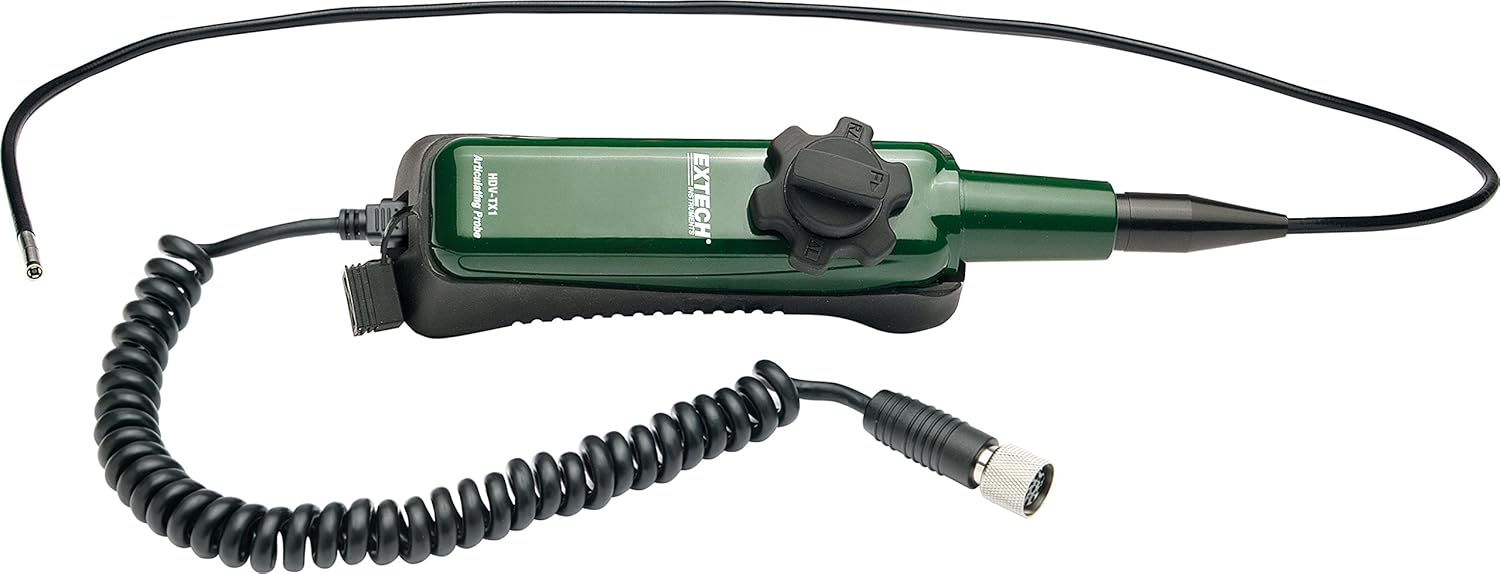
Image: A camera probe with a coiled cable, ready for connection to the main unit.
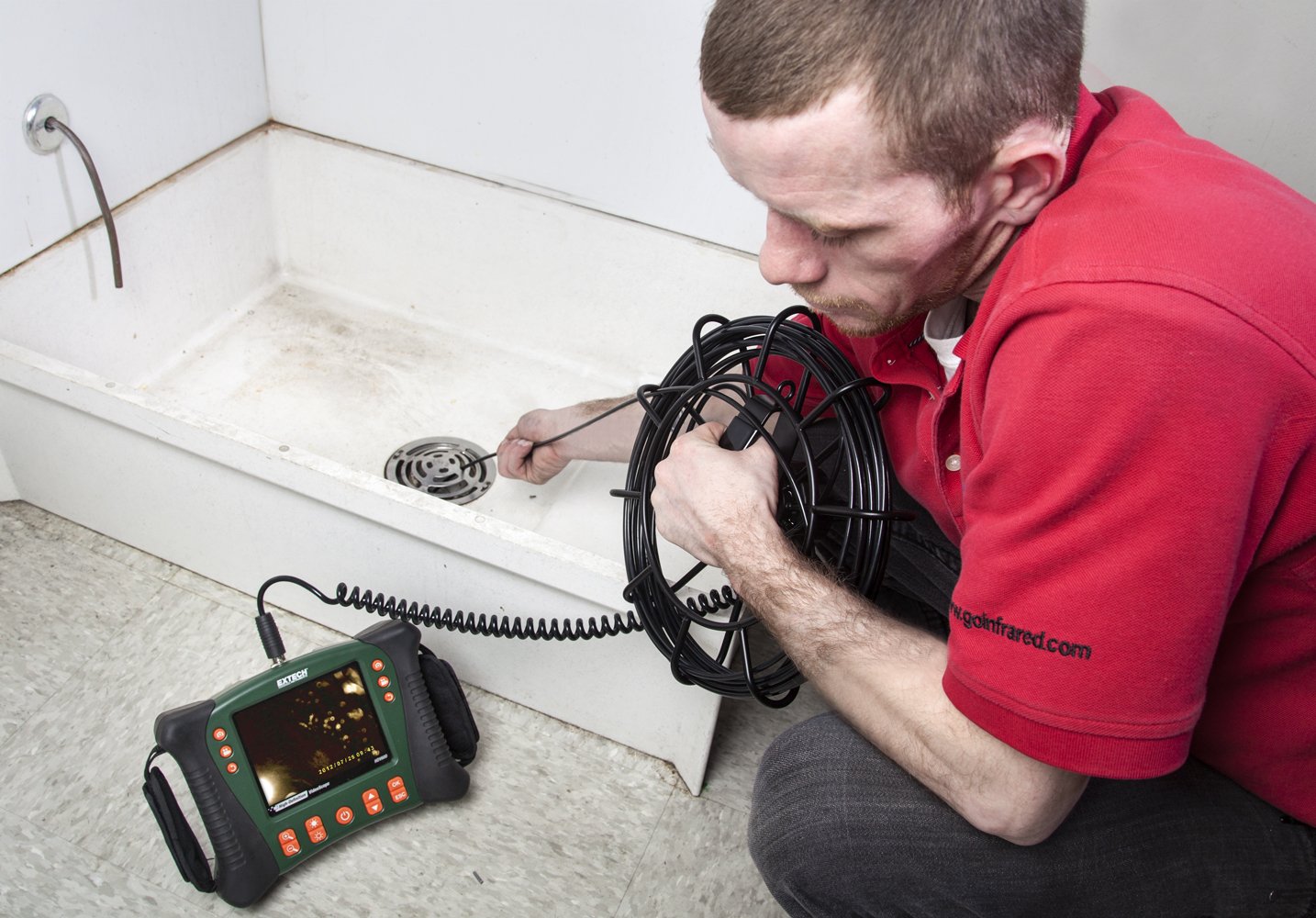
Image: Close-up of the camera probe tip, showing the integrated LED lighting for dark environments.
3.4 Accessori
The HDV600 comes with an SD memory card. Additional accessories like mirror, magnet, and hook attachments for the camera tip are also included to assist in various inspection scenarios.

Image: Small accessories such as a mirror, magnet, and hook for attaching to the camera probe tip.
4. Setup
4.1 Disimballaggio è ispezione iniziale
Carefully unpack all components and inspect for any damage. Ensure all items listed in the packing list are present.
4.2 Installazione è carica di a batteria
The HDV600 uses a Lithium Ion battery (included). Install the battery into the designated compartment. Connect the power adapter to charge the unit before first use.
4.3 Attaching the Camera Probe
Align the connector of the camera probe with the port on the main display unit or handset. Gently push and twist to secure the connection. Ensure a firm connection to prevent signal loss.
4.4 Inserimentu di a carta SD
Locate the SD card slot on the side of the main unit. Insert the provided SD card with the contacts facing down until it clicks into place.
5. Operating Instructions
5.1 Accensione / spegnimentu
Mantene premutu u buttone di putenza (red circle with line) to turn the device on or off. The LCD screen will illuminate upon startup.
5.2 Basic Viewing and Light Adjustment
Once powered on, the live video feed from the camera probe will appear on the screen. Use the brightness control buttons (icona di sole) to adjust the intensity of the LED lights on the camera tip for optimal visibility.
5.3 Cattura d'imagine è registrazione di video
- To capture a still image, press the camera button (icona di càmera).
- To start video recording, press the video record button (video camera icon). Press again to stop recording.
5.4 Audio Annotation
During video recording, the built-in microphone allows for audio annotations. This feature helps in documenting observations without the need for separate note-taking.
5.5 Using Articulated Probes
For articulated probes, use the control knob on the handset to precisely maneuver the camera tip. This allows for 320-degree articulation, enabling inspection around corners and in complex geometries.

Image: A user inspecting a drain using the HDV600 with a long probe, demonstrating its application in confined spaces.
5.6 Data Transfer and Playback
Images and videos stored on the SD card can be reviewed directly on the HDV600's screen. For larger viewing, connect the device to an external monitor via the AV output. Data can also be transferred to a computer using the Mini-USB port.
Video: Un overview of the Extech HDV600 High Definition VideoScope, demonstrating its features, ruggedness, various probes, and applications in industrial inspections.
6. Mantenimentu
6.1 Pulizia
Wipe the main unit and camera probes with a soft, damp cloth. Do not use abrasive cleaners or solvents. Ensure the camera tip is free of debris for clear imaging.
6.2 Storage
Store the HDV600 and its accessories in the provided carrying case in a cool, dry place when not in use. Avoid extreme temperatures and direct sunlight.
6.3 Cura di a batteria
To prolong battery life, charge the battery regularly and avoid fully discharging it. If storing for extended periods, charge the battery to approximately 50% capacity.
7. Risoluzione di prublemi
- Nisun putere: Ensure the battery is properly installed and charged. Check the power adapter connection.
- Nisuna imagine nant'à u screnu: Verify the camera probe is securely connected. Check if the camera tip LEDs are illuminated.
- Qualità di l'imaghjini scarsa: Clean the camera lens. Adjust the LED brightness. Ensure the focus is correct (if applicable to the probe type).
- Cannot Record/Store: Check if an SD card is inserted and has sufficient free space. Ensure the SD card is not write-protected.
- Prublemi di cunnessione senza filu: Ensure the optional wireless transmitter is properly connected and within range. Check for interference.
8. Specificazioni
| Feature | Specificazione |
|---|---|
| Dimensioni di u produttu | 17.8 x 7 x 24.1 inch |
| Pesu di l'articulu | 3.26 liri |
| U fabricatore | Extech Instruments |
| Numeru di mudellu di l'articulu | HDV 600 |
| Batterie | 1 Batteria Lithium Ion (inclusa) |
| Data Prima Disponibile | 1 d'aostu di u 2011 |
9. Garanzia è Support
Extech Instruments provides a limited warranty for the HDV600 VideoScope. For detailed warranty information, technical support, or service inquiries, please refer to the official Extech Instruments websitu o cuntattate u so dipartimentu di serviziu di u cliente.
Per piacè conservate a vostra prova di compra per rivendicazioni di garanzia.


