Introduzione
This manual provides essential information for the safe and effective operation of your Laserliner SoundTest-Master 082.070A Noise Level Meter. Please read these instructions carefully before using the device and keep them for future reference. The SoundTest-Master 082.070A is designed for precise measurement of noise levels, featuring integrated long-term memory and PC connectivity for comprehensive documentation.
Istruzzioni di sicurità
- Aduprate sempre u dispusitivu in e cundizioni ambientali specificate.
- N'espone micca u dispusitivu à temperature estreme, umidità, o luce diretta di u sole.
- Evitate di abbandunà u dispusitivu o di sottumessu à forti impatti.
- Ùn pruvate micca d'apre o di mudificà l'apparechju. E riparazioni devenu esse effettuate solu da persunale autorizatu.
- Mantene u dispusitivu luntanu da campi magnetichi forti.
- Ensure the microphone is clean and free from obstructions for accurate measurements.
Product Overview
The Laserliner SoundTest-Master 082.070A is a handheld noise level meter equipped with a sensitive electret condenser microphone and a clear, illuminated display. It features various controls for measurement settings and data management.

Figura 1: Fronte view of the SoundTest-Master 082.070A, showing the display, microphone with windshield, and control buttons.
Cumpunenti chjave:
- Electret Condenser Microphone: For capturing sound. Includes a removable windshield.
- Display illuminatu: Shows measurement values, settings, and status.
- Buttuni di cuntrollu: Power, Setup, Max, Record, A/C weighting, Fast/Slow time weighting, Level adjustment, Data send.
- Uscite analogiche: DC and AC outputs for external connections.
- Interfaccia RS232: Optoisolated port for PC connection and data transfer.
Istituisci
1. Installazione di batterie
The device requires batteries for operation. Ensure correct polarity when inserting batteries into the compartment, typically located on the rear of the unit.
2. Accensione iniziale
Press u putenza button to turn on the device. The display will illuminate and show initial readings.
3. Windshield Attachment
Attach the removable windshield to the microphone to minimize wind noise interference during outdoor measurements.
Istruzzioni di funziunamentu
1. Misurazione di basa
- Turn on the device using the putenza buttone.
- Point the microphone towards the sound source.
- The current noise level will be displayed in decibels (dB).
2. Frequency Weighting (dB(A), dB(C))
Aduprà u A/C button to switch between frequency weighting curves:
- dB (A): Simulates the human ear's response to sound, commonly used for environmental noise measurements.
- dB(C): Provides a flatter response, suitable for measuring peak sound pressure levels or low-frequency noise.
3. Time Weighting (Fast/Slow)
Press u FAST/LENT button to select the desired time weighting:
- FAST (125 ms): For measuring rapidly changing noise levels.
- SLOW (1 second): For measuring average noise levels over a longer period, suitable for stable noise sources.
4. Data Logging and PC Connection
The device features a long-term recording function with 16,000 memory points and real-time logging capabilities when connected to a PC.
- Internal Data Logging: Press u RECORD button to start/stop internal data recording. The device can store up to 16,000 measurement points.
- Cunnessione PC: Connect the device to a computer using the provided RS232 cable.
- Software: Install the provided software on your PC. This software allows for real-time data display, analysis, and download of recorded data.
- Inviu di dati: Aduprà u MANDA DATI button to initiate data transfer to the connected PC.
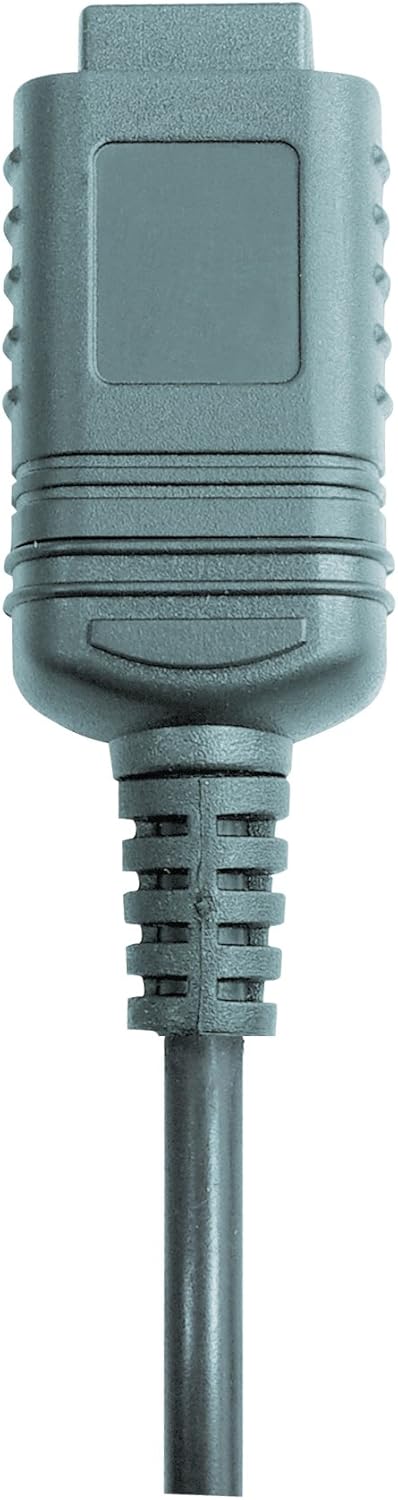

Figura 2: RS232 cable connectors used for connecting the SoundTest-Master to a PC.
5. Calibrazione
The device can be calibrated and adjusted using a standard noise level calibrator (94 dB / 1 kHz). Refer to the calibrator's instructions for the specific calibration procedure.
Mantenimentu
1. Pulizia
- Sguassate u dispusitivu casincù un pannu dolce è asciuttu.
- Ùn aduprate micca detergenti abrasivi o solventi.
- Ensure the microphone is kept clean and free of dust or debris.
2. Storage
When not in use, store the SoundTest-Master in its protective case in a cool, dry place, away from direct sunlight and extreme temperatures. Remove batteries if storing for extended periods.
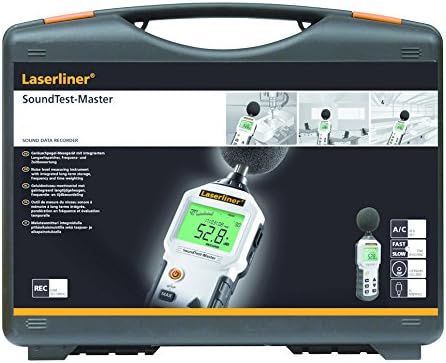
Figura 3: The SoundTest-Master 082.070A stored in its protective carrying case.
Risoluzione di prublemi
| Prublemu | Causa Possibile | Soluzione |
|---|---|---|
| U dispusitivu ùn accende micca. | Batterie morte o installate in modu incorrectu. | Rimpiazzà e batterie, assicurendu a polarità curretta. |
| Letture imprecise. | Microphone obstructed or dirty; device needs calibration. | Clean microphone; perform calibration with a standard calibrator. |
| No data transfer to PC. | Incorrect cable connection; software not installed or configured. | Check RS232 cable connection; ensure PC software is correctly installed and running. |
| U display hè scuru o illegibile. | Low battery power; display backlight off. | Replace batteries; check device settings for backlight control. |
Specificazioni
| Feature | Detail |
|---|---|
| Nome di mudellu | SoundTest-Master |
| Part Number | 082.070A |
| U fabricatore | Umarex |
| Marca | laserliner |
| Ponderazione di Frequenza | dB(A), dB(C) |
| Ponderazione di u tempu | FAST (125 ms), SLOW (1 second) |
| Memoria di dati | 16,000 punti di misurazione |
| Interfaccia | Optoisolated RS232 |
| Uscite analogiche | DC è AC |
| Calibrazione | Adjustable with 94 dB / 1 kHz standard calibrator |
| Micrufonu | Sensitive electret condenser with removable windshield |
| Mostra | Illuminated, clear display |
| Pesu di l'articulu | 1.18 kilogrammi (2.6 liri) |
| Dimensioni di u produttu | 10.33 x 5.51 x 13.78 inch |
| Materiale | Metal (Frame, Barrel) |
| Culore | Neru è Grigiu |
| Batterie necessarie | Yes (not included, type not specified in data) |
Garanzia è Supportu
For warranty information and technical support, please refer to the documentation included with your purchase or visit the official Laserliner websitu.


