Introduzione
This manual provides essential information for the proper use and maintenance of your VCOM Cat5e Molded Patch Cable, model NP511-150. This cable is designed for reliable network connectivity, facilitating data transfer between devices such as computers, routers, switches, and modems.
Please read this manual thoroughly before installation and use to ensure optimal performance and longevity of the product.
Funzioni di u produttu
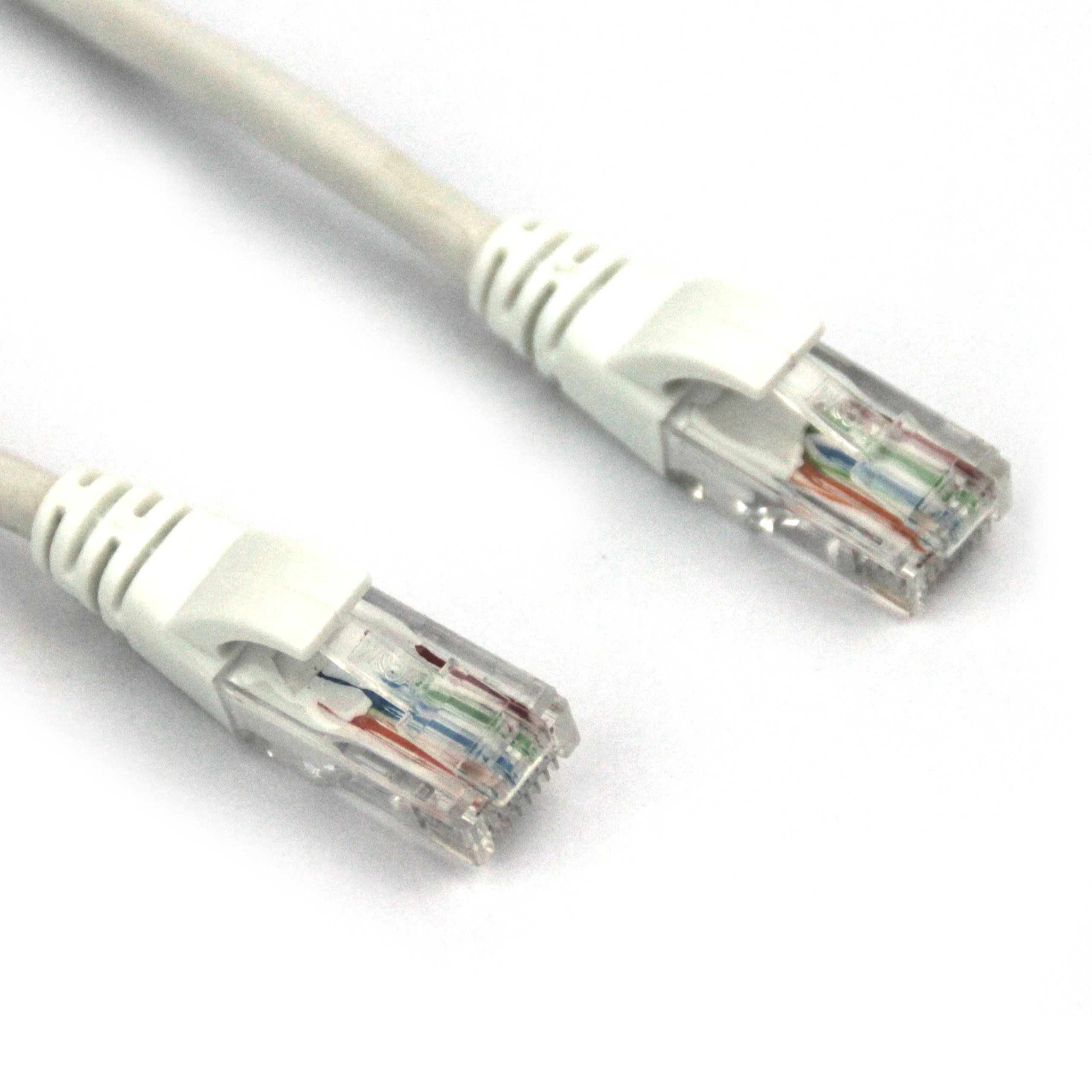
This image displays the VCOM Cat5e molded patch cable. It features two RJ45 connectors, one at each end, with clear plastic housings revealing the twisted pair wires inside. The connectors have white molded strain relief boots. The cable itself is white and appears durable.
- Tipu di cable: Cat5e UTP Molded Patch Cable 0.4CCA.
- Lunghezza di u cable: 150 pedi (circa 45.72 metri).
- Molded Connectors: The RJ45 (8P8C) connectors feature injection-molded joint plastic for enhanced durability and ease of use.
- High-Quality Conductors: Metal wipers within the RJ45 connectors are stamped from Oxygen-Free Copper (OFC) pieces, ensuring optimal signal transmission.
- Conformità standard: Wire conduct adheres to Cat5e standards with 4 tight twisted pairs (8 cores).
- Isolamentu: Core wires are insulated with HDPE material for superior insulation and minimal signal loss.
Istituisci
- Identificà i porti: Locate the Ethernet ports (RJ45) on the devices you wish to connect (e.g., router, modem, computer, network switch).
- Connect First Device: Insert one end of the VCOM Cat5e cable into an available Ethernet port on your first device. Ensure the connector clicks securely into place.
- Cunnette u secondu dispositivu: Insert the other end of the VCOM Cat5e cable into an available Ethernet port on your second device. Again, ensure a secure click.
- Verificate a cunnessione: Most devices will have an indicator light (LED) near the Ethernet port that illuminates or blinks when a successful connection is established.
Ensure that both devices are powered on and configured for network communication. Refer to the individual device manuals for specific network settings.
Istruzzioni di funziunamentu
The VCOM Cat5e Molded Patch Cable operates passively, transmitting data signals between connected devices. Once properly connected, the cable facilitates network communication without requiring any user interaction.
- Trasferimentu di dati: The cable supports data transfer speeds up to 100 Mbps (Fast Ethernet) and is suitable for 10BASE-T and 100BASE-TX networks.
- Network Applications: Use for connecting to the internet, local area networks (LANs), streaming media, online gaming, and other network-dependent activities.
- Cumpatibilità: Compatible with any device featuring a standard RJ45 Ethernet port.
Mantenimentu
Proper care extends the life of your VCOM Cat5e cable. Follow these guidelines:
- Evitate di curvarle: Do not excessively bend, kink, or sharply fold the cable, as this can damage the internal wires and impair performance.
- Prutegge i connettori: Handle the RJ45 connectors by the molded housing, not by the cable itself. Avoid pulling the cable by the wire when disconnecting.
- Pulizia: Keep the connectors free from dust and debris. If necessary, gently clean with a dry, lint-free cloth.
- Conservazione: When not in use, coil the cable loosely and store it in a dry, temperate environment away from direct sunlight or extreme temperatures.
- Usu Ambientale: This cable is rated for both indoor and outdoor usage. However, for outdoor applications, ensure it is protected from direct exposure to harsh weather conditions to maximize longevity.
Risoluzione di prublemi
| Prublemu | Causa Possibile | Soluzione |
|---|---|---|
| Nisuna cunnessione di rete | Cable not fully seated; damaged cable; incorrect port. | Ensure both RJ45 connectors are securely clicked into their respective ports. Try a different port on the device. Inspect the cable for visible damage (kinks, cuts). Test with another known-good cable if available. |
| Velocità di rete lenta | Cable damage; network congestion; device issues. | While Cat5e supports up to 1 Gbps over short distances, its typical performance for longer runs is 100 Mbps. Ensure your network devices are configured correctly. Check for other factors affecting network speed (e.g., router performance, internet service provider). Inspect the cable for damage. |
| Cunnessione intermittente | Loose connection; cable interference; faulty port. | Reseat both ends of the cable. Ensure the cable is not running parallel to power lines or other sources of electromagnetic interference. Test with another port or device. |
If troubleshooting steps do not resolve the issue, consider contacting VCOM customer support or consulting a network professional.
Specificazioni
| Attributu | Detail |
|---|---|
| Marca | VCOM |
| Numero di mudellu | NP511-150 |
| Tipu di cable | Cat5e UTP Molded Patch Cable |
| Tipu di cunnessu | RJ45 |
| Connettore Genere | Masculinu à Maschile |
| Lunghezza | 150 piedi (circa 45.72 metri) |
| Culore | Biancu |
| Wire Conduct | 4 tight twisted pairs (8 cores), 0.4CCA |
| Material d'isolamentu | HDPE |
| Usu Indoor / Outdoor | Internu, Esternu |
| Pesu di l'articulu | 2.58 libbre (circa 1.17 kg) |
| Dimensioni di u produttu (LxWxH) | 11.02 x 0.02 x 9.84 pollici (imballatu) |
| UPC | 840273101192 |
Garanzia è Supportu
VCOM products are manufactured to high-quality standards. For specific warranty information, please refer to the documentation included with your purchase or visit the official VCOM website. General support inquiries can often be resolved by consulting the troubleshooting section of this manual or by contacting VCOM customer service.
Per più assistenza, visitate u VCOM Store on Amazon o i so canali di supportu ufficiali.


