1. Introduzione
This manual provides essential instructions for the proper setup, operation, and maintenance of your AmazonBasics 10-Port USB 3.0 Hub. Please read this manual thoroughly before using the product to ensure optimal performance and safety. Keep this manual for future reference.
2. Istruzzioni di sicurità
- Ùn espone micca u dispusitivu à l'umidità, à temperature estreme o à a luce diretta di u sole.
- Ùn pruvate micca di smuntà o mudificà l'apparechju. Questu puderia annullà a garanzia è presentà un risicu per a sicurezza.
- Use only the provided power adapter. Using an incompatible power adapter may damage the device or connected peripherals.
- Mantene u dispusitivu luntanu da i zitelli.
- Ensure proper ventilation around the hub during operation.
3. Cuntenutu di u pacchettu
Verificate chì tutti l'articuli elencati quì sottu sò presenti in u vostru pacchettu:
- AmazonBasics 10-Port USB 3.0 Hub
- Adattatore di alimentazione (DC 15V)
- Cavu di dati USB 3.0
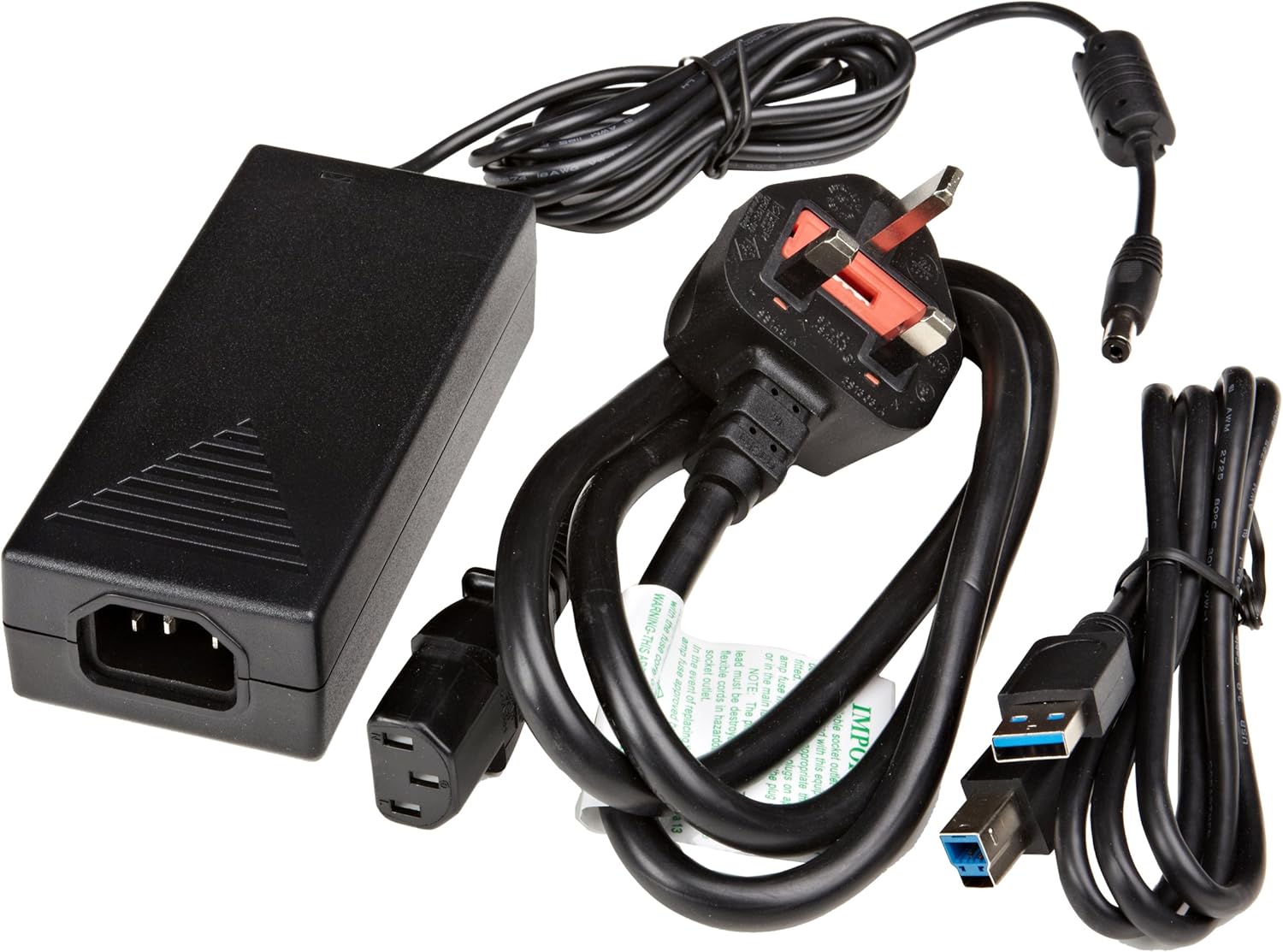
Figura 3.1: The image displays the AmazonBasics 10-Port USB 3.0 Hub, its power adapter, and a USB 3.0 data cable, which are the typical contents found in the product packaging.
4. Produttu Finituview
The AmazonBasics 10-Port USB 3.0 Hub expands your computer's connectivity, offering ten USB 3.0 ports for various peripherals. It supports high-speed data transfer and is backward compatible with USB 2.0 devices.
4.1 Fronte è Laterale View

Figura 4.1: This image shows the front and left side of the USB hub. On the front, three USB 3.0 ports are visible, two of which are labeled 'Fast'. The left side features the upstream USB 3.0 port for connecting to a computer and the DC 15V power input.
4.2 Top and Rear View

Figura 4.2: Questa imagine furnisce una vista dall'altu in giù view of the USB hub, highlighting five additional USB 3.0 ports located on the rear panel. An 'ON/OFF' switch is also visible on the side, allowing users to power the hub on or off.
4.3 In fondu View

Figura 4.3: U fondu view of the hub shows four rubber feet for stability and a product label containing regulatory information and the model number.
5. Setup Guide
Follow these steps to set up your USB 3.0 hub:
- Cunnette l'adattatore di alimentazione: Plug the provided power adapter into the DC 15V input port on the side of the USB hub. Then, plug the power adapter into a standard electrical outlet.
- Cunnette vi à l'urdinatore: Use the supplied USB 3.0 data cable to connect the upstream USB 3.0 port on the hub (located on the side) to an available USB 3.0 port on your computer.
- Power On: If the hub has an ON/OFF switch (refer to Figure 4.2), ensure it is in the 'ON' position.
- Cunnette i periferichi: You can now connect your USB devices (e.g., external hard drives, keyboards, mice, flash drives) to any of the ten available USB 3.0 ports on the hub.
The hub supports automatic switching between self-power and bus-power mode. For optimal performance with multiple high-power devices, ensure the power adapter is connected.
6. Operazione
Once connected, the AmazonBasics 10-Port USB 3.0 Hub operates automatically. Your computer should recognize connected devices without requiring additional drivers for most operating systems.
- Velocità USB 3.0: The hub supports SuperSpeed (5 Gbps), High Speed (480 Mbps), Full Speed (12 Mbps), and Low Speed (1.5 Mbps) data transfer rates, depending on the connected device and your computer's USB port capabilities.
- Compatibilità di u dispositivu: The hub is compatible with both USB 3.0 and USB 2.0 specifications, allowing you to connect a wide range of USB devices.
- Gestione di l'energia: The hub intelligently manages power distribution to connected devices. For devices requiring more power, ensure the external power adapter is connected.
7. Risoluzione di prublemi
If you encounter issues with your USB hub, refer to the following common problems and solutions:
| Prublemu | Soluzione Possibile |
|---|---|
| Devices are not recognized. |
|
| Velocità di trasferimentu di dati lente. |
|
| Hub is not powering on. |
|
| Intermittent device connection. |
|
8. Specificazioni
- Numero di mudellu: HU37A0V1-UK
- Porti: 10 x USB 3.0
- Velocità di trasferimentu di dati: Finu à 5 Gbps (USB 3.0 SuperSpeed)
- Cumpatibilità retrocede: USB 2.0, USB 1.1
- Input di putenza: DC 15V (via adattatore di alimentazione inclusu)
- Dimensioni (LxPxH): Circa 5.71 x 2.96 x 1.06 inches (14.5 x 7.5 x 2.7 cm)
- Pesu: Circa 1.29 liri (0.58 kg)
- Cumpatibilità di u Sistema Operativu: Windows, macOS, Linux (senza driver per a maiò parte di i sistemi)
9. Cura è Mantenimentu
- Pulite u mozzu cù un pannu dolce è asciuttu. Ùn aduprate micca detergenti liquidi o aerosoli.
- Evitate di bluccà l'apertura di ventilazione.
- Mantene u hub in un locu frescu è seccu quandu ùn hè micca in usu.
10. Infurmazioni di riciclamentu
Dispose of this product according to local regulations. Do not dispose of it with general household waste. For more information on recycling electronic waste, contact your local authorities or the retailer where you purchased the product.
11. Garanzia è Support
For warranty information or technical support, please refer to the AmazonBasics support page or contact Amazon customer service directly. Details can typically be found on the Amazon websitu sottu à e sezzioni "Aiutu" o "Serviziu Clienti".


