1. Introduzione
This manual provides essential instructions for the installation, operation, maintenance, and troubleshooting of your Antec TruePower Classic TP-750C 750W 80 PLUS GOLD Certified Power Supply. Please read this manual thoroughly before installation and retain it for future reference. This power supply is designed to provide stable and efficient power to your personal computer system.
2. Informazioni di sicurezza
- Assicuratevi chì l'alimentatore sia scollegatu da a presa di corrente AC prima di l'installazione o di a manipulazione.
- Ùn aprite micca l'alimentatore casing. Altu vulumetagI cumpunenti à l'internu presentanu un risicu di scossa elettrica.
- Installate l'alimentatore in un locu ben ventilatu per impedisce u surriscaldamentu.
- Aduprate solu i cavi furniti cù l'alimentatore.
- Evitate d'espone l'alimentatore à l'umidità o à temperature estreme.
- This product is intended for use in personal computer systems only.
3. Cuntenutu di u pacchettu
Verificate chì tutti l'articuli sò presenti in u pacchettu prima di cuntinuà cù l'installazione.
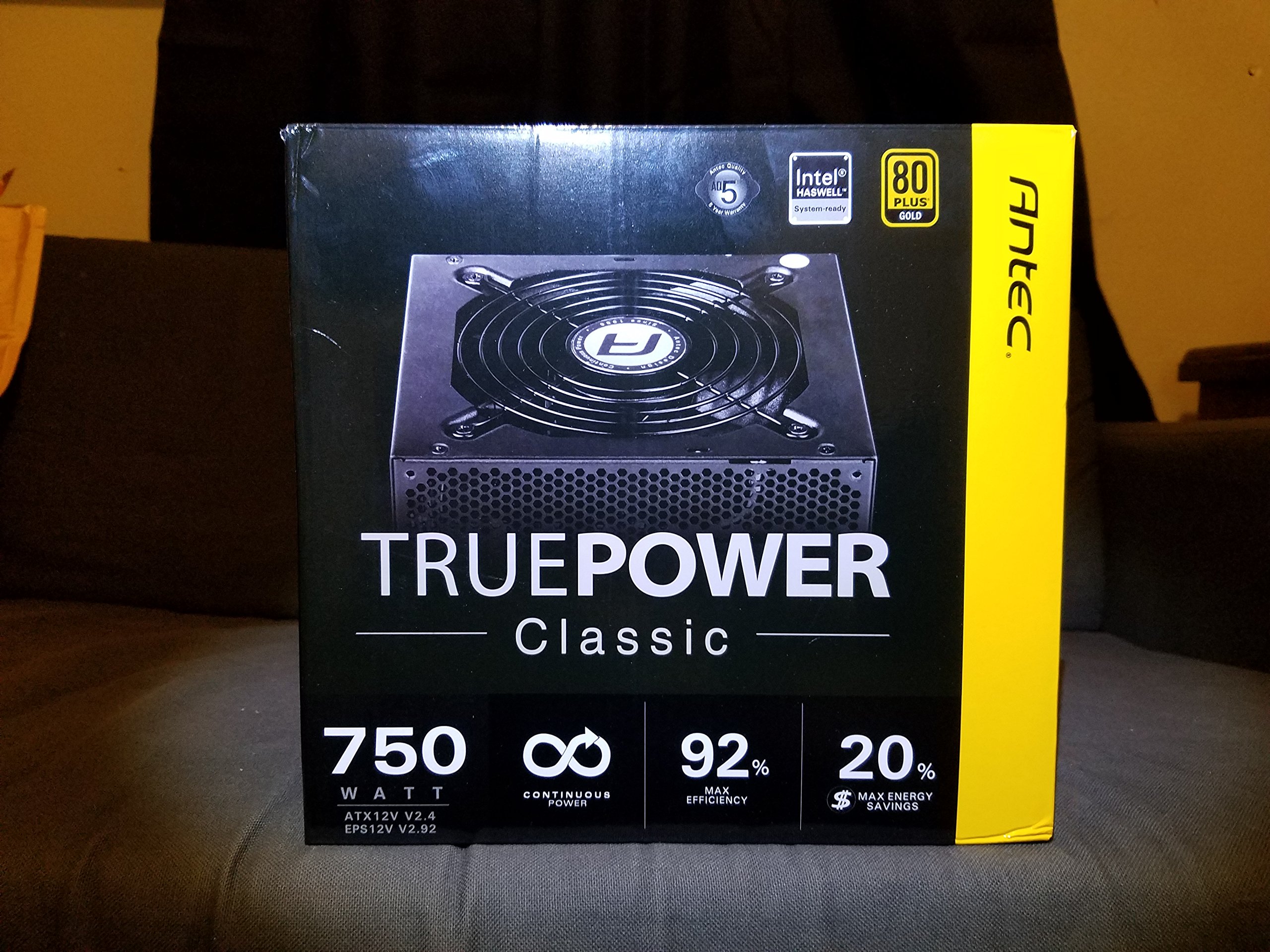
Image 1: Contents of the Antec TruePower Classic TP-750C package. The image displays the power supply unit, various power cables (including a main AC power cable), and user documentation neatly packed within a cardboard box.
- Antec TruePower Classic TP-750C Power Supply Unit
- Modular Cable Set (PCI-E, SATA, Molex, etc.)
- Cordu di alimentazione AC
- Viti di montaggio
- Manuale d'utilizatore / Documentazione
4. Setup è Installazione
Follow these steps to properly install your power supply into your computer chassis.
- Preparate u Chassis: Ensure your computer chassis is powered off and disconnected from all power sources. Open the side panel of your computer case.
- Muntate l'alimentatore: Carefully slide the Antec TP-750C power supply into the designated power supply bay in your chassis. Align the screw holes on the power supply with those on the chassis. Secure the power supply using the provided mounting screws.
- Cunnette l'alimentazione di a scheda madre: Connect the 24-pin ATX main power connector from the power supply to the corresponding port on your motherboard. Ensure it clicks into place.
- Cunnette l'alimentazione di a CPU: Connect the 4+4-pin (or 8-pin) EPS12V CPU power connector to the CPU power socket on your motherboard.
- Connect Graphics Card Power (PCI-E): If your graphics card requires external power, connect the appropriate 6+2-pin PCI-E power cables from the power supply to your graphics card.
- Connect Peripheral Power (SATA/Molex): Cunnette i cavi d'alimentazione SATA à i vostri unità di almacenamentu (SSD, HDD) è unità ottiche. Aduprate i connettori Molex per altre periferiche secondu i bisogni.
- Gestione di Cable: Route cables neatly to improve airflow and aesthetics within your chassis.
- Verifiche finali: Double-check all connections to ensure they are secure. Close the chassis side panel.
- Cunnette l'alimentazione AC: Connect the AC power cord to the power supply and then to a wall outlet or surge protector.
5. Operating Instructions
The Antec TP-750C power supply operates automatically once correctly installed and connected to an AC power source. It provides stable DC power to all connected components.
- Power On: After connecting the AC power cord, flip the power switch on the back of the power supply to the "ON" (I) position.
- Boot di sistema: Press the power button on your computer chassis to start your system.
- Spegnimentu: Shut down your computer through the operating system. For complete power disconnection, flip the power switch on the power supply to the "OFF" (O) position and unplug the AC power cord.
6. Mantenimentu
Una manutenzione adatta assicura a longevità è e prestazioni ottimali di u vostru alimentatore.
- Pulizia di a polvere: Periodically clean dust from the power supply's fan and ventilation grilles using compressed air. Ensure the power supply is disconnected from AC power before cleaning.
- Ventilazione: Ensure adequate airflow around the power supply. Do not block the intake or exhaust vents.
- Integrità di u cable: Regularly check power cables for any signs of damage or fraying. Replace damaged cables immediately.
- Ambiente operativu: Operate the power supply within recommended temperature and humidity ranges.
7. Risoluzione di prublemi
If you encounter issues with your power supply, refer to the following common problems and solutions.
| Prublemu | Causa Possibile | Soluzione |
|---|---|---|
| U sistema ùn accende micca. | AC power cord not connected, power switch off, loose internal connections, faulty components. |
|
| U sistema s'accende ma si spegne subitu. | Overload, overheating, short circuit, faulty component. |
|
| Unusual noise from the power supply. | Fan obstruction, faulty fan bearing, coil whine. |
|
If troubleshooting steps do not resolve the issue, contact Antec customer support for further assistance.
8. Specificazioni
| Nome di mudellu | TruePower Classic TP-750C |
| Marca | Antec |
| Wattage | 750 Watt |
| Certificazione 80 PLUS | Oru |
| Fattore di forma | ATX |
| Tipu di cunnessu | ATX |
| Input Minimu Voltage | 100 Volts |
| Dispositivi compatibles | Computer persunale |
| Pesu di l'articulu | 6.24 liri (2.83 kg) |
| Dimensioni di u pacchettu | 9.7 x 9 x 5.5 inch (24.6 x 22.9 x 14 cm) |
| ASIN | B00JOFALL0 |
| UPC | 132018316306 |
9. Garanzia è Support
The Antec TruePower Classic TP-750C Power Supply comes with a Garanzia di u fabricatore di 3 anni. Questa guaranzia copre i difetti in i materiali è a manuvra in usu normale.
For technical support, warranty claims, or further inquiries, please visit the official Antec websitu o cuntattate u so serviziu clienti. Cunservate a vostra prova d'acquistu per a validazione di a garanzia.
Please note: Opening the power supply casing annullerà a garanzia.


