Introduzione
This manual provides detailed instructions for the installation, operation, and maintenance of your COMFAST CF-WP500M 500Mbps HomePlug AV Powerline Network Adapters. Please read this manual thoroughly before using the product to ensure proper setup and optimal performance. These adapters allow you to extend your internet connection using your home's existing electrical wiring, providing a stable and high-speed network connection without new cables.
Cuntenutu di u pacchettu
Verificate chì tutti l'articuli sò presenti in u vostru pacchettu:
- 2 x COMFAST CF-WP500M Powerline Adapters
- 2 x Ethernet Cables
- 1 x Quick Installation Guide (This document serves as a comprehensive guide)
Product Overview
The COMFAST CF-WP500M is a compact HomePlug AV powerline adapter designed for easy network extension. Each adapter features LED indicators for status monitoring and an RJ45 Ethernet port for device connectivity.
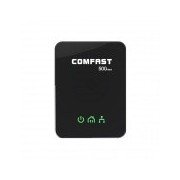
Image: Front view of the COMFAST CF-WP500M Powerline Adapter, showing the COMFAST logo and three LED indicators for Power, Powerline, and Ethernet status.
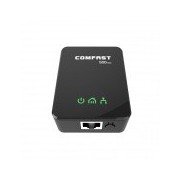
Imagine: In cima à fronte view of the COMFAST CF-WP500M Powerline Adapter, highlighting the RJ45 Ethernet port at the bottom and the three LED indicators on the front panel.
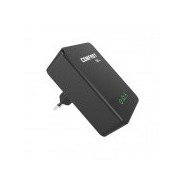
Imagine: Latu view of the COMFAST CF-WP500M Powerline Adapter, clearly showing the integrated EU type electrical plug for direct wall socket connection.
Indicatori LED:
- Power LED (⚡):
- On: Device is powered on.
- Off: L'apparechju hè spento.
- Powerline LED (🏠):
- On: Connected to a powerline network.
- Flashing: Data transmission over the powerline network.
- Off: Not connected to a powerline network.
- Ethernet LED (💻):
- On: Ethernet port is connected to a device.
- Flashing: Data transmission over the Ethernet port.
- Off: Nisuna cunnessione Ethernet.
Istituisci
Follow these steps to set up your COMFAST CF-WP500M Powerline Network Adapters:
- Cunnette u primu adattatore: Plug one powerline adapter directly into a wall electrical outlet near your internet router. Avoid power strips or surge protectors as they can interfere with performance.
- Cunnette vi à u Router: Use one of the provided Ethernet cables to connect the powerline adapter's RJ45 port to an available LAN port on your internet router.
- Cunnette u secondu adattatore: Plug the second powerline adapter directly into a wall electrical outlet in the room where you need network access.
- Cunnette vi à u dispusitivu: Use the second Ethernet cable to connect the second powerline adapter's RJ45 port to your computer, smart TV, game console, or other network-enabled device.
- Verificate a cunnessione: Wait for the Powerline LED on both adapters to turn solid green. This indicates a successful powerline connection. The Ethernet LED should also be on or flashing if a device is connected and active.
- Pairing (Optional, for Security or New Devices): If the adapters do not connect automatically or if you wish to secure your network, press the 'Pair' button (if available, typically a small button on the side or bottom) on one adapter for 1-2 seconds, then within two minutes, press the 'Pair' button on the second adapter for 1-2 seconds. The Powerline LED will flash during pairing and become solid when successful.
Istruzzioni di funziunamentu
Once set up, your powerline network operates automatically. The adapters will establish a connection through your home's electrical wiring, extending your network.
- Accessu à a rete: Any device connected via Ethernet to the second powerline adapter will have direct access to your internet and local network.
- Prestazione: For optimal performance, ensure adapters are plugged directly into wall outlets. Avoid outlets controlled by a wall switch if continuous operation is desired.
- Adding More Adapters: To expand your powerline network, purchase additional COMFAST HomePlug AV compatible adapters and follow the pairing instructions.
Mantenimentu
Proper maintenance ensures the longevity and performance of your powerline adapters:
- Pulizia: Gently wipe the adapters with a dry, soft cloth. Do not use liquid cleaners or aerosols.
- Placement: Keep adapters in well-ventilated areas. Avoid covering them or placing them near heat sources.
- Cundizioni Ambientali: Operate the adapters within their specified temperature and humidity ranges.
- Actualizazioni di firmware: Check the COMFAST official webVisitate u situ periodicamente per qualsiasi aghjurnamenti di firmware dispunibili per u vostru mudellu.
Risoluzione di prublemi
Sè avete prublemi, riferitevi à i seguenti prublemi cumuni è suluzioni:
- Nisun LED di alimentazione:
- Ensure the adapter is securely plugged into a working electrical outlet.
- Pruvate l'outlet cù un altru dispusitivu.
- Powerline LED is Off:
- Ensure both adapters are plugged into wall outlets on the same electrical circuit.
- Avoid power strips, surge protectors, or extension cords.
- Try plugging the adapters into different outlets.
- Perform the pairing process as described in the Setup section.
- Ethernet LED is Off:
- Check the Ethernet cable connection between the adapter and your device/router.
- Assicuratevi chì u dispusitivu cunnessu sia accesu è funziona currettamente.
- Pruvate un altru cavu Ethernet.
- Velocità di rete lenta:
- Ensure adapters are plugged directly into wall outlets, not power strips.
- Large electrical appliances (e.g., washing machines, refrigerators) on the same circuit can cause interference. Try moving adapters to different outlets.
- Check the quality of your home's electrical wiring. Older or faulty wiring can impact performance.
Specificazioni
| Mudellu | CF-WP500M |
| Standard | HomePlug AV |
| Rate di dati | Finu à 500 Mbps |
| Interfaccia | 1 x Porta Ethernet RJ45 10/100 Mbps |
| Tipu di Plug | Plug EU |
| Indicatori LED | Power, Powerline, Ethernet |
| Cunsumu d'energia | Typically < 2W |
| Temperature di funziunamentu | 0 ℃ à 40 ℃ (32 ℉ à 104 ℉) |
| Umidità operativa | 10% à 90% senza condensazione |
Garanzia è Supportu
COMFAST products are designed for reliability and performance. For specific warranty information, please refer to the warranty card included with your product or visit the official COMFAST website. For technical support, troubleshooting assistance, or further inquiries, please contact COMFAST customer service through the channels provided on their official websitu.