Introduzione
Grazie per l'acquistuasing the OttLite CY4009-FFP LED Desk Lamp. This manual provides important information regarding the setup, operation, maintenance, and troubleshooting of your new desk lampLeghjite attentamente queste istruzioni prima di l'usu è cunservatele per riferimenti futuri.
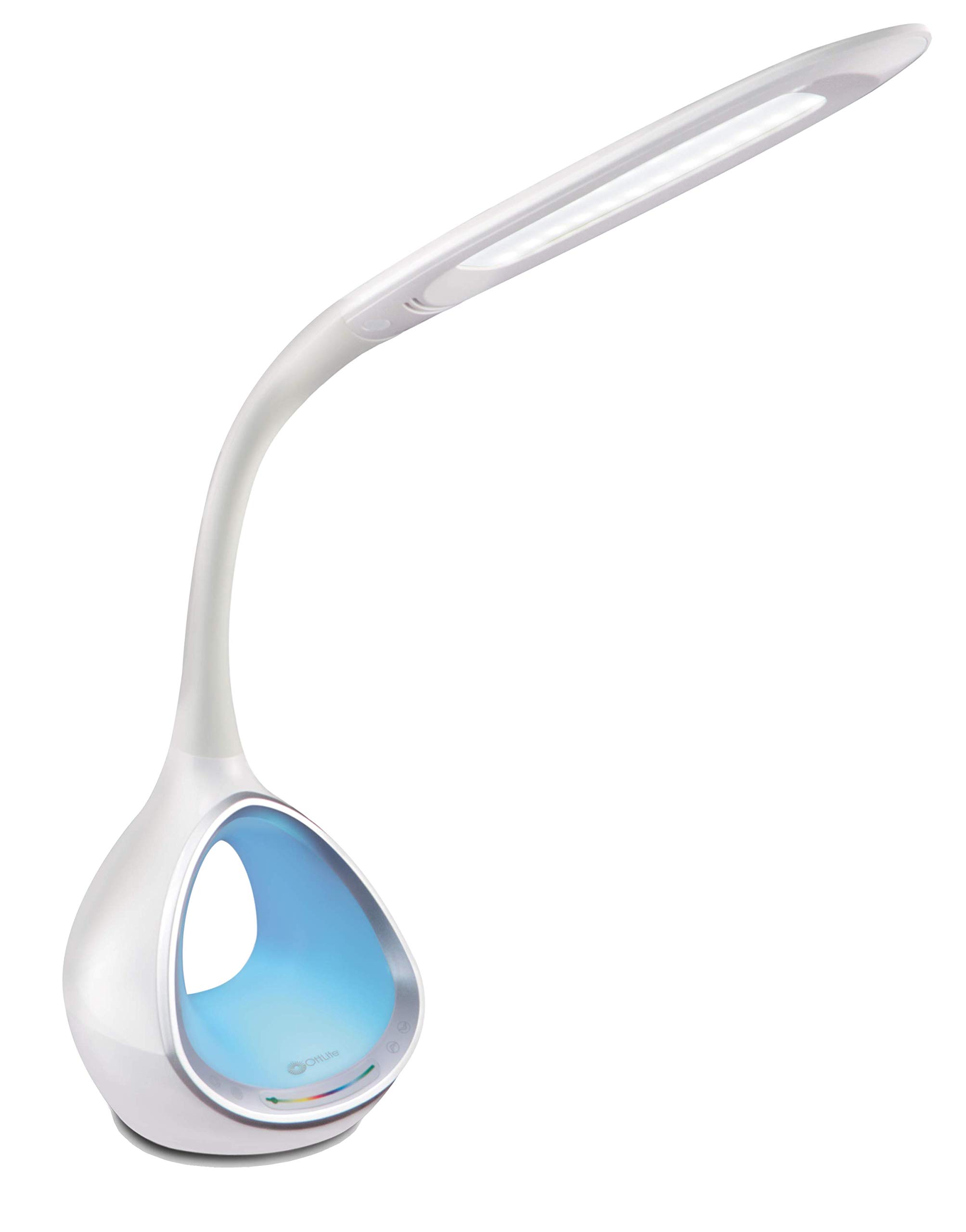
Image: The OttLite CY4009-FFP LED Desk Lamp, mostraasing its sleek white design and flexible neck.
Istruzzioni di sicurità
Per assicurà un funziunamentu sicuru, osservate e seguenti precauzioni:
- Ùn operate micca u lamp cù un cordone o plug dannatu.
- Ùn mudificà micca u lamp o i so cumpunenti.
- Mantene u lamp away from water or other liquids. This product is not water resistant.
- Assicuratevi chì lamp hè postu nantu à una superficia stabile è plana.
- Scollegate u lamp prima di pulisce o di fà qualsiasi manutenzione.
- Questu lamp hè solu per usu interni.
Cuntenutu di u pacchettu
Verificate chì tutti l'articuli sò presenti in u pacchettu:
- OttLite CY4009-FFP LED Desk Lamp
- Adattatore di alimentazione AC/DC
Product Overview
Familiarize yourself with the main components of your desk lamp:
- Collu flessibile: Allows adjustment of the light head position.
- Testa di luce LED: Provides natural daylight illumination with adjustable brightness and color temperature.
- Pannellu di cuntrollu: Touch-sensitive buttons for power, brightness, color temperature, and color-changing base.
- Color Changing Tunnel Base: Illuminates with a choice of colors or cycles through the spectrum.
- Portu di Ricarica USB: Located on the side of the base for charging devices.

Image: The OttLite CY4009-FFP LED Desk Lamp illustrating its adjustable height (11.75 to 16 inches) and base diameter (4.375 inches).
Istituisci
- Eliminate cù cura u lamp è tutti i cumpunenti di l'imballu.
- Pone u lamp nantu à una superficia stabile è plana.
- Connect the AC/DC power adapter to the power input port located at the back of the lamp basa.
- Inserite l'adattatore di corrente in una presa elettrica standard.
- U lamp hè avà pronta per u funziunamentu.
Istruzzioni di funziunamentu
Operazione di luce principale

Imagine: Primu pianu di u lamp base showing touch-activated controls for brightness and color settings.
- Accensione / spegnimentu: Tocca u Pulsante di putenza on the control panel to turn the main light on or off.
- Aghjustate a luminosità: U lamp features 4 brightness settings. Repeatedly touch the Pulsante di luminosità per ciclu i livelli di luminosità.
- Cambia a temperatura di u culore: U lamp offers 3 color temperature modes. Repeatedly touch the buttone Mode to switch between different light temperatures (e.g., warm white, bright white, cool white).

Image: Three different light outputs from the lamp head, demonstrating the warm, neutral, and cool color temperature settings.
Color Changing Tunnel Base Operation

Imagine: Quattru examples di u lamp's base glowing in different colors: blue, red, purple, and green.
- Activate Color Base: Tocca u Buttone Culore on the control panel to turn on the color-changing base.
- Selezziunate un culore: Once activated, touch the color spectrum bar on the base to select a specific color.
- Culori di u ciclu: To have the base continuously cycle through the entire color spectrum, touch and hold the Buttone Culore until the colors begin to transition automatically.
- Turn Off Color Base: Tocca u Buttone Culore again to turn off the color-changing base.
Portu di carica USB
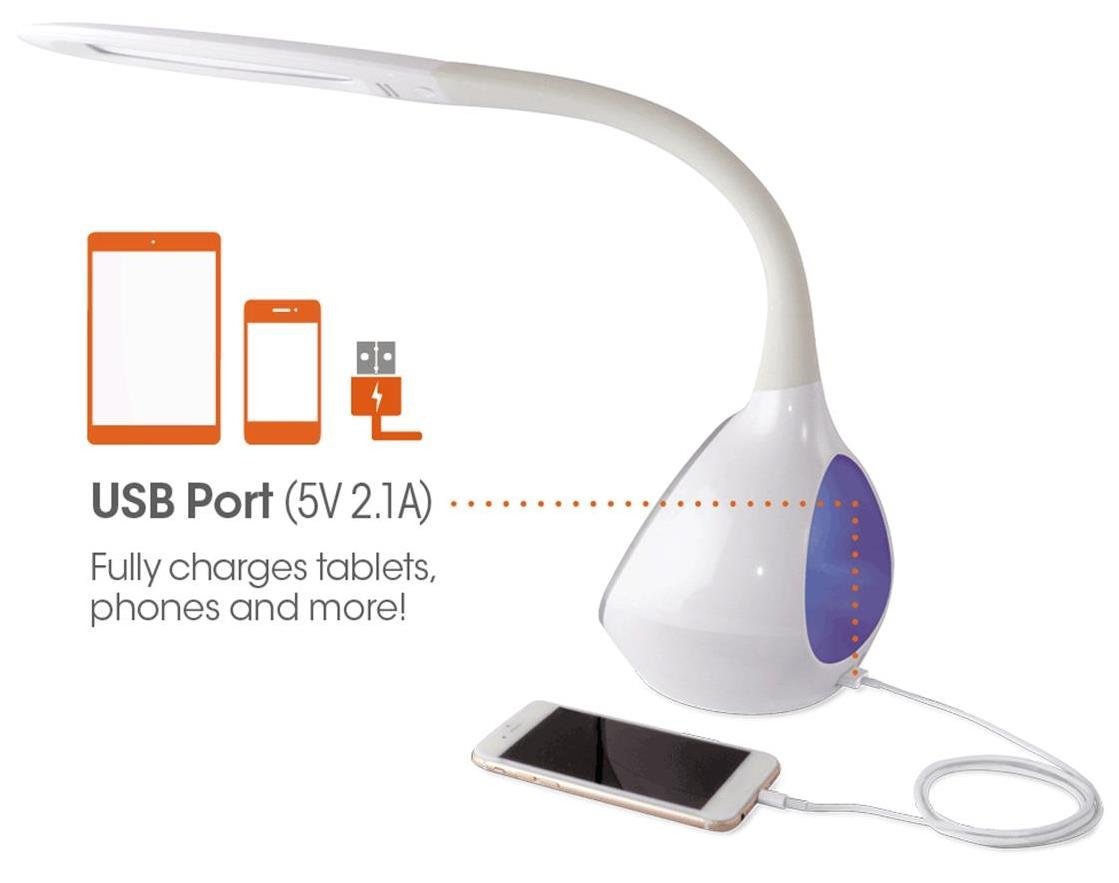
Imagine: U lamp's base with a smartphone connected to the 5V 2.1A USB charging port, illustrating its charging capability for phones and tablets.
U lamp includes a 5V, 2.1A USB charging port located on the side of the base. This port can be used to charge smartphones, tablets, and other USB-powered devices. Simply connect your device's USB charging cable to the port.
Mantenimentu
- Pulizia: Assicuratevi chì lamp hè scollegatu prima di a pulizia. Aduprate un pannu dolce è asciuttu per asciugà u lamp. Ùn aduprate micca detergenti abrasivi o solventi.
- LED: The integrated LEDs are designed to last up to 40,000 hours and are not replaceable.
- Conservazione: Sè guardà u lamp per un periodu prolongatu, staccate a spina è cunservate in un locu frescu è asciuttu.
Risoluzione di prublemi
| Prublemu | Causa Possibile | Soluzione |
|---|---|---|
| Lamp ùn accende micca. | L'adattatore di corrente ùn hè micca cunnessu currettamente o ùn ci hè micca alimentazione da a presa. | Verificate s'ellu l'adattatore di corrente hè bè inseritu in i dui porti.amp è a presa murale. Pruvate a presa cù un altru apparechju. |
| Main light works, but color-changing base does not. | Color button not activated. | Ensure the Color button on the control panel has been touched to activate the base light. |
| U portu di carica USB ùn funziona micca. | Apparatu micca cumpatibile o cavu difettuosu. | Ensure your device is compatible with 5V, 2.1A charging. Try a different USB cable. |
| I cuntrolli touch ùn rispundenu. | Temporary electrical interference or power issue. | Scollegate u lamp from the power outlet for 30 seconds, then plug it back in. |
Specificazioni
| Numero di mudellu: | CY4009-FFP |
| Marca: | OttLite |
| Tipu di fonte di luce: | LED |
| Wattage: | 10 Watt |
| Impostazioni di luminosità: | 4 (up to 500 lumens) |
| Temperature di culore: | 3 |
| Uscita di u portu USB: | 5V, 2.1A |
| Durata di vita LED: | Finu à 40,000 ore |
| Dimensioni di u pruduttu (LxWxH): | 24.1P x 7L x 29.8A Centimetri |
| Pesu di l'articulu: | 1.32 kg (2.91 lbs) |
| Fonte di energia: | Corded Electric |
| Tipu di cambiamentu: | Tocca |
| Culore: | Biancu |
| Resistenza à l'acqua: | Ùn hè resistente à l'acqua |
| UPC: | 761712012346 |
Garanzia è Supportu
For warranty information or technical support, please refer to the documentation provided with your purchase or visit the official OttLite websitu. Conservate a vostra prova d'acquistu per e richieste di garanzia.
Produttore: Environmental Lighting Concepts