1. Introduzione
This manual provides detailed instructions for the safe and efficient operation of your Optoma EH416 Full HD 3D DLP Projector. Please read this manual thoroughly before using the projector and retain it for future reference. Proper use and maintenance will ensure optimal performance and longevity of your device.
Informazioni di sicurezza
- Ùn guardate micca direttamente in l'obiettivo di u prughjettore quandu hè accesa.amp hè accesa. A luce intensa pò causà danni à l'ochji.
- Assicuratevi una ventilazione adatta intornu à u pruiettore. Ùn bluccate micca l'aperture di ventilazione.
- Use only the power cord supplied with the projector. Connect to a properly grounded outlet.
- Ùn espone micca u pruiettore à a pioggia, à l'umidità o à l'umidità eccessiva.
- Cuntattate tutti i servizii di manutenzione di u persunale di serviziu qualificatu. Ùn pruvate micca à apre o riparà u pruiettore da per voi.
2. Ciò chì hè in a scatula
Please verify that all items listed below are present in your package. If any items are missing or damaged, contact your dealer immediately.
- Optoma EH416 Projector
- Cordone d'alimentazione
- Cavo VGA à VGA
- Control remoto
- Borsa di trasportu
- Batterie per u cuntrollu remoto
- Multilingual CD-ROM User’s Manual
- Card Start Rapidu
- Carta di garanzia
3. Produttu Finituview
Funzioni chjave
- Alta luminosità: 4200 lumens for clear images in various lighting conditions.
- Cuntrastu altu: 20,000:1 contrast ratio for sharp, luminous images with deep blacks.
- Risoluzione Full HD: Native 1080p (1920x1080) resolution, supporting up to WUXGA (1920x1200).
- Advanced Optical Lens: Features a 1.6x zoom and vertical lens shift for flexible installation.
- Connettività estensiva: Dual HDMI (one with MHL support), dual audio-in, VGA, and more.
- sRGB Culore Profile: Enables vibrant and highly accurate colors based on Rec. 709 HDTV specification.
- Ajustamentu di u culore di u muru: Compensates for brightness loss when projecting on non-white surfaces.
- Edge Mask: Eliminates soft edges and jaggedness on the projection border for a smooth image.
- Audio integratu: Altoparlante 10W integratu.
Cumpunenti di u prughjettu
The image below illustrates the main components of the Optoma EH416 projector, including the lens, control panel, and various ports.
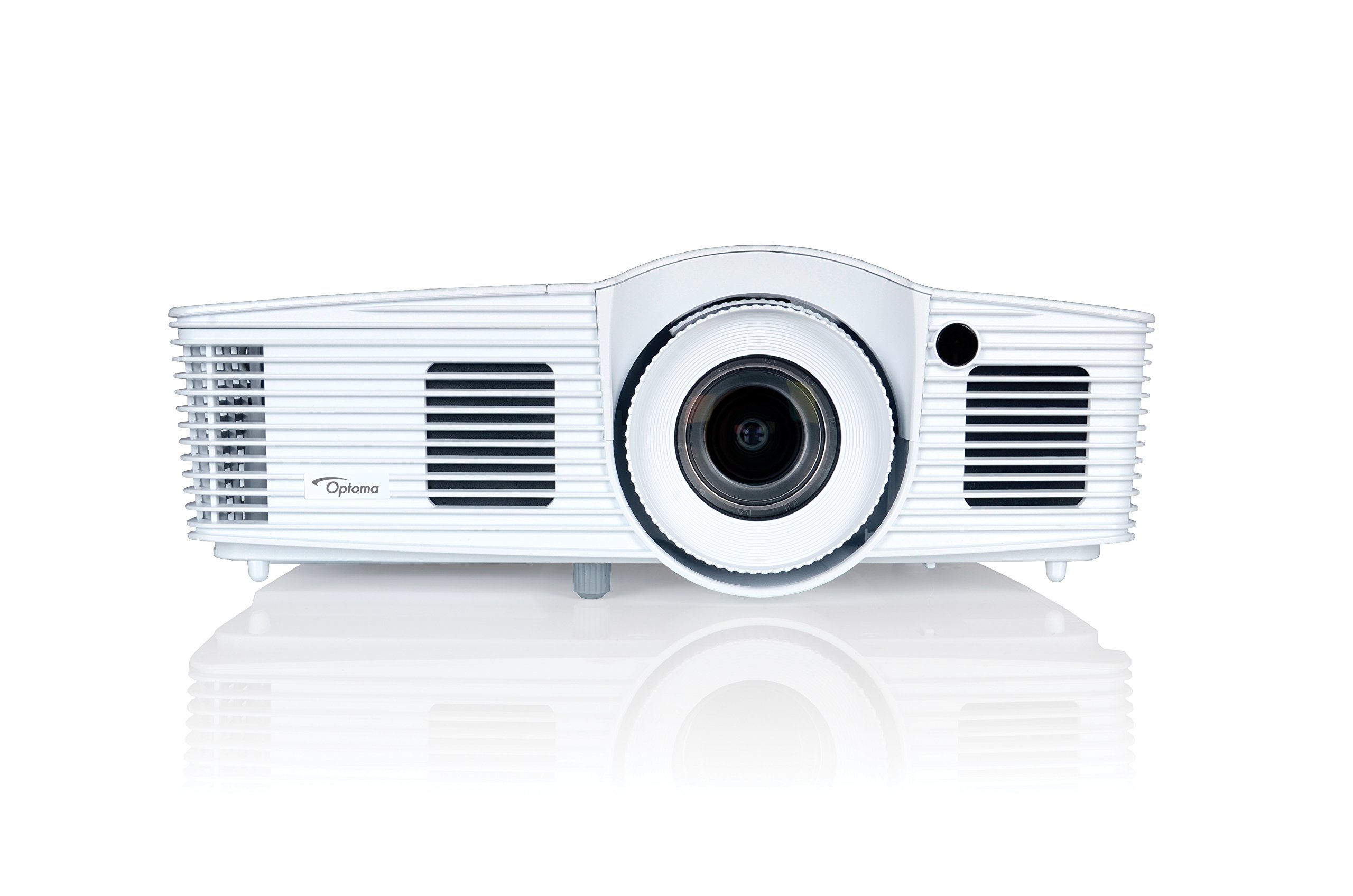
Figura 1: Fronte view of the Optoma EH416 Projector, showing the lens and primary controls.
Porti di Connettività
The Optoma EH416 projector offers a wide range of connectivity options located on the rear panel for versatile integration with various devices.
- HDMI (x2): Digital input for high-definition video and audio. One port supports MHL for mobile devices.
- VGA (x2): Analog input for computer connections.
- Audio In (x2): 3.5mm stereo jack for analog audio input.
- Out audio: 3.5mm stereo jack for connecting external speakers.
- USB-A: For power output or service.
- RS232: Per u cuntrollu di u prughjettore via un urdinatore o un sistema di cuntrollu.
- RJ45 (Ethernet): Per u cuntrollu è a gestione di a rete.
4. Setup
Posizionamentu di u proiettore
The Optoma EH416 offers flexibility in placement due to its 1.6x zoom and vertical lens shift capabilities. Position the projector on a stable surface or mount it securely. Adjust the distance from the screen to achieve the desired image size. The 1.6x zoom allows for a larger image from a shorter distance or a smaller image from a longer distance without moving the projector.
Dispositivi di cunnessione
- Cunnessione di putenza: Connect the power cord to the projector's power inlet and then to a grounded electrical outlet.
- Fonte Video:
- For HDMI devices (e.g., Blu-ray player, laptop): Connect an HDMI cable from your device to one of the HDMI ports on the projector.
- For VGA devices (e.g., older laptops): Connect a VGA cable from your device to a VGA port on the projector. If audio is also required, connect a separate 3.5mm audio cable from your device to an Audio In port on the projector.
- For MHL compatible mobile devices: Connect an MHL cable to the designated HDMI/MHL port.
- Uscita Audio (Opzionale): If using external speakers, connect an audio cable from the projector's Audio Out port to your sound system.
Accensione / Off
- Per accende: Appughjà u buttone d'alimentazione nant'à u pannellu di cuntrollu di u prughjettore o nant'à u telecomandu. A luce indicatrice d'alimentazione diventerà turchina.
- Per spegne: Press the power button twice. The projector will enter a cooling down cycle before completely shutting off. Do not unplug the projector during the cooling cycle.
5. Funziunamentu di u pruiettore
Operazione basica
- Selezzione di fonte: Use the 'Source' button on the remote or control panel to cycle through available input sources (HDMI1, HDMI2/MHL, VGA1, VGA2).
- Navigazione di menu: Press the 'Menu' button to access the On-Screen Display (OSD). Use the arrow keys to navigate and 'Enter' to select options.
- Controlu di u voluminu: Use the volume buttons on the remote control to adjust the audio output from the built-in speaker or Audio Out port.
Ajustamenti di l'Image
- Focus and Zoom: Rotate the focus and zoom rings on the projector lens to achieve a sharp and appropriately sized image.
- Correzione Keystone: If the image appears trapezoidal, use the 'Keystone' function in the OSD menu or the dedicated button on the remote to correct the image shape. The EH416 supports ±40° vertical keystone correction.
- Shift verticale di lenti: This feature allows you to physically move the image up or down without tilting the projector, minimizing keystone distortion. Adjust the lens shift dial located near the lens.
- Ajustamentu di u culore di u muru: Access this feature in the OSD menu to compensate for the color of your projection surface (e.g., blackboard, light yellow wall). This helps maintain accurate color reproduction even on non-white walls.
- sRGB Culore Profile: For the most accurate and vibrant colors, especially when connecting to a PC, Mac, or sRGB compatible source, select the sRGB picture mode in the OSD. This profile adheres to the Rec. 709 HDTV specification.
- Edge Mask: This function, found in the OSD, helps to refine the edges of the projected image, eliminating any soft or jagged appearance on the border.
6. Mantenimentu
Pulizia di u Proiettore
- Lenti: Aduprate un pannu dolce è senza pelu specificamente cuncipitu per lenti ottiche. Ùn aduprate micca detergenti abrasivi.
- Casing: Pulite u pruiettore casing with a soft, dry cloth. For stubborn dirt, use a slightly damp pannu cù un detergente delicatu, poi asciugate.
- Venti d'aria: Regularly check and clean the air vents to prevent dust buildup, which can lead to overheating. Use a soft brush or compressed air.
Lamp Cura
U projettore lamp hà una durata di vita finita. Quandu u lamp life is nearing its end, a warning message may appear on the screen. Refer to the full user manual on the included CD-ROM for detailed instructions on lamp replacement. Always use genuine Optoma replacement lamps to ensure optimal performance and safety.
7. Risoluzione di prublemi
This section addresses common issues you might encounter. For more detailed troubleshooting, refer to the comprehensive user manual on the included CD-ROM.
- Nisuna imagine nant'à u screnu:
- Check if the projector is powered on and the lamp hè illuminatu.
- Verify that the video source device is powered on and functioning correctly.
- Ensure the video cable (HDMI, VGA) is securely connected to both the projector and the source device.
- Selezziunate a fonte d'entrata curretta aduprendu u buttone "Fonte" nantu à u telecomandu o u pruiettore.
- Immagine sfocata o distorta:
- Aghjustate l'anellu di focu annantu à a lente di u prughjettu.
- If the image is trapezoidal, use the keystone correction function.
- Ensure the projector is perpendicular to the screen or use vertical lens shift.
- Nisun sonu:
- Verificate u livellu di vulume di u pruiettore è di u dispusitivu surgente.
- If using an analog VGA connection, ensure a separate audio cable is connected.
- Verificate chì l'uscita audio ùn sia micca disattivata.
- U cuntrollu remoto ùn funziona micca:
- Verificate è rimpiazzà e batterie.
- Assicuratevi chì ùn ci sia micca ostaculi trà u telecomandu è u ricevitore IR di u pruiettore.
8. Specificazioni
| Feature | Detail |
|---|---|
| Numero di mudellu | EH416 |
| Risoluzione di visualizazione | 1920 x 1080 (Full HD) |
| Luminosità | 4200 lumens |
| Rapportu di cuntrastu | 20,000: 1 |
| Tecnulugia di cunnessione | Wireless, HDMI, MHL, VGA |
| Dimensioni di u produttu | 8.81 x 12.36 x 4.48 inch |
| Pesu di l'articulu | 6.6 liri |
| Usi cunsigliati | Affari, Educazione |
| U fabricatore | TECNULUGIA OPTOMA |
| Data Prima Disponibile | 5 d'aprile di u 2016 |
9. Garanzia è Support
Your Optoma EH416 projector comes with a manufacturer's warranty. Please refer to the included warranty card for specific terms, conditions, and registration information. For technical support, product registration, or to download the latest drivers and firmware, please visit the official Optoma website or contact Optoma customer service.


