1. Introduzione
This manual provides essential information for the safe and efficient use of your TCL 55P607 55-Inch 4K Ultra HD Roku Smart LED TV. Please read these instructions thoroughly before operating your television and retain them for future reference.
Funzioni chjave:
- 55-inch 4K Ultra HD display for clear picture clarity.
- Integrated Roku TV smart functionality with access to over 4,000 streaming channels.
- Dolby Vision HDR (High Dynamic Range) compatibility for enhanced contrast, color, and detail.
- Full-array LED backlighting with 72 local dimming zones for deep blacks and excellent picture quality.
- 120Hz refresh rate for smooth motion in fast-paced scenes.
- Multiple inputs including 3 HDMI 2.0 with HDCP 2.2 (one with HDMI ARC), 1 USB (media player), RF, Composite, Headphone Jack, Optical Audio Out, and Ethernet.
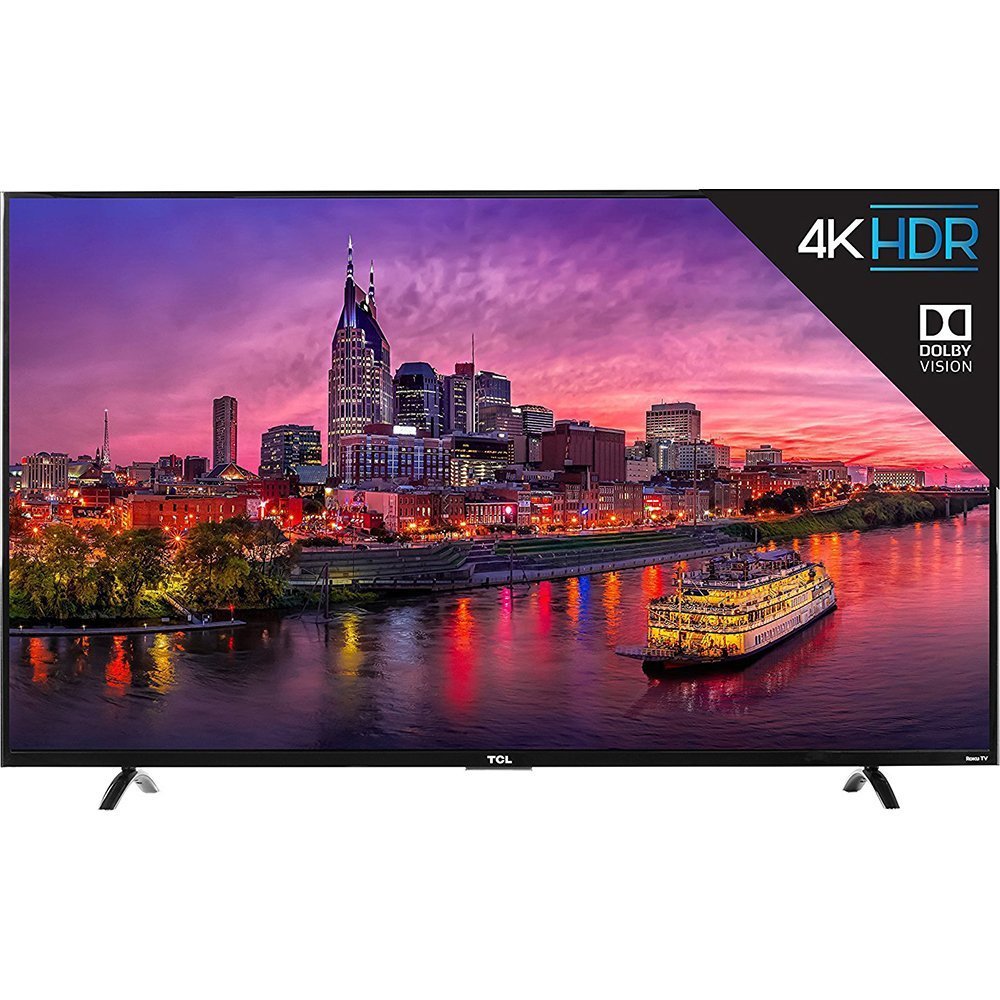
Image 1.1: Fronte view of the TCL 55P607 55-Inch 4K Ultra HD Roku Smart LED TV.
2. Setup
2.1 Unpacking and Placement
Carefully remove the television from its packaging. It is recommended to have two people for safe handling due to the size and weight of the unit. Place the TV on a stable, flat surface or mount it securely to a wall using a compatible VESA mount (sold separately).

Image 2.1: The TCL 55P607 TV displayed on a media console, illustrating typical placement.
2.2 Fissà u supportu TV
If you are not wall-mounting the TV, attach the included stand feet. Ensure the TV is placed face down on a soft, clean surface to prevent screen damage. Align each stand foot with the corresponding screw holes on the bottom of the TV and secure them with the provided screws. Refer to the diagram below for dimensions.

Image 2.2: Diagram showing the dimensions of the TCL 55P607 TV: 49" (width), 30.1" (height with stand), and 8.3" (depth with stand).
2.3 Cunnessione di l'alimentazione è di i dispusitivi
Connect the power cord to the TV and then to a wall outlet. Connect your external devices (e.g., cable box, Blu-ray player, gaming console) to the appropriate HDMI, AV, or other input ports on the TV. The TV features 3 HDMI 2.0 ports with HDCP 2.2, including one with HDMI ARC, 1 USB port, RF input, Composite input, Headphone Jack, and Optical Audio Out.
3. Operating Instructions
3.1 Initial Setup and Roku TV Interface
Upon first power-on, the TV will guide you through the initial setup process, including connecting to your Wi-Fi network and activating your Roku account. The Roku TV interface provides easy access to streaming channels, inputs, and settings.
Video 3.1: Un sopraview of the TCL 55P607 55-Inch 4K Ultra HD Roku Smart LED TV, demonstrating its features and the Roku interface. This video is provided by Merchant Video.
3.2 Funzioni Control Remote
The included Roku remote control is designed for simplicity. It features dedicated buttons for popular streaming services like Netflix and Hulu, as well as navigation controls for the Roku interface. The remote also includes a headphone jack for private listening, with earbuds included.
Video 3.2: An expert review of the TCL P Series, highlighting the intuitive Roku remote control and its features, including dedicated app buttons and the headphone jack for private listening. This video is provided by Digital Trends Review.
3.3 Input Selection and Customization
You can easily switch between connected devices and streaming apps. The Roku TV allows you to rename inputs (e.g., "HDMI 1" to "Blu-ray Player") and organize them on your home screen for quick access.
3.4 Impostazioni Picture
Ajustate i paràmetri di l'imagine per ottimizà u vostru viewing experience. The TV offers various picture modes (e.g., Movie, Sports) and advanced settings for brightness, contrast, sharpness, color, and tint. Note that some picture settings may need to be adjusted within specific streaming apps for optimal performance.
Video 3.3: A riview from Digital Trends discussing the best TVs under $1,000, which includes the TCL 55P607, and touches upon its picture quality and features.
Video 3.4: A riview from Digital Trends discussing the best TVs under $500, which includes the TCL 55P607, and highlights its value and performance.
4. Mantenimentu
4.1 Pulizia di a TV
Per pulisce u schermu, asciugatelu delicatamente cù un pannu dolce è senza pelu. Per e macchie ostinate, asciugatelu delicatamente.ampen the cloth with water or a screen-specific cleaning solution. Avoid using harsh chemicals or abrasive materials. For the TV casing, aduprate un pannu dolce è asciuttu.
4.2 Cura Generale
- Unplug the TV from the power outlet before cleaning or performing any maintenance.
- Avoid blocking ventilation openings on the back of the TV to prevent overheating.
- Do not expose the TV to direct sunlight, extreme temperatures, or high humidity.
- Prutegge u cordone di alimentazione da esse camminatu o pizzicatu.
5. Risoluzione di prublemi
If you encounter issues with your TCL 55P607 TV, refer to the following common solutions:
5.1 Nisun putere
- Assicuratevi chì u cavu di alimentazione sia ben cunnessu à u televisore è à una presa elettrica funzionale.
- Verificate s'è l'outlet hè in funziunamentu cunghjuntendu un altru dispositivu.
- Appughjà u buttone di accensione nantu à u televisore stessu, micca solu u telecomando.
5.2 Nisuna imagine o scarsa qualità di l'imagine
- Verificate chì a fonte d'entrata curretta sia selezziunata.
- Verificate tutte e cunnessione di i cavi trà u televisore è i dispositivi esterni.
- Ajustate i paràmetri di l'imagine (luminosità, cuntrastu, ecc.) in u menu TV.
- If using an antenna, ensure it is properly connected and positioned.
5.3 Nisun sonu o scarsa qualità di u sonu
- Aumenta u vulume sia di a TV sia di qualsiasi dispusitivu audio cunnessu.
- Verificate e cunnessione di u cable audio.
- Assicuratevi chì a TV ùn sia micca silenziata.
- If using external speakers, verify they are powered on and correctly configured.
5.4 U telecomandu ùn funziona micca
- Replace the batteries in the remote control (2 AAA batteries are included).
- Assicuratevi chì ùn ci sia micca ostaculi trà u telecomandu è u sensore IR di u televisore.
- If using the Roku mobile app as a remote, ensure your smartphone is connected to the same Wi-Fi network as the TV.
Video 5.1: Un re detallatuview of the TCL 55P607 55-Inch 4K Ultra HD Roku Smart LED TV, covering various aspects including picture quality, sound, and smart features, which can be helpful for troubleshooting. This video is provided by RTINGS.com.
6. Specificazioni
| Feature | Detail |
|---|---|
| Marca | TCL |
| Numero di mudellu | 55P607 |
| Size Screen | 55 inch |
| Tecnulugia di visualizazione | LED |
| Risoluzione | 4K Ultra HD |
| Frequenza di rinfrescante | 120 Hz |
| Cumpatibilità HDR | Dolby Vision HDR |
| Retroilluminazione | Full-array LED with 72 local dimming zones |
| Piattaforma Smart | Roku TV |
| Tecnulugia di cunnessione | HDMI, Wi-Fi |
| Entrate HDMI | 3 (HDMI 2.0 with HDCP 2.2, one with HDMI ARC) |
| Porti USB | 1 (media player) |
| Altri Ingressi/Uscite | RF, Composite, Headphone Jack, Optical Audio Out, Ethernet |
| Dimensioni (L x H x P) senza stand | 49" x 28.3" x 3" |
| Dimensioni (W x H x D) cù stand | 49" x 30.1" x 8.3" |
| Pesu di l'articulu | 33.1 liri |
| Cumpunenti inclusi | Remote Control, Power Cord, Batteries |
| Efficienza energetica | Certificatu Energy Star |
7. Garanzia è Support
For detailed warranty information and customer support, please refer to the warranty card included with your product or visit the official TCL support websitu. Conservate a vostra ricevuta d'acquistu cum'è prova d'acquistu per qualsiasi reclamu di garanzia.
TCL is committed to providing high-quality products and excellent customer service. Should you require assistance with setup, troubleshooting, or any other aspect of your TV, please contact TCL customer support.


