Introduzione
This manual provides essential information for the safe and efficient operation of your Skyworth E-Series 40E2 40-inch 1080P LED TV. Please read it thoroughly before use and retain it for future reference. This television features a 1080P LED display, 60 Hz refresh rate, and DTS Dolby Audio Sound for an enhanced viewsperienza.
Informazioni di sicurezza
Osservate e seguenti precauzioni di sicurezza per prevene danni è assicurà un funziunamentu sicuru:
- Fonte di energia: Cunnette u televisore solu à una fonte di alimentazione AC 100-240V, 50/60Hz.
- Ventilazione: Assicuratevi una ventilazione adatta intornu à u televisore. Ùn bluccate micca l'aperture di ventilazione.
- L'acqua è l'umidità: Ùn espone micca u televisore à a pioggia o à l'umidità. Ùn mette micca oggetti pieni di liquidi, cum'è vasi, nantu à u televisore.
- Pulizia: Unplug the TV before cleaning. Use a soft, dry cloth. Do not use liquid cleaners or aerosol sprays.
- Placement: Place the TV on a stable, level surface. Avoid direct sunlight, heat sources, and extreme temperatures.
- Service : Ùn circate micca di serviziu stu pruduttu voi stessu. Cunsultate tutti i servizii à u persunale di serviziu qualificatu.
Chì ci hè in u Box
Verificate chì tutti i cumpunenti sò presenti à u mumentu di u disimballaggio:
- Skyworth E-Series 40E2 40-inch LED TV
- Telecomandu (richiede 2 batterie AAA, micca incluse)
- Cordone d'alimentazione
- TV Stand Bases (2 pieces)
- Viti per u montaggio di u supportu
- Manuale d'uso (stu documentu)
Istituisci
1. Unpacking
Carefully remove the TV and all accessories from the packaging. Place the TV screen-down on a soft, clean, and flat surface to prevent scratches during stand assembly.
2. Stand Assemblea
To attach the stand bases:
- Align each stand base with the corresponding mounting holes on the bottom of the TV.
- Insert the provided screws into the holes and tighten them securely with a screwdriver.
- Ensure both stand bases are firmly attached and the TV is stable before placing it upright.

Image: Front view of the Skyworth 40E2 TV with its two stand bases attached, displaying a hockey game.
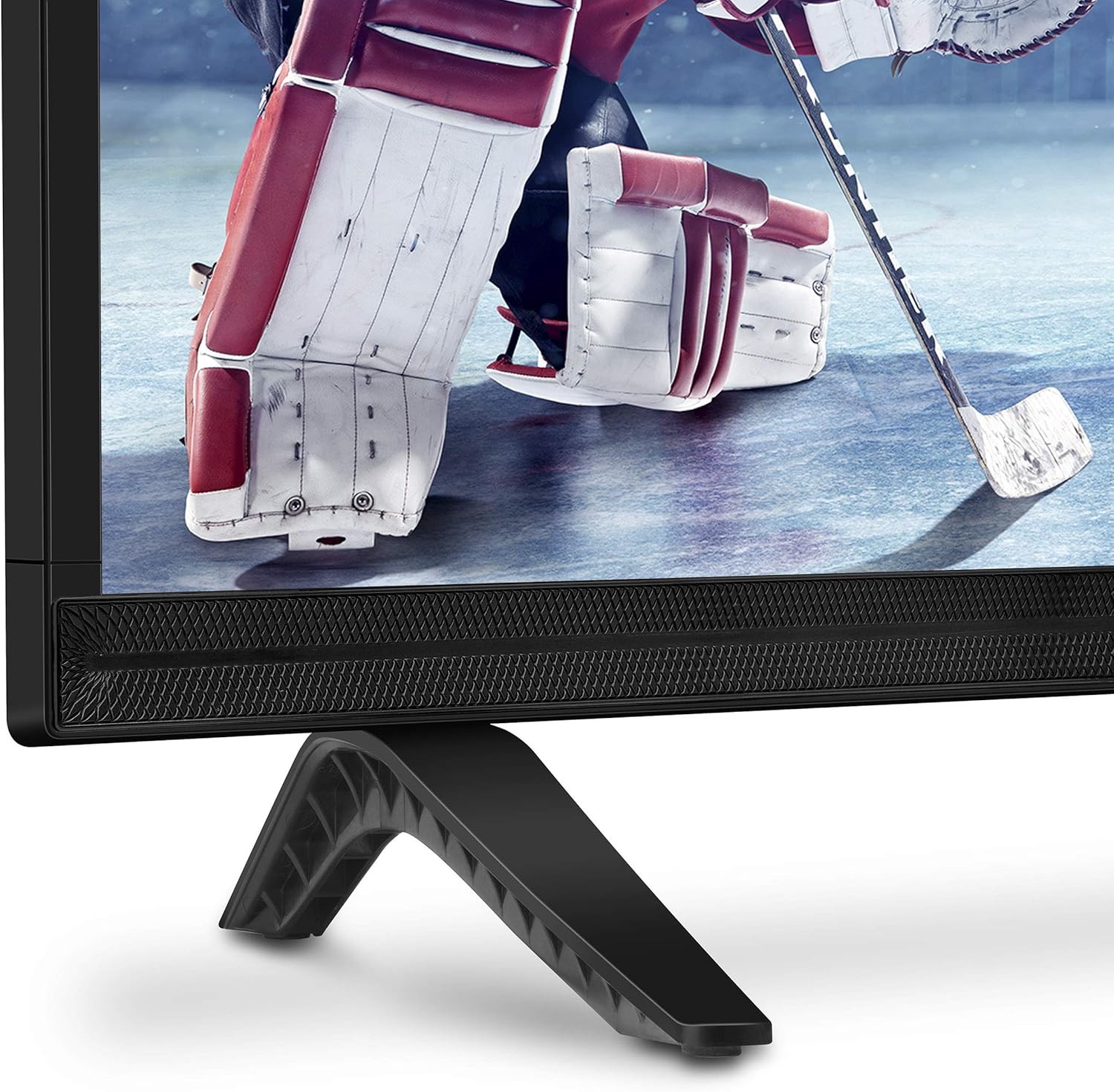
Imagine: Primu pianu view of the bottom right corner of the Skyworth 40E2 TV, showing the textured speaker grille and one of the black stand bases.
3. Muntatura à u muru (opzionale)
If you choose to wall mount your TV, ensure you use a VESA-compatible wall mount (sold separately). It is crucial to verify that the wall mounting plate does not obstruct the power port or any other connection ports on the back of the TV. Professional installation is recommended for wall mounting.
4. Dispositivi di cunnessione
Connect your external devices (e.g., cable box, Blu-ray player, gaming console) to the appropriate ports on the back of the TV. The Skyworth 40E2 features HDMI and USB connectivity.

Imagine: Daretu view of the Skyworth 40E2 TV, showing the various input ports including HDMI and USB on the left side, and the power input on the right.
5. Connecting Power
Inserite u cavu di alimentazione in l'entrata di alimentazione di u televisore, dopu inserite l'altra estremità in una presa murale.
6. Accensione iniziale
Press the Power button on the remote control or on the TV. Follow the on-screen instructions for the initial setup, which typically includes language selection, channel scanning, and network configuration (if applicable).
Operazione
Funzioni di cuntrollu remoto
Familiarizatevi cù i buttoni di u telecomandu:
- putenza: Accende o spegne a TV.
- Input: Selects the input source (HDMI 1, HDMI 2, USB, etc.).
- Volume +/-: Ajuste u livellu di u sonu.
- Canale +/-: Cambia i canali TV.
- Menu: Accede à u menu principale per i paràmetri.
- Buttoni di navigazione (Su/Ghjuù/Sinistra/Destra): Naviga trà l'opzioni di u menù.
- OK/Ingressu: Cunfirma a selezzione.
- Surtita/Indietro: Ritorna à a schermata precedente o esce da u menu.
Settings Picture
Accede à u menu Imagine per aghjustà i paràmetri per una ottimizazione ottimale viewing:
- Modu Picture: Select from preset modes like Standard, Dynamic, Movie, or User.
- Luminosità: Ajusta a luminosità o a scurità generale di l'imagine.
- Cuntrastu: Cuntrolla a diffarenza trà e zone chjare è scure.
- Culore: Ajusta l'intensità di i culori.
- Nitidezza: Migliora i bordi di l'uggetti in l'imagine.
- Rapportu d'aspettu: Changes the screen display format (e.g., 16:9, 4:3).
Settings Sound
Access the Sound menu to customize audio output:
- Modu di sonu: Choose from preset modes like Standard, Music, Movie, or User.
- Equalizzatore: Manually adjust audio frequencies.
- DTS Dolby Audio: Enable or disable advanced audio processing for enhanced sound quality.
- Balance: Adjust the volume balance between left and right speakers.
Connettività
The TV supports various connections:
- HDMI: Cunnette dispositivi d'alta definizione cum'è lettori Blu-ray, console di ghjocu o set-top box.
- USB: Ghjucà multimedia files (foto, musica, video) da un dispositivu di almacenamentu USB.
Mantenimentu
Proper care ensures the longevity of your TV:
- Pulizia di u screnu: Asciugate delicatamente u schermu cù un pannu dolce, asciuttu è senza pelu. Per e macchie ostinate, asciugate delicatamente.ampen the cloth with water (do not spray directly on the screen).
- Pulizia di l'armadiu: Asciugate u mobile di a TV cù un pannu dolce è asciuttu. Evitate l'usu di detergenti abrasivi o solventi.
- Spolverazione: Spolverate regularmente l'aperture di ventilazione per impedisce u surriscaldamentu.
- Cordone d'alimentazione: Verificate periodicamente u cavu d'alimentazione per eventuali danni. S'ellu hè dannighjatu, rimpiazzatelu immediatamente.
Risoluzione di prublemi
Sè avete prublemi, riferitevi à i seguenti prublemi cumuni è suluzioni:
| Prublemu | Possibile Causa / Soluzione |
|---|---|
| Nisun putere | Assicuratevi chì u cavu di alimentazione sia bè cunnessu à u televisore è à una presa elettrica funzionale. Verificate se a presa hà corrente. |
| Nisuna imagine, ma u sonu hè presente | Verificate a fonte d'entrata. Assicuratevi chì u dispusitivu cunnessu sia accesu è funziona currettamente. Pruvate un altru cavu HDMI. |
| Nisun sonu, ma l'imagine hè presente | Check the volume level. Ensure the TV is not muted. Verify audio settings in the menu. Try a different HDMI cable. |
| U cuntrollu remoto ùn funziona micca | Check and replace the batteries (2 AAA). Ensure there are no obstructions between the remote and the TV's IR sensor. |
| Povera qualità di stampa | Adjust picture settings (Brightness, Contrast, Sharpness). Ensure the input source is providing a high-quality signal. |
Specificazioni
| Feature | Detail |
|---|---|
| Marca | Skyworth |
| Numero di mudellu | 40E2 |
| Size Screen | 40 inch |
| Tecnulugia di visualizazione | LED |
| Risoluzione | 1080p (Full HD) |
| Frequenza di rinfrescante | 60 Hz |
| Rapportu d'aspettu | 16: 9 |
| Tecnulugia Audio | DTS Dolby Audio Sound |
| Tecnulugia di cunnessione | HDMI, USB |
| Dimensioni di u produttu (cù u supportu) | 35.7 x 8.8 x 22.9 inch (L x P x H) |
| Pesu di l'articulu (cù u supportu) | 14.5 liri |
| Batterie di cuntrollu remoto | 2 batterie AAA (micca incluse) |
Garanzia è Supportu
For warranty information, please refer to the warranty card included with your product at the time of purchase. For technical assistance, product registration, or to download the latest software updates, please visit the official Skyworth website or contact their customer support services. Keep your purchase receipt as proof of purchase for warranty claims.


