1. Introduzione
The Aligator T100 is a GSM mobile phone designed in a classic desk phone style, offering convenient operation with large buttons and essential mobile phone functions. It serves as an excellent replacement for a fixed-line phone, providing the independence and flexibility of a mobile device. Its high-performance antenna ensures reliable reception even in areas with weak GSM signals.
2. Informazioni di sicurezza
- Avvisu di batteria: Use only the original battery provided with the device. Using non-original batteries may cause damage to the phone or lead to battery explosion.
- Mantene u dispusitivu luntanu da l'acqua è l'umidità.
- Do not attempt to disassemble or repair the phone yourself. Refer to qualified service personnel for any repairs.
- Evitate d'espone u telefunu à temperature estreme.
3. Cuntenutu di u pacchettu
Verificate chì tutti l'articuli sò presenti in u pacchettu:
- Aligator T100 GSM Mobile Phone unit
- Telefonu cù cordone arrotolato
- High-performance external antenna
- Caricatore di rete
- Li-ion 800 mAh battery
- User manual (English, German, Czech, Slovak)

Figure 3.1: Contents of the Aligator T100 package.
4. Produttu Finituview
The Aligator T100 features a robust design with a clear monochrome graphic display and a user-friendly keypad. Key components include the main unit, handset, and an external antenna for enhanced signal reception.

Figura 4.1: Fronte view of the Aligator T100.
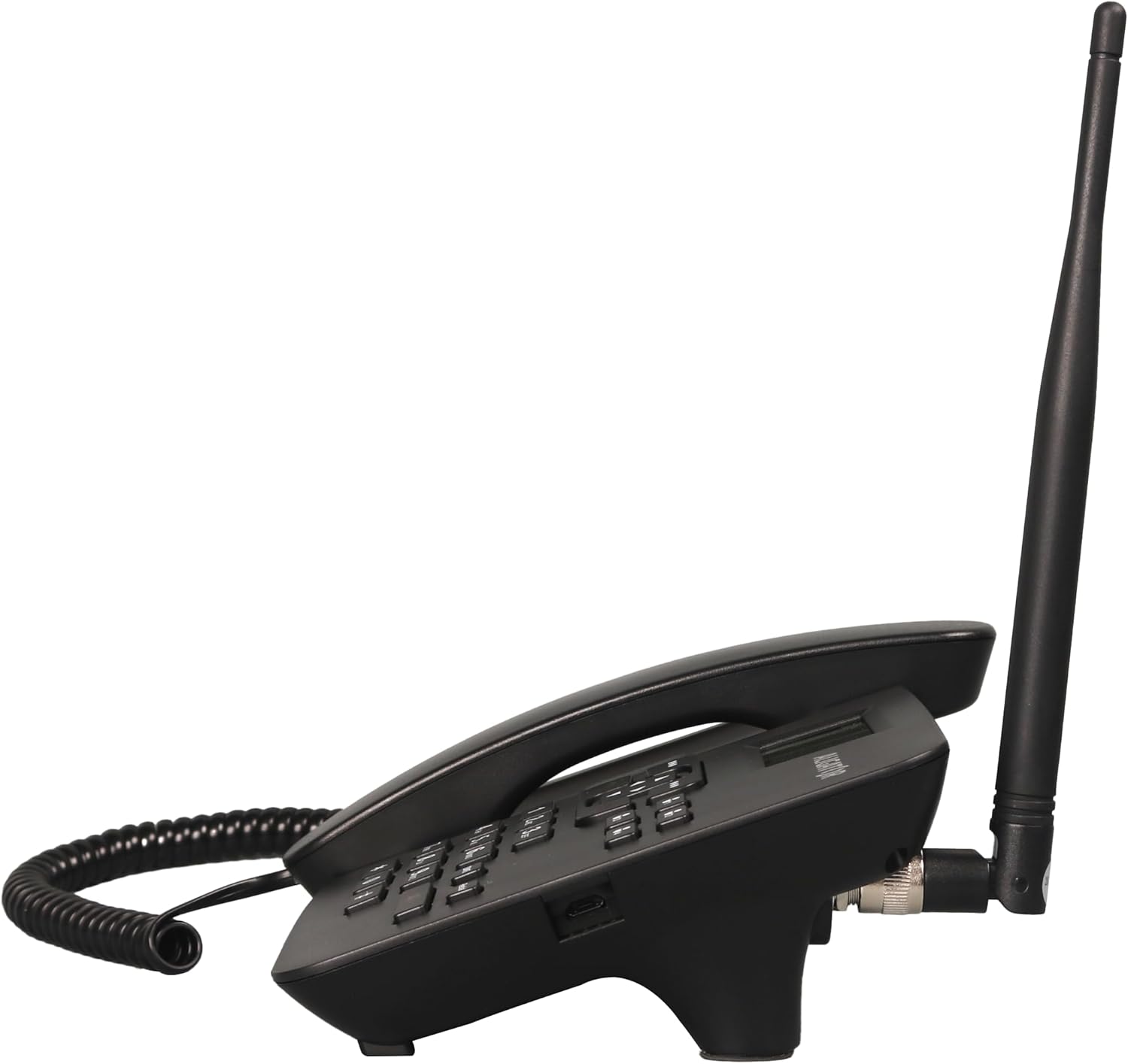
Figura 4.2: Side view showing the antenna connection.

Figura 4.3: Torna view of the Aligator T100.
4.1 Tastiera è Display
The keypad features large, easy-to-read buttons. The monochrome graphic display (128 x 64 points, 53 x 25 mm) has a green background illumination for clear visibility.

Figure 4.4: Close-up of the display and keypad.
5. Setup
5.1 Installazione di batterie
- Remove the battery compartment cover on the back of the phone.
- Insert the provided Li-ion 800 mAh battery, ensuring the contacts align correctly.
- Sustituite a tappa di u compartimentu di a bateria.
5.2 Installazione di a carta SIM
- Cù a batteria rimossa, truvate u slot di a carta SIM.
- Insert your GSM SIM card into the designated slot, ensuring proper orientation as indicated by the diagram near the slot.
- Rimette in piazza a batteria è u coperchio di a batteria.
5.3 Attaccu di l'antenna
- Locate the TNC-Female connector on the side/back of the phone unit.
- Screw the high-performance external antenna onto this connector until it is securely fastened.
5.4 Carica iniziale è accensione
- Connect the mains charger to the phone's charging port and plug it into a power outlet.
- Allow the phone to charge fully before first use. The display will indicate charging status.
- To power on, press and hold the power button (if available) or simply ensure the battery is inserted and the phone is connected to power.
6. Operating Instructions
6.1 Fà è riceve chjamate
- Fà una Chjama: Lift the handset. You will hear a classic dial tone. Dial the phone number using the keypad. The call will be initiated automatically after a short delay or upon pressing the call button.
- Riceve una Chjama: When the phone rings, simply lift the handset to answer the call.
- Finisce una chjama: Place the handset back onto the cradle to end the call.
6.2 Using the Keypad and Navigation
The keypad includes standard numeric keys (0-9, *, #) and dedicated function buttons. Use the navigation buttons (up, down, left, right) to navigate through menus on the display.

Figure 6.1: Display and navigation controls.
6.3 Speed Dial / Quick Dial
The Aligator T100 features four quick dial buttons (labeled 1-4) for frequently called numbers. You can program these buttons to dial a contact directly.
- Programming Quick Dial: Refer to the phone's menu for
Documenti cunnessi - T100

Manuale d'usu senior di ALIGATOR S6700
Manuale d'usu per u telefuninu ALIGATOR S6700 Senior, chì copre a cunfigurazione, funzioni cum'è DUAL SIM è SOS Locator, u sistema operativu Android, a cunnessione, a sicurezza è u smaltimentu ecologicu.
Manuale d'usu è guida Aligator Watch Pro X
Manuale d'usu cumpletu per u smartwatch Aligator Watch Pro X, chì copre a cunfigurazione, e funzioni, a cunnessione, e notificazioni, i quadranti di l'orologio, l'integrazione di u telefunu è a risoluzione di i prublemi.
Návod k použití chytrých hodinek ALIGATOR Watch Amoled Pro AW14
Kompletní návod k použití chytrých hodinek ALIGATOR Watch Amoled Pro AW14. Zjistěte, jak ovládat hodinky, připojit je k telefonu, využívat funkce a řešit problémy.
ALIGATOR A930 GPS Senior 4G: Návod k použití
Kompletní návod k použití pro mobilní telefon ALIGATOR A930 GPS Senior 4G, navržený pro seniory s funkcemi GPS a SOS pro snadné ovládání a bezpečnost.
Manuale d'usu è guida di l'orologio intelligente Aligator Watch Lady
Manuale d'usu cumpletu per u smartwatch Aligator Watch Lady, chì copre a cunfigurazione, e funzioni, a cunnessione, a risoluzione di i prublemi è l'infurmazioni di sicurezza.
Manuale d'usu è guida GPS di l'orologio Aligator
Manuale d'usu cumpletu per u smartwatch GPS Aligator Watch, chì copre a cunfigurazione, e funzioni, l'accoppiamentu, u tracciamentu di i dati, i paràmetri, a risoluzione di i prublemi è l'infurmazioni di sicurezza.