1. Produttu Finituview
The Elecom M-FBL01DBXSBK is a 5-button wireless mouse designed for comfortable and quiet operation. It features a Blue LED sensor for versatile surface compatibility and a compact USB receiver.

Image 1.1: Elecom M-FBL01DBXSBK Wireless Mouse with its compact USB receiver.
2. Cuntenutu di u pacchettu
- Elecom M-FBL01DBXSBK Wireless Mouse
- Ricevitore wireless USB
- AA Alkaline Battery (for operation confirmation)
- Manuale d'uso (stu documentu)
3. Setup Instructions
3.1. Installazione di batterie
- Truvate u coperchiu di u compartimentu di a batteria sottu à u mouse.
- Fate scorrere o alzate u coperchio per apre u compartimentu.
- Insert one AA alkaline battery, ensuring the positive (+) and negative (-) terminals align correctly with the markings inside the compartment.
- Chiudere in modu sicuru u coperchiu di u compartimentu di a batteria.

Image 3.1: The underside of the mouse, indicating the battery compartment and power switch.
3.2. Cunnessione di u Ricevitore USB
- Remove the compact USB receiver from its storage slot on the underside of the mouse.
- Cunnette u ricevitore USB à un portu USB-A dispunibule nantu à u vostru urdinatore.
- U vostru urdinatore duveria rilevà è installà automaticamente i driver necessarii. Questu pò piglià uni pochi di mumenti.
3.3. Powering On the Mouse
After installing the battery and connecting the receiver, locate the power switch on the underside of the mouse and slide it to the 'ON' position. The mouse is now ready for use.
3.4. OS Compatibility
The Elecom M-FBL01DBXSBK Wireless Mouse is compatible with:
- Windows 11, Windows 10, Windows RT8.1, Windows 8.1, Windows 7, Windows Vista
- macOS High Sierra 10.13 è più tardi
Ensure your operating system is updated to the latest version and any service packs are installed for optimal performance.
4. Utilizà u mouse
4.1. Funzioni basi
The mouse features five buttons and a scroll wheel:
- Pulsante di manca: Funzione di clicu primariu.
- Pulsante drittu: Funzione di clic secundariu (menu cuntestuale).
- Rotella di scorrimentu: Scrolls documents è web pages vertically. Can also be pressed for a middle-click function.
- Pulsante avanti: Naviga in avanti in web navigatori o file esploratori.
- Pulsante Back: Naviga in daretu in web navigatori o file esploratori.

Image 4.1: The five buttons of the Elecom M-FBL01DBXSBK mouse, including the scroll wheel.
4.2. Quiet Click Feature
All five buttons incorporate a silent switch mechanism, significantly reducing clicking noise. This allows for quiet operation in various environments.

Image 4.2: The silent switch design minimizes operational noise.
4.3. Blue LED Sensor
The mouse is equipped with a Blue LED optical sensor, which provides accurate tracking on a variety of surfaces, including those with slight unevenness or dust. This enhances usability in diverse settings.

Image 4.3: The Blue LED sensor allows for comfortable use on various surfaces.
4.4. Connectivity Wireless
The mouse utilizes a 2.4 GHz wireless band for stable communication. The effective radio distance is approximately 3 meters (9.8 feet) on magnetic surfaces (e.g., steel desks) and up to 10 meters (32.8 feet) on non-magnetic surfaces (e.g., wooden desks).
4.5. Indicatore Battery
An integrated battery indicator light notifies you when the battery level is low, signaling that a replacement is needed.
4.6. Elecom Mouse Assistant Software
Button functions can be customized using the free downloadable Elecom Mouse Assistant software. This allows users to reassign functions to the mouse buttons for improved workflow efficiency.
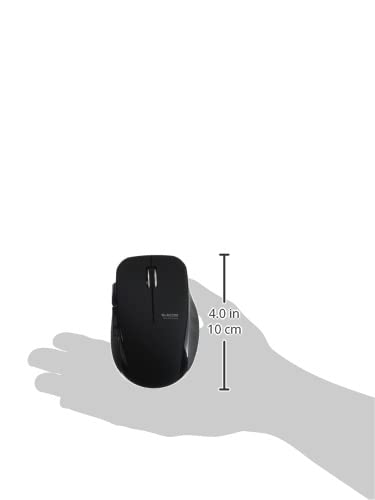
Image 4.4: The Elecom Mouse Assistant software enables button customization.
5. Mantenimentu
5.1. Sustituzione di batterie
When the battery indicator signals low power, replace the AA battery with a new AA alkaline, manganese, or NiMH battery. Follow the battery installation steps outlined in Section 3.1.
5.2. Pulizia
To clean the mouse, gently wipe its surface with a soft, dry cloth. Avoid using harsh chemicals or abrasive materials, as these can damage the finish. Ensure no liquid enters the mouse.
5.3. Receiver Storage
The USB receiver can be stored inside the mouse body when not in use or during transport. This helps prevent loss of the receiver.
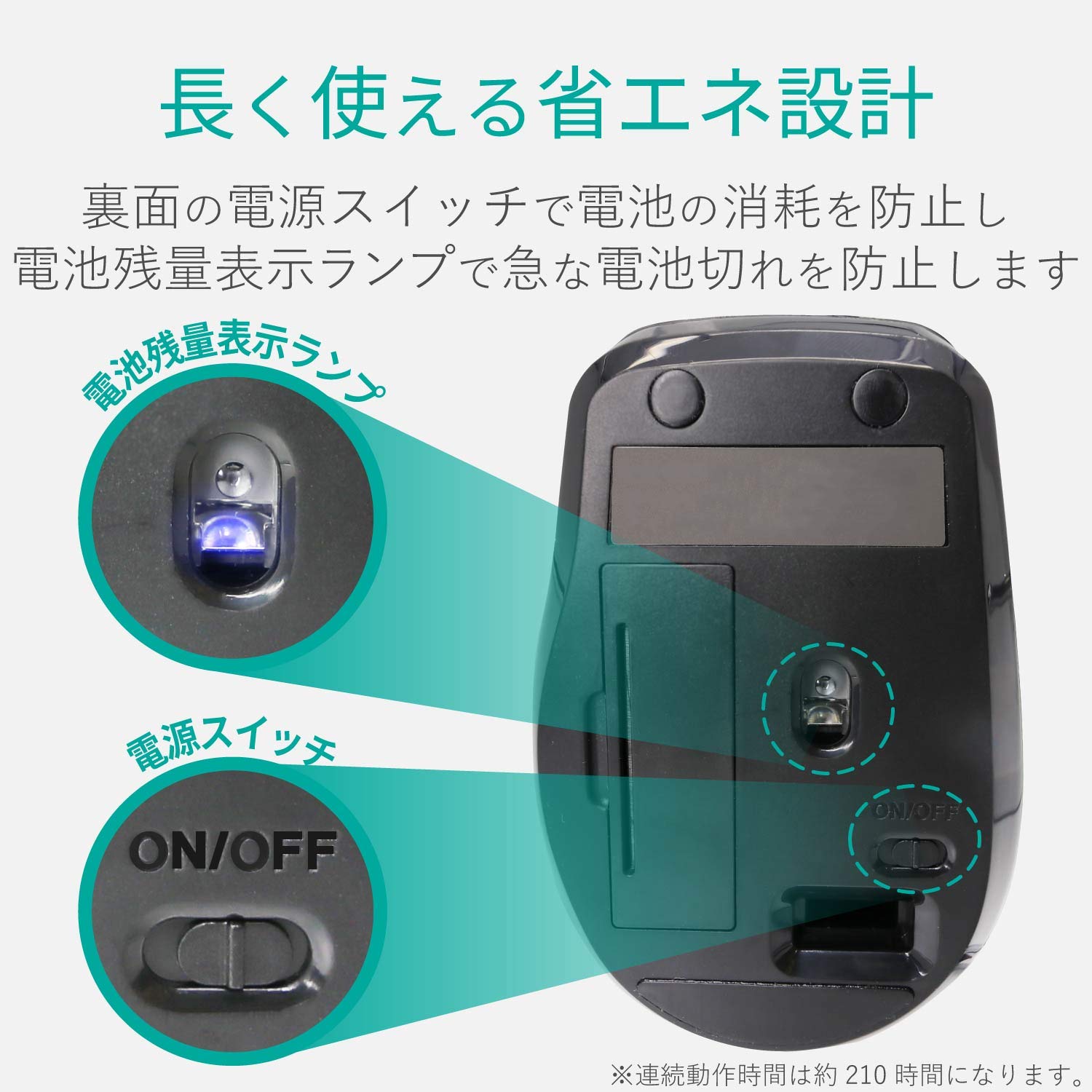
Image 5.1: The compact receiver can be stored within the mouse for convenience.
6. Risoluzione di prublemi
- U mouse ùn risponde micca:
- Check if the mouse is powered on (power switch on the underside).
- Assicuratevi chì a batteria sia installata currettamente è micca scarica. Rimpiazzatela se necessariu.
- Verificate chì u ricevitore USB sia ben cunnessu à una porta USB funzionale di u vostru urdinatore. Pruvate una porta USB diversa.
- Restart u vostru urdinatore.
- Muvimentu erraticu di u cursore:
- Clean the optical sensor area on the underside of the mouse.
- Assicuratevi d'utilizà u mouse nantu à una superficia adatta. Evitate superfici assai riflettenti o trasparenti.
- Check for interference from other wireless devices. Move the mouse closer to the receiver.
- Buttons not functioning correctly:
- If using Elecom Mouse Assistant, ensure button assignments are correct.
- Reinstall the Elecom Mouse Assistant software if issues persist.
7. Specificazioni
| Interfaccia | USB |
| Forma di cunnessu | USB-A Male |
| OS compatible | Windows 11, 10, RT8.1, 8.1, 7, Vista; macOS High Sierra 10.13+ |
| Risoluzione | 1600 cunti |
| Metudu di cumunicazione | Metudu GFSK |
| Frequenza Radio | banda 2.4GHz |
| Radio Distance | Magnetic objects: 3m (9.8 ft); Non-magnetic objects: 10m (32.8 ft) |
| Metudu di lettura | Sistema di sensori ottici (LED blu) |
| Numero di Buttons | 5 (including wheel button) |
| Numaru di Roti | 1 |
| Storage di u ricevitore | Iè |
| Tempu Operativu Continuu | Circa. 210 ore |
| Tempu di Standby | Circa. 1666 ghjorni |
| Estimated Battery Usage Time | Circa. 478 ghjorni |
| Alimentazione (Unità Principale) | 1 AA alkaline, manganese, or NiMH battery |
| Valutatu Voltage (Body) | 1.5V |
| Culore | Neru |
| Weight (Mouse) | Circa. 62 g (senza batteria) |
| External Dimensions (Receiver) | 14.5 x 18.0 x 6.3 mm |
| Weight (Receiver) | Circa. 2 g |
8. Garanzia è Support
8.1. Tempu di Garanzia
Stu pruduttu vene cun una garanzia di 6 mesi da a data di compra.
8.2. Product Inquiries
For product inquiries or technical support, please contact the Elecom General Information Center:
- TEL: 0570-084-465
- FAX: 0570-050-012
- Reception Time: 10:00 - 19:00 (24/7)