1. Introduzione
The GameMax Mirage 120mm PC Cooling Fan is designed to provide efficient cooling for computer components while offering customizable RGB lighting. This fan features a dual-ring Rainbow LED design, a hydraulic bearing for quiet operation, and a 7-blade fan structure. It is compatible with 5V addressable 3-pin Aura Sync systems, allowing for synchronized lighting effects with compatible motherboards or controllers.

Image 1.1: Front view of the GameMax Mirage fan with active Rainbow LED lighting.
2. Informazioni di sicurezza
- Ensure your computer system is powered off and unplugged from the wall outlet before installation or maintenance.
- Handle components with care to avoid damage from static electricity. Consider using an anti-static wrist strap.
- Ùn furzate micca i cunnettori. Assicuratevi di l'orientazione curretta prima di cunnette i cavi.
- Mantene u ventilatore luntanu da liquidi è umidità eccessiva.
- Ùn pruvate micca di smuntà l'unità di ventilazione al di là di ciò chì hè descrittu in questu manuale.
3. Cuntenutu di u pacchettu
Verificate chì tutti l'articuli sò presenti in u vostru pacchettu:
- 1 x GameMax Mirage 120mm PC Cooling Fan
- 4 x Viti di Montatura
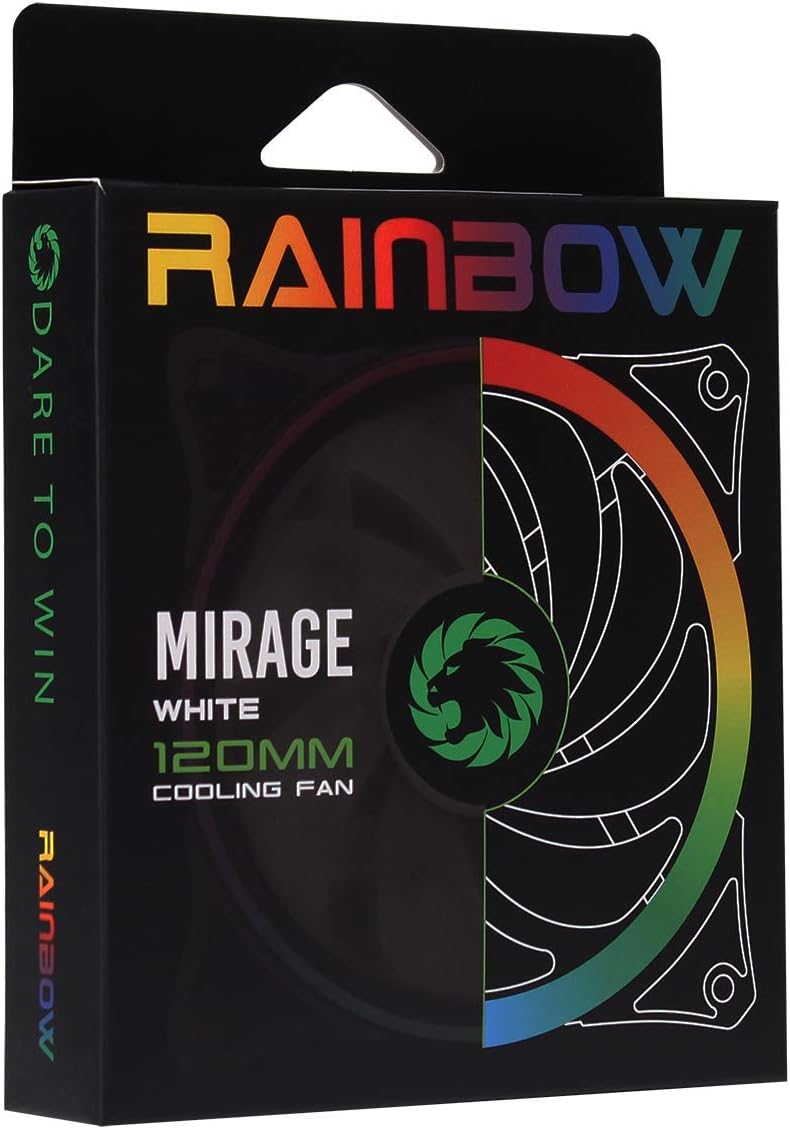
Image 3.1: Retail packaging for the GameMax Mirage fan.
4. Setup è Installazione
Follow these steps to install your GameMax Mirage 120mm PC Cooling Fan:
- Preparate u vostru sistema: Spegne u vostru urdinatore è scollegatelu da a presa di corrente. Aprite u chassis di u vostru urdinatore per accede à i lochi di muntatura di u ventilatore.
- Muntà u Fan: Position the fan in your desired location (e.g., case front, rear, top, or radiator). Ensure the airflow direction is correct for your cooling setup. Use the four included mounting screws to secure the fan to the chassis or radiator. The fan features rubber pads on the corners to help reduce vibration.
- Cunnette l'alimentazione di u ventilatore: Locate the 3-pin power connector on the fan cable. Connect this cable to an available 3-pin fan header on your motherboard or a fan controller.
- Cunnette l'illuminazione RGB: Locate the 5V addressable 3-pin Aura connector on the fan cable. Connect this to a compatible 5V ARGB header on your motherboard (often labeled 'VDG' or 'ARGB') or an external RGB controller/hub. Warning: Do not connect this to a 12V RGB header, as it will damage the LEDs.

Image 4.1: The 3-pin power connector (top) and 5V addressable 3-pin Aura connector (bottom).
The fan cables are braided for improved aesthetics and durability, helping to keep your build neat and tidy.
5. Operating Instructions
Once installed, the GameMax Mirage fan operates as follows:
- Control di a velocità di u fan: The fan speed is controlled via the 3-pin power connector. If connected to a motherboard fan header, the speed can typically be adjusted through your motherboard's BIOS/UEFI settings or dedicated software.
- Cuntrollu di l'illuminazione RGB: The Rainbow LED lighting is controlled via the 5V addressable 3-pin Aura connector.
- If connected to a compatible motherboard (e.g., ASUS Aura Sync, MSI Mystic Light, Gigabyte RGB Fusion, ASRock Polychrome Sync), you can use the motherboard's software to customize lighting effects, colors, and synchronization with other ARGB components.
- If connected to an external RGB hub/controller, refer to the instructions provided with your specific hub/controller for lighting customization options.

Imagine 5.1: Angolata view of the GameMax Mirage fan showcasing its dual-ring Rainbow LED lighting.
6. Mantenimentu
Regular maintenance helps ensure optimal performance and longevity of your cooling fan:
- Pulizia di a polvere: Periodically inspect the fan blades and frame for dust accumulation. Use compressed air or a soft brush to gently remove dust. Ensure the fan is powered off and unplugged before cleaning.
- Ispezione di u cable: Occasionally check the power and RGB cables for any signs of wear or damage.
7. Risoluzione di prublemi
- U ventilatore ùn gira micca:
- Ensure the 3-pin power connector is securely plugged into a functional fan header on the motherboard or controller.
- Check motherboard BIOS/UEFI settings to ensure the fan header is enabled and configured correctly.
- LEDs Not Lighting Up or Incorrect Colors:
- Verify the 5V addressable 3-pin Aura connector is securely connected to a compatible 5V ARGB header (not 12V RGB).
- Ensure your motherboard's RGB software or external controller is properly installed and configured.
- If using a splitter or hub, ensure it is powered and functioning correctly.
- Sonu eccessivu:
- Check for any cables or obstructions interfering with the fan blades.
- Ensure the fan is securely mounted and the rubber pads are properly seated to absorb vibrations.
- Dust accumulation can cause imbalance and noise; clean the fan as described in the Maintenance section.
8. Specificazioni
| Feature | Specificazione |
|---|---|
| Mudellu | MIRAGEWHITE FINS |
| Dimensione di u fan | 120 mm x 120 mm x 25 mm (0.98 x 4.72 x 4.72 inch) |
| Tipu di cuscinetti | Cuscinetti idraulichi |
| Lame di Ventilatore | 7 Lame |
| Tipu di LED | Addressable Rainbow LED (Dual-Ring) |
| Connettore di alimentazione di u ventilatore | 3-Pin |
| Connettore RGB | 5V Addressable 3-Pin Aura Connector |
| Voltage | 5 Volts (for RGB) / 12 Volts (for fan motor, typical for 3-pin) |
| Valutatu Wattage | 3 Watt |
| Velocità di rotazione massima | 1800 RPM |
| Livellu di rumore | Circa 25 dB(A) |
| Materiale | Rubber (for vibration dampening) |

Imagine 8.1: Indietro view of the GameMax Mirage fan, displaying the product label with model and electrical specifications.
9. Garanzia è Support
Per infurmazioni nantu à a garanzia è l'assistenza tecnica, vi pregu di cunsultà u situ ufficiale di GAMEMAX. websitu o cuntattate u vostru rivenditore. Conservate a vostra prova d'acquistu per e richieste di garanzia.


