Manuale d'usu di e cuffie ANC over-the-ear senza filu DALI IO-6 Premium
Model: IO-6
Introduzione
Welcome to the user manual for your DALI IO-6 Premium Wireless Over-The-Ear ANC Headphones. These headphones are designed to deliver exceptional audio quality with the convenience of wireless connectivity and advanced Active Noise Cancellation (ANC) technology. This manual provides essential information on setup, operation, maintenance, and troubleshooting to ensure you get the most out of your DALI IO-6 headphones.
Cuntenutu di u pacchettu
Prima di principià, assicuratevi chì tutti l'articuli sò presenti in u pacchettu:
- Cuffie DALI IO-6
- Cavu di carica USB
- Cavo audio da 3.5 mm
- Travel Case (if included)
- Guida Quick Start
- Cuscini per l'orechja
Note: The specific contents may vary slightly based on regional packaging.
Istituisci
1. Charging the Headphones
Before first use, fully charge your DALI IO-6 headphones. A full charge provides approximately 30 hours of battery life with ANC enabled.
- Connect the supplied USB charging cable to the USB-C port on the headphones.
- Connect the other end of the cable to a USB power adapter (not supplied) or a powered USB port on a computer.
- The LED indicator on the headphones will show charging status. It typically takes about 2 hours for a full charge.

Figure 1: DALI IO-6 headphones, Army Green color, showing the overall design. The USB-C port is located on one of the earcups.
2. Abbinamentu Bluetooth
Pair your DALI IO-6 headphones with your Bluetooth-enabled device (smartphone, tablet, laptop, etc.).
- Assicuratevi chì l'auriculare sò spenti.
- Press and hold the Power/Bluetooth button on the headphones for approximately 5 seconds until the LED indicator flashes blue and red, indicating pairing mode.
- Nant'à u vostru dispusitivu, andate à i paràmetri Bluetooth è attivate Bluetooth.
- Select "DALI IO-6" from the list of available devices.
- Once paired, the LED indicator on the headphones will turn solid blue.

Figura 2: Fronte view of the DALI IO-6 headphones, showcasing the earcups and headband. The control buttons are located on the right earcup.
3. Cunnessione Wired
For a wired connection, use the supplied 3.5mm audio cable.
- Cunnette una estremità di u cavu audio di 3.5 mm à a presa d'entrata audio di l'auricolari.
- Cunnette l'altra estremità à u jack di uscita audio di 3.5 mm di u vostru dispositivu.
- L'auricolari passeranu automaticamente in modalità cablata.
Istruzzioni di funziunamentu
Power On/Off
- Per accende: Appughjà è tene premutu u buttone d'accensione per 2 secondi.
- Per spegne: Appughjà è tene premutu u buttone d'accensione per 3 secondi.
Music Playback and Call Control
| Funzione | Azzione |
|---|---|
| Play / Pausa | Pulsà u buttone Multi-funzione una volta. |
| Next Track | Press the Multi-function button twice. |
| Pista Precedente | Press the Multi-function button three times. |
| Volume Up | Pulsà u buttone Volume +. |
| Volume Down | Appughjà u buttone Volume -. |
| Rispondi / Fine Call | Pulsà u buttone Multi-funzione una volta. |
| Reject Call | Mantene premutu u buttone multifunzione per 2 seconde. |
| Attivà l'Assistente Vocale | Appughjà è tene premutu u buttone multifunzione per 2 secondi (quandu ùn site micca in chjama). |
Cancellazione attiva di u rumore (ANC) è Modalità di trasparenza
The DALI IO-6 features Active Noise Cancellation to reduce ambient noise and a Transparency Mode to allow external sounds to pass through.
- To cycle through ANC modes (ANC On, Transparency Mode, ANC Off): Press the ANC button located on the earcup.
- The LED indicator will change color to indicate the current ANC mode.
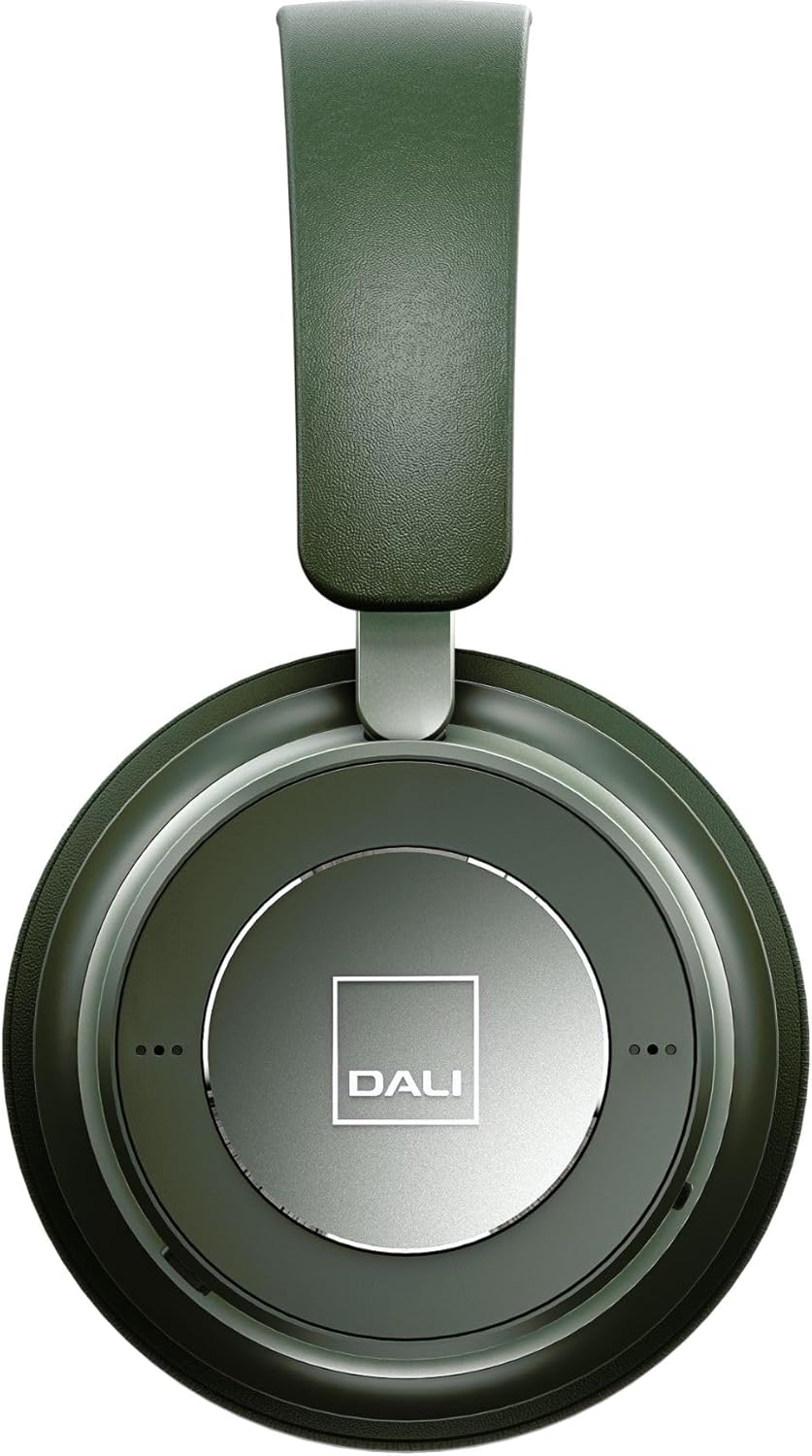
Figura 3: Primu pianu view of the DALI IO-6 earcup, highlighting the DALI logo and the subtle design details. The control buttons are integrated into the earcup design.
Mantenimentu è Cura
Proper care will extend the life and performance of your DALI IO-6 headphones.
- Pulizia: Aduprate un pannu dolce è asciuttu per pulisce l'auricolari. Ùn aduprate micca detergenti abrasivi, solventi o prudutti chimichi forti.
- Conservazione: When not in use, store the headphones in their protective travel case to prevent damage.
- Temperature : Evitate d'espone l'auricolari à temperature estreme (caldu o fretu) o à alta umidità.
- Esposizione liquida: Keep the headphones away from water and other liquids. They are not waterproof.
- Cuscini per l'orecchie: The ear cushions are designed for comfort and can be replaced if worn. Refer to DALI's official websitu per i pezzi di ricambio.

Figure 4: DALI IO-6 headphones resting on a concrete surface, demonstrating their robust build and design. This image highlights the durable materials used.
Risoluzione di prublemi
If you encounter issues with your DALI IO-6 headphones, try the following solutions:
| Prublemu | Soluzione Possibile |
|---|---|
| Nisun putere | Assicuratevi chì l'auricolari sianu cumpletamente cariche. Cunnetteli à una fonte di alimentazione è verificate l'indicatore di carica. |
| Ùn si pò micca accoppià via Bluetooth |
|
| Nisun sonu |
|
| L'ANC ùn funziona micca bè |
|
Specificazioni
| Feature | Detail |
|---|---|
| Nome di mudellu | IO-6 |
| Tecnulugia di cunnessione | Senza filu (Bluetooth 5.0) |
| Controlu di u rumore | Annullamentu di u Rumore Attivu (ANC) |
| Jack per cuffie | Jack da 3.5 mm |
| A vita di a batteria | Finu à 30 ore (cù ANC) |
| Tempu di carica | Circa. 2 ore |
| Gamma di Frequency | 10 - 20000 Hz |
| Impedenza | 25 Ohm |
| Dimensione di u driver audio | 50 mm |
| Materiale | Plastic, Memory Foam |
| Dimensioni di u produttu | 3.11 x 8.86 x 9.65 inch |
| Pesu di l'articulu | 2.4 liri |
Garanzia è Supportu
DALI products are built to high standards and come with a limited warranty. For specific warranty terms and conditions, please refer to the warranty card included with your product or visit the official DALI websitu.
For technical support, service, or replacement parts, please contact DALI customer support through their official website or authorized service centers. You can find more information and contact details at: www.dali-speakers.com


