Introduzione
This manual provides instructions for the setup, operation, and maintenance of your Cimetech 2.4GHz Wireless Ergonomic Optical Mouse. This device offers reliable wireless connectivity, ease of use, and a comfortable design for various computing tasks.
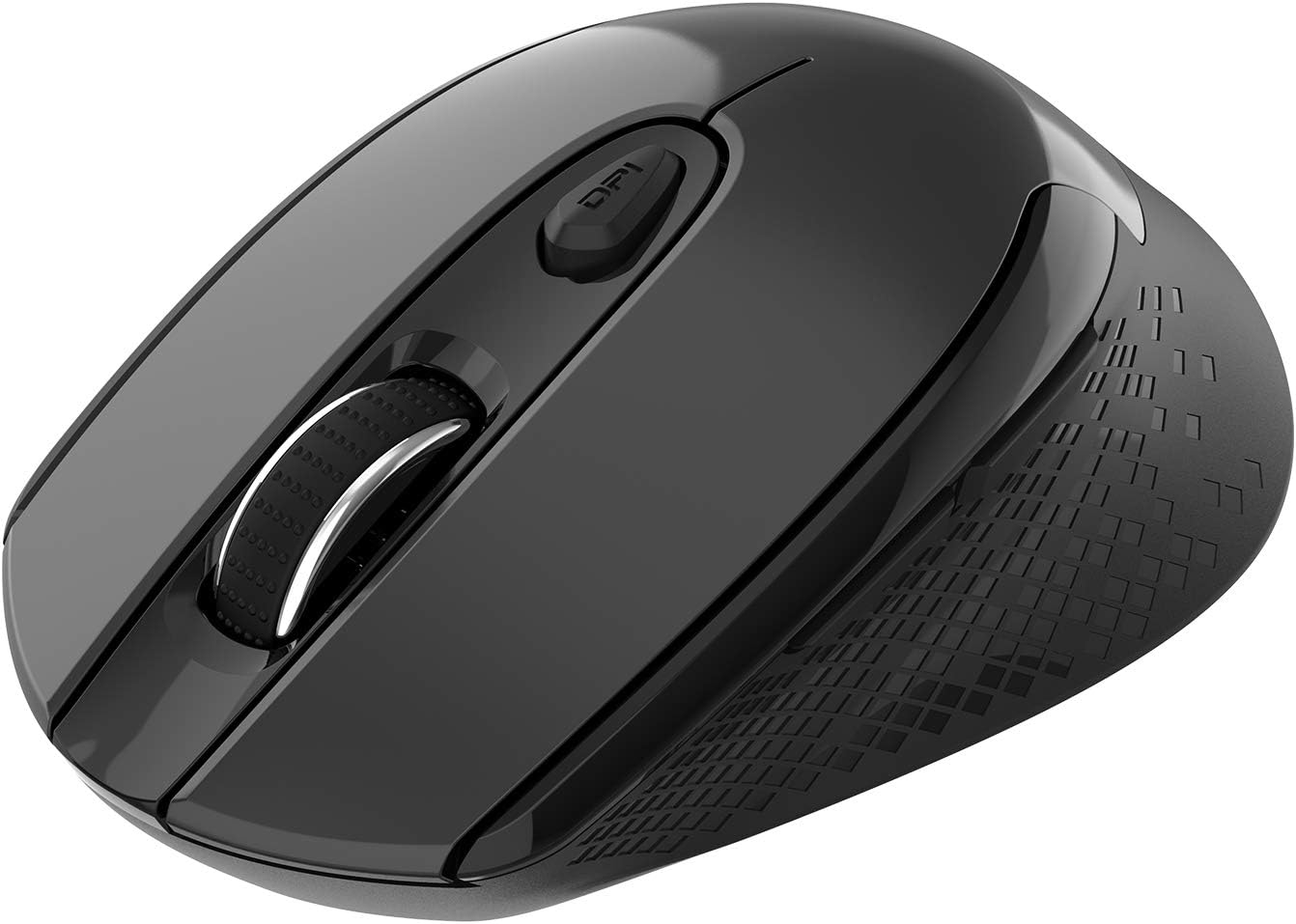
Imagine: Da cima à fondu view of the Cimetech Wireless Ergonomic Optical Mouse.

Image: The mouse connected via 2.4G wireless technology, showing the USB receiver plugged into a laptop.
Cuntenutu di u pacchettu
Verificate chì tutti l'articuli sò presenti in u pacchettu:
- 1 x Cimetech Cordless Mouse
- 1 x USB Receiver (stored in the battery compartment of the mouse)
- 1 x Manuale d'utilizatore
Istituisci
1. Installazione di batterie
- Truvate u coperchiu di u compartimentu di a batteria sottu à u mouse.
- Fate scorrere o alzate delicatamente u coperchio per apre u scompartimentu.
- Insert one AA battery (not included) into the compartment, ensuring correct polarity (+/-).
- Sustituite a tappa di u compartimentu di a bateria.
2. Cunnessione di u ricevitore USB
- Open the battery compartment cover and carefully remove the USB receiver.
- Plug the USB receiver into an available USB port on your computer (laptop, desktop, Mac, or PC).
- U mouse si deve cunnette automaticamente à u vostru dispositivu. Di solitu ùn sò necessarii driver supplementari.

Image: Visual guide for installing the AA battery and connecting the USB receiver.
Istruzzioni di funziunamentu
Funzioni di u buttone
The Cimetech Wireless Mouse features 6 buttons for enhanced functionality:
- Buttone di cliccà sinistro: Funzione di clic principale standard.
- Buttone di cliccà drittu: Funzione di clic secundariu standard.
- Rotella di scorrimentu: Per u scorrimentu verticale. Pò ancu esse premutu per a funzionalità di cliccà cù u buttone centrale.
- Pulsante di cambiamentu DPI: Adjusts mouse sensitivity (DPI).
- Pulsante avanti: Naviga in avanti in web navigatori o file esploratori.
- Pulsante in daretu: Naviga in daretu in web navigatori o file esploratori.

Image: Labeled diagram showing the location of the Left Click, Right Click, Scroll Wheel, DPI Switch, Forward, and Backward buttons, along with mouse dimensions.
Ajustamentu DPI
The mouse offers three adjustable DPI (Dots Per Inch) levels to control cursor speed and sensitivity. To change the DPI setting:
- Press u buttone DPI once: DPI is set to 800.
- Press u buttone DPI a second time: DPI is set to 1200 (default setting).
- Press u buttone DPI a third time: DPI is set to 1600.
The mouse retains the last selected DPI setting even after being turned off and on.
Intelligent Power-Saving Modes
The mouse is designed with three power-saving stages to conserve battery life:
- Stage 1 (Standby): Enters after 3 seconds of inactivity. Move the mouse to wake it up.
- Stage 2 (Auto Shut-off): Enters after 60 seconds of inactivity. Move the mouse to wake it up.
- Stage 3 (Deep Sleep): Enters after 15 minutes of inactivity. Move the mouse to wake it up.
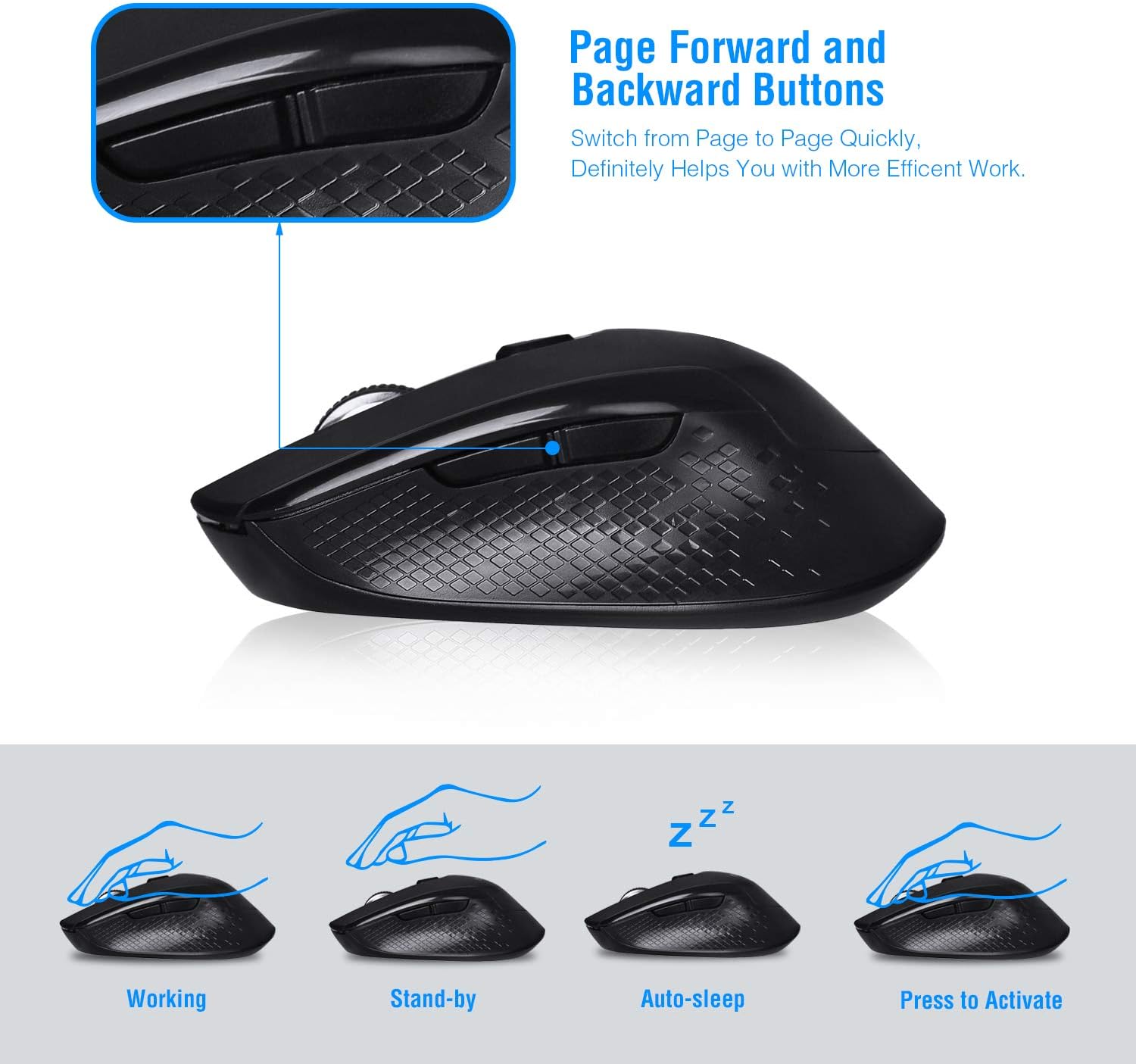
Image: Visual representation of the mouse's working, standby, auto-sleep, and activation states.
Mantenimentu
- Mantene u mouse pulitu sguassate cù un pannu suave è seccu.
- Avoid exposing the mouse to extreme temperatures, direct sunlight, or liquids.
- When not in use for extended periods, consider removing the battery to prevent leakage.
- Store the USB receiver inside the mouse's battery compartment when traveling to prevent loss.
Risoluzione di prublemi
| Prublemu | Soluzione |
|---|---|
| U mouse ùn risponde micca |
|
| Cursor movement is erratic or imprecise |
|
| I buttoni Avanti/Indietro ùn funzionanu micca |
|
Specificazioni
| Numero di mudellu | CQ-TM004 |
| Livelli DPI | 800 / 1200 (default) / 1600 |
| Tasso di votazione | 125 Hz |
| Gamma operativa | Finu à 50 piedi (circa 15 metri) |
| Connettività | 2.4GHz Wireless via USB Receiver |
| Tipu di batterie | 1 x batteria AA (micca inclusa) |
| Cumpatibilità | Windows 2000/ME/XP/7/8/10, VISTA, Mac OS |
| Dimensioni di u produttu | 4.13 x 2.64 x 0.1 inch (10.5 x 6.7 x 0.25 cm) |
| Pesu di l'articulu | 2.82 ounces (80 grammi) |
Cumpatibilità
The Cimetech Wireless Mouse is compatible with a wide range of operating systems, including:
- Windows 2000
- Windows ME
- Windows XP
- Windows Vista
- Windows 7
- Windows 8
- Windows 10
- Mac OS
It is suitable for use with desktops, laptops, PCs, and MacBooks.
Garanzia è Supportu
Specific warranty information is not provided in this manual. For warranty details, technical support, or further assistance, please refer to the official Cimetech websitu o cuntattate direttamente u so serviziu clienti.
You can often find support resources, FAQs, and contact information on the manufacturer's product support page.


