1. Introduzione
This user manual provides detailed instructions for the DOOGEE S68 Pro rugged smartphone. It covers essential information regarding device setup, operation, maintenance, and troubleshooting to ensure optimal performance and longevity of your device. Please read this manual thoroughly before using your new smartphone.
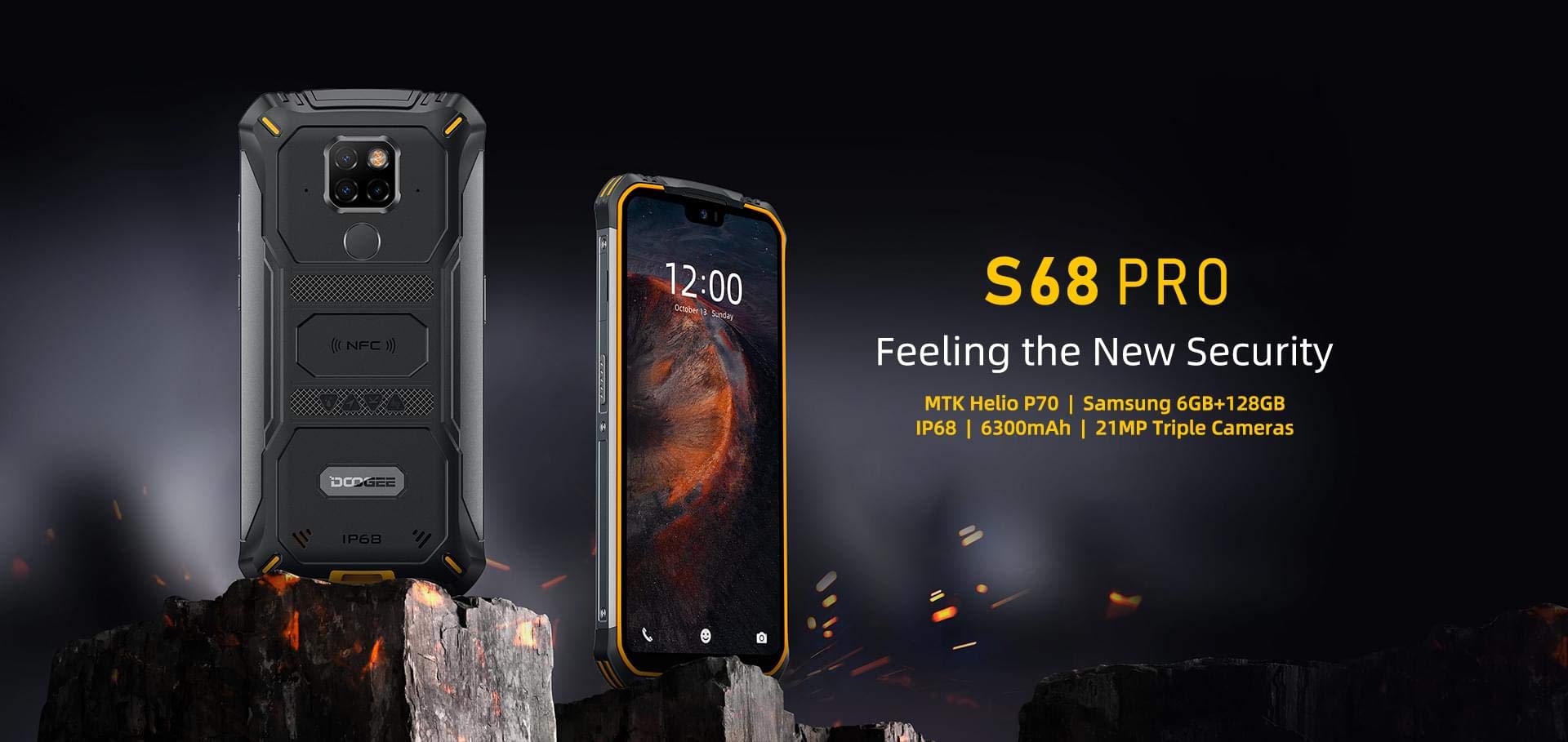
Image: The DOOGEE S68 Pro rugged smartphone, showcasing u so cuncepimentu robustu.
2. Produttu Finituview
The DOOGEE S68 Pro is a rugged smartphone designed for durability and high performance. It features a 5.9-inch FHD+ display, a powerful Helio P70 Octa Core processor, 6GB RAM, and 128GB internal storage. The device is equipped with a triple rear camera system, NFC for payments, and a large 6300mAh battery with wireless charging capabilities. Its robust construction ensures resistance to water, dust, and drops.

Imagine: Un sopraview of the DOOGEE S68 Pro's key features, including its display, processor, memory, battery, and camera.
2.1 Funzioni fisiche
- Display: 5.9-inch FHD+ Notch Screen (1080*2280 pixels, ~428 ppi density).
- Sistema di càmera posteriore: Triple camera setup including a 21MP standard lens, 8MP telephoto lens, and 8MP 130° wide-angle lens, accompanied by a dual flash.
- Camera frontale: 16MP wide-angle lens.
- NFC: Integrated for contactless payments and data transfer.
- Portu di carica: USB Type-C.
- Sensori: G-sensor, Proximity sensor.
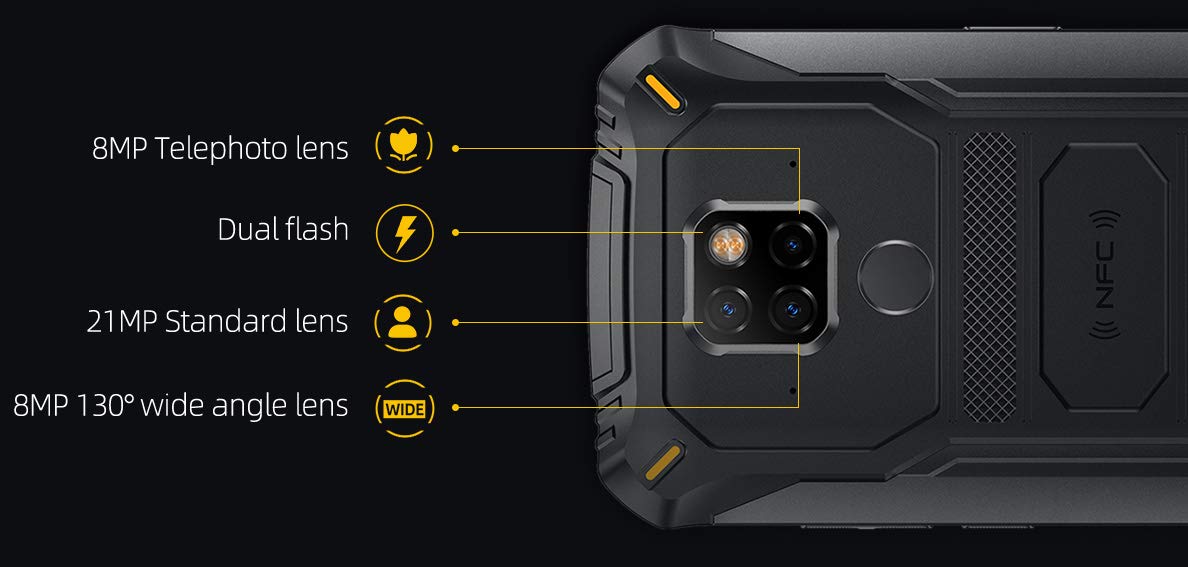
Imagine: Dettagliata view of the DOOGEE S68 Pro's triple rear camera system, highlighting the telephoto, standard, and wide-angle lenses, along with the dual flash and NFC area.
3. Setup
3.1 Installazione di a carta SIM è di a carta TF
- Truvate u cassettu di a carta SIM à u latu di u dispusitivu.
- Inserite u strumentu d'espulsione di a SIM in u picculu foru accantu à u vassoio è spinghje delicatamente finu à chì u vassoio esce fora.
- Place your Nano SIM card(s) and/or TF card (microSD, up to 128GB) into the designated slots on the tray. Ensure the gold contacts are facing down.
- Riinserite cù cura u cassettu in u telefunu finu à chì si sente un clic.
3.2 Accensione iniziale
- Press and hold the Power button (usually on the right side) until the DOOGEE logo appears on the screen.
- Segui l'istruzzioni nantu à u screnu per compie a cunfigurazione iniziale, cumprese a selezzione di a lingua, a cunnessione Wi-Fi, l'accessu à u contu Google è i paràmetri di sicurezza.
4. Operating Instructions
4.1 Sistema Operativu
The DOOGEE S68 Pro runs on Android 9.0 Pie, offering a user-friendly interface and access to a wide range of applications through the Google Play Store.
4.2 Prestazione
The device is powered by a Helio P70 Octa Core processor (4xCortex-A53 up to 2.0GHz, 4xCortex-A73 up to 2.0GHz) and an ARM Mali-G72-MP2 700MHz GPU, providing efficient performance for multitasking and gaming.

Image: The DOOGEE S68 Pro being used for gaming, demonstrating its processing capabilities.
4.3 Memoria è Storage
Veni cun 6 GB di RAM for smooth operation and 128 GB di ROM for storing your files and applications. Storage can be expanded up to 128GB via a microSD card.
4.4 Connettività
- Wi-Fi: Cunnette si à e rete wireless per accede à Internet.
- Bluetooth: Accoppiate cù altri dispositivi Bluetooth cum'è cuffie o altoparlanti.
- NFC: Use for quick pairing, data exchange, and mobile payments.
- GPS: Per i servizii di navigazione è di lucalizazione.
- OTG (In viaghju): Connect USB devices such as flash drives or keyboards.
4.5 Funzioni di a Camera
The triple rear camera system allows for versatile photography, including standard shots, wide-angle landscapes, and telephoto close-ups. The 16MP front camera is suitable for selfies and video calls. The LED flash assists in low-light conditions.
4.6 Batteria è Carica
U dispusitivu hè dotatu di a Batteria 6300mAh, providing extended usage time. It supports 12V2A fast charging è Ricarica wireless 10W. Additionally, it features Ricarica wireless inversa da 5 W, allowing you to charge other compatible devices.
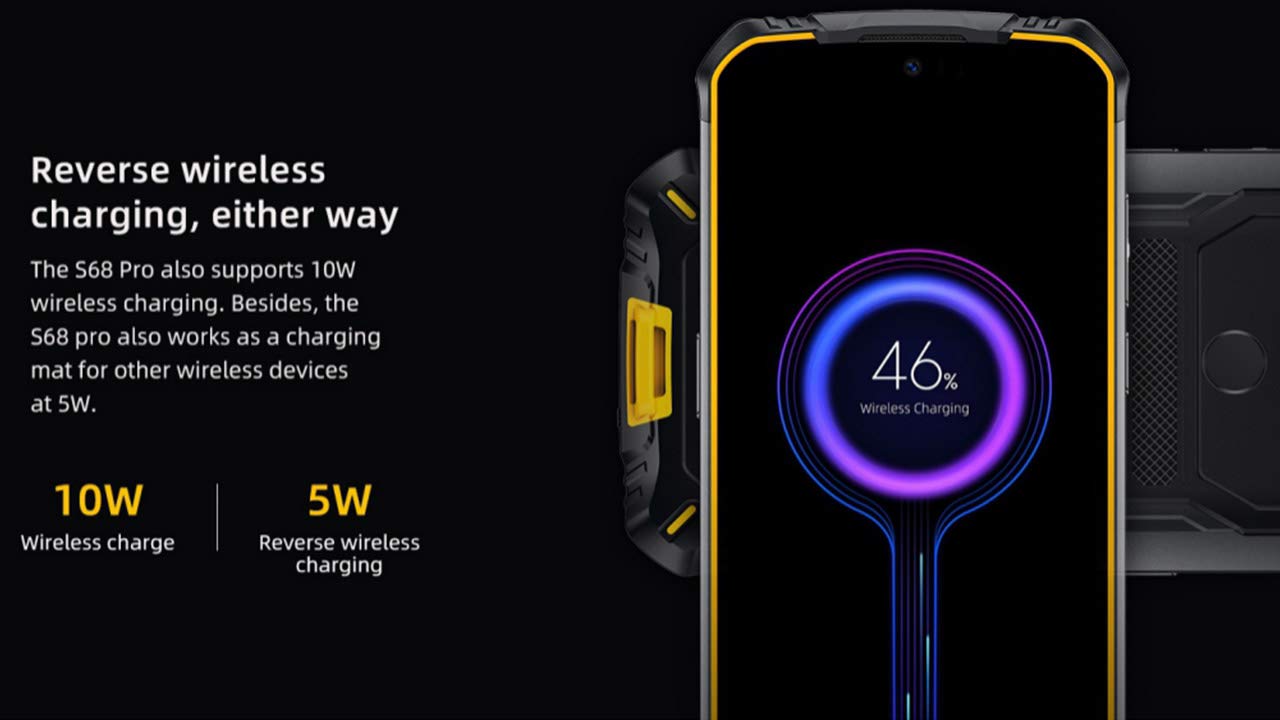
Image: The DOOGEE S68 Pro demonstrating its reverse wireless charging capability, charging another device.
4.7 Funzioni robuste
The DOOGEE S68 Pro is designed to withstand harsh environments. It boasts an Classificazione IP68 for water and dust resistance and is built to be drop-proof, making it suitable for outdoor activities and demanding work conditions.

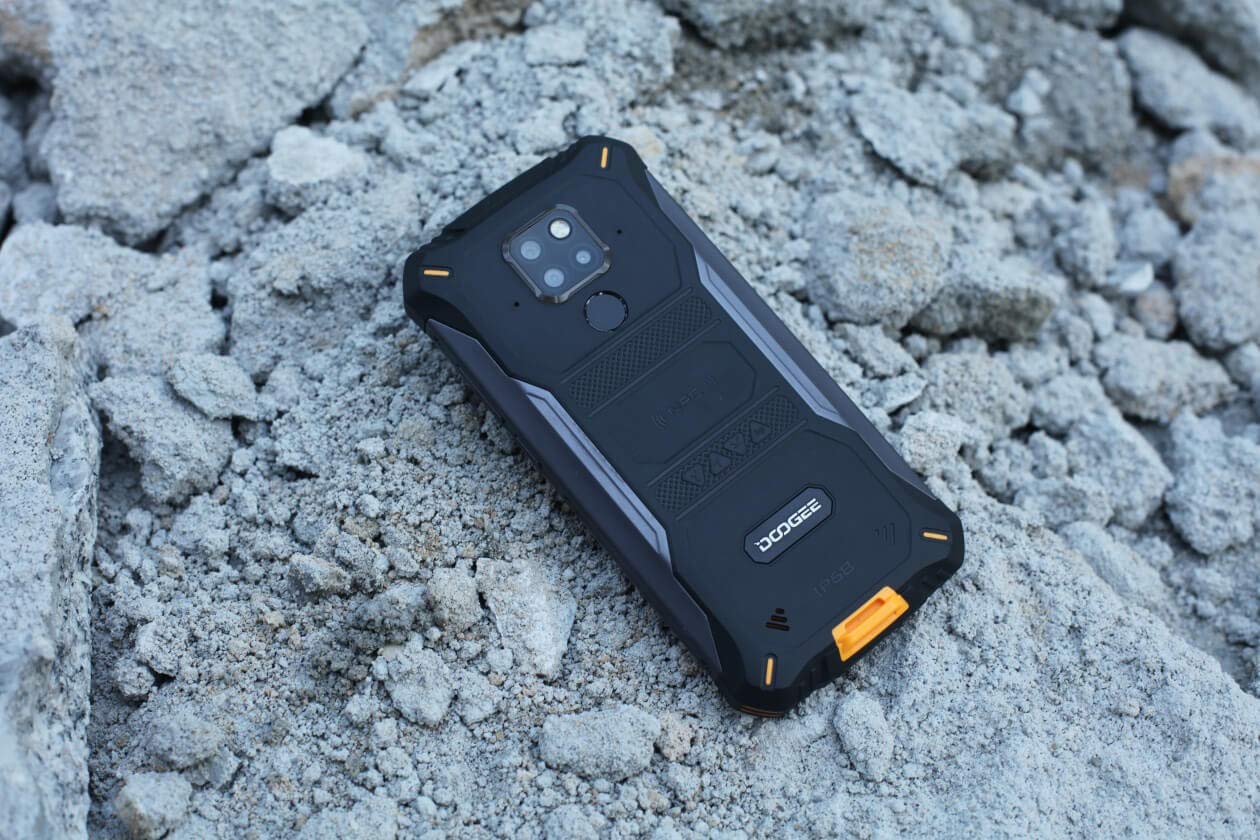
Images: The DOOGEE S68 Pro demonstrating its ruggedness by being submerged in mud and resting on rough terrain.
5. Mantenimentu
To maintain your DOOGEE S68 Pro in optimal condition, follow these guidelines:
- Pulizia: Aduprà un soft, damp cloth to clean the device. For stubborn dirt, especially after exposure to mud or dust, rinse gently with clean water and ensure all ports are dry before charging.
- Evite temperature estreme: Do not expose the phone to excessively high or low temperatures for prolonged periods.
- Prutezzione portu: Assicuratevi chì tutti i coperchi di i porti sianu chjusi bè quandu u telefunu hè espostu à l'acqua o à a polvere.
- Actualizazioni di u software: Regularly update your device's software to benefit from the latest security patches and performance improvements.
6. Risoluzione di prublemi
If you encounter issues with your DOOGEE S68 Pro, refer to the following common solutions:
- U dispositivu ùn si accende micca: Assicuratevi chì a batteria sia carica. Cunnette u telefunu à u so caricatore è aspettate uni pochi di minuti prima di pruvà à accendelu di novu.
- Problemi di carica: Check the charging cable and adapter for damage. Ensure the Type-C port is clean and free of debris. Try a different charger if available.
- Segnale di rete debule: Move to an area with better network coverage. Check if your SIM card is properly inserted.
- Applications Crashing: Svuotate a cache è i dati di l'applicazione problematica in Impostazioni > Applicazioni. Se u prublema persiste, disinstallate è reinstallate l'applicazione.
- Schermu tattile chì ùn risponde micca: Restart the device. If the issue continues, perform a factory reset (note: this will erase all data).
7. Specificazioni
| Feature | Specificazione |
|---|---|
| Sistema upirativu | Android 9.0 Pie |
| Processore | Helio P70 Octa Core (4xCortex-A53, 4xCortex-A73) |
| RAM | 6 GB |
| Memoria interna (ROM) | 128 GB |
| Storage espansibile | microSD finu à 128GB |
| Size Display | 5.9 inch FHD+ Notch Screen |
| Risoluzione di visualizazione | 1080*2280 pixels (~428 ppi) |
| Camera posteriore | Camera tripla 21MP + 8MP + 8MP |
| Camera frontale | 16 MP |
| Capacità batterie | 6300 mAh |
| Carica | 12V2A Fast Charge, 10W Wireless Charge, 5W Reverse Wireless Charge |
| Connettività | Wi-Fi, Bluetooth, NFC, GPS, OTG |
| Robustezza | IP68 Water & Dust Resistant, Drop-proof |
| Dimensioni | 16.35 x 8 x 1.64 cm |
| Pesu | 260 g |
8. Garanzia è Support
Your DOOGEE S68 Pro comes with a standard brand warranty. For detailed warranty information, service, and support, please refer to the official DOOGEE website or the product detail page on the retailer's websitu.
For further information, visit the product detail page: DOOGEE S68 Pro Product Page
9. Video di u produttu sopraview
Video: Un ufficiale finituview of the DOOGEE S68 Pro Rugged Phone, highlighting its key features and specifications.