1. Introduzione
Welcome to your new Yamaha MusicCast Vinyl 500 Wi-Fi Turntable. This manual provides essential information for setting up, operating, and maintaining your turntable. The MusicCast Vinyl 500 allows you to enjoy your vinyl collection with modern convenience, streaming records and music services wirelessly to MusicCast speakers throughout your home. It combines classic analog sound with advanced digital connectivity.
2. Ciò chì hè in a scatula
Assicuratevi chì tutti i seguenti elementi sianu presenti in l'imballu:
- Yamaha MusicCast Vinyl 500 Turntable Unit
- Stylus (may be pre-installed on the cartridge)
- Copertura di polvere
- Piattu
- Cintura di trasmissione
- Contrappesu
- Cavu di putenza
- Cavo audio RCA
- Manuale d'istruzzioni (stu documentu)
3. Setup
3.1 Unpacking and Placement
Eliminate cù cura tutti i cumpunenti da l'imballu. Pone u giradischi nantu à una superficia stabile è piana, luntanu da a luce diretta di u sole, da fonti di calore è da vibrazioni eccessive. Assicuratevi una ventilazione adatta intornu à l'unità.
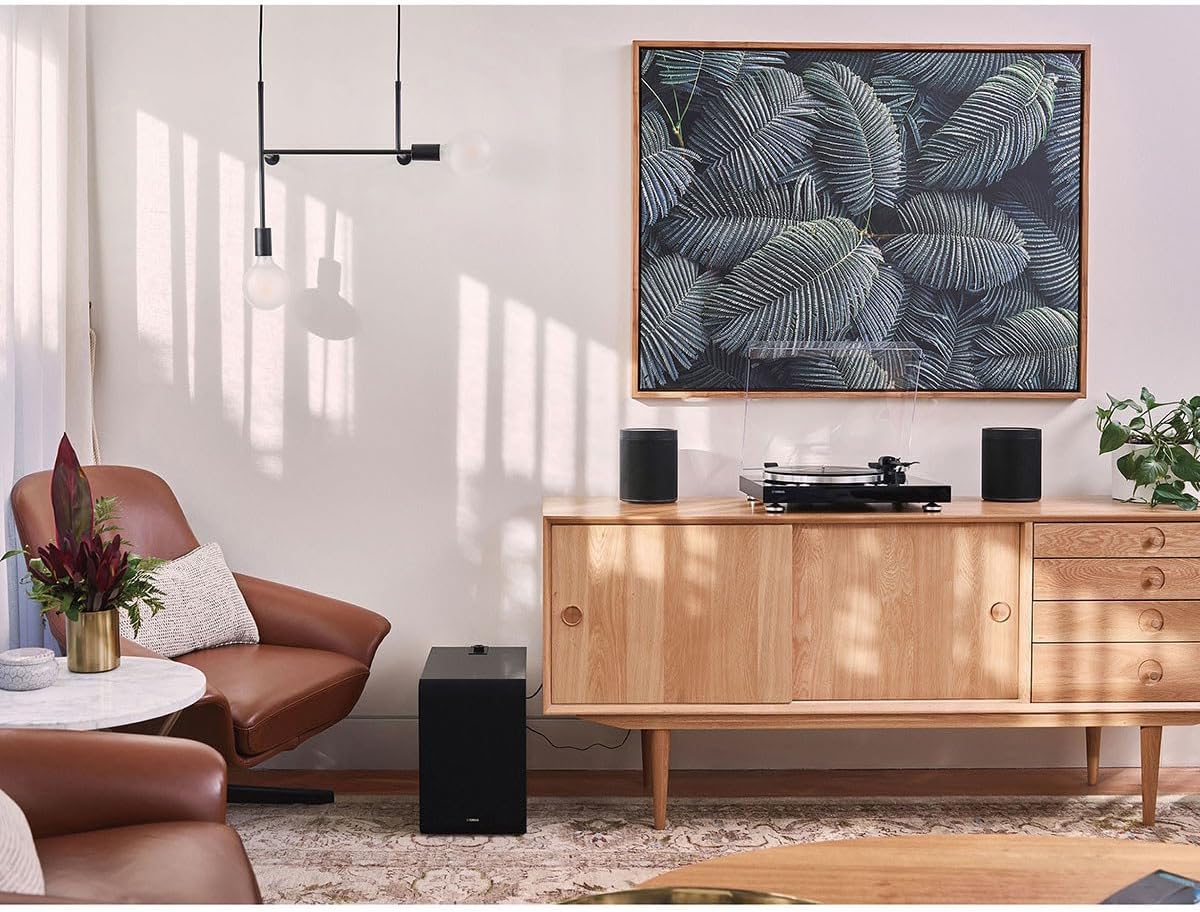
The Yamaha MusicCast Vinyl 500 turntable integrated into a home audio environment, demonstrating its compatibility with wireless MusicCast speakers.
3.2 Assemblea
- Installazione di u piattu: Gently place the platter onto the center spindle.
- Installazione di a cintura: If not pre-installed, carefully loop the drive belt around the motor pulley and the inner rim of the platter. Ensure the belt is not twisted.
- Stylus/Cartridge Installation: If the stylus is not pre-installed, attach it to the tonearm cartridge according to the separate stylus instructions. Handle with extreme care to avoid damage.
- Ajustamentu di u contrappesu: Attach the counterweight to the rear of the tonearm. Adjust it to achieve proper tracking force as specified in the detailed manual or cartridge instructions.
- Copertura di polvere: Attach the dust cover hinges to the rear of the turntable chassis.
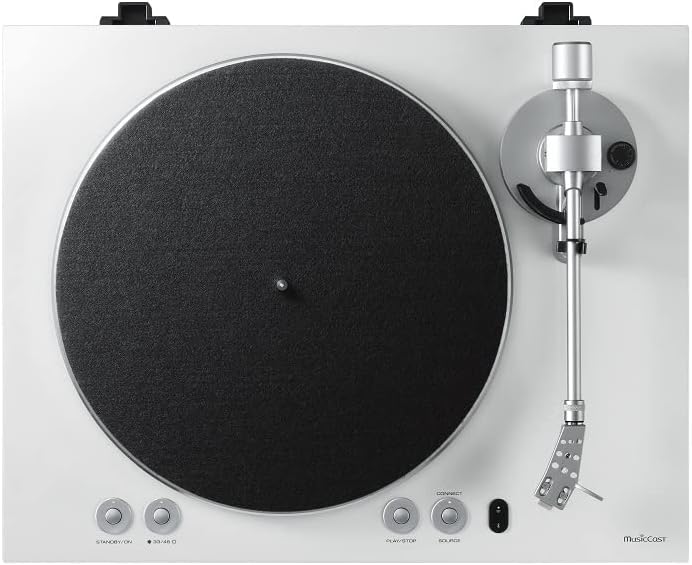
A detailed overhead view of the turntable, illustrating the main components such as the record platter, tonearm, and user controls for standby, speed selection, connect, play/stop, and source.
3.3 Cunnessioni
- Cunnessione di putenza: Connect the supplied power cable to the turntable's power input, then plug it into a suitable wall outlet.
- Audio Output (Wired): For a wired connection to an amplifier or receiver, connect the RCA audio cables from the turntable's output to the corresponding input on your audio system. Ensure the built-in phono preamp switch on the turntable's rear panel is set correctly (PHONO for an external phono stage, LINE for the internal phono stagè).
- Network Connection (MusicCast):
- Download the MusicCast Controller app on your smartphone or tablet from your device's app store.
- Follow the in-app instructions to connect your MusicCast Vinyl 500 to your home Wi-Fi network. This step is crucial for enabling wireless streaming to MusicCast speakers and accessing online streaming services.
3.4 Configurazione iniziale
Once connected, power on the turntable. Use the MusicCast app to complete any initial network setup, configure streaming services, or perform firmware updates to ensure optimal performance.
4. Operating Your Turntable
4.1 Riproduzione di un discu
- Place a vinyl record carefully onto the platter.
- Select the correct playback speed (33 1/3 or 45 RPM) using the speed selector button on the turntable.
- Unlock the tonearm clamp.
- Use the cueing lever to gently raise the tonearm.
- Pusiziunate manualmente u bracciu sopra à u solcu iniziale desideratu di u discu.
- Abbassate a leva di cueing per piazzà delicatamente u stylus nantu à u discu.
- Press the "PLAY/STOP" button on the turntable or use the MusicCast app to initiate playback.

The turntable in operation, with a vinyl record spinning on the platter and the tonearm's stylus engaged, ready for audio playback.
4.2 Using MusicCast Features
The MusicCast app provides comprehensive control and expanded functionality:
- Streaming wireless: Stream your vinyl playback wirelessly to other MusicCast-enabled speakers or devices in your home.
- Servizi di streaming: Access and play music from various integrated streaming services (e.g., Spotify, Pandora, Tidal) directly through the app.
- Audio multi-stanza: Create and manage multi-room audio zones, allowing you to play the same music or different music in various rooms.
- Cuntrolla: Control playback, volume, and source selection for the turntable and connected MusicCast devices.
4.3 Bluetooth and AirPlay 2
The MusicCast Vinyl 500 supports Bluetooth and AirPlay 2 for convenient wireless audio streaming from compatible devices such as smartphones, tablets, and computers. Refer to the MusicCast app or your device's settings for pairing and connection instructions.
5. Mantenimentu
5.1 Pulizia di u giradischi
- Copertura di polvere: Wipe the dust cover with a soft, dry, lint-free cloth. Avoid using abrasive cleaners or solvents.
- Platter and Chassis: Aduprà un soft, ligeramente damp cloth to clean the platter and turntable chassis. Do not use harsh chemicals, as they may damage the finish.
5.2 Cura di u Stilu
- Regularly clean the stylus using a soft brush specifically designed for stylus cleaning. Brush gently from back to front (away from the cantilever).
- Replace the stylus when sound quality degrades, or after approximately 500-1000 hours of playback, depending on usage and record condition. A worn stylus can damage your records.
5.3 Cura di i registri
- Always handle records by their edges to avoid transferring oils and dirt from your fingers to the playing surface.
- Store records vertically in their protective sleeves to prevent warping and dust accumulation.
- Clean records regularly with a dedicated record brush or cleaning solution to remove dust and static.
6. Risoluzione di prublemi
- No Sound / Low Sound Output
- Check all cable connections, ensuring they are secure. Verify that the phono preamp switch on the turntable's rear panel is set correctly (LINE for internal preamp, PHONO for external). Confirm volume levels on the turntable, connected amplifier/receiver, and the MusicCast app.
- Skipping / Distorted Sound
- Ensure the turntable is placed on a stable, level surface. Inspect the stylus for dirt, debris, or damage; clean or replace if necessary. Verify that the counterweight is correctly adjusted for proper tracking force. Clean the record thoroughly.
- Cannot Connect to Wi-Fi / MusicCast
- Ensure your Wi-Fi router is powered on and within range of the turntable. Restart both the turntable and your Wi-Fi router. Re-attempt the MusicCast app setup process, following all in-app instructions. Check for any available firmware updates for the turntable.
- Turntable ùn gira micca
- Verify the power cable is securely connected to both the turntable and the wall outlet. Ensure the drive belt is correctly installed around the motor pulley and the platter's inner rim and has not slipped off.
7. Specificazioni
- Nome di mudellu: TT-N503WH
- Dimensioni di u produttu (L x H x P): 14.5 x 5.38 x 17.75 inch (36.8 x 13.7 x 45.1 cm)
- Pesu di l'articulu: 12.6 liri (5.7 kg)
- Velocità di riproduzione: 33 1/3 RPM, 45 RPM
- Connettività: Wi-Fi, Bluetooth, AirPlay 2, Spotify Connect, RCA (Line/Phono output)
- Cumpunenti inclusi: Turntable unit, Stylus, Instruction Manual
- Caratteristica speciale: MusicCast multi-room audio integration
- Materiale: Chassis di plastica
- Produttore: YAMAHA
8. Garanzia è Support
For detailed warranty information, please refer to the separate warranty document included with your product or visit the official Yamaha websitu. I termini è e cundizioni di garanzia ponu varià secondu a regione.
For technical support, product registration, or further assistance with your Yamaha MusicCast Vinyl 500, please visit the Yamaha support website or contact their customer service department. When contacting support, please have your purchase receipt and the model number (TT-N503) readily available.
You can find additional resources and FAQs on the official Yamaha MusicCast support pages.


