1. Introduzione
This manual provides comprehensive instructions for setting up, operating, and maintaining your Microsoft Surface Go 2 tablet. The Surface Go 2 is a versatile 10.5-inch touch-screen device, powered by an Intel Pentium processor, 8GB of RAM, and a 128GB SSD, running Windows 10. It is designed for portability and efficiency, suitable for various tasks from productivity to entertainment.
2. Cumponenti è Porti
Familiarize yourself with the physical components and connection ports of your Surface Go 2.
2.1 Dispositivu Overview
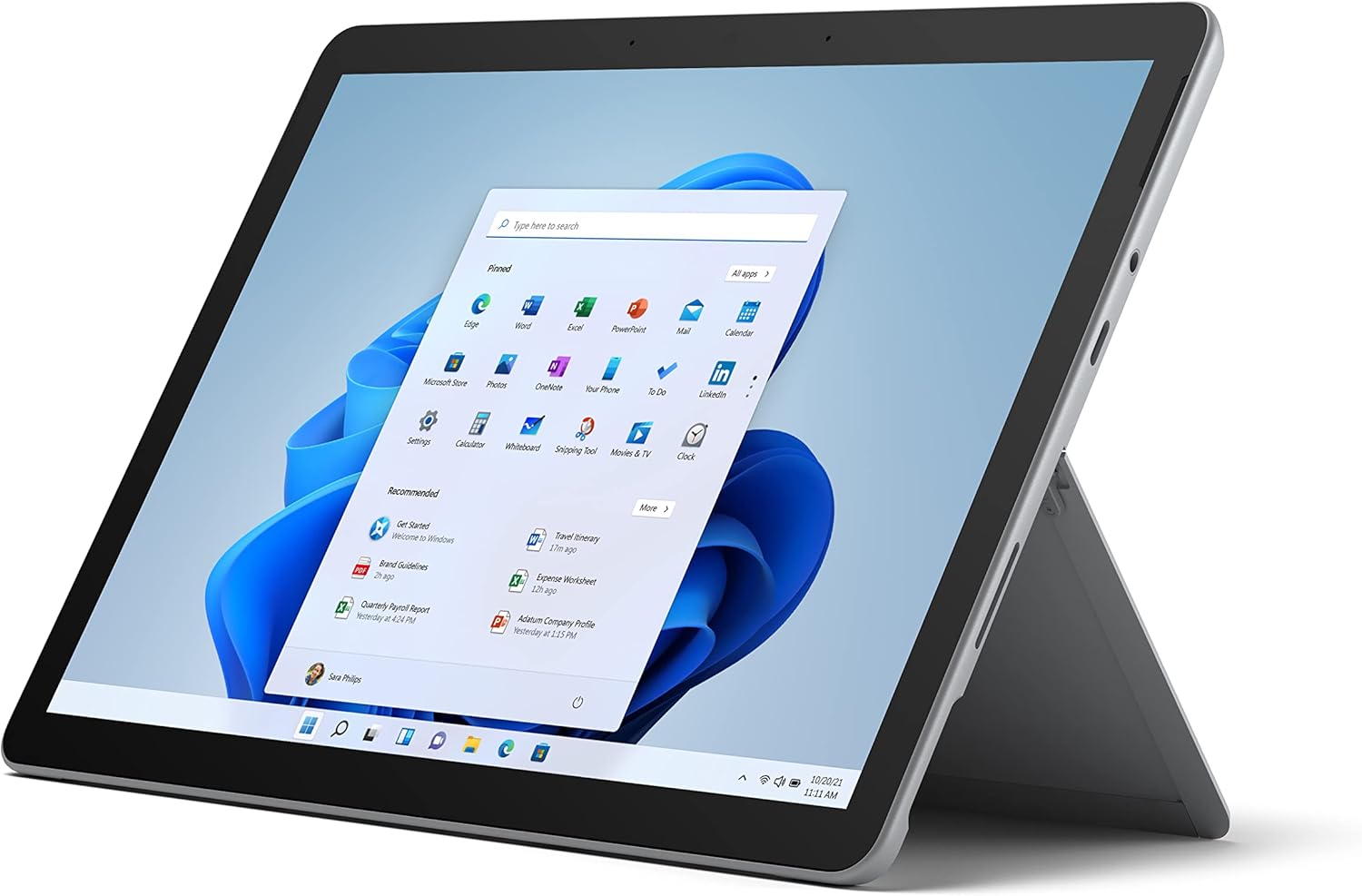
Figure 2.1: Microsoft Surface Go 2 tablet in landscape orientation, showcasing the Windows desktop interface.
2.2 Side Ports and Buttons
- Port USB Type-C: Per u trasferimentu di dati, l'output video è a carica.
- Presa per cuffie da 3.5 mm: Per cunnette cuffie o dispositivi audio esterni.
- Portu di cunnessione di a superficia: Magnetic port for charging and connecting to Surface Dock (sold separately).
- Lettore di carte MicroSD: For expanding storage with a microSD card.
- Pulsanti di volume: To adjust audio volume.
- Pulsante di putenza: Per accende / spegne l'apparechju o mettelu in dorme.

Figura 2.2: Un prufessiunale lateralefile of the Surface Go 2, illustrating the various ports and buttons along its edge.
2.3 Cavalletto integratu
The Surface Go 2 features an integrated kickstand on the back, allowing for multiple viewing angles. This enables comfortable use in various modes, such as tablet, laptop (with Type Cover), or studio mode.

Figure 2.3: The Surface Go 2 with its Type Cover keyboard attached and the kickstand deployed, demonstrating its laptop-like configuration.
3. Setup iniziale
Follow these steps to set up your Surface Go 2 for the first time.
3.1 Accensione è cunfigurazione di basa
- Caricà u dispusitivu: Connect the included power adapter to the Surface Connect port on your device and plug it into a power outlet.
- Power On: Press and hold the power button located on the top edge of the device until the Microsoft logo appears on the screen.
- Segui l'istruzzioni à u screnu: The device will guide you through selecting your region, language, and connecting to a Wi-Fi network.
- Microsoft Account Setup: Sign in with an existing Microsoft account or create a new one. This is essential for accessing Microsoft services and applications.
- Impostazioni di privacy: Review and adjust your privacy settings as prompted.
- Ciao di Windows: Set up facial recognition for faster and more secure sign-in (optional).
4. Operating Instructions
The Surface Go 2 offers flexible interaction methods.
Navigazione touchscreen 4.1
The 10.5-inch PixelSense display supports 10-point multi-touch. You can navigate Windows 10 using gestures similar to a smartphone or tablet:
- Tap: Selezziunate elementi o aprite applicazioni.
- Swipe: Scorri u cuntenutu o naviga trà e schermate.
- Pizzicà per Zoomà: Ingrandisce o riduce a dimensione di u cuntenutu.
- Mantene premutu: Access context menus (right-click equivalent).
4.2 Using the Type Cover Keyboard (Sold Separately)
Attach the Type Cover keyboard to transform your Surface Go 2 into a laptop. The keyboard connects magnetically to the bottom edge of the tablet.
- Attachment: Align the Type Cover with the magnetic connector at the bottom of the Surface Go 2 until it snaps into place.
- Scrizzione: Use the physical keys for efficient text input.
- Trackpad: The integrated trackpad allows for precise cursor control and multi-touch gestures.

Figure 4.1: The Surface Go 2 tablet separated from its Type Cover keyboard, illustrating the modular design.
4.3 Using the Surface Pen (Sold Separately)
The Surface Pen (sold separately) enhances creativity and productivity, allowing for natural writing and drawing directly on the screen.

Figure 4.2: The Surface Go 2 tablet displayed with a compatible Surface Pen, highlighting its digital inking capabilities.
5. Mantenimentu
Proper care ensures the longevity and performance of your Surface Go 2.
- Pulizia di u screnu: Aduprate un panno morbido e senza pelucchi leggermente dampLavatu cù acqua o un detergente per schermi appruvatu. Evitate i prudutti chimichi aggressivi.
- Pulizia di u corpu di u dispusitivu: Asciugà l'esterno cun un pannu suave è seccu.
- Actualizazioni di u software: Verificate è installate regularmente l'aghjurnamenti di Windows per assicurà prestazioni è sicurezza ottimali. Andate à Impostazioni > Aghjurnamentu è Sicurezza > Windows Update.
- Cura di a batteria: Per maximizà a durata di a batteria, evitate temperature estreme è pruvate à mantene a carica di a batteria trà 20% è 80% quandu hè pussibule.
- Gestione di u almacenamentu: Periodicamente sguassate temporanee files and unnecessary data to free up storage space. Go to Settings> System> Storage.
6. Risoluzione di prublemi
Prublemi cumuni è e so suluzioni.
- U dispositivu ùn si accende micca: Assicuratevi chì u dispusitivu sia caricatu. Cunnette l'adattatore di corrente è aspettate uni pochi di minuti prima di pruvà à accendelu di novu.
- Schermu tattile chì ùn risponde micca: Restart the device. If the issue persists, check for pending Windows updates or consider a system restore.
- Problemi di cunnessione Wi-Fi: Verify your Wi-Fi network is active. Restart your router and the Surface Go 2. Check Wi-Fi settings on the device.
- Prestazione lenta: Chjude l'applicazioni inutili. Verificate i prucessi in background chì cunsumanu assai risorse (Task Manager). Assicuratevi un spaziu di almacenamentu liberu sufficiente.
- A batteria scarica rapidamente: Adjust screen brightness, disable unnecessary background apps, and ensure all software is up to date.
7. Specificazioni
| Feature | Detail |
|---|---|
| Mostra | 10.5" PixelSense 10-Point Touch Display |
| Risoluzione | 1920 x 1280 (216 ppi) |
| Processore | 1.6 GHz Intel Pentium 4425Y Dual-Core Processor |
| RAM | 8 GB |
| Storage | 128 GB SSD |
| Grafica | Intel HD Graphics 615 integrata |
| Wireless | Wi-Fi 5 (802.11ac) | Bluetooth 4.1 |
| Cameras | 8MP Rear Camera | 5MP Front Camera |
| Porti | USB Type-C, 3.5 mm Headphone Jack, Surface Connect, MicroSD Card Reader |
| A vita di a batteria | Finu à 9 ore (usu tipicu) |
| Sistema upirativu | Windows 10 |
| Pesu | 1.15 lbs (circa) |
| Dimensioni | 6.8 x 9.64 x 0.32 inch |
8. Garanzia è Support
This Microsoft Surface Go 2 is a renewed product. Renewed products are eligible for replacement or refund under the Amazon Renewed Guarantee if you are not satisfied with your purchase. For specific terms and conditions, please refer to the Amazon Renewed program details.
For further technical support or inquiries, please visit the official Microsoft Surface support websitu o cuntattate u so serviziu di u cliente.


