Introduzione
This manual provides detailed instructions for the installation, operation, and maintenance of the HANWHA TECHWIN SND-3082P Network Dome Camera. The SND-3082P is a high-performance 4CIF resolution network camera designed for surveillance applications, featuring Wide Dynamic Range (WDR) technology, Day/Night functionality, and Power over Ethernet (PoE) support. Please read this manual thoroughly before using the product to ensure correct and safe operation.
Funzioni chjave
- Alta risoluzione: Delivers 30(25)fps at 4CIF resolution for clear images.
- Advanced Codecs: Supports H.264, MPEG-4, and MJPEG multiple codecs for flexible streaming.
- Multi-streaming: Enables simultaneous transmission of various streams for real-time monitoring, high-quality recording, and mobile access.
- Day and Night Function (ICR): Provides clear images in varying light conditions using an Infrared Cut-filter Removable mechanism.
- Ampia gamma dinamica (WDR): Optimizes image quality in challenging lighting conditions with strong light/dark contrasts.
- Alimentazione via Ethernet (PoE): Simplifica l'installazione furnendu alimentazione è dati via un unicu cavu Ethernet.
- Slot Micro SD: Supports local recording to a Micro SD card.
- Bi-Directional Audio: Allows for two-way audio communication.
- Mobile Monitoring & E-mail Notifications: Facilitates remote viewing and alert notifications.
Cuntenutu di u pacchettu
Please check that all components are present and in good condition. If any items are missing or damaged, contact your supplier immediately.
- HANWHA TECHWIN SND-3082P Network Dome Camera Unit
- Template di Montaggio
- Viti di Muntamentu è Ancore
- Guida Quick Start
- Software CD or Download Information
- Ethernet Cable (may be sold separately)
Istituisci
1. Unpacking è Inspection
Carefully remove the camera from its packaging. Inspect the camera and all accessories for any signs of damage.
2. Mounting la Camera
The SND-3082P is designed for ceiling mount installation.
- Choose a suitable mounting location on a ceiling, ensuring it is sturdy enough to support the camera's weight.
- Use the provided mounting template to mark the drill holes on the ceiling.
- Fate fori pilota è inserite i tasselli murali se necessariu.
- Secure the camera's mounting plate to the ceiling using the provided screws.
- Attach the camera body to the mounting plate, ensuring it is firmly locked in place.
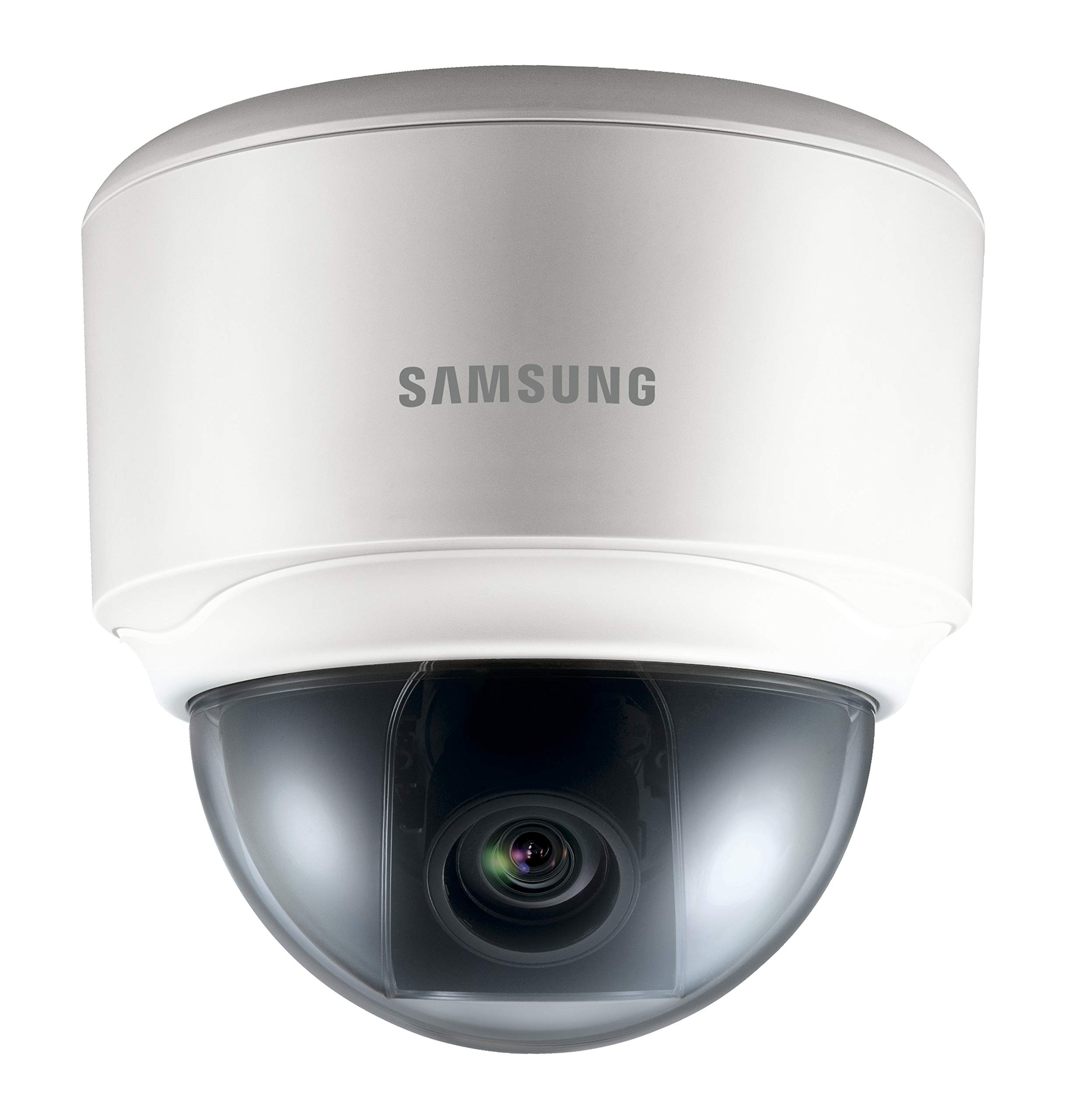
Image: The HANWHA TECHWIN SND-3082P Network Dome Camera, typically mounted on a ceiling for surveillance. This image illustrates the compact dome design.
3. Cunnessione di l'alimentazione è di a rete
The camera supports Power over Ethernet (PoE) for simplified installation.
- Cunnessione PoE: Connect an Ethernet cable from a PoE-enabled switch or injector to the camera's Ethernet port. This will provide both power and network connectivity.
- Putenza Standard (Opzionale): If PoE is not used, connect a 12V DC power adapter (not included) to the camera's power input port. Then, connect an Ethernet cable from your network switch/router to the camera's Ethernet port.
Ensure the network connection is active and the camera receives power. The camera will typically perform a self-test upon power-up.
4. Accessu iniziale è cunfigurazione
To access the camera's web interfaccia per a cunfigurazione iniziale:
- Install the provided IP Installer software (or similar discovery tool) on a computer connected to the same network as the camera.
- Run the software to discover the camera's IP address.
- apre a web navigatore (per esempiu, Chrome, Firefox) è inserite l'indirizzu IP di a camera in a barra di l'indirizzi.
- Log in using the default username and password (refer to the Quick Start Guide for default credentials). It is highly recommended to change the default password immediately for security.
- Follow the on-screen prompts to configure basic settings such as network parameters, date/time, and video streaming options.
Operazione di a Camera
1. Populu Corsu View
Dopu à accede à u web interface, you can access the live video feed. Adjust the camera's pan, tilt, and zoom (if applicable) to achieve the desired viewing angulu.
2. Settings Video
Navigate to the video settings section to configure:
- Risoluzione è Frame Rate: Set the desired resolution (up to 4CIF) and frame rate.
- Cumpressione: Choose between H.264, MPEG-4, or MJPEG codecs.
- WDR: Enable or disable Wide Dynamic Range for improved image quality in high-contrast scenes.
- Modu ghjornu / notte: Configure automatic switching between color (day) and black & white (night) modes.
3. Registrazione è almacenamentu
The camera supports various recording options:
- Carta Micro SD: Insert a compatible Micro SD card into the camera's slot for local storage. Configure recording schedules and event-triggered recording (e.g., motion detection).
- Network Video Recorder (NVR): Connect the camera to a compatible NVR for centralized recording and management.
- FTP/NAS: Configure the camera to upload recordings or snapshots to an FTP server or Network Attached Storage.
4. Event Management
Configure event triggers and actions:
- Rilevazione di muvimentu: Set up detection zones and sensitivity.
- Output di alarme: Trigger external devices upon event detection.
- Notificazione per email: Receive email alerts with snapshots when an event occurs.
Mantenimentu
- Pulizia: Pulite regularmente a cupola di a camera cù un pannu dolce èamp tela. Evita i detergenti abrasivi.
- Actualizazioni di firmware: Verificate u fabricatore website periodically for firmware updates. Updating firmware can improve performance, add features, and enhance security. Follow the provided instructions carefully when performing updates.
- Sicurezza di a rete: Ensure your network is secure and change camera passwords regularly.
Risoluzione di prublemi
| Prublemu | Causa Possibile | Soluzione |
|---|---|---|
| Nisun feed video | No power; Network cable disconnected; Incorrect IP address; Firewall blocking access. | Check power supply/PoE connection; Verify network cable connection; Confirm camera's IP address; Adjust firewall settings. |
| Scarsa qualità d'imagine | Dirty lens/dome; Incorrect video settings (resolution, compression); Insufficient lighting; WDR not enabled in high-contrast scenes. | Clean the dome cover; Adjust resolution and compression settings; Ensure adequate lighting or enable Day/Night mode; Activate WDR. |
| Ùn pò micca accede web interfaccia | Incorrect IP address; Network connectivity issue; Browser compatibility; Incorrect login credentials. | Use IP Installer to find IP; Check network cables; Try a different browser; Verify username/password (reset if necessary). |
| A registrazione ùn funziona micca | SD card full or faulty; Recording schedule not configured; NVR not connected or configured correctly. | Check SD card status, format or replace; Configure recording schedules; Verify NVR connection and settings. |
Specificazioni
| Feature | Detail |
|---|---|
| Marca | HANWHA |
| Mudellu | SND-3082P |
| Risoluzione | Up to 4CIF (704x480) at 30(25)fps |
| Codecs Video | H.264, MPEG-4, MJPEG |
| Ghjornu / Notte | True Day/Night (ICR) |
| Ampia gamma dinamica (WDR) | Iè |
| Fonte d'energia | PoE (Alimentazione via Ethernet), 12V CC |
| Tecnulugia di cunnessione | Wired |
| Storage | Slot Micro SD |
| Audio | Bi-Directional Audio |
| Tipu di muntatura | Muntu di u tettu |
| Fattore di forma | Cupola |
| Culore | Biancu |
| Pesu di l'articulu | 1.27 liri (0.57 kg) |
| Dimensioni di u pacchettu | 5.24 x 5.24 x 5.09 inch (13.3 x 13.3 x 12.9 cm) |
| Classificazione di Prutezzione Internaziunale | IP65 |
| Usu Indoor / Outdoor | Internu |
Garanzia è Supportu
For warranty information and technical support, please refer to the documentation included with your product or visit the official HANWHA TECHWIN websitu. Conservate a vostra ricevuta d'acquistu cum'è prova d'acquistu per e richieste di garanzia.


