1. Introduzione
Grazie per l'acquistuasing the BESTISAN 28-inch Soundbar. This manual provides detailed instructions for setting up, operating, and maintaining your new soundbar to ensure optimal performance and an immersive audio experience. Please read this manual thoroughly before use and retain it for future reference.
2. Cuntenutu di u pacchettu
Verificate chì tutti l'articuli elencati quì sottu sò inclusi in u vostru pacchettu:
- Soundbar
- Control remoto
- Adattatore di putenza
- Cavu otticu digitale
- Cavo audio stereo da RCA a 3.5 mm
- Guida d'usu
- Mount Kits (Wall mount template, Mount screws, Wall mount brackets)

3. Produttu Finituview
3.1. Controlli è indicatori di u pannellu frontale

- Pulsante di putenza: Short press to turn on, long press for 2 seconds to turn off. Short press to switch modes (BT-HDMI-AUX-OPT-BT).
- Volume + / Next Button: Short press to increase volume step by step, long press for the next song (in Bluetooth mode).
- Volume - / Previous Button: Short press to decrease volume step by step, long press for the previous song (in Bluetooth mode).
- Pulsante Riproduce / Pause: Short press to play/pause songs (in Bluetooth mode).
- Mode LED Indicator: Displays the current input mode (Standby, Bluetooth, Optical, ARC, AUX, USB).
3.2. Cunnessioni Panel Rear
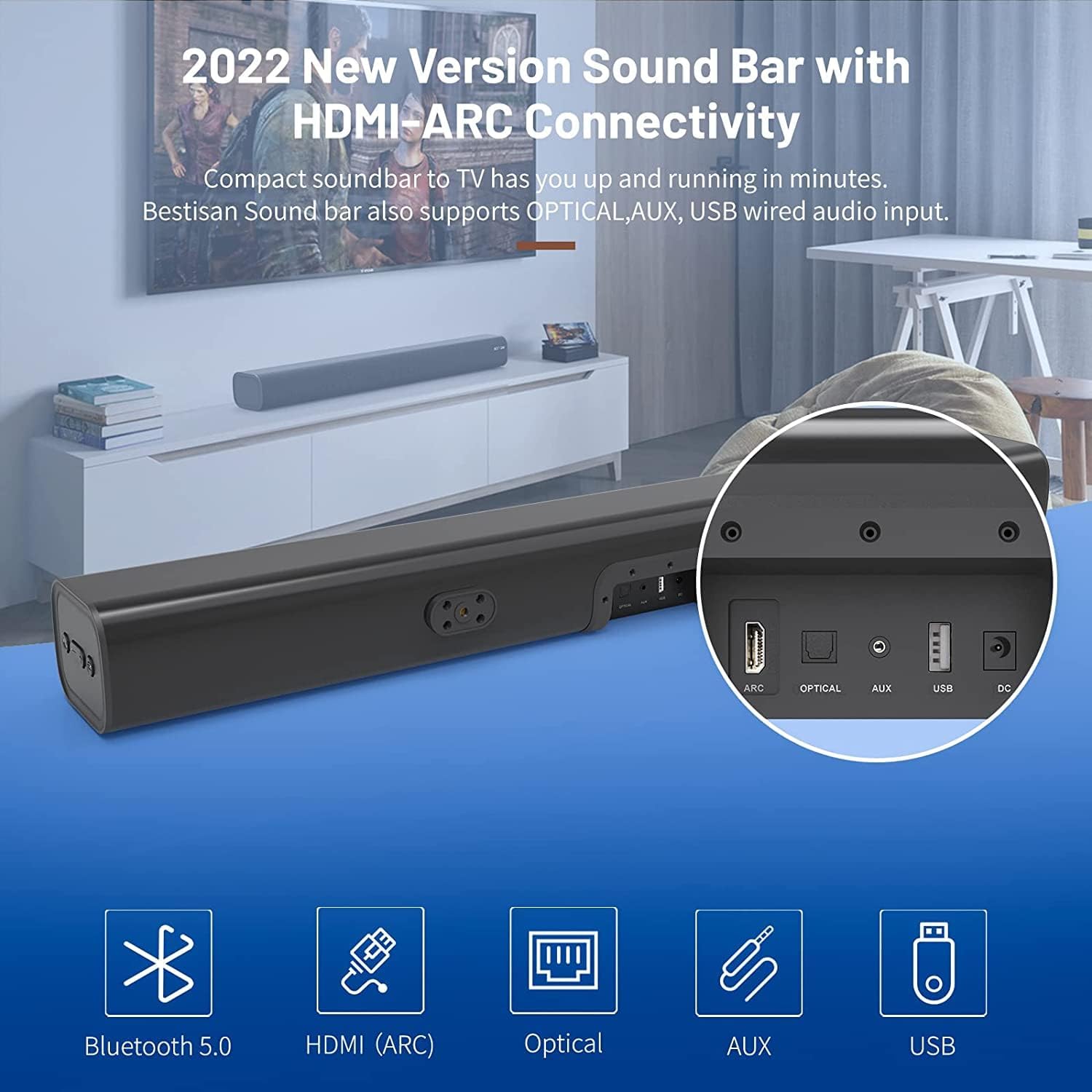
- HDMI ARC (TV): Connects to your TV's HDMI ARC port for high-quality audio transmission.
- OTTICA: Ingressu audio otticu digitale.
- AUX IN: Ingressu audio ausiliariu di 3.5 mm.
- USB: Ingressu USB per a riproduzione multimediale.
- DC IN: Ingressu di alimentazione per a soundbar.
4. Setup
4.1. Opzioni di piazzamentu
The BESTISAN Soundbar offers flexible placement options to suit your home theater setup:
- Posizionamentu di u Desktop: Place the soundbar on a flat surface in front of your TV. Ensure it does not obstruct the TV's remote sensor.
- Montatura à u muru: Use the included wall mount kit to securely attach the soundbar to the wall below your TV. A wall mounting template is provided for easy installation.


4.2. Power On
- Connect the power cord to the DC IN port on the back of the soundbar.
- Inserite l'altra estremità di u cavu d'alimentazione in una presa di corrente CA (rete).
- Press the Power button on the soundbar or the remote control to turn it on. The LED indicator will light up.
Video 1: This video demonstrates the easy setup process for the soundbar, including connecting the power adapter and turning on the device. It highlights the various input options available on the back of the soundbar.
5. Connecting to Your TV
The soundbar offers multiple connection options for your TV. Choose the method that best suits your TV's available ports.
5.1. HDMI ARC Connection
- Connect one end of the HDMI cable (not included) to the HDMI ARC port on the soundbar.
- Connect the other end of the HDMI cable to your TV's HDMI ARC port.
- On your TV settings, set the audio output to "HDMI ARC" and the digital sound format to "PCM" or "Passthrough".
5.2. Cunnessione otticu
- Connect one end of the Digital Optical Cable (included) to the OPTICAL port on the soundbar.
- Connect the other end of the Digital Optical Cable to your TV's optical audio output port.
- On your TV settings, set the audio output to "Optical" and the digital sound format to "PCM".
5.3. Cunnessione AUX
- Connect one end of the Stereo RCA to 3.5mm Audio Cable (included) to the AUX IN port on the soundbar.
- Connect the RCA ends of the cable to your TV's RCA audio output ports (usually red and white).
- On your TV settings, ensure the audio output is set to "External Speakers" or "Headset".
5.4. Cunnessione Bluetooth
- Turn on the soundbar and press the "BT" button on the remote or the mode button on the soundbar until the LED indicator flashes blue, indicating Bluetooth pairing mode.
- Attivate u Bluetooth nant'à u vostru dispositivu mobile (smartphone, tablet, ecc.).
- Cerca "BESTISAN" or "ST08" in the list of available Bluetooth devices and select it to pair.
- Una volta cunnessu, l'indicatore LED diventerà blu solidu.
6. Funziunamentu di a Soundbar
6.1. Utilizendu u Control Remote
The included remote control provides full functionality for your soundbar:
- putenza: Turn the soundbar on/off.
- Mute: Mute/unmute the sound.
- Volume +/-: Aghjustate u livellu di u voluminu.
- Play/Pause: Play or pause audio (Bluetooth mode).
- Previous/Next: Skip to the previous or next track (Bluetooth mode).
- Mode Selection (OPT, BT, ARC, AUX, USB): Cambia trà e fonti di input.
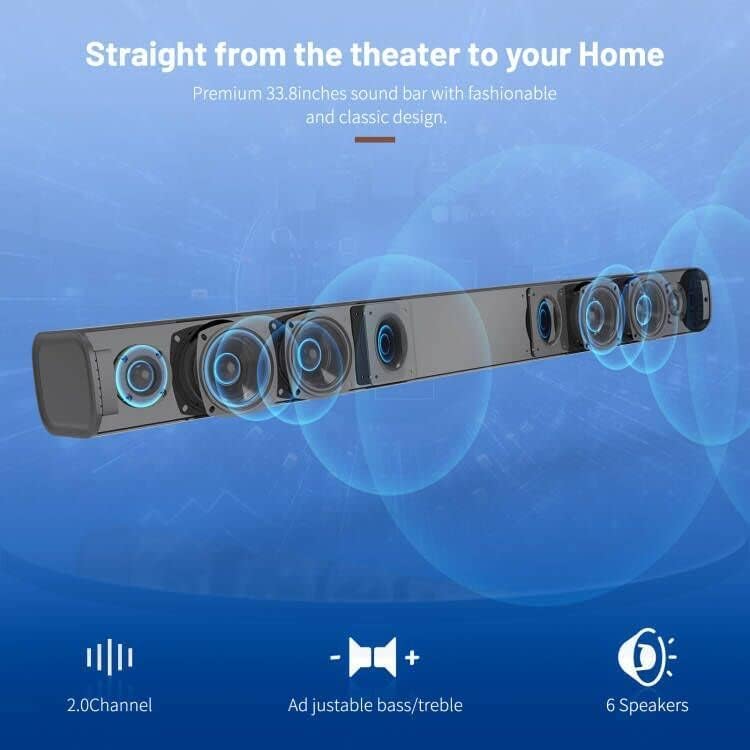
- Sound Modes (Movie, Music, Dialogue): Select optimized equalizer settings for different content types.
- Treble +/-: Ajustà i livelli di l'acuti.
- Bassu +/-: Ajustà i livelli di bassi.
6.2. Sound Modes (DSP Technology)
The soundbar features DSP (Digital Signal Processing) technology with three preset equalizer modes:
- Modu Film: Enhances cinematic audio with dynamic range and impactful bass.
- Modu di musica: Optimizes audio for music playback, providing balanced sound.
- Modu di dialogu: Clarifies speech, making conversations easier to understand.

7. Mantenimentu
- Pulite a barra sonora cù un pannu dolce è asciuttu. Ùn aduprate micca detergenti liquidi o aerosol.
- Evitate d'espone a soundbar à temperature estreme, umidità o luce solare diretta.
- Ùn pruvate micca di smuntà o riparà l'unità da per voi. Cuntattate l'assistenza clienti per assistenza.
8. Risoluzione di prublemi
| Prublemu | Soluzione Possibile |
|---|---|
| Nisun putere | Assicuratevi chì l'adattatore di corrente sia cunnessu currettamente à a soundbar è à una presa di corrente funzionante. |
| Nisun sonu |
|
| Problemi di accoppiamentu Bluetooth |
|
| U cuntrollu remoto ùn funziona micca |
|
9. Specificazioni
- Marca: BESTISAN
- Nome di mudellu: ST08, SE08
- Tipu di parlante: Soundbar
- Tecnulugia di cunnessione: HDMI (ARC), Optical, Aux, USB, Bluetooth 5.0
- Modu Audio Output: Stereo
- Potenza massima di output di l'oratore: 100 Watt
- Dimensioni di u pruduttu: 3.4 "D x 33.79" W x 4.4 "H
- Pesu di l'articulu: 5.19 liri
- Tipu di muntatura: Muntu à u muru
- Caratteristica speciale: Bass Boost, DSP Technology (Dialogue, Movie, Music modes)
10. Garanzia è Support
For warranty information, technical support, or customer service inquiries, please refer to the contact details provided in your User's Guide or visit the official BESTISAN websitu.
Produttore: Bestisan
Data prima dispunibule: 3 nuvembre 2020


