1. Introduzione
This manual provides essential information for the proper use and maintenance of your Soundcore Anker Life 2 Neo Wireless Headphones. Please read it thoroughly before using the product to ensure optimal performance and longevity.
2. Ciò chì hè in a scatula
- Soundcore Anker Life 2 Neo Wireless Headphones
- Cavu di carica USB-C
- Cavo audio da 3.5 mm
- Manuale d'uso (stu documentu)
3. Caratteristiche di u produttu
- 100% More Bass: Oversized 40mm titanium-coated drivers with BassUp technology for enhanced bass output.
- Audio Hi-Res: Delivers sound up to 40 kHz for a rich listening experience.
- Tempu di ghjocu estensu: Finu à 60 ore di riproduzione continua cù una sola carica.
- Carica rapida: 5-minute charge provides 5 hours of listening via the high-speed USB-C port.
- Disegnu cunfortu: Features memory foam earcups, an adjustable headband, and flexible earcups for extended wear.
- Connettività: Bluetooth 5.0 for wireless connection and a 3.5mm audio jack for wired listening.
- Design Pieghevole: Compact è portable per un almacenamentu è u trasportu faciule.

Image: Soundcore Life 2 Neo Headphones highlighting Hi-Res Audio certification.

Image: Diagram illustrating the BassUp Technology within the Soundcore Life 2 Neo Headphones.
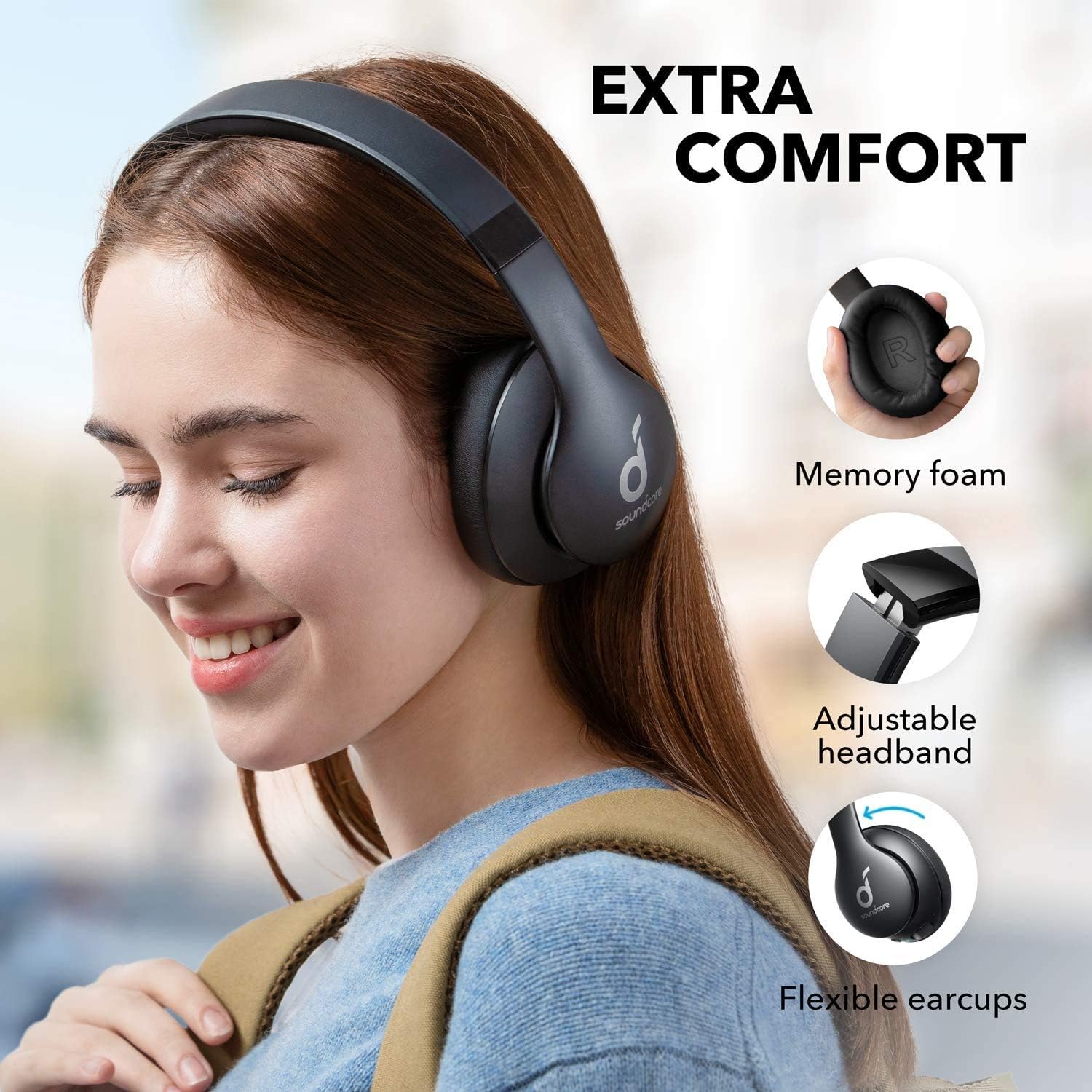
Image: Soundcore Life 2 Neo Headphones demonstrating memory foam, adjustable headband, and flexible earcups for extra comfort.
4. Setup
4.1 Caricamentu di l'auricolari
Before first use, fully charge your headphones. Connect the provided USB-C cable to the charging port on the headphones and the other end to a compatible USB power source (e.g., wall adapter, computer USB port). The LED indicator will show charging status.
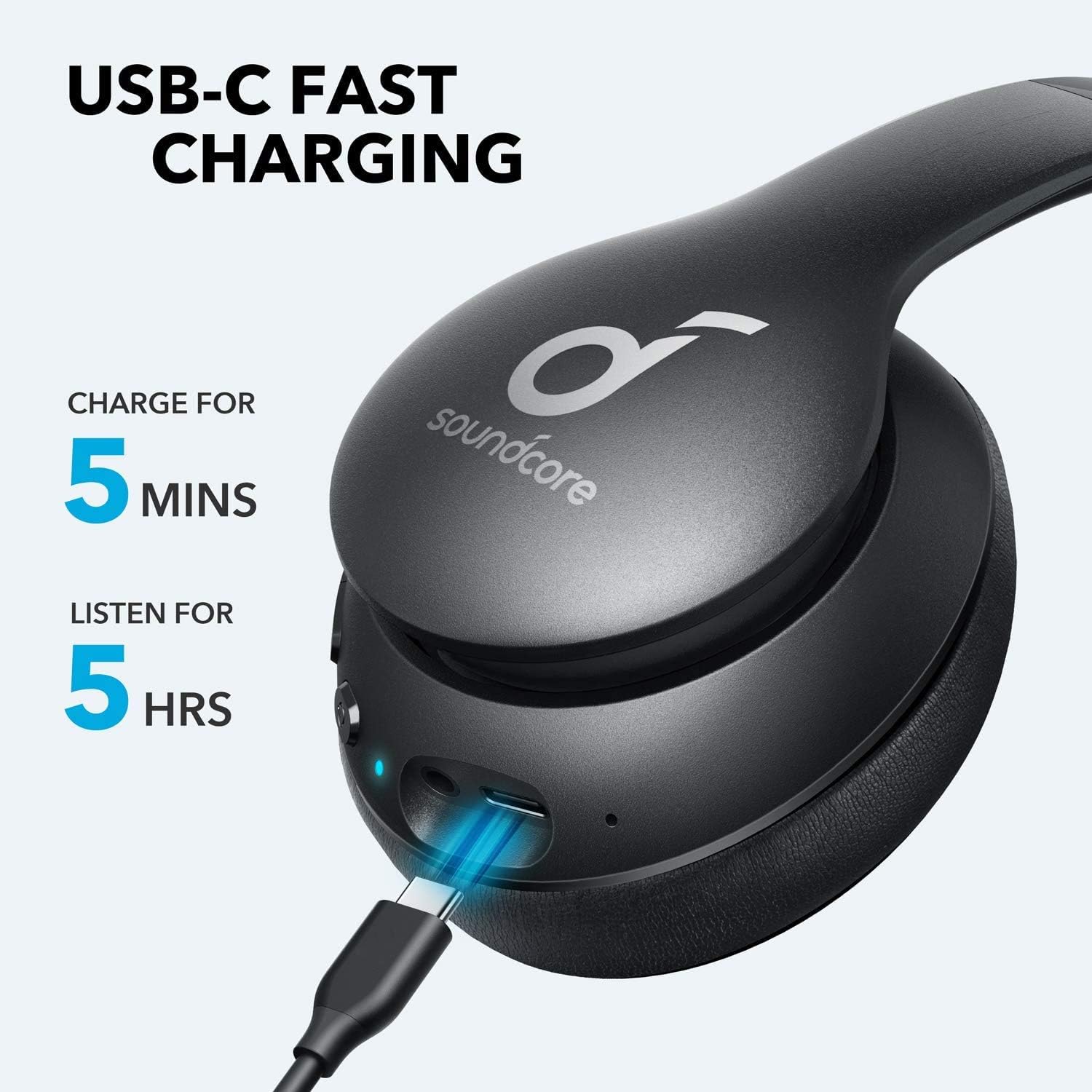
Image: Soundcore Life 2 Neo Headphones being charged via USB-C cable, illustrating the fast charging capability.
4.2 Accensione / spegnimentu
- Per accende: Appughjà è tene premutu u buttone di accensione finu à chì l'indicatore LED s'illumina.
- Per spegne: Appughjà è tene premutu u buttone di accensione finu à chì l'indicatore LED si spegne.
4.3 Accoppiamentu Bluetooth
- Assicuratevi chì l'auriculare sò spenti.
- Press and hold the Power button for approximately 3-5 seconds until the LED indicator flashes blue, indicating pairing mode.
- Nant'à u vostru apparechju (smartphone, tableta, urdinatore), attivate Bluetooth è cercate l'apparechji dispunibili.
- Select "Soundcore Life 2 Neo" from the list of devices.
- Una volta cunnessu, l'indicatore LED diventerà blu solidu.
4.4 Cunnessione Fila
If Bluetooth is not available or the battery is depleted, you can use the provided 3.5mm audio cable. Plug one end into the headphone's audio jack and the other end into your device's 3.5mm audio output.
5. Operating Instructions
5.1 Cuntrolli
L'auricolari sò dotati di cuntrolli intuitivi situati nantu à l'auricolari:
- Pulsante di putenza: Accensione/spegnimentu, riproduzione/pausa di musica, risposta/termine di chjamate.
- Volume Up (+): Increase volume, skip to next track (long press).
- Volume giù (-) : Decrease volume, skip to previous track (long press).
- Pulsante BassUp: Activate/deactivate BassUp mode for enhanced bass.
5.2 Purtà l'auricolari
The Soundcore Life 2 Neo headphones are designed for over-ear comfort. Adjust the headband to fit snugly on your head, ensuring the earcups fully cover your ears. The earcups are marked 'L' for left and 'R' for right for correct orientation.

Image: A person wearing Soundcore Life 2 Neo Headphones, demonstrating proper fit and comfort.
6. Mantenimentu
- Pulite l'auricolari regularmente cù un pannu dolce è asciuttu.
- Evitate d'espone l'auricolari à temperature estreme, umidità o luce solare diretta.
- Ùn aduprate micca detergenti abrasivi o solventi.
- Conservate l'auricolari in un locu frescu è asciuttu quandu ùn sò micca in usu. U disignu pieghevole permette un almacenamentu compattu.
7. Risoluzione di prublemi
7.1 Ùn si pò micca accoppià cù u dispusitivu
- Assicuratevi chì l'auricolari sianu in modalità di accoppiamentu (LED blu lampeggiante).
- Assicuratevi chì Bluetooth hè attivatu nantu à u vostru dispositivu.
- Avvicinate l'auricolari à u vostru dispositivu.
- Pruvate à riavvià sia l'auricolari sia u vostru dispositivu.
- Sguassate e cunnessione Bluetooth precedenti nant'à u vostru dispusitivu è pruvate à accoppià torna.
7.2 Nisun sonu o vulume bassu
- Verificate i livelli di vulume sia nantu à l'auricolari sia nantu à u vostru dispositivu cunnessu.
- Ensure the headphones are properly paired or connected via the 3.5mm audio cable.
- If using a wired connection, ensure the cable is fully inserted into both jacks.
- Pruvate cù una fonte audio o un dispositivu diversu.
7.3 Problemi di carica
- Assicuratevi chì u cavu USB-C sia cunnessu currettamente à l'auricolari è à a fonte di alimentazione.
- Pruvate cù un cable USB-C differente o un adattatore di corrente.
- Verify the power source is functioning correctly.
8. Specificazioni
| Feature | Detail |
|---|---|
| Nome di mudellu | Life 2 Neo |
| Marca | Soundcore |
| Tecnulugia di cunnessione | Wireless (Bluetooth), Wired (3.5mm) |
| Tecnulugia di cumunicazione wireless | Bluetooth 5.0 |
| Dimensione di u driver audio | 40 millimetri |
| A vita di a batteria | 60 Ore |
| Tempu di carica | 5 minuti per 5 ore di riproduzione |
| Tipu di cuntrollu | Cuntrollu di i media, Voce |
| Posizionamentu di l'arechja | Over Ear |
| Materiale | Pelle sintetica, Metallo, Plastica |
| Pesu di l'articulu | 0.5 kilogrammi (1.1 liri) |
| Funzione speciale | Foldable, USB connectivity, Wireless |
9. Garanzia è Support
For warranty information and customer support, please refer to the documentation included with your purchase or visit the official Soundcore websitu. I termini di garanzia specifichi ponu varià secondu a regione è u rivenditore.


