Introduzione
The REXING M2 Smart Dual Mirror Dash Cam is designed to enhance driving safety and provide comprehensive recording capabilities. This manual provides detailed instructions for installation, operation, and maintenance of your device, ensuring optimal performance and longevity.
Chì ci hè in u Box
- REXING M2 Smart Dual Mirror Dash Cam
- Rear Camera (Full HD)
- Logger GPS
- Power Cable (12V car charger)
- Rubber Straps for Mounting
- Mounting Screws and Double-Sided Tape for Rear Camera
- Strumentu di gestione di cable
- Pannu di pulizia
- Manuale d'usu
- Carta di memoria
Funzioni di u produttu
- Full HD Dual Channel Recording: Captures simultaneous 1080p video from both front and rear cameras.
- Blind Spot Detection (BSD) & Advanced Driver-Assistance System (ADAS): Utilizes radar sensors to monitor blind spots and assist with lane changes by providing alerts.
- Registratore GPS: Records time, date, location, and speed data with your video recordings.
- Schermu tattile IPS da 12 pollici: Provides a wide, live-stream rearview display with intuitive finger-touch operation.
- Automatic Backup Camera: Displays rear footage in real-time, assisting with driving and backing up.
- G-Sensor: Automatically detects impacts and locks video footage per impedisce a sovrascrittura.
- Registrazione in loop: Registra continuamente sovrascrivendu u più vechju sbloccatu files quandu a carta di memoria hè piena.
- Monitor di parcheghju 24 ore su 24: Automatically records 20-second videos when vibration is detected while the vehicle is parked.
Product Overview
The REXING M2 dash cam is designed to seamlessly integrate with your vehicle's rearview mirror. Below is an overview of its physical components and connections.

The REXING M2 mirror dash cam showcasing its Blind Spot Detection (BSD) and Advanced Driver-Assistance System (ADAS) capabilities. The image illustrates how the system detects vehicles in blind spots and provides visual alerts for safe lane changes.

The REXING M2 dash cam highlighting its dual channel 1080p recording for both front and rear views, along with Super Night Vision capabilities for clear footage in cundizioni di poca luce.

The 12-inch IPS touch screen of the REXING M2 dash cam, demonstrating its adjustable field of view by swiping on the interactive display.

The REXING M2 dash cam featuring its integrated GPS Logger for real-time speed and location tracking, alongside a 170-degree wide-angle lens for extensive road coverage.
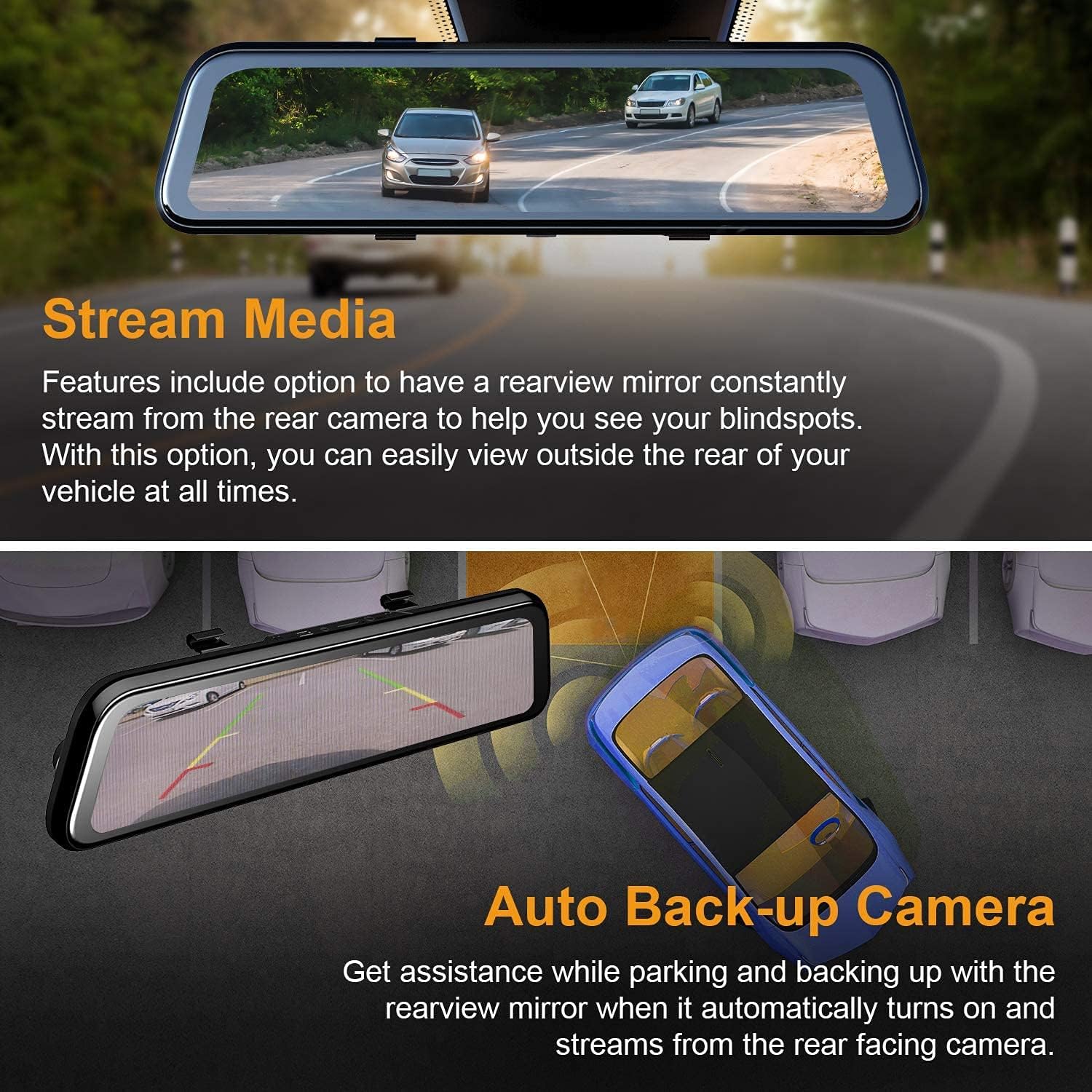
The REXING M2 dash cam's Stream Media function, allowing continuous rearview streaming, and its Auto Backup Camera feature, which automatically activates when reversing for enhanced safety.

The REXING M2 dash cam illustrating its Gravity Sensor for collision detection, Loop Recording for continuous footage, and 24-Hour Parking Monitor for vehicle surveillance.
Porti è cuntrolli
- Porti Top: Includes connections for GPS, Micro SD card slot (requires user-provided card), AV input for the rear camera, and a Mini USB port for power.
- daretu: Features a reset hole and four rubber anchor points for secure mounting. The front-facing camera is adjustable, allowing for pivot movement (up/down, side-to-side) to optimize the recording angle.
- In fondu: Contains a speaker grill, a power button (to turn the device on/off), and a microphone.
Guida d'installazione
Follow these steps to properly install your REXING M2 Dash Cam in your vehicle.
- Muntà u specchiu: Use the provided rubber straps to securely attach the REXING M2 mirror dash cam over your vehicle's existing rearview mirror. Ensure the mirror is centered and stable.
- Potenza di cunnessione: Plug the power cable into the Mini USB port on top of the dash cam and connect the other end to your vehicle's 12V power outlet (cigarette lighter socket).
- Installazione di a camera posteriore:
- Connect the rear camera cable to the AV input port on the dash cam.
- Route the rear camera cable discreetly along the headliner and side panels to the rear of your vehicle. Use the provided cable management tool to tuck wires neatly.
- Mount the rear camera using the included screws or double-sided tape. For automatic reverse camera activation, connect the red wire from the rear camera cable to your vehicle's reverse light power source.
- Connecting the GPS Logger: Plug the GPS logger into its dedicated port on top of the dash cam. Mount the GPS unit on your windshield, ensuring it has a clear view di u celu per una ricezione ottimale di u signale.
- Inserisce a carta di memoria: Insert a compatible Micro SD card (not included) into the designated slot on top of the dash cam. The device requires a memory card for recording.
Official REXING video demonstrating the installation process of the M2 BSD Dash Cam, including mounting the mirror, connecting cables, and setting up the rear camera.
Guida di l'Operazione
The REXING M2 features an intuitive 12-inch IPS touchscreen for easy navigation and control.
Cuntrolli Touchscreen
- Cambia Views: Swipe left or right on the screen to switch between front camera view, camera posteriore view, or a split view showing both simultaneously.
- Aghjustà l'angulu di a camera: Swipe up or down on the left side of the screen (for front view) or right side (for rear view) to adjust the vertical viewangulu di a camera.
- Aghjustà a luminosità di u schermu: Swipe up or down on the right side of the screen to adjust the display brightness.
- Accessu à u menu: Tap the screen to reveal the menu bar at the bottom.
Opzioni di menu
From the menu bar, you can access various settings and functions:
- Cuntrolli di registrazione: Start/stop recording, take photos, or manually lock current video footage.
- Riproduzione: Swipe left from the main screen to access recorded files. You can play back front or rear videos, locked videos, and photos directly on the screen.
- Impostazioni (icona ingranaggi): Access advanced settings including:
- Sensibilità G-Sensor: Adjust sensitivity (Low, Medium, High, Off) for impact detection during driving and parking.
- Registrazione in loop: Set video segment duration (1, 2, or 3 minutes).
- Monitor di Parcheggio: Enable/disable and adjust sensitivity for 24/7 surveillance.
- Codificazione Video: Choose between H.264 and H.265 for video compression.
- Lingua: Sceglite a vostra lingua preferita.
- Data/ora: Impostate a data è l'ora currette.
- Formatu SD: Formate a carta Micro SD.
- Unità di velocità: Switch between MPH and KM/H.
- Ricunniscenza vocale: Enable voice commands for hands-free operation (e.g., "Turn on screen," "Show front camera," "Lock the video").
Mantenimentu
Una manutenzione regulare assicura a longevità è e prestazioni ottimali di a vostra dash cam.
- Pulizia: Use the provided cleaning cloth to gently wipe the screen and camera lenses. Avoid abrasive materials or harsh chemicals.
- Gestione Card SD: Regularly format your Micro SD card (at least once a month) to prevent data corruption and ensure smooth recording. Replace the card if it shows signs of wear or error.
- Actualizazioni di firmware: Check the REXING webVisitate u situ periodicamente per l'aghjurnamenti di u firmware per assicurà chì u vostru dispositivu abbia l'ultime funzionalità è correzioni di bug.
Risoluzione di prublemi
If you encounter issues with your REXING M2 Dash Cam, refer to the following common solutions:
- Screen Glare at Night: Some users report glare from headlights at night. Adjust screen brightness or turn off the screen to use it as a normal mirror if visibility is affected.
- Poor Rear Camera Visibility in Rain: Ensure the rear camera lens is clean and free from water droplets. Consider repositioning the camera if it's frequently obstructed.
- A Dash Cam ùn registra micca: Ensure a compatible Micro SD card is inserted and formatted. Check loop recording settings.
- GPS micca tracciatu: Verify the GPS logger is securely plugged in and mounted with a clear view di u celu.
- U dispositivu ùn risponde micca: Use the reset hole on the back of the device to perform a factory reset.
Specificazioni
| Dimensioni di u produttu | 12 x 2.75 x 0.75 inch |
| Pesu di l'articulu | 13.7 once |
| Numeru di mudellu di l'articulu | M2 |
| Size Screen | 12 inch |
| Tecnulugia di visualizazione | LCD |
| Tecnulugia di u sensoru otticu | CMOS |
| Angulu reale di View | 170 gradi |
| Funzioni spiciali | G-Sensor, Loop Recording, Night Vision, Blind Spot Detection, ADAS, GPS |
| Tecnulugie di cunnessione | USB |
| Culore | Neru |
Garanzia è Supportu
The REXING M2 Smart Dual Mirror Dash Cam comes with an guaranzia di 18 mesi. For any assistance, technical support, or warranty claims, please contact REXING customer support directly.


