1. Introduzione
This manual provides essential instructions for setting up, operating, and maintaining your ENHANCE Colmi V23 Smart Watch. Please read this manual thoroughly before using the device to ensure proper function and longevity.

Figure 1.1: ENHANCE Colmi V23 Smart Watch
2. Informazioni di sicurezza
Disclaimer: This device is not a medical device and is not intended to replace a Sphygmomanometer (an instrument for measuring blood pressure). Individuals with hypertension or other medical conditions should consult their doctor before using this device for health monitoring purposes.
3. Ciò chì hè in a scatula
- 1x ENHANCE Colmi V23 Smart Watch
- 1x Cavu di carica
- 1x Manuale d'utilizatore
4. Setup
4.1 Caricamentu di l'orologio intelligente
Before initial use, fully charge your smart watch. Connect the magnetic charging cable to the charging points on the back of the watch and plug the USB end into a power adapter (not included) or a computer's USB port. A full charge typically takes approximately 2 hours.

Figura 4.1: Caricamentu di l'orologio intelligente
4.2 Installazione è accoppiamentu di l'app
- Scaricate u "Da Fit" application from your device's app store (compatible with iOS 9.0 and above, Android 4.0 and above). You can also scan the QR code provided in the included manual to download the app.
- Open the Da Fit app on your smartphone.
- Follow the in-app instructions to add a new device. Select the V23 Smart Watch from the list of available devices to pair.
- Assicuratevi chì u Bluetooth sia attivatu nant'à u vostru smartphone durante u prucessu di accoppiamentu.
5. Funziunamentu di l'orologio intelligente
5.1 Navigazione di u schermu tattile
The ENHANCE Colmi V23 features a 1.3-inch HD color full touch screen for easy operation. Swipe left, right, up, or down to navigate through menus and functions. Tap to select options.

Figure 5.1: Touch Screen Interface Overview
5.2 Persunalizazione di e facce di l'orologio
Personalize your smart watch with over 100 watch faces available through the Da Fit application. You can also create custom watch faces using your own photos.
- Open the Da Fit app on your smartphone.
- Navigate to "Add a Device" > "WATCH FACES".
- Select an existing watch face or choose "Edit" to customize with a picture.
- Select your desired picture, adjust its position, and save.
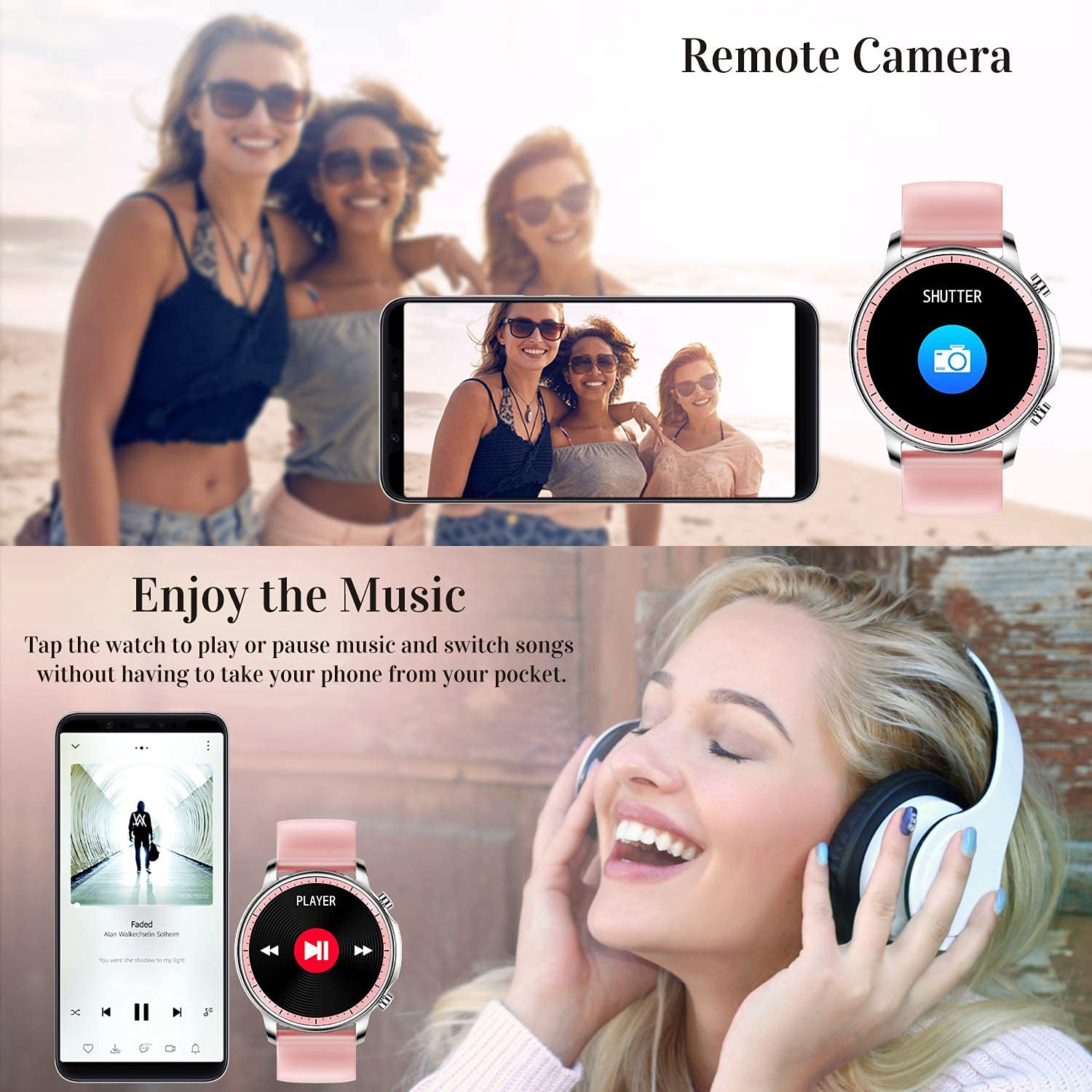
Figure 5.2: Customizing Watch Faces
5.3 Notificazioni
Receive call, message, email, and app notifications directly on your smart watch. (Note: The watch cannot answer or make calls.)

Figure 5.3: Call and Message Reminders
5.4 Music Control
Control music playback on your smartphone directly from your watch. Tap to play/pause or switch songs without needing to access your phone.
5.5 Camera Remote
Use your smart watch as a remote shutter for your smartphone camera. This feature allows you to take photos from a distance.

Figure 5.4: Remote Camera and Music Control
6. Features
6.1 Cunsigliu di Salute
- Heart Rate (HR) Monitor: Monitorizza continuamente a vostra frequenza cardiaca durante u ghjornu.
- Blood Pressure (BP) Monitor: Provides blood pressure readings. (Refer to safety disclaimer in Section 2).
- Monitor di l'ossigenu di sangue (SpO2): Misura i livelli di saturazione di l'ossigenu in u sangue.
- Tracker di u sonnu: Records sleep information, including deep sleep, light sleep, and awake time, to help you understand your sleep patterns.
- Tracciamentu di a Salute Femminile: Offers features for tracking female health cycles.

Figure 6.1: Heart Rate and Blood Pressure Monitoring

Figure 6.2: Smart Sleep Monitoring
6.2 Seguimentu di l'attività
The smart watch offers 7 data record modes to track various sports activities:
- Camminendu
- Corsa
- Ciclismo
- Basketball
- U football
- Badminton
- Saltà
This feature helps you monitor your exercise data and gain insights into your fitness levels.

Figure 6.3: Smart Watch Functions Overview
6.3 Smart Reminders
- Ricordu sedentariu: Reminds you to move and stay active after periods of inactivity.
- Sveglia: Set alarms directly on your watch.
6.4 Altre funzioni
- Cronometru
- Fun Game
7. Mantenimentu
7.1 Resistenza à l'acqua
The ENHANCE Colmi V23 Smart Watch is IP68 waterproof, making it resistant to daily wet conditions such as hand washing or light rain. Avoid prolonged submersion in water, hot water, or steam, and do not operate buttons underwater.
7.2 Pulizia
Asciugate l'orologio è u cinturinu regularmente cù un pannu dolce è asciuttu. Se necessariu, aduprate un pannu ligeramente asciuttu.amp pannu è poi asciugate bè. Evitate l'usu di prudutti chimichi aggressivi o materiali abrasivi.
7.3 Cura di a batteria
To prolong battery life, avoid fully discharging the battery frequently. Charge the watch when the battery level is low. Store the watch in a cool, dry place when not in use for extended periods.
8. Risoluzione di prublemi
- L'orologio ùn si accende micca: Assicuratevi chì l'orologio sia cumpletamente caricatu. Cunnettelu à u caricatore per almenu 30 minuti.
- L'orologio ùn hè micca assuciatu cù u telefunu: Make sure Bluetooth is enabled on your phone and the watch is within range. Restart both the watch and your phone, then try pairing again through the Da Fit app.
- Dati sanitari imprecisi: Ensure the watch is worn snugly on your wrist, not too tight or too loose. Clean the sensor on the back of the watch. Remember, this device is not a medical instrument.
- Notificazioni chì ùn cumpariscenu micca: Check notification settings in the Da Fit app and your phone's system settings to ensure permissions are granted for the app to display notifications.
9. Specificazioni
| Marca | MIGLIORA |
| Mudellu | V23 Smart watch |
| Dimensioni di u produttu | 1.03 x 2 x 4.15 cm |
| Pesu di l'articulu | 42 g |
| Size Screen | 1.3 inch |
| Risoluzione | 240 x 230 |
| Tipu di visualizazione | LCD digitale |
| Capacità batterie | 200 mAh (Lithium Polymer) |
| Metudu di carica | Magnetic Wire Charging |
| Tipu wireless | Bluetooth |
| Dispositivi compatibles | Mobile Phone (Android 4.0+ & iOS 9.0+) |
| Sistema upirativu | Android & iOS |
| Resistenza à l'acqua | IP68 |
| Materiale | Plastica |
10. Garanzia è Support
For warranty information and customer support, please refer to the documentation included with your product or contact ENHANCE customer service. The included user manual contains details regarding warranty terms and contact information.


