Introduzione
This manual provides essential instructions for the proper setup, operation, and maintenance of your White Shark GH-2044 Wolf Gaming Headset. Please read this guide thoroughly before using the product to ensure optimal performance and longevity. Keep this manual for future reference.
Product Overview
The White Shark GH-2044 Wolf is a wired over-ear gaming headset designed for immersive audio experiences. It features a built-in microphone for communication and a USB connection for compatibility with multiple devices.
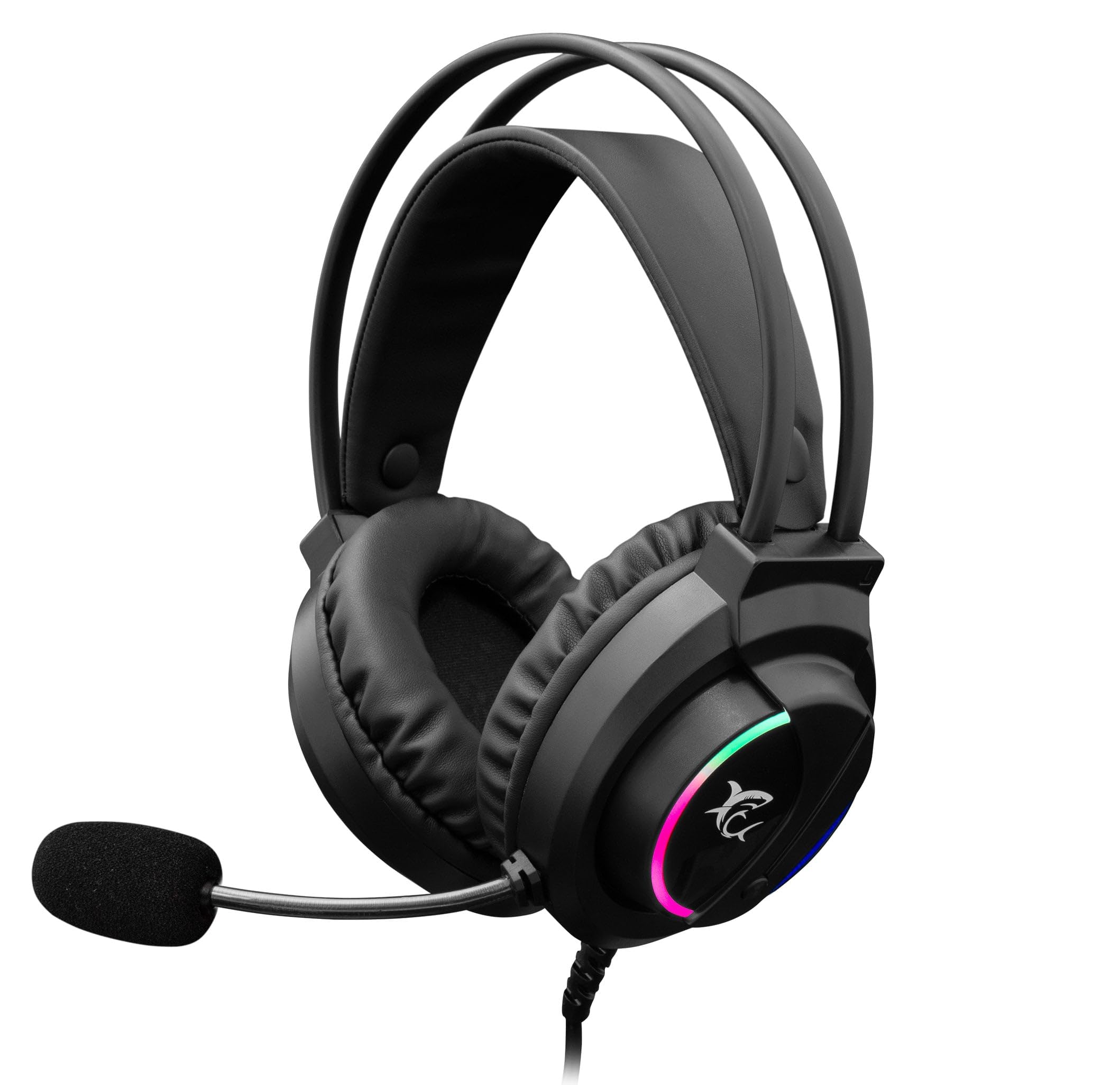
Image: The White Shark GH-2044 Wolf Gaming Headset packaging box, displaying the headset and key features.

Image: The White Shark GH-2044 Wolf Gaming Headset, showcasing its illuminated earcups and flexible microphone.

Imagine: Un primu pianu view of the earcup on the White Shark GH-2044 Wolf Gaming Headset, highlighting the integrated volume control wheel.

Image: A detailed close-up of the flexible microphone, showing its foam cover for clear voice capture.
Istruzzioni di stallazione
- Cunnette l'auriculare: Plug the USB connector of the GH-2044 Wolf Gaming Headset into an available USB port on your computer, gaming console, or other compatible device.
- Installazione di driver (se necessariu): For most operating systems, the headset will be recognized automatically, and standard drivers will be installed. If prompted, follow the on-screen instructions to complete any driver installation.
- Selezzione di entrata/uscita audio: Navigate to your device's sound settings. Select the White Shark GH-2044 Wolf as your primary audio output device (for sound) and as your primary audio input device (for the microphone).
- Ajuste u voluminu: Use the volume control wheel located on the headset's earcup to adjust the audio level to your preference.
Istruzzioni di funziunamentu
- Controlu di u voluminu: The headset features an integrated volume control wheel on the left earcup. Rotate the wheel up to increase volume and down to decrease volume.
- Utilizazione di u microfonu: The flexible microphone can be adjusted to your desired position for optimal voice pickup. Ensure the microphone is positioned close to your mouth for clear communication.
- Silenziu di u microfonu: (Information not explicitly provided in product data, assume software control or inline control if present.) If an inline mute button is present on the cable, press it to mute/unmute the microphone. Otherwise, use your device's software settings to control microphone mute.
- Illuminazione LED: The earcups feature spectrum LED lighting. This lighting is typically powered by the USB connection and operates automatically.
Mantenimentu
- Pulizia: Use a soft, dry cloth to clean the headset. Do not use liquid cleaners or abrasive materials, as these can damage the finish and internal components.
- Conservazione: Conservate l'auriculare in un locu frescu è asciuttu, luntanu da a luce diretta di u sole è da e temperature estreme. Evitate di mette oggetti pesanti nantu à l'auriculare.
- Cura di u cable: Evitate pieghe strette o tirate eccessivamente u cavu USB per impedisce danni interni.
- Cuscini per l'orecchie: Periodically check ear cushions for wear and tear. Replacement cushions may be available from the manufacturer or authorized retailers.
Risoluzione di prublemi
- Nisun sonu:
- Assicuratevi chì u cunnettore USB sia cumpletamente inseritu in u portu.
- Check your device's sound settings to confirm the White Shark GH-2044 Wolf is selected as the output device.
- Verify the volume control wheel on the headset is turned up.
- Pruvate l'auriculare nantu à un altru dispositivu per escludere un prublema specificu di u dispositivu.
- U microfonu ùn funziona micca:
- Ensure the microphone is not muted (check inline control or software settings).
- Confirm the White Shark GH-2044 Wolf is selected as the input device in your device's sound settings.
- Ajustate a sensibilità di u microfonu in i paràmetri di sonu di u vostru dispositivu.
- Pruvate u microfonu cù un'altra applicazione o dispusitivu.
- Audio distortu:
- Abbassate u vulume sia di l'auriculare sia di u vostru dispositivu.
- Ensure the audio source is not distorted.
- Pruvate cunnette à un portu USB diversu.
Specificazioni
| Feature | Specificazione |
|---|---|
| Marca | Squalu biancu |
| Numero di mudellu | GH-2044 Wolf |
| Tecnulugia di cunnessione | USB cablatu |
| Tipu di Auriculare | Over-Ear |
| Microfonu Inclusu | Iè |
| Controlu di u rumore | Nimu |
| Dispositivi compatibles | Multiple |
| Tipu di cuntrollu | Volume Control |
| Materiale | Cuscinetti per l'arechje in pelle |
| Usi cunsigliati | Lusinghi |
| Dimensioni di u produttu | 20 x 10 x 24.5 cm |
| Pesu | 300 grammi |
| Culore | Neru |
| Cumpunenti inclusi | Headband, Ear Cushions |
Garanzia è Supportu
For warranty information and technical support, please refer to the documentation provided with your purchase or contact your retailer. Specific warranty terms may vary by region and retailer.


