Crosscall CORE-M5 User Manual
Modellu: 1001011101114
Introduzione
This manual provides comprehensive instructions for the setup, operation, maintenance, and troubleshooting of your Crosscall CORE-M5 rugged smartphone. Designed for durability and performance in challenging environments, the CORE-M5 is built to withstand various conditions while providing essential communication and smart device functionalities.
Leghjite attentamente stu manuale prima di utilizà u vostru apparechju per assicurà un funziunamentu currettu è per maximizà a so durata di vita.
Cuntenutu di u pacchettu
À l'apertura di u pacchettu, verificate chì tutti l'articuli sò presenti:
- Crosscall CORE-M5 Device
- Cavu di carica USB
- Guida Quick Start
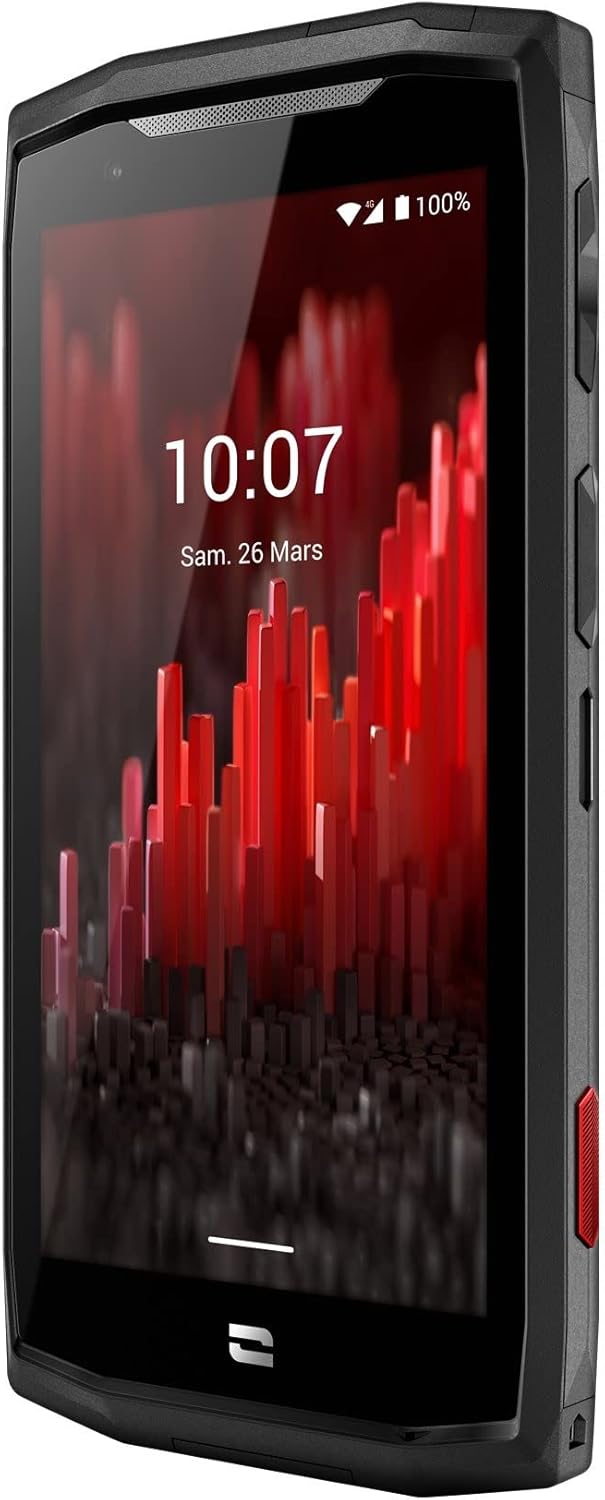
Imagine: Angulu frontale view of the Crosscall CORE-M5 device, highlighting its robust design and display.
Istituisci
1. Inserimentu di a carta SIM è di a carta di memoria
The CORE-M5 supports SIM cards for cellular connectivity and an optional memory card for expanded storage. Locate the SIM/memory card tray on the side of the device.
- Spegne cumpletamente u dispusitivu.
- Use the provided SIM ejector tool (or a small paperclip) to open the SIM/memory card tray.
- Carefully place your SIM card(s) and/or memory card into the designated slots on the tray, ensuring correct orientation as indicated on the tray.
- Spingete delicatamente a tavula torna in u dispusitivu finu à ch'ellu clicchi in u locu.

Image: A user demonstrating the insertion of a SIM card into the device's slot.
2. Carica iniziale
Before first use, it is recommended to fully charge your CORE-M5.
- Cunnette u cavu di carica USB à u portu di carica di u dispusitivu.
- Cunnette l'altra estremità di u cavu à un adattatore di alimentazione USB cumpatibile o à a porta USB di un urdinatore.
- The charging indicator on the screen will show the charging status. Allow the device to charge until the battery icon indicates a full charge.
3. Accensione è cunfigurazione iniziale
- Press and hold the Power button (usually located on the side) until the Crosscall logo appears.
- Segui l'istruzzioni nantu à u screnu per compie a cunfigurazione iniziale, cumprese a selezzione di a lingua, a cunnessione Wi-Fi, a cunfigurazione di u contu Google è i paràmetri di sicurezza.
Operating the CORE-M5
Navigazione basica
- Touchscreen: Navigate the device using taps, swipes, and pinch gestures on the 4.95-inch touchscreen display.
- Pulsante di putenza: Press to turn the screen on/off, or press and hold to power off/restart the device.
- Pulsanti di volume: Ajustà u vulume di i media, u vulume di e chjamate o u vulume di a suoneria.
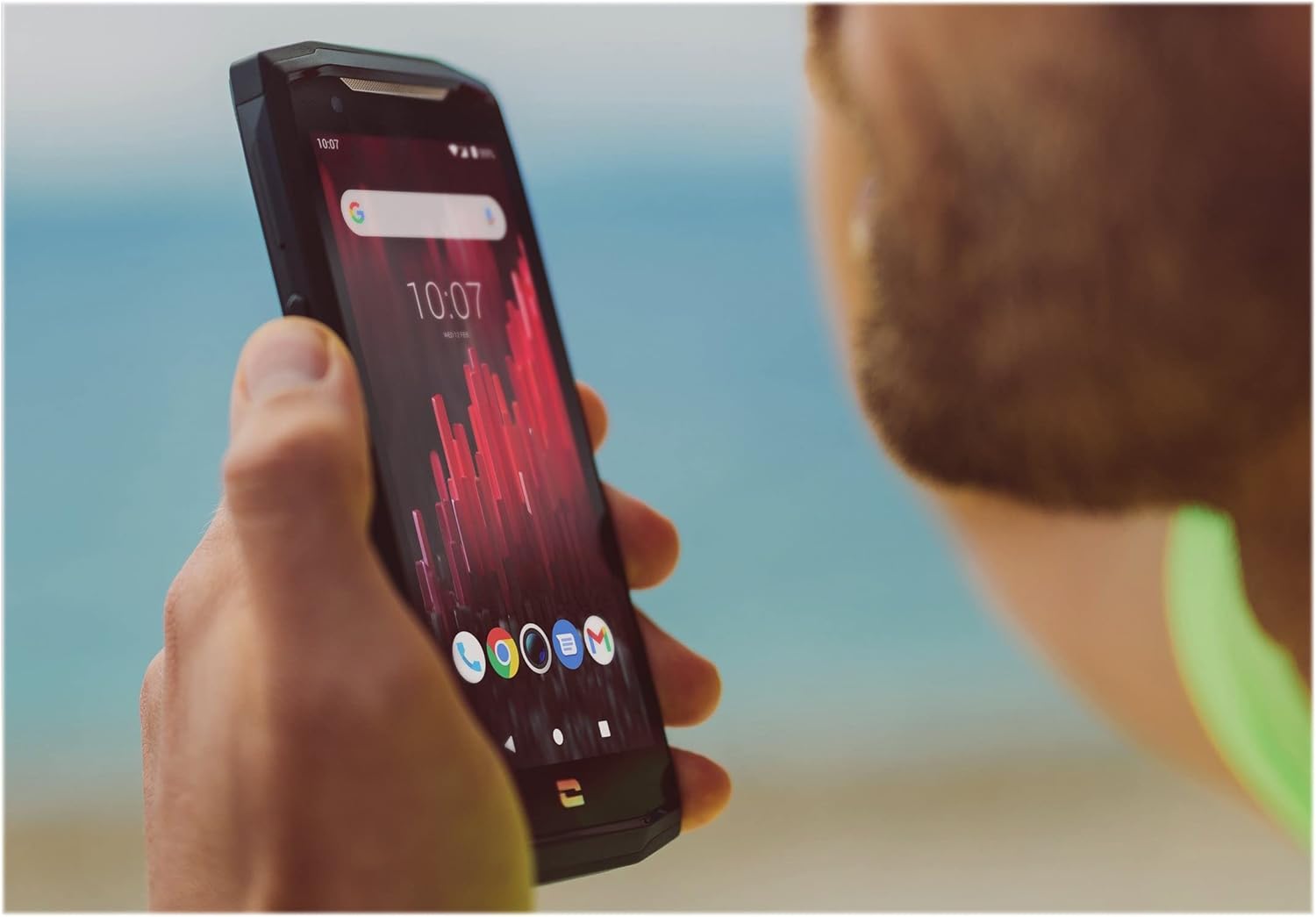
Image: The CORE-M5 in use, demonstrating its compact size and clear display for outdoor visibility.
Connettività
- Wi-Fi: Accede à i paràmetri Wi-Fi da u pannellu di Impostazioni Rapide o da l'app Impostazioni per cunnette si à e rete wireless.
- Bluetooth: Pair with Bluetooth devices such as headphones, speakers, or other smartphones via the Bluetooth settings.
- USB: Connect the device to a computer using the USB cable for data transfer or charging.
- Dati Cellulari: Enable or disable mobile data from the Quick Settings or Network & Internet settings. Supports 2G and 3G cellular technologies.
Funzionalità Camera
The CORE-M5 features both front and rear cameras for capturing photos and videos.
- Apri l'applicazione Camera da u screnu principale o da u cassettu di l'applicazioni.
- Tap the shutter button to take a photo or switch to video mode to record.
- Use the on-screen controls to switch between front and rear cameras, adjust zoom, or apply filters.
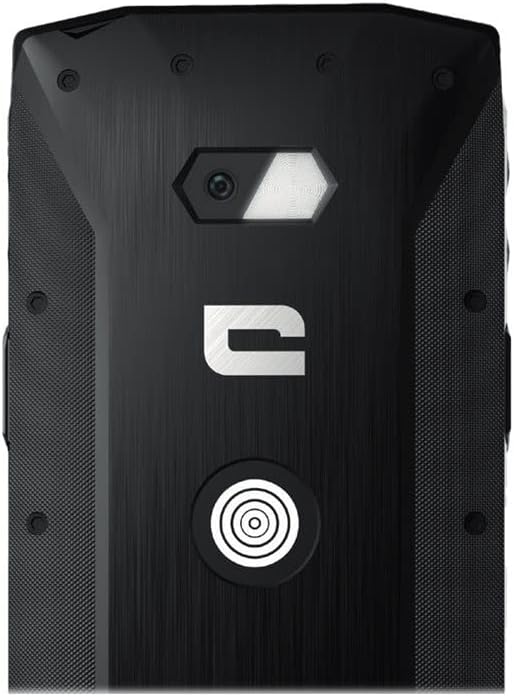
Imagine: Dettagliata view of the CORE-M5's rear, highlighting the camera module and the X-Link magnetic connection system.
X-Link System
The CORE-M5 is equipped with Crosscall's X-Link magnetic connection system on the back, allowing for easy attachment of compatible accessories such as chargers, mounts, and external batteries.
- Align the X-Link accessory with the magnetic connector on the back of your CORE-M5.
- The magnets will guide the accessory into place, ensuring a secure connection.

Image: The CORE-M5 securely mounted in a vehicle, demonstrating the utility of the X-Link system for hands-free use.
Mantenimentu
- Pulizia: Aduprà un soft, damp cloth to clean the device. Avoid harsh chemicals or abrasive materials. Ensure all ports are closed before cleaning if exposed to water.
- Resistenza à l'acqua è a polvera: The CORE-M5 is designed to be rugged. However, ensure all port covers are securely closed to maintain water and dust resistance. Avoid prolonged submersion beyond specified limits.
- Cura di a batteria: To prolong battery life, avoid extreme temperatures. Do not allow the battery to fully discharge frequently.
- Actualizazioni di u software: Verificate è installate regularmente l'aghjurnamenti di u sistema per assicurà prestazioni è sicurezza ottimali.
Risoluzione di prublemi
| Prublemu | Causa Possibile | Soluzione |
|---|---|---|
| U dispusitivu ùn si accende | Batteria bassa; crash di u software | Caricate u dispusitivu per almenu 30 minuti. Eseguite un riavviu furzatu tenendu premutu u buttone di accensione per 10-15 secondi. |
| U screnu ùn risponde micca | Glitch di u software tempurale | Restart the device. If unresponsive, perform a forced restart. |
| Poor call quality / No network | Weak signal; incorrect SIM insertion; network issue | Move to an area with better signal. Reinsert the SIM card. Contact your network provider. |
| L'applicazioni si bloccanu o si bloccanu | Insufficient memory; app conflict; outdated software | Close background apps. Clear app cache/data. Update apps and system software. Free up storage space. |
Specificazioni
| Feature | Detail |
|---|---|
| Nome di mudellu | 1001011101114 |
| Marca | Crosscall |
| Sistema upirativu | Android |
| U mudellu CPU | Cortex |
| Size Screen | 4.95 inch |
| Risoluzione | 1026 x 513 |
| RAM | 3 GB |
| Capacità di almacenamiento di memoria | 32 GB |
| Capacità batterie | 4000 mAh |
| Tempu di Cunversazione Telefonica | 24 Ore |
| Connettività | Bluetooth, Wi-Fi, USB |
| Tecnulugia cellulare | 2G, 3G |
| Carrier wireless | Sbloccatu |
| Cameras | Arrière, Front |
| Culore | Neru |
| Dimensioni di u produttu | 4.25 x 0.79 x 4.25 inch |
| Pesu di l'articulu | 8 once (226.6 grammi) |
| Prima Disponibile | 21 settembre 2021 |
Garanzia è Supportu
Crosscall products are known for their durability and come with a manufacturer's warranty. For specific warranty terms and conditions, please refer to the warranty card included with your product or visit the official Crosscall websitu.
For technical support, troubleshooting assistance, or service requests, please contact Crosscall Customer Service through their official channels. Have your product model number (1001011101114) and purchase information ready when contacting support.
Official Crosscall Websitu: www.crosscall.com


