1. Introduzione
This manual provides detailed instructions for the installation, operation, and maintenance of your Hombli Smart Doorbell 2 and Chime 2. Please read this guide thoroughly before using the product to ensure proper functionality and safety. The Hombli Smart Doorbell 2 allows you to see, hear, and speak to visitors from anywhere, while the Chime 2 provides an audible alert inside your home.
2. Informazioni di sicurezza
- Assicuratevi chì tutta l'alimentazione sia scollegata prima di l'installazione o di a manutenzione per impedisce scosse elettriche.
- Do not expose the doorbell to extreme temperatures, direct sunlight for prolonged periods, or excessive moisture.
- Use only the provided or recommended accessories and power sources.
- Mantene u dispusitivu fora di a portata di i zitelli.
- Do not attempt to disassemble or repair the device yourself. Contact Hombli support for assistance.
3. Cuntenutu di u pacchettu
Verify that all items are present in your Hombli Smart Doorbell 2 Promo Pack:
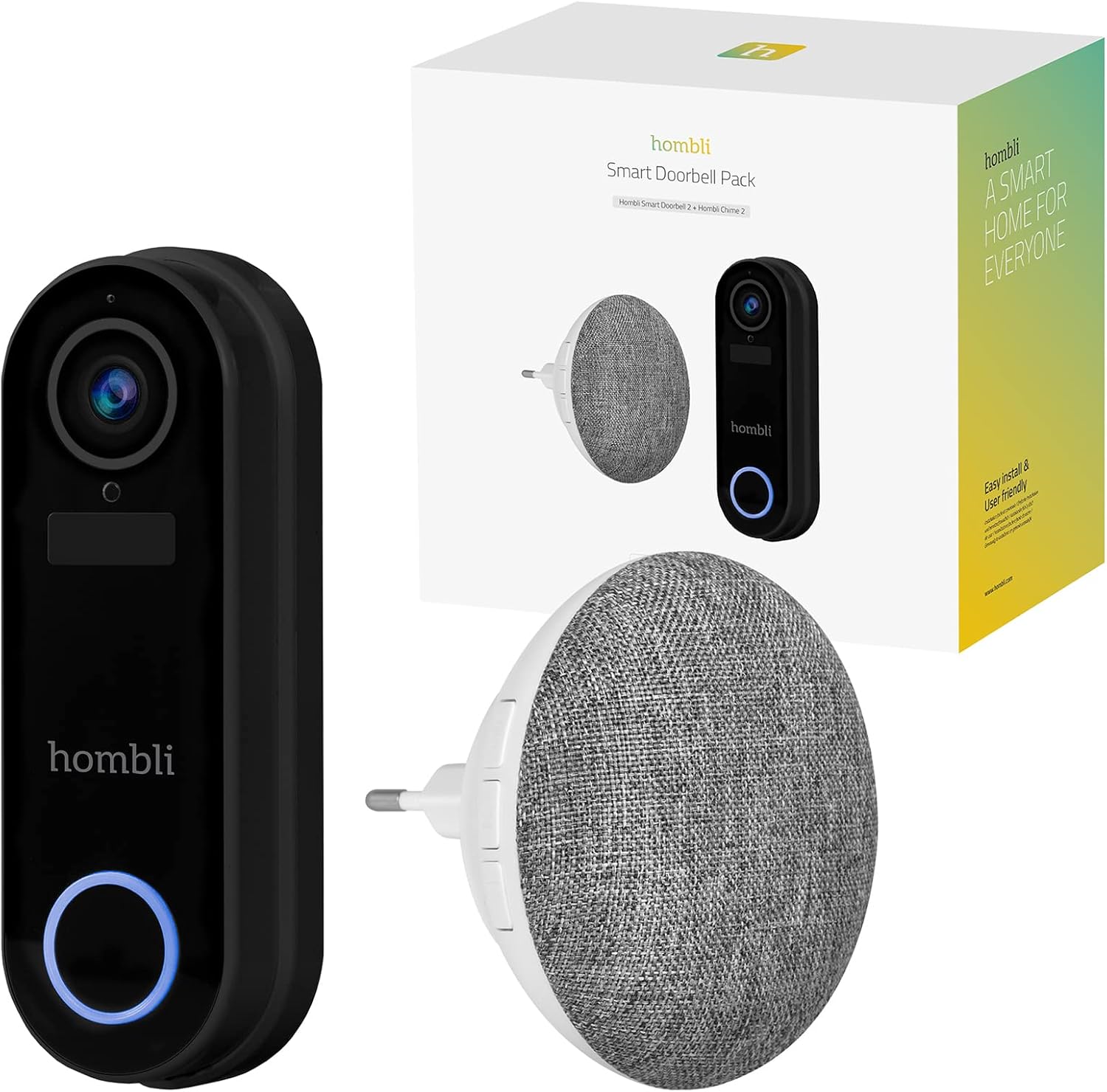
Image: The retail box for the Hombli Smart Doorbell 2 and Chime 2, showing both devices and the packaging.

Image: All components included in the Hombli Smart Doorbell 2 package, including the doorbell unit, mounting bracket, screws, wall anchors, wiring harness, USB charging cable, and adhesive pads.
- Hombli Smart Doorbell 2 (Black)
- Hombli Chime 2
- Bracket di Muntagna
- Viti d'installazione è tasselli murali
- Cavu di carica USB
- Wiring Harness (for optional wired installation)
- Cuscinetti adesivi
- Manuale d'uso (stu documentu)
4. Produttu Finituview
Familiarize yourself with the components of your Hombli Smart Doorbell 2 and Chime 2.
4.1 Hombli Smart Doorbell 2
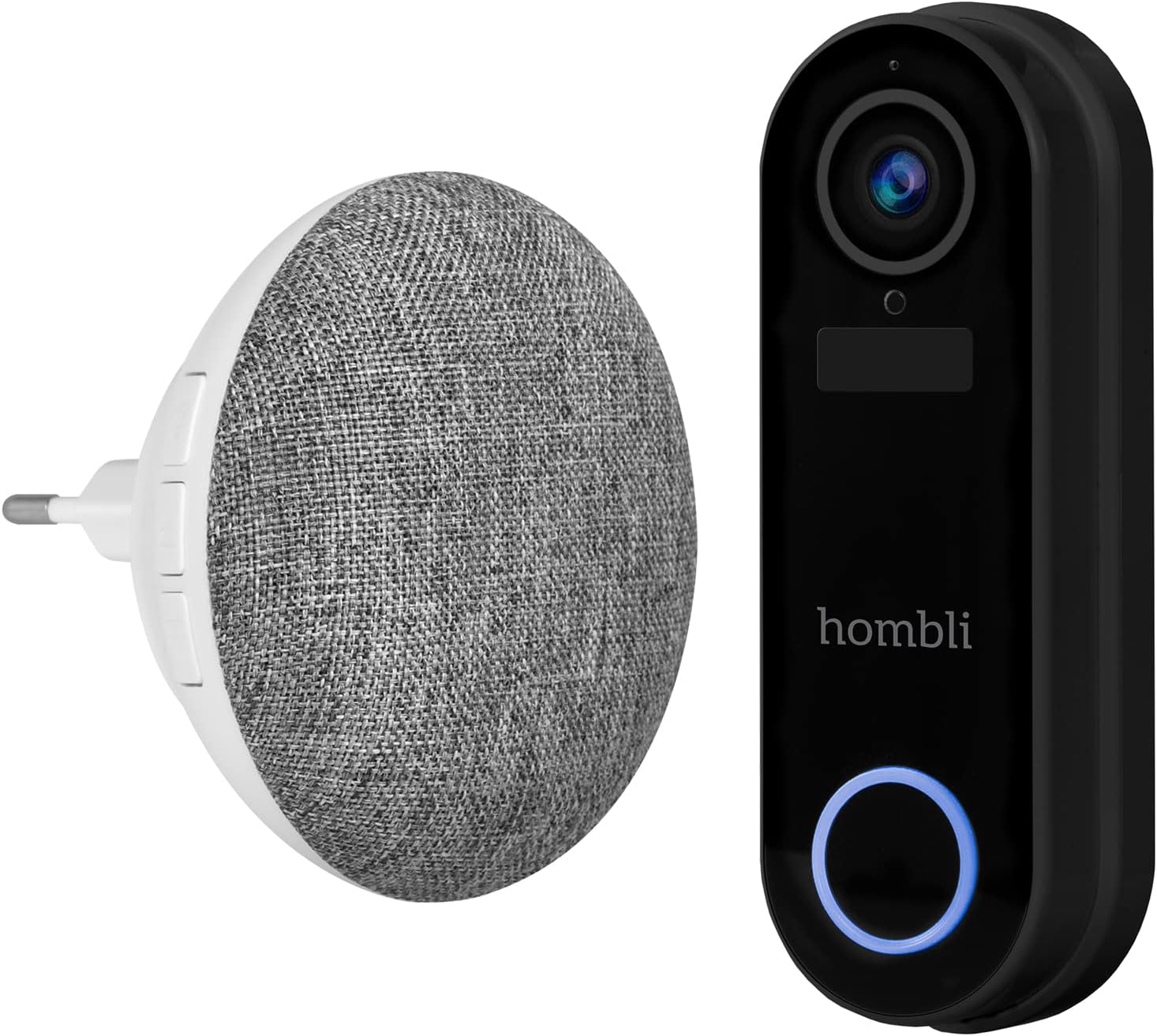
Image: The Hombli Smart Doorbell 2 and the Hombli Chime 2 displayed side-by-side.

Image: A visual representation of the Hombli Smart Doorbell 2 with icons and text highlighting its key features.
- Camera: 140 ° largu angolo view, Full HD 1080p resolution at 15 frames per second.
- Rilevazione di muvimentu: Vi avvisa di l'attività à a vostra porta.
- Batteria integrata: 5000mAh capacity for wireless operation.
- Opzioni di almacenamiento: Supports optional cloud storage and a Micro SD card slot (up to 128GB).
- Audio bidirezionale: Speak and listen to visitors remotely.
- Visione notturna infrarossa: Clear visibility in low-light conditions.
- Impermeabile: IP65 rating ensures protection against dust and water splashes.
- GDPR Compliant: Designed with data privacy in mind.
4.2 Hombli Chime 2
The Hombli Chime 2 is a wireless indoor chime that pairs with your Smart Doorbell 2 to provide an audible alert when the doorbell is pressed. It plugs directly into a standard wall outlet.
5. Setup
5.1 Caricamentu di u campanile
Before installation, fully charge the Hombli Smart Doorbell 2 using the provided USB cable. Connect the USB cable to the doorbell's charging port and a standard USB power adapter (not included). The indicator light will show charging status.
5.2 Installing the Hombli Smart Doorbell 2
The doorbell can be installed wirelessly using adhesive pads or permanently mounted with screws. For wired installation, connect to existing doorbell wiring (5V AC).

Image: The Hombli Smart Doorbell 2 securely mounted on an exterior wall next to a door frame.
- Sceglie u locu: Sceglite un locu adattatu vicinu à a vostra porta d'entrata, assicurendu una vista chjara. view è un bon signale Wi-Fi.
- Muntamentu:
- Adesivo: Clean the surface, apply the adhesive pads to the back of the mounting bracket, and firmly press the bracket onto the desired location.
- Viti: Use the mounting bracket as a template to mark drill holes. Drill holes, insert wall anchors if necessary, and secure the bracket with screws.
- Wired (Optional): If connecting to existing doorbell wiring, ensure power is off. Connect the doorbell's wiring harness to your existing doorbell wires (5V AC).
- Attaccà u campanile: Slide the Hombli Smart Doorbell 2 onto the mounted bracket until it clicks into place.
5.3 Installing the Hombli Chime 2

Image: The Hombli Chime 2 plugged into a standard electrical wall outlet, ready for use.
- Cunnettà si: Plug the Hombli Chime 2 into a standard electrical outlet in a central location within your home.
- Accoppiamentu: Follow the instructions in the Hombli app to pair the Chime 2 with your Smart Doorbell 2.
5.4 Hombli App Setup
The Hombli app is essential for controlling and managing your Smart Doorbell 2 and Chime 2.
- Scaricate l'App: Download the Hombli app from the App Store (iOS) or Google Play Store (Android).
- Crea un contu: Aprite l'app è creanu un novu contu o accede se avete digià unu.
- Aghjunghjite u dispositivu: Tap the '+' icon to add a new device. Select 'Smart Doorbell' from the list.
- Segui l'istruzzioni nantu à u screnu: The app will guide you through connecting the doorbell to your Wi-Fi network and pairing the chime. Ensure your Wi-Fi network is 2.4GHz.
6. Uperativu
Once set up, you can use your Hombli Smart Doorbell 2 and Chime 2 to monitor your entrance and communicate with visitors.

Image: A smartphone displaying the Hombli app interface for the Smart Doorbell 2, showing live video feed and control options like screenshot, speak, record, playback, cloud storage, and buzzer.
6.1 Doorbell Functions
- Live View: Open the Hombli app to view live video from your doorbell camera at any time.
- Audio bidirezionale: When a visitor presses the doorbell or motion is detected, you will receive a notification. Tap the notification to answer and speak to the visitor using the app's microphone and speaker functions.
- Rilevazione di muvimentu: The doorbell will send notifications to your phone when motion is detected. You can adjust sensitivity settings in the app.
- Registrazione: Video footage can be recorded manually or automatically upon motion detection/doorbell press. Recordings are stored on a Micro SD card (if inserted) or in optional cloud storage.
- Riproduzione: Access recorded events through the app's playback feature.
6.2 Chime Functions
- Alerta audible: When the doorbell button is pressed, the Chime 2 will sound an alert inside your home.
- Volume and Tone: Adjust the chime volume and select different melodies through the Hombli app.
7. Mantenimentu
- Carica di a batteria: The Smart Doorbell 2's battery life depends on usage. When the battery is low, you will receive a notification. Remove the doorbell from its bracket and charge it using the USB cable.
- Pulizia: Wipe the doorbell and chime with a soft, damp tela. Ùn aduprate micca chimichi duri o detergenti abrasivi.
- Actualizazioni di firmware: Periodically check the Hombli app for available firmware updates to ensure optimal performance and security. Follow the app's instructions for updating.
8. Risoluzione di prublemi
8.1 Problemi cumuni è Soluzioni
- U campanile ùn si cunnetta micca à u Wi-Fi:
- Assicuratevi chì a vostra rete Wi-Fi sia 2.4GHz.
- Check Wi-Fi signal strength at the doorbell's location.
- Riavviate u vostru router è u campanile.
- Ensure correct Wi-Fi password is entered in the app.
- Chime not sounding:
- Ensure the Chime 2 is plugged in and powered on.
- Verify that the Chime 2 is successfully paired with the doorbell in the Hombli app.
- Check the volume settings for the chime in the app.
- Qualità video povera:
- Check your Wi-Fi signal strength. A weak signal can affect video streaming.
- Assicuratevi chì l'obiettivo di a camera sia pulitu è senza ostaculi.
- A rilevazione di muvimentu ùn funziona micca:
- Adjust motion detection sensitivity in the Hombli app.
- Assicuratevi chì ùn ci sia nisuna ostaculazione fisica chì blocca u sensore. view.
- Doorbell battery draining quickly:
- Eventi di rilevazione di muvimentu frequenti o in diretta view access can consume battery faster. Adjust settings if needed.
- Ensure the doorbell is fully charged after each charging cycle.
9. Specificazioni
9.1 Hombli Smart Doorbell 2

Image: Detailed measurements of the Hombli Smart Doorbell 2, showing its height, width, and depth in centimeters.
| Numero di mudellu | HBDP-0100 |
| Dimensioni (L x W x H) | 7.28 x 3.94 x 6.81 inch (18.5 x 10 x 17.3 cm) |
| Pesu | 1.61 liri (0.73 kg) |
| Risoluzione Camera | Full HD 1080p |
| Campu di View | Wide Angle 140 ° |
| Capacità batterie | 5000 mAh |
| Resistenza à u clima | IP65 |
| Storage | Micro SD (up to 128GB), Cloud Storage (optional) |
| Connettività | Wi-Fi (2.4 GHz) |
9.2 Hombli Chime 2

Image: Detailed measurements of the Hombli Chime 2, showing its diameter and depth in centimeters.
| Dimensions (Diameter x Depth) | 9.3 cm x 8.5 cm (plug part 4.9 cm width) |
| Input di putenza | 5 Volts (AC) |
| Connettività | Wireless (paired with Doorbell 2) |
10. Garanzia è Support
Hombli products come with a standard manufacturer's warranty. For specific warranty terms and conditions, please refer to the warranty card included with your product or visit the official Hombli website. If you encounter any issues or require technical assistance, please contact Hombli customer support through their website or the Hombli app.


