1. Introduzione
The Hikvision DS-KIS604-S IP Video Intercom System is a comprehensive solution designed for secure and convenient communication in villas and residential homes. This system allows for one-button communication, providing clear video and audio interaction with visitors. This manual provides essential information for the proper installation, operation, and maintenance of your intercom system.
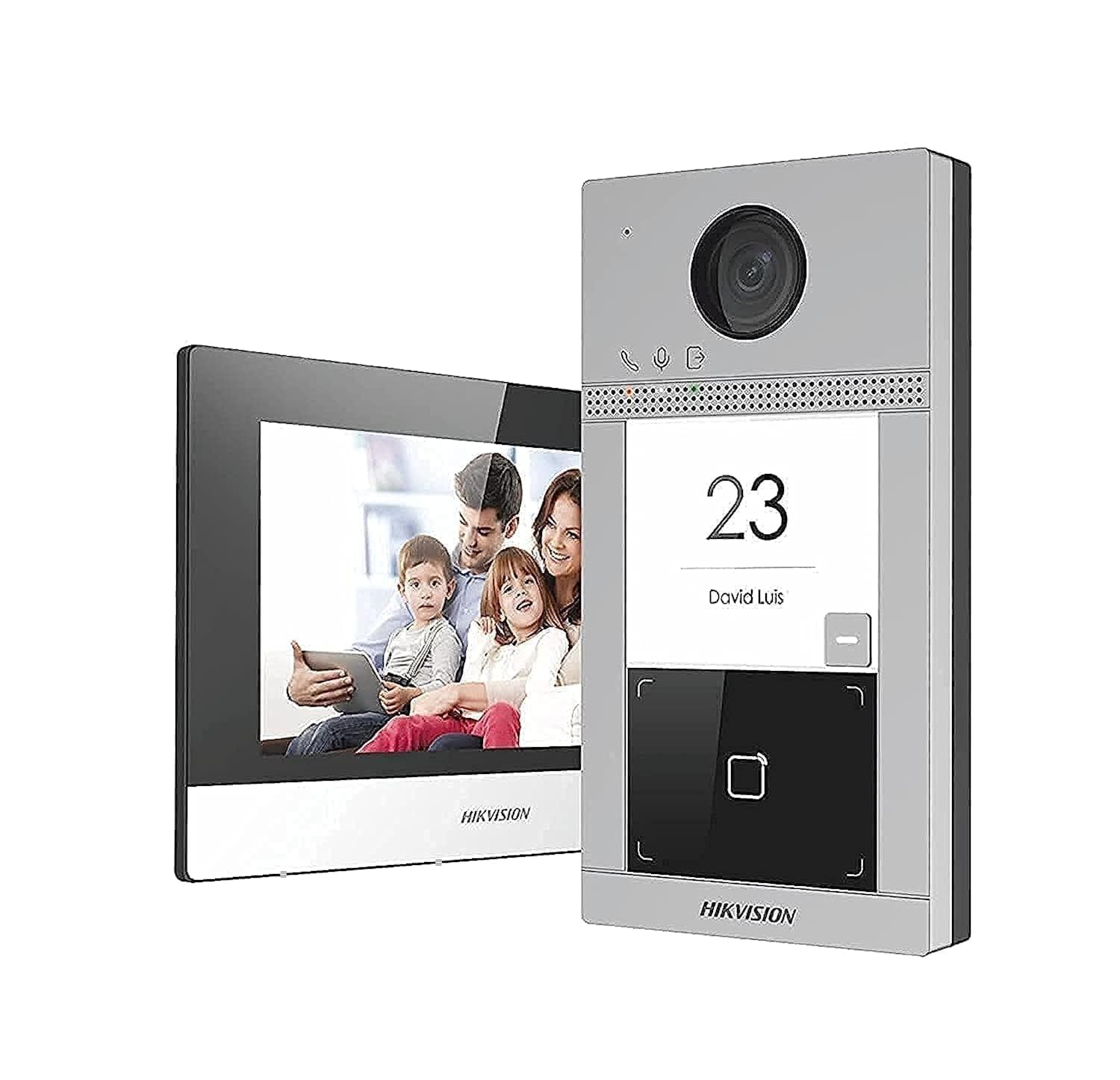
Image 1.1: Overview of the Hikvision DS-KIS604-S IP Video Intercom System components, including the outdoor station, indoor station, and power supplies.
2. Informazioni di sicurezza
Leghjite attentamente queste istruzioni di sicurezza prima di utilizà u pruduttu per prevene ferite o danni à a pruprietà.
- Installazione: All installation work must be carried out by qualified personnel and comply with local electrical codes.
- Fonte di energia: Use only the specified power adapters. Incorrect power sources can cause fire, electric shock, or damage.
- Ambiente: Do not expose the device to water, moisture, extreme temperatures, or direct sunlight. Ensure proper ventilation.
- Pulizia: Scollegate l'alimentazione prima di pulisce. Aduprate un pannu dolce è asciuttu. Ùn aduprate micca detergenti liquidi o aerosol.
- Disunzione: Ùn pruvate micca di smuntà o mudificà u dispusitivu. Cunfidate tutta a manutenzione à persunale qualificatu.
3. Cuntenutu di u pacchettu
Verificate chì tutti l'articuli sò presenti in u pacchettu:
- 1 x DS-KV8113-WME1 Outdoor Station
- 1 x DS-KH6320-WTE1 Indoor Station
- 2 x Power Supply Units (PSU)
- 1 x carta TF da 16 GB
- 1 x POE Switch
- Accessori di muntatura (viti, tasselli)
- Guida Quick Start
4. Setup è Installazione
4.1. Preparazione di u situ
- Choose appropriate locations for the outdoor station (near the entrance) and indoor station (convenient indoor location).
- Ensure stable Wi-Fi signal or wired Ethernet access at both locations.
- Prepare necessary tools: drill, screwdriver, network cables, etc.
4.2. Outdoor Station Installation (DS-KV8113-WME1)
- Mount the back box or bracket to the wall at the desired height using screws.
- Connect the network cable (from the POE switch) and power cable (if not using PoE) to the outdoor station.
- Secure the outdoor station to the mounted bracket.
- Ensure the camera lens is clear and unobstructed.
4.3. Indoor Station Installation (DS-KH6320-WTE1)
- Mount the indoor station bracket to an indoor wall.
- Connect the network cable (from the POE switch) and power cable (from one of the PSUs) to the indoor station.
- Attach the indoor station to its bracket.
4.4. POE Switch and Power Supply Setup
- Connect the POE switch to your main network router.
- Connect the outdoor station and indoor station to the POE switch using Ethernet cables. The POE switch will provide power to these devices.
- Connect the remaining PSU to the indoor station if not using PoE for the indoor unit, or as a backup.
- Insert the 16GB TF card into the designated slot on the indoor station for local storage.
5. Operating Instructions
5.1. Accensione iniziale è cunfigurazione
- Accende tutti i dispositi cunnessi.
- The indoor station will boot up. Follow the on-screen prompts to set up language, date, time, and network settings (Wi-Fi or wired).
- Pair the outdoor station with the indoor station through the indoor station's menu. Refer to the Quick Start Guide for specific pairing steps.
- Download the Hik-Connect app on your smartphone for remote access and notifications.
5.2. Risponde à una chjama
- When a visitor presses the call button on the outdoor station, the indoor station will ring, and a notification will appear on your Hik-Connect app.
- On the indoor station, tap the "Answer" button to establish two-way audio and video communication.
- From the Hik-Connect app, tap the notification to view the live feed and communicate.
5.3. Sbloccare a Porta
If connected to an electronic lock (sold separately), you can unlock the door from the indoor station or the Hik-Connect app during a call.
- During an active call, tap the "Unlock" icon on the indoor station screen or in the Hik-Connect app.
- Confirm the unlock action if prompted.
5.4. Surviglianza
Poi view the live feed from the outdoor station at any time:
- On the indoor station, select the "Monitor" option to view the outdoor camera feed.
- In the Hik-Connect app, select the outdoor station from your device list to view u live feed.
6. Mantenimentu
- Pulizia: Regularly wipe the outdoor station's camera lens and microphone/speaker area with a soft, damp cloth to ensure clear video and audio. Clean the indoor station screen with a microfiber cloth.
- Actualizazioni di firmware: Check for and install firmware updates periodically through the indoor station settings or Hik-Connect app to ensure optimal performance and security.
- Carta TF: The 16GB TF card provides local storage for recordings. Periodically review and manage recordings. Replace the card if it becomes corrupted or full.
- Alimentazione elettrica: Ensure power cables are securely connected and not damaged.
7. Risoluzione di prublemi
| Prublemu | Causa Possibile | Soluzione |
|---|---|---|
| Nisuna putenza à u dispusitivu | Power cable disconnected; faulty PSU; no PoE from switch. | Check all power connections. Ensure PSU is working. Verify PoE switch is powered and functioning. |
| Nisun video/audio durante a chjama | Network connection issue; camera/microphone fault; device not paired correctly. | Check network cables/Wi-Fi connection. Re-pair devices. Contact support if hardware fault suspected. |
| Cannot unlock door | Electronic lock not connected; incorrect wiring; lock malfunction. | Verify lock wiring and connection to the outdoor station. Test the electronic lock independently. |
| Indoor station offline in app | No internet connection; app not configured correctly; device not registered. | Check home internet connection. Ensure indoor station is connected to Wi-Fi/Ethernet. Re-add device to Hik-Connect app. |
8. Specificazioni
| Feature | Detail |
|---|---|
| Marca | Hikvision |
| Numero di mudellu | DS-KIS604-S |
| Tecnulugia di cunnessione | Ethernet |
| Risoluzione Video Capture | 1080 p |
| Funzioni spiciali | Smooth Function (presumably for video/audio) |
| Numero di canali | 2 |
| Capacità di almacenamiento di memoria | 16 GB (TF Card) |
| Culore | Argentu |
| Fonte d'energia | Battery Powered (likely refers to internal backup or general power type, but PSUs are included) |
| Sistema upirativu | Linux |
| Dispositivi compatibles | Smartphones |
| Tipu di muntatura | Screw-in |
| Pesu di l'articulu | 1.94 chilògrammi |
| Dimensioni di u pacchettu | 38.4 x 24.6 x 17.2 cm |
9. Garanzia è Support
For warranty information and technical support, please refer to the warranty card included in your package or visit the official Hikvision websitu. Mantene a vostra ricevuta di compra per i rivendicazioni di garanzia.
Informazioni di cuntattu:
- Websitu: www.hikvision.com
- Serviziu à i clienti: Refer to your regional Hikvision support contact details.