Introduzione
This manual provides detailed instructions for the installation, operation, and maintenance of your MYPIN Solar Wireless PTZ Security Camera. Please read this manual thoroughly before using the product to ensure proper function and safety. Keep this manual for future reference.
Product Overview
Ciò chì hè inclusu
- MYPIN PTZ Security Camera
- Panel Solar
- Rechargeable Lithium-ion Battery (pre-installed or included separately)
- Staffa di muntatura è viti
- Cavu di carica USB
- Manuale d'usu
Funzioni chjave
- Video Full HD 1080p: Fornisce un video chjaru è dettagliatutage.
- Visione notturna di culore: Equipped with infrared LEDs and white light for clear night vision, including full-color options.
- Solar Powered & Rechargeable Battery: Continuous power supply through the solar panel, with a built-in rechargeable battery for uninterrupted operation.
- AI Smart Recognition & PIR Motion Detection: Advanced AI technology distinguishes between humans, pets, and vehicles, reducing false alarms.
- Audio bidirezionale: Built-in speaker and anti-noise microphone allow for real-time two-way communication.
- Funziunalità PTZ: Pan 335°, Tilt 90°, and 4x digital zoom for flexible viewl'anguli.
- IP65 Resistente à l'intemperie: Designed to withstand various weather conditions, suitable for outdoor use.
- Connettività Wireless: Supports 2.4 GHz Wi-Fi for easy installation (5 GHz Wi-Fi not supported).
- Opzioni di almacenamentu multiple: Supports cloud storage (7-day free playback, max 1GB) and local storage via Micro SD card (up to 128GB, not included).
- Integrazione Smart Home: Compatibile cù Amazon Alexa per u cuntrollu vocale è in diretta view.

Image: MYPIN Solar Wireless PTZ Security Camera with its solar panel.
Istituisci
1. Carica iniziale
Before first use, fully charge the camera's built-in battery using the provided USB cable and a 5V/2A power adapter (not included). A full charge ensures optimal performance, especially during initial setup and periods of low sunlight.
2. Installazione di l'applicazione è creazione di u contu
- Scaricate u VicuHome l'app da l'app store di u vostru smartphone (iOS o Android).
- Aprite l'app è seguitate l'istruzzioni nantu à u screnu per creà un novu contu o cunnettassi se ne avete digià unu.
3. Camera Pairing with App
- Assicuratevi chì a vostra camera sia accesa.
- In the VicoHome app, tap the "+" icon to add a new device.
- Selezziunate u mudellu di a vostra camera da a lista.
- Follow the app's instructions to connect the camera to your 2.4 GHz Wi-Fi network. You may need to scan a QR code displayed on your phone with the camera lens.
- Una volta cunnessa, date un nome à a vostra camera è cumpletate u prucessu di cunfigurazione.
4. Solar Panel and Camera Mounting
The camera and solar panel can be installed in two ways: integrated or separated. Choose a location that provides optimal sunlight exposure for the solar panel and a clear view per a camera.
- Posizionamentu di u Pannellu Solare: Mount the solar panel in a location that receives direct sunlight for several hours daily. Ensure the cable can reach the camera.
- Piazzamentu Camera: Use the provided mounting bracket and screws to securely attach the camera to a wall or other stable surface. Adjust the camera angle for optimal surveillance coverage.

Image: Illustration of two installation methods for the solar panel and camera, showing both integrated and separate mounting options.
Istruzzioni di funziunamentu
1. Populu Corsu View è Riproduzione
- Open the VicoHome app and select your camera to view u live feed.
- Accessu arregistratu footage through the playback feature in the app.
2. Control PTZ
In u live view interface, use the on-screen controls to pan (335° horizontally) and tilt (90° vertically) the camera lens. You can also use the digital zoom feature to get a closer look.
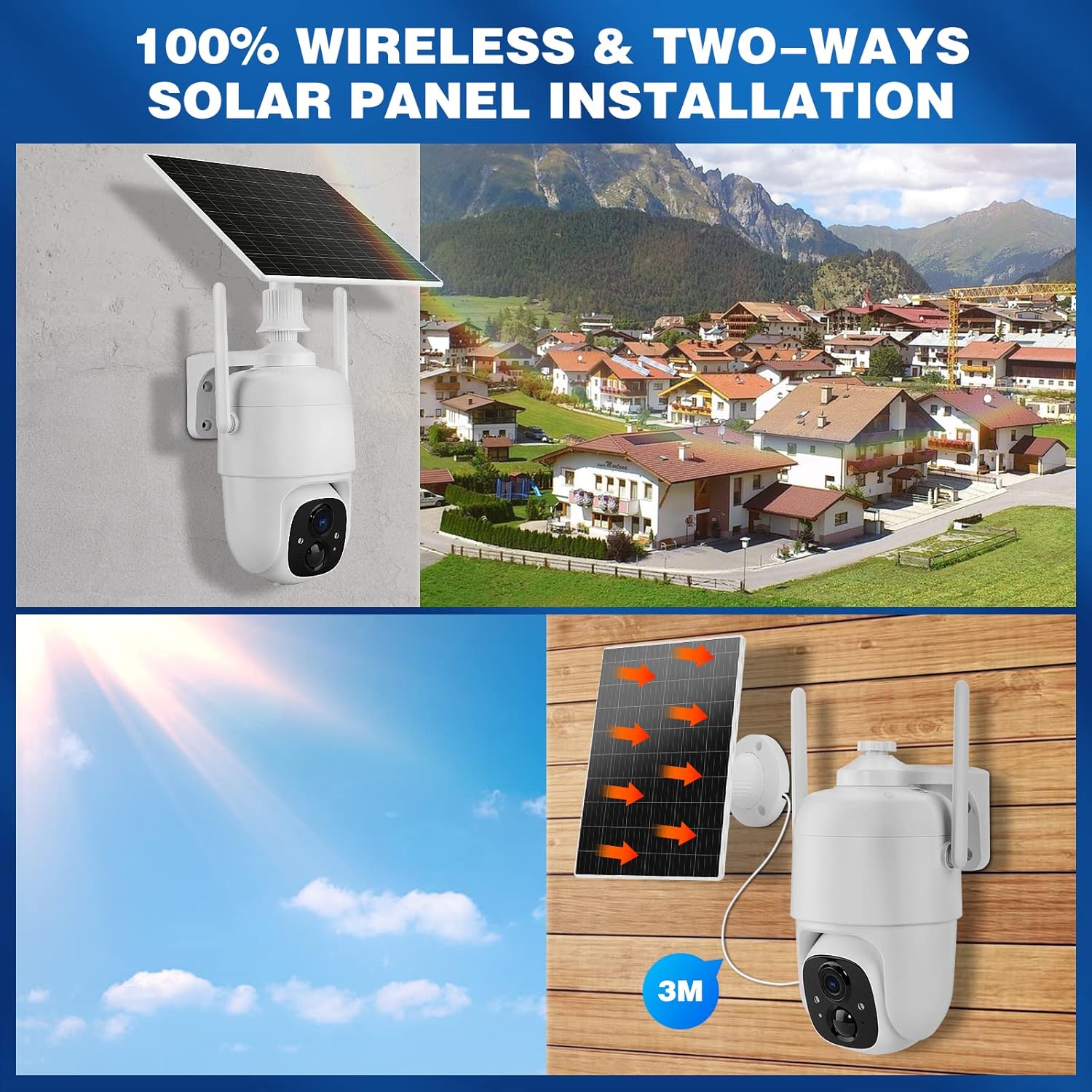
Image: Demonstrates controlling the camera's pan and tilt functions using a smartphone app.
3. Audio bidirezionale
Toccate l'icona di u microfonu in u live di l'app view to speak through the camera's speaker. The camera's built-in microphone will capture audio from the camera's vicinity, allowing for two-way communication.

Image: A person speaking through the camera to a delivery person, demonstrating the two-way audio feature.
4. Rilevazione di muvimentu è avvisi
- Configure motion detection sensitivity and activity zones within the VicoHome app.
- Enable AI Smart Recognition to differentiate between humans, pets, and vehicles for more accurate alerts.
- Ricevi notifiche istantanee nantu à u vostru smartphone quandu hè rilevatu un muvimentu.

Image: A person walking past a gate, triggering a PIR human detection alert on a smartphone.
5. Modi di Visione Notturna
The camera offers both infrared (IR) night vision and full-color night vision. You can switch between these modes in the app settings based on your preference and lighting conditions.

Imagine: Una spaccatura view showing the difference between color night vision and standard IR night vision at night.
6. Opzioni di Storage
- Storage Cloud: The camera offers 7 days of free cloud playback (up to 1GB). Additional cloud plans may be available through the app.
- Carta Micro SD: Insert a Micro SD card (up to 128GB, not included) into the designated slot for local video storage.
7. Amazon Alexa Integration
To integrate with Amazon Alexa, enable the VicoHome skill in the Alexa app and link your VicoHome account. You can then use voice commands to view your camera's live feed on compatible Alexa-enabled devices.

Image: A MYPIN camera and an Amazon Echo Show displaying the camera's live feed, illustrating Alexa integration.
Mantenimentu
1. Pulizia
- Asciugate regularmente l'obiettivo di a camera è u pannellu solare cù un pannu dolce è densu.amp tela per caccià a polvera è i detriti.
- Ùn aduprate micca chimichi duri o detergenti abrasivi.
2. Cura di batterie
- Ensure the solar panel is free from obstructions to maximize charging efficiency.
- If the camera is stored for an extended period, charge the battery periodically to prevent deep discharge.
3. Firmware Updates
Check the VicoHome app regularly for firmware updates. Keeping your camera's firmware updated ensures optimal performance, security, and access to new features.
Risoluzione di prublemi
| Prublemu | Soluzione |
|---|---|
| Camera ùn hè micca cunnessu à u Wi-Fi | Ensure your Wi-Fi is 2.4 GHz. Check Wi-Fi signal strength. Restart your router and camera. Re-pair the camera in the app. |
| Qualità video povira | Check your Wi-Fi connection speed. Clean the camera lens. Ensure adequate lighting for optimal image capture. |
| A batteria ùn hè micca carica | Ensure the solar panel is clean and receives direct sunlight. Check the connection cable between the solar panel and camera. Charge directly via USB if necessary. |
| Falsi avvisi di muvimentu | Adjust motion detection sensitivity in the app. Utilize AI Smart Recognition to filter out non-human movements. Define specific activity zones. |
| L'audio bidirezionale ùn funziona micca | Check microphone and speaker settings in the app. Ensure your phone's volume is up. Verify network connection stability. |
Specificazioni
- Mudellu: HS 0366
- Risoluzione Video: Full HD 1080p
- Pan Angle: 335°
- Angle d'inclinaison: 90°
- Zoom digitale: 4x
- Visione notturna: Infrared and Color Night Vision
- Connettività Wireless: Wi-Fi 2.4 GHz (IEEE 802.11b/g/n)
- Fonte di energia: Solar Powered, Rechargeable Lithium-ion Battery (5 Watt-hours)
- Resistenza à u clima: IP65
- Température de fonctionnement : -10 °C à 45 °C (14 °F à 113 °F)
- Conservazione: Cloud Storage (up to 1GB free for 7 days), Micro SD Card (up to 128GB, not included)
- Audio: Two-Way Audio (built-in microphone and speaker)
- Rilevazione di muvimentu: PIR with AI Human/Pet/Vehicle Recognition
- Materiale: Metallu
- Dimensioni: Circa 20.2 x 19.7 x 13.9 cm
- Pesu: Circa 1.27 kg

Image: The MYPIN camera and solar panel installed outdoors during winter, highlighting its IP65 waterproof rating and operating temperature range.
Garanzia è Supportu
Per infurmazioni nantu à a garanzia è l'assistenza tecnica, vi pregu di riferisce à i dettagli di cuntattu furniti cù u vostru acquistu o visitate u MYPIN ufficiale. websitu. Conservate a vostra ricevuta d'acquistu cum'è prova d'acquistu per e richieste di garanzia.


