1. Introduzione
Welcome to the user manual for your Yamaha TW-ES5A True Wireless Sport Earbuds. These earbuds are designed to provide high-quality audio with features tailored for an active lifestyle, including advanced noise cancellation, ambient sound modes, and a waterproof design. Please read this manual thoroughly to ensure proper use and maintenance of your device.

2. Ciò chì hè in a scatula
Verificate chì tutti l'articuli seguenti sò inclusi in u vostru pacchettu:
- Auricolari TW-ES5A (sinistra è diritta)
- Casu di carica protettiva
- Cavu di carica USB AC
- 5 set di tappi per l'arechje (XS, S, M, L, XL)
- 4 set di pinne auricolari stabilizzatrici (XS, S, M, L)

3. Produttu Finituview
The Yamaha TW-ES5A earbuds are designed for comfort and performance. Familiarize yourself with the earbud and charging case components.
Disegnu di l'auriculare

Each earbud features a compact design with integrated controls and a stabilizer ear fin for a secure fit during physical activity. The earbuds are lightweight, weighing approximately 0.28 ounces each.
Casu di carica
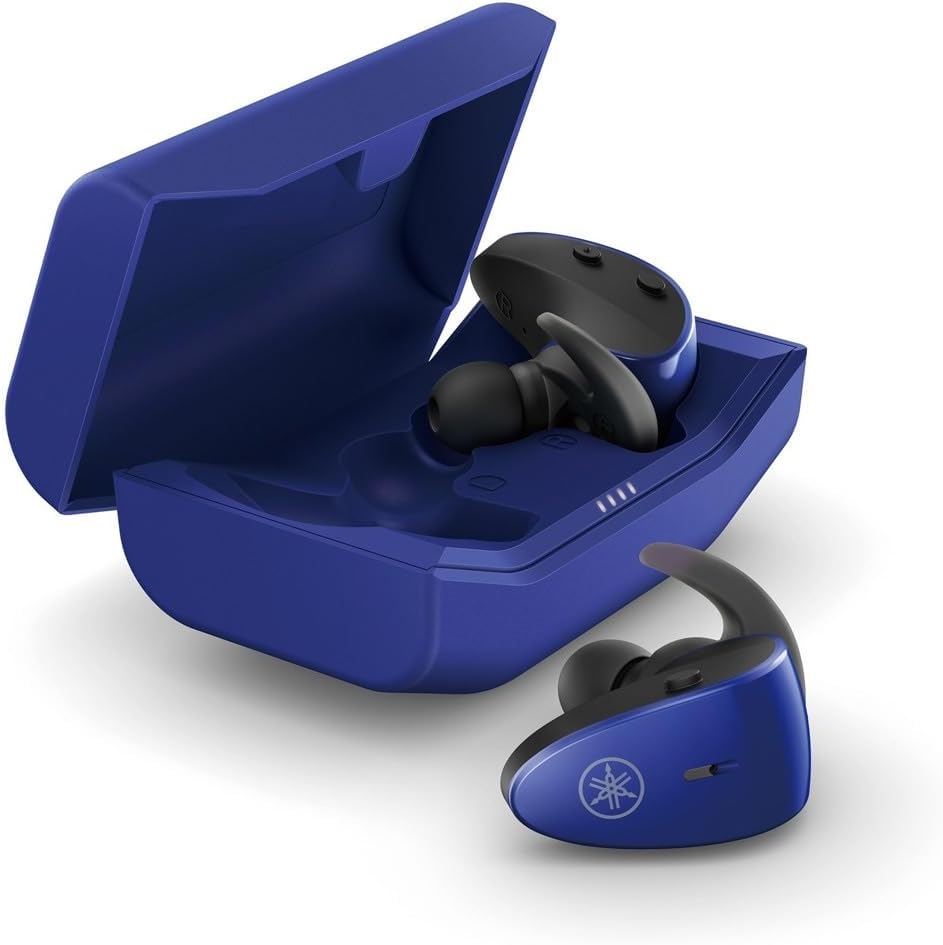
The protective charging case not only stores your earbuds but also recharges them, providing extended battery life. LED indicators on the case show the charging status.
Funzione impermeabile
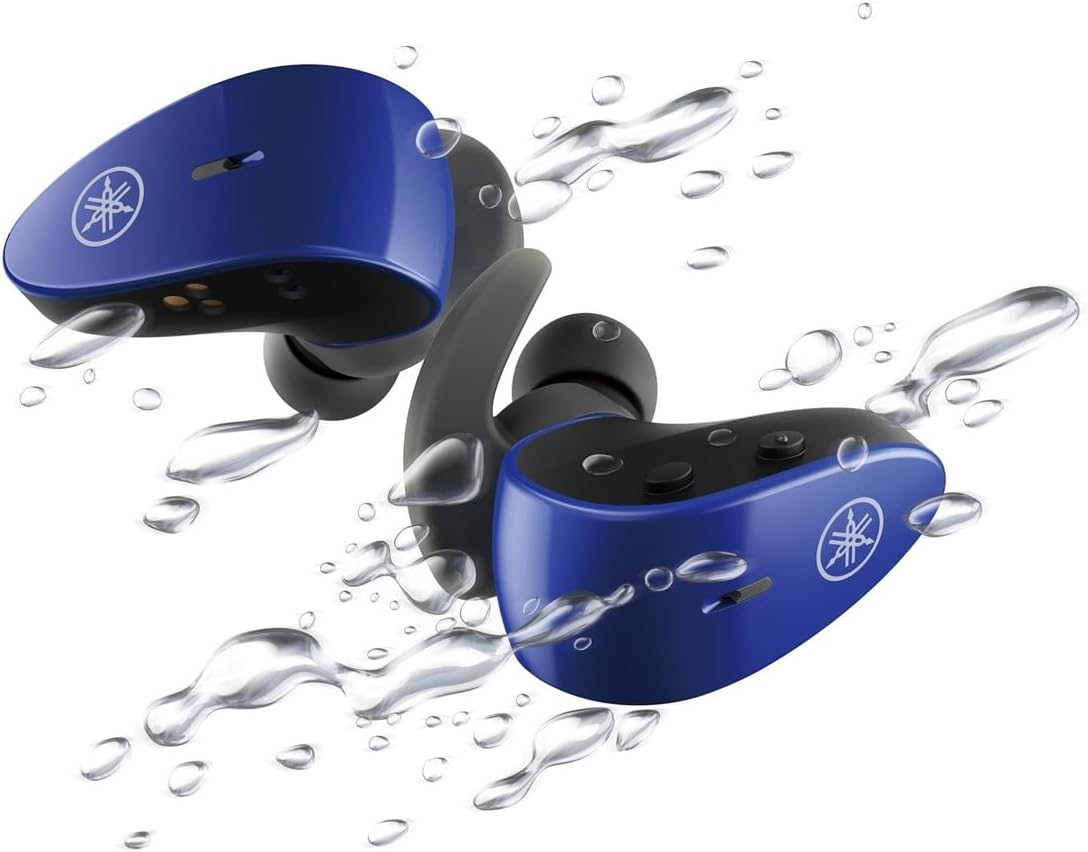
With an IPX7 waterproof rating, these earbuds are protected against immersion in water up to 1 meter for 30 minutes, making them ideal for workouts and outdoor activities.
Video ufficiale di u produttu
4. Setup
4.1 Caricamentu di l'auricolari è di a custodia
- Pone l'auricolari in a custodia di carica. Assicuratevi ch'elli sianu inseriti currettamente; l'indicatori LED nantu à l'auricolari s'illuminaranu per cunfirmà a carica.
- Connect the USB A-C charging cable to the charging case and then to a USB power source (e.g., computer, USB wall adapter).
- The charging case LEDs will indicate the charging status. A full charge provides up to 34 hours of total battery life (earbuds + case).
4.2 Selecting Eartips and Stabilizer Ear Fins
For optimal sound quality, comfort, and a secure fit, it is crucial to select the correct size of eartips and stabilizer ear fins.
- Orecchie: Experiment with the 5 provided sizes (XS, S, M, L, XL). The correct size should create a good seal in your ear canal, blocking out external noise and providing rich bass.
- Alette Stabilizzatrici per l'Auricolari: Choose from the 4 provided sizes (XS, S, M, L). The fin should fit snugly into the concha of your ear, preventing the earbud from falling out during movement.
4.3 Accoppiamentu Bluetooth
- Open the charging case. The earbuds will automatically enter pairing mode (LEDs will flash).
- Nant'à u vostru dispusitivu (smartphone, tableta, laptop), andate à i paràmetri Bluetooth è attivate Bluetooth.
- Cerca available devices and select "Yamaha TW-ES5A" from the list.
- Una volta cunnessi, i LED di l'auricolari smetteranu di lampeggià, è u vostru dispositivu cunfirmerà a cunnessione.
- Per un usu successivu, l'auricolari si cunnetteranu automaticamente à l'ultimu dispositivu accoppiatu quandu sò rimossi da a custodia.
5. Operating Instructions
The TW-ES5A earbuds feature touch controls for various functions.
5.1 Power On/Off
- Power On: Aprite u casu di carica, è l'auriculare si accende automaticamente.
- Spegnimentu: Rimettite l'auricolari in a custodia di carica è chjude u coperchio. Si spegneranu automaticamente.
5.2 Riproduzione musicale
- Play/Pause: Tap unicu nant'à ogni cuffie.
- Prussima pista: Doppiu toccu nantu à l'auriculare drittu.
- Pista Precedente: Doppiu toccu nantu à l'auriculare sinistro.
- Aument du volume : Toccate trè volte nantu à l'auriculare drittu.
- Volume Imbruglia: Toccate trè volte nantu à l'auriculare sinistro.
5.3 Gestione di e chjame
- Rispondi / Finisce a chjama: Tap unicu nant'à ogni cuffie.
- Reject Call: Mantene premutu l'auriculare per 2 seconde.
5.4 Modi di cuntrollu di u rumore
The TW-ES5A offers two noise control modes:
- Cancellazione attiva di rumore (ANC): Riduce u rumore ambientale per una sperienza d'ascolta immersiva.
- Sonu ambientale: Allows you to hear your surroundings while listening to audio, enhancing awareness.
Modalità di cambiamentu: Press and hold the touch control on the left earbud for 2 seconds to cycle between ANC, Ambient Sound, and Off modes.
5.5 Assistante vocale
Activate your device's voice assistant (Siri or Google Assistant) by pressing and holding the touch control on the right earbud for 2 seconds. This allows for hands-free control of your device.
6. Mantenimentu
6.1 Pulizia
- Regularly clean the earbuds, eartips, and charging contacts with a soft, dry, lint-free cloth.
- Remove eartips and wash them with mild soap and water if necessary. Ensure they are completely dry before reattaching.
- Ùn aduprate micca detergenti abrasivi o solventi.
6.2 Storage
- Conservate sempre l'auricolari in a so custodia di ricarica quandu ùn sò micca in usu per prutegeli è manteneli carichi.
- Conservate l'apparecchiu in un locu frescu è asciuttu, luntanu da temperature estreme è da a luce diretta di u sole.
7. Risoluzione di prublemi
If you encounter issues with your TW-ES5A earbuds, try the following solutions:
| Prublemu | Causa Possibile | Soluzione |
|---|---|---|
| Earbuds won't power on | Batteria bassa | Pone l'auricolari in a custodia di ricarica è caricali cumpletamente. |
| Ùn si pò micca accoppià cù u dispusitivu | Bluetooth off, earbuds not in pairing mode, or previously paired device interference | Ensure Bluetooth is on. Open case to enter pairing mode. Forget device on your phone and re-pair. Turn off Bluetooth on other nearby devices. |
| Nisun sonu o pocu volume | Volume too low, improper fit, or earbud obstruction | Increase volume on earbuds and device. Adjust eartips for a secure seal. Clean earbud mesh. |
| A qualità di a chjama hè scarsa | Microphone obstruction or environmental noise | Ensure microphone is clear. Try moving to a quieter environment. |
| L'auricolari si scolleganu spessu | Distance from device, interference, or low battery | Keep earbuds close to your device. Avoid strong electromagnetic interference. Charge earbuds fully. |
If the issue persists, please refer to the Warranty & Support section for further assistance.
8. Specificazioni
Key technical specifications for the Yamaha TW-ES5A True Wireless Sport Earbuds:
| Feature | Detail |
|---|---|
| Nome di mudellu | TW-ES5A |
| Tecnulugia di cunnessione | Bluetooth 5.2, Qualcomm aptX Adaptive TrueWireless Mirroring with Clear Voice |
| Livellu di resistenza à l'acqua | IPX7 (impermeable) |
| Controlu di u rumore | Active Noise Cancellation, Ambient Sound |
| A vita di a batteria | Up to 34 hours total (earbuds + charging case) |
| Pesu di l'articulu | 0.28 once (per auricolare) |
| Dimensioni di u produttu | 1.32 x 2.78 x 0.67 inch |
| Tipu di Driver Audio | Driver dinamicu |
| Codecs supportati | AptX Adaptive, AAC |
| Dispositivi compatibles | Android, Laptops, Mac Book, Tablets, iPhone |
| Funzioni spiciali | Android Phone Control, iOS Phone Control, Fast Charging, Microphone included, Sweatproof, Volume Control, Sports & Exercise, Lightweight, Wireless, Firm Secure Fit |
9. Garanzia è Supportu
Per infurmazioni dettagliate nantu à a garanzia, a registrazione di u produttu è l'assistenza tecnica, visitate u situ ufficiale Yamaha. websitu o cuntattate u so serviziu clienti. Cunservate a vostra prova d'acquistu per qualsiasi reclamu di garanzia.
Pudete ancu cunsiderà cumpràasing extended protection plans for your device. Details on available protection plans can often be found at the point of purchase or on the retailer's websitu.


