1. Introduzione
Welcome to the user manual for your boAt Airdopes 190 True Wireless Stereo (TWS) Earbuds. These earbuds are designed to provide a high-quality audio experience with features tailored for gaming and everyday use. This manual will guide you through the setup, operation, maintenance, and troubleshooting of your device.

Image: boAt Airdopes 190 TWS Earbuds in black and white, highlighting features such as Breathing LEDs, Quad Mics with ENx Technology, BEAST Mode for low latency, 40 hours total playback, and 10 minutes ASAP Charge for 180 minutes playtime.
2. Setup
2.1. Disimballaggio è cuntenutu di u pacchettu
À l'apertura di u pacchettu, assicuratevi chì tutti i cumpunenti sianu presenti:
- 1 x boAt Airdopes 190 TWS Earbuds
- 1 x Casu di carica
- 2 x Additional Earbuds (pairs of different sizes)
- 1 x Cavu di carica USB Type-C
- 1 x Manuale d'usu (stu documentu)
2.2. Carica iniziale
Before first use, fully charge the earbuds and the charging case. Connect the provided USB Type-C cable to the charging port on the case and to a power source. The LEDs on the case will indicate charging status.
- Caricamentu ASAP: A 10-minute charge provides up to 180 minutes of playtime.
- Full charging time for the case is approximately 120 minutes.

Image: The boAt Airdopes 190 charging case open with earbuds, illustrating the 40 hours total playback time (10 hours per charge + 30 hours from case) and the ASAP Charge feature, providing 180 minutes of playback from a 10-minute charge.
2.3. Pairing cù un dispusitivu
- Instant Connect (IWP™ Tech): Aprite a tapa di u casu di carica. L'auriculare si accende automaticamente è entre in u modu di accoppiamentu.
- Nant'à u vostru apparechju (smartphone, tableta, laptop), attivate Bluetooth.
- Cerca available Bluetooth devices and select "Airdopes 190" from the list.
- Once connected, you will hear an audio prompt, and the earbud LEDs will indicate a successful connection.
- The earbuds utilize Bluetooth v5.3 for a stable and seamless connection.
3. Operazione
3.1. Touch Controls
The Airdopes 190 features intuitive touch controls on each earbud for managing playback, calls, and voice assistant activation.
| Funzione | Azzione |
|---|---|
| Play / Pausa | Tap unicu nant'à ogni cuffie |
| Next Track | Doppiu toccu nantu à l'auriculare drittu |
| Pista Precedente | Doppiu toccu nantu à l'auriculare sinistro |
| Rispondi / Fine Call | Tap unicu nant'à ogni cuffie |
| Reject Call | Premete longu nantu à l'auriculare |
| Attivà l'Assistente Vocale | Toccate trè volte nantu à unu di i dui auriculari |
| Toggle BEAST Mode | Long press on the right earbud (specific gesture may vary, refer to quick start guide) |

Image: A visual representation of key features including IPX4 splash and sweat resistance, easy touch controls on the earbuds, a Type-C charging interface, and one-touch access to voice assistants like Google Assistant and Siri.
3.2. BEAST Mode (Low Latency)
For an enhanced gaming and entertainment experience, activate BEAST Mode. This mode reduces audio latency to 50ms, ensuring synchronized audio and visuals during fast-paced activities. Refer to the touch control table for activation.
3.3. ENx™ Technology (Quad Mics)
The Airdopes 190 features quad microphones with ENx™ Technology. This technology helps to cancel out unwanted background noise during calls, ensuring your voice is heard clearly by the recipient.
3.4. Breathing LEDs
The earbuds and charging case are equipped with breathing LEDs that provide visual feedback and add to the aesthetic, especially during gaming sessions. These lights typically activate for a few seconds when the case is opened or closed.

Image: The boAt Airdopes 190 charging case and earbuds, showcasing the "Fancy Breathing LED Lights" which illuminate in blue, designed to enhance the gaming experience.
3.5. boAt Signature Sound
Experience immersive audio with the boAt Signature Sound, delivered by powerful 10mm audio drivers within the earbuds.
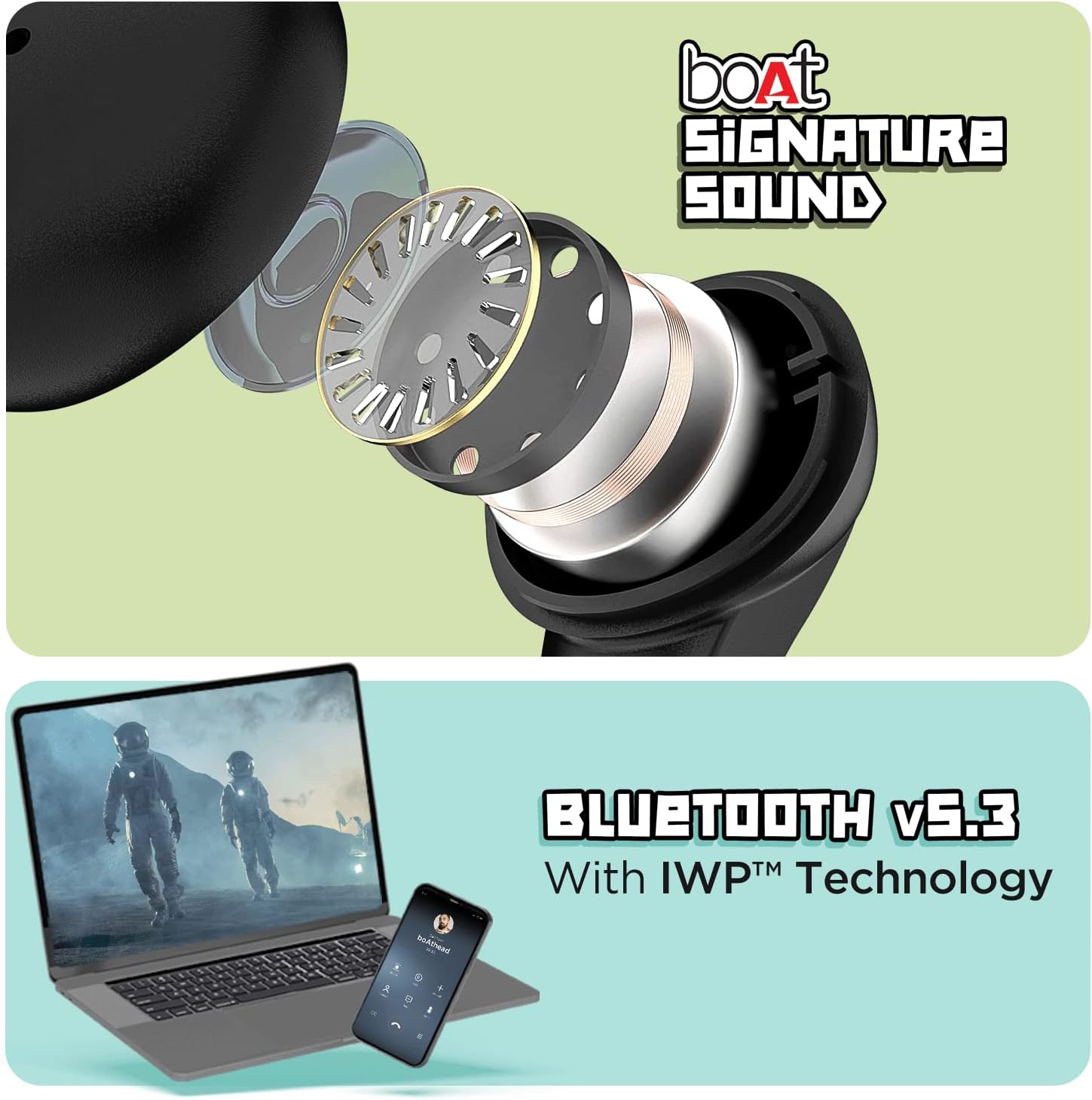
Image: The top section displays an exploded view of an earbud, illustrating the internal components responsible for delivering boAt Signature Sound. The bottom section shows a laptop and a mobile phone, symbolizing the seamless connectivity provided by Bluetooth v5.3 with IWP™ Technology.
4. Mantenimentu
4.1. Pulizia
- Asciugate delicatamente l'auricolari è a custodia di ricarica cù un pannu morbidu, asciuttu è senza pelu.
- Ùn aduprate micca sustanzi chimichi duri, solventi di pulizia o detergenti forti.
- Eliminate i tappi di l'arechje è puliteli separatamente cù acqua se necessariu, assicurendu chì sianu cumpletamente asciutti prima di riattaccalli.
4.2. Storage
Quandu ùn sò micca in usu, conservate l'auricolari in a so custodia di ricarica per prutegeli da a polvere, i danni è per manteneli carichi.
4.3. Resistenza à l'acqua
The Airdopes 190 earbuds are marked with an Classificazione di resistenza à l'acqua IPX4. This means they are resistant to splashes and sweat, making them suitable for workouts and light rain. They are not designed for submersion in water or exposure to pressurized water jets.
5. Risoluzione di prublemi
5.1. Auricolari chì ùn si accoppianu micca
- Assicuratevi chì l'auriculare sò caricate.
- Rimettite i dui auricolari in a custodia di carica, chjude u coperchio, aspettate uni pochi di secondi, poi aprite di novu u coperchio per riiniziare a modalità di accoppiamentu.
- Attivate è disattivate u Bluetooth nant'à u vostru dispusitivu.
- Forget "Airdopes 190" from your device's Bluetooth list and try pairing again.
5.2. Nisun sonu o vulume bassu
- Verificate u livellu di vulume sia nant'à u vostru dispusitivu sia nant'à l'auricolari.
- Assicuratevi chì l'auricolari sianu bè attaccati à l'arechje.
- Pulite ogni detritu da i beccucci di l'auricolari è da i puntali.
- Ricollegate l'auriculare à u vostru dispositivu.
5.3. Prublemi di carica
- Verificate chì u cavu di carica sia cunnessu currettamente à a custodia è à a fonte di alimentazione.
- Pruvate un altru cavu USB Type-C è un altru adattatore di alimentazione.
- Assicuratevi chì i cuntatti di carica nantu à l'auricolari è in l'internu di a custodia sianu puliti è senza ostruzioni.
6. Specificazioni
| Feature | Detail |
|---|---|
| Nome di mudellu | Airdopes 190 |
| Tecnulugia di cunnessione | Senza filu (Bluetooth v5.3) |
| Latenza bassa | 50ms (BEAST Mode) |
| Tempu tutale di ghjocu | Finu à 40 ore |
| Playtime Per Earbud | Finu à 10 ore |
| Carica ASAP | 10 mins charge = 180 mins playtime |
| Microfoni | Quad Mics with ENx™ Technology |
| Drivers | 10mm Audio Drivers |
| Resistenza à l'acqua | IPX4 (Splash & Sweat Resistant) |
| Metudu di cuntrollu | Toccu, Voce |
| Interfaccia di carica | USB Type-C |
| Pesu di l'articulu | 42 grammi |
| Dimensioni di u produttu | 7 x 5 x 2 cm |
| Materiale | Plastica |
| U fabricatore | Imagine Marketing Ltd |
| Paese d'origine | China or India |
7. Garanzia è Supportu
For warranty information, technical support, or service inquiries, please refer to the official boAt websitu o cuntattate u so serviziu clienti. Cunservate a vostra ricevuta d'acquistu cum'è prova d'acquistu per e richieste di garanzia.


