1. Introduzione è Overview
The Humanscale eFloat Go is an electric height-adjustable desk designed for both home and commercial office environments. It features innovative anti-collision technology, quiet motors, and a programmable hand switch, allowing users to seamlessly adjust their working position throughout the day.
E caratteristiche chjave includenu:
- Electric Height-Adjustable Table for dynamic work postures.
- Programmable hand switch to store and recall preferred height settings.
- Spacious 30" Depth by 60" Width top (for this specific model).
- Cuncepitu per una stallazione rapida è faciule.
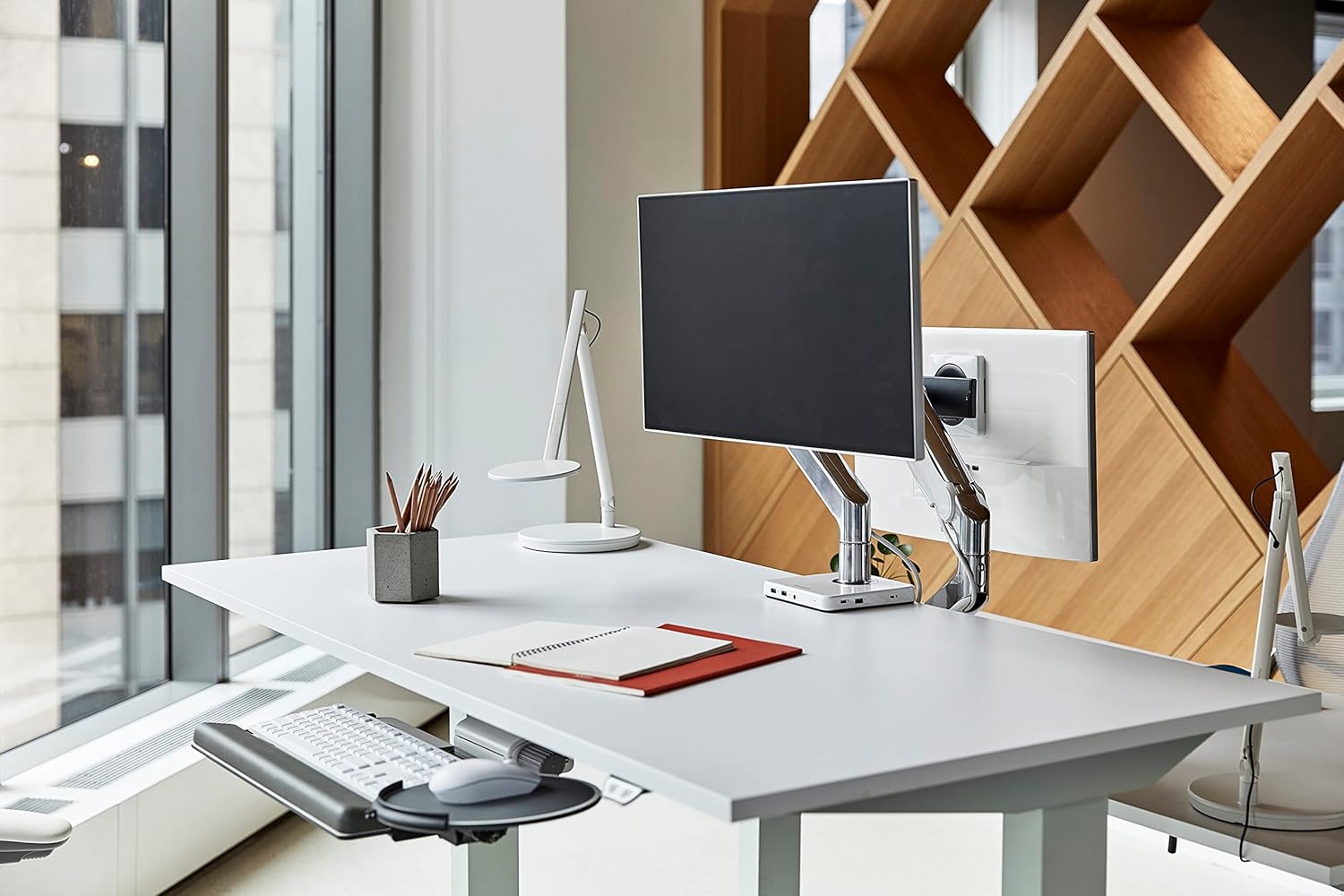
Image 1.1: The Humanscale eFloat Go desk in a modern office environment, showcasing its design and functionality with a monitor and accessories.
2. Informazioni di sicurezza
Please read and understand all safety instructions before operating the eFloat Go desk. Failure to follow these instructions may result in injury or damage to the product.
- Always keep hands and objects clear of all moving parts during height adjustments.
- Ùn superate micca a raccomandazione di pesu massimu di 250 liri (113 kg) on the desk surface to ensure stability and safe operation.
- Ensure the power cord is properly routed to prevent tripping hazards or damage.
- Ùn lasciate micca i zitelli aduprà u scrivania senza a supervisione di un adultu.
- Evitate di mette liquidi direttamente nantu à a superficia di u scrivania senza sottobicchieri o prutezzione adatti.
3. Setup è Assemblea
The Humanscale eFloat Go desk is designed for straightforward assembly, typically taking under 5 minutes with the recommended tools. Assembly requires at least one person.
3.1 Strumenti necessarii
- cacciavite (micca inclusu)
3.2 Passi di Assemblea
- Unpack Components: Carefully remove all parts from the packaging and lay them out on a clean, soft surface to prevent scratches. Verify all components are present according to the packing list.
- Attach Legs to Top: Position the desk top upside down. Align the desk legs with the pre-drilled holes on the underside of the desk top. Secure the legs using the provided screws and a screwdriver.
- Connect Control Box and Hand Switch: Locate the control box and connect the motor cables from each leg. Connect the hand switch cable to the designated port on the control box.
- Cavi di rotta: Use the included cable management clips to neatly route all cables, ensuring they do not interfere with the desk's movement.
- Connect Power: Plug the power cord into the control box, then into a standard electrical outlet.
- Initial Power-On and Reset: After connecting power, the desk may require an initial reset. Refer to Section 4.1 for first-time use and reset procedures.

Image 3.1: Dimensional diagram of the eFloat Go desk, illustrating its 29" depth, 58" width, and 26.5" height.
4. Operating Instructions
The eFloat Go desk features an intuitive programmable hand switch for easy height adjustment and memory settings.
4.1 First-Time Use and Reset
Upon initial power-on or after a power interruption, the desk may need to be reset:
- Appughjà è tene premutu GIÙ arrow button until the desk reaches its lowest position and then slightly rises. Release the button.
- The desk is now calibrated and ready for use.
4.2 Aghjustà l'altezza di u scrivania
- To raise the desk, press and hold the UP buttone freccia.
- To lower the desk, press and hold the GIÙ buttone freccia.
- Rilasciate u buttone à l'altezza desiderata.
4.3 Programmazione di e preimpostazioni di memoria
The hand switch allows you to save up to three preferred height settings:
- Adjust the desk to your desired height using the UP/DOWN arrow buttons.
- Press u M (Memory) button. The display will show 'S-'.
- In 3 secondi, appughjà unu di i buttoni preselezionati numerati (1, 2, o 3). U display mostrerà 'S-1', 'S-2', o 'S-3' per cunfirmà chì l'impostazione hè stata salvata.
- Repeat for other desired height settings.
4.4 Usendu i Preset di Memoria
Per spustà u scrivanu à una altezza salvata:
- Basta à appughjà u buttone preset numeratu currispundente (1, 2, o 3). U scrivanu si moverà automaticamente à l'altezza salvata.
4.5 Anti-Collision Technology
The eFloat Go desk is equipped with anti-collision technology. If the desk encounters an obstruction during height adjustment, it will automatically stop and reverse slightly to prevent damage. Clear any obstructions before resuming adjustment.

Imagine 4.1: Un primu pianu view of the programmable hand switch, showing the up/down arrows, memory button (M), and three preset buttons (1, 2, 3).
5. Mantenimentu
Proper care will ensure the longevity and optimal performance of your Humanscale eFloat Go desk.
- Pulizia: Wipe the desk surface and frame with a dry, soft cloth. For stubborn marks, a slightly damp cloth with mild soap can be used, followed by drying thoroughly. Avoid abrasive cleaners or harsh chemicals.
- Cundizioni Ambientali: Avoid direct sunlight exposure for extended periods, as this may affect the laminate finish.
- Distribuzione di pesu: Do not place heavy objects exclusively on the edges of the desk. Distribute weight evenly across the surface.
- Gestione di Cable: Periodically check that all cables are securely routed and not pinched or damaged.
6. Risoluzione di prublemi
If you encounter issues with your eFloat Go desk, refer to the following common troubleshooting steps:
6.1 Desk Not Moving
- Verificate u putere: Ensure the power cord is securely plugged into both the desk's control box and a functioning wall outlet.
- Procedura di reset: Perform the reset procedure described in Section 4.1.
- Prutezzione di sovraccarichi: If the desk has been overloaded (exceeding 250 lbs), the motor may have temporarily shut off. Remove excess weight and wait a few minutes before attempting to operate again.
6.2 Uneven Movement or Noise
- Verificate l'ostruzzioni: Ensure there are no objects impeding the legs or frame during movement.
- Superficie di livellu: Verify the desk is placed on a level floor. Adjust the leveling feet if necessary.
- Stringhje di novu e viti: Over time, some assembly screws may loosen. Carefully re-tighten all assembly screws.
6.3 Anti-Collision System Triggering Frequently
- Percorsu chjaru: Ensure the desk's path of movement is completely clear of any objects, cables, or walls.
- Sensibilità: If the issue persists without clear obstructions, contact Humanscale support for potential sensitivity adjustments or further diagnostics.
7. Specificazioni
| Feature | Detail |
|---|---|
| Numero di mudellu | FTR3060BL_FG1230DS |
| Dimensioni di u produttu (P x L x A) | 29" x 58" x 26.5" (73.66 cm x 147.32 cm x 67.31 cm) |
| Top Size | 30" D x 60" W (76.2 cm x 152.4 cm) |
| Cunsigliu Massimu di Pesu | 250 Libbra (113 kg) |
| Pesu di l'articulu | 164 Libbra (74.39 kg) |
| Tipu di materiale superiore | Legnu laminatu |
| Materiale di basa | Metallu |
| Culore | Silver on Black |
| Meccanismu di elevazione | Elettricu |
| Assemblea necessaria | Iè |
| U numeru di persone cunsigliatu per l'assemblea | 1 |
| Strumenti cunsigliati per l'assemblea | Cacciavite |
8. Garanzia è Support
Humanscale stands behind the quality of its products.
8.1 Garanzia infurmazione
The Humanscale eFloat Go desk is covered by a 10-Year, 24/7 Humanscale Warranty. This comprehensive warranty covers parts and labor for manufacturing defects under normal use. Please retain your proof of purchase for warranty claims.
8.2 Assistenza Clienti
For technical assistance, warranty claims, or further inquiries, please contact Humanscale customer support. You can find more information and contact details by visiting the official Humanscale store:


