1. Introduzione
The MAUL Commercial Calculator MXL16 is designed for commercial use, offering a stable and resilient build with an extra-large case (20.5 x 15.5 cm) for comfortable operation. It features a large, angled 16-digit display for improved readability and large, distinctively colored buttons for quick and accurate input. This calculator combines precision and reliability for both desk and mobile use.
E caratteristiche chjave includenu:
- 16-digit LCD display with 1 line.
- Angled display for optimal viewing.
- Solar and battery powered (LR44 battery included).
- Automatic shut-off to conserve energy.
- Comprehensive functions including tax calculation, 3-button memory, root calculation, and percentage.
- Durable plastic buttons for easy cleaning.
2. Setup
2.1 Power Source
The MAUL MXL16 calculator operates using both solar power and a single LR44 battery. The solar panel provides power in well-lit environments, while the battery ensures operation when light is insufficient. An LR44 battery is included with the calculator.

Figura 2.1: U fondu view of the calculator, indicating the battery compartment.
2.2 Usu iniziale
Upon first use, ensure the calculator is exposed to adequate light for solar power or that the included LR44 battery is correctly installed. The calculator features an automatic shut-off function to conserve power when not in use.

Figura 2.2: Latu view showing the angled display for better reading.
3. Operating Instructions
The MAUL MXL16 calculator provides a range of functions for commercial calculations. The buttons are color-coded for easier identification and faster operation.
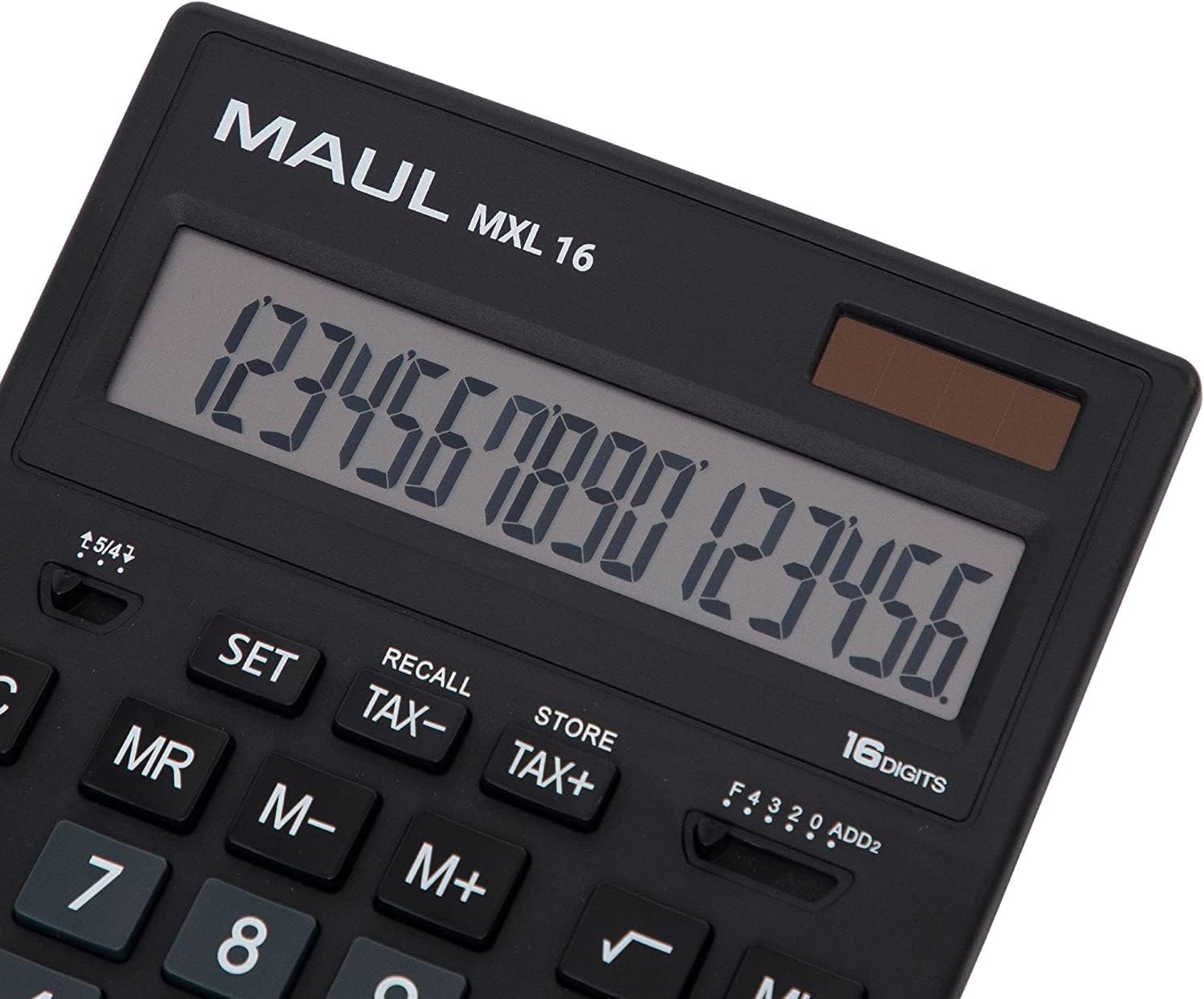
Figura 3.1: Display and key layout of the MAUL MXL16.
3.1 Operazioni basi
- ON/AC: Turns the calculator on or clears all entries and memory.
- CE/C: Clears the last entered number or the current calculation without affecting memory. Pressing twice may clear all.
- Tasti numerichi (0-9): Input numerical values.
- Puntu decimale (.): Introduce un puntu decimale.
- Arithmetic Operators (+, -, ×, ÷): Perform addition, subtraction, multiplication, and division.
- Equals (=): Displays the result of a calculation.
3.2 Funzioni Speciali
- Calculu di l'imposta (TAX+, TAX-): Allows for easy calculation of prices with or without tax. Use the SET button to configure the tax rate.
- Memory Functions (MR, M-, M+):
- M+: Aghjusta u valore visualizatu à a memoria.
- M-: Sottrae u valore visualizatu da a memoria.
- MR: Richiama u valore almacenatu in memoria.
- MC: Clears the memory (often by pressing MR twice or a dedicated MC button).
- Root Calculation (√): Calcula a radica quadrata di u numeru affissatu.
- Per centutage (%): Performs percentage calculi.
- Cambiamentu di segnu (+/-): Changes the sign of the displayed number (positive to negative, or vice versa).
- Double Zero (00) / Triple Zero (000): For quick entry of multiple zeros.
- Comma Selector Switch: Adjusts the decimal point display.
- Automatic Rounding: Allows selection of how numbers are rounded (e.g., up, down, or standard).
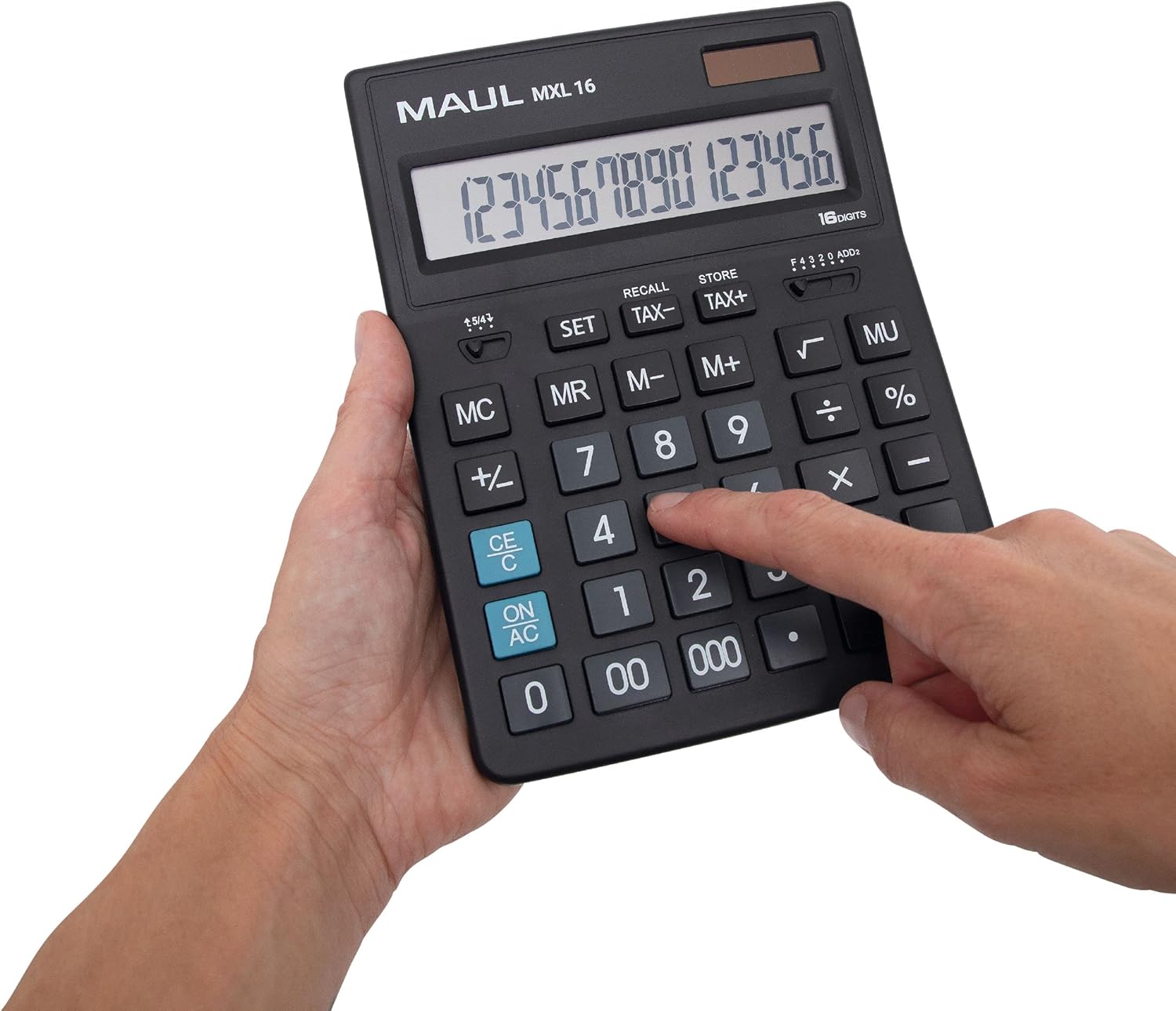
Figura 3.2: User interacting with the calculator keys.
4. Mantenimentu
The MAUL MXL16 calculator is designed for durability with sturdy plastic buttons that are easy to clean.
- Pulizia: Use a soft, dry cloth to wipe the calculator's surface and keys. For stubborn dirt, a slightly damp Un pannu cù sapone dolce pò esse adupratu, assicurendu chì nisun liquidu ùn entre in u dispusitivu.
- Conservazione: Conservate a calculatrice in un locu frescu è asciuttu, luntanu da a luce diretta di u sole è da temperature estreme.
- Sustituzione di batterie: If the display becomes dim or the calculator functions intermittently in low light, the LR44 battery may need replacement. Refer to the battery compartment on the underside of the calculator for access.
5. Risoluzione di prublemi
- A calculatrice ùn s'accende micca:
- Ensure the calculator is exposed to sufficient light for solar power.
- Check if the LR44 battery is correctly installed and has sufficient charge. Replace if necessary.
- Incorrect calculations:
- Press the ON/AC button to clear all previous entries and memory, then re-enter the calculation.
- Verify the correct input of numbers and operations.
- U display hè scuru o tremulu:
- Ensure adequate lighting for the solar panel.
- Replace the LR44 battery.
6. Specificazioni
| Nome di mudellu | MXL16 |
| Numero di mudellu | 7267890 |
| Mostra | 16 Digits, 1 Line LCD, Angled |
| Dimensioni (L x L) | 20.5 x 15.5 cm |
| Fonte d'energia | Solar and 1 x LR44 Battery (included) |
| Materiale | Plastic (housing and buttons) |
| Funzioni | Tax calculation, 3-button memory, Root, Percent, Sign change, Automatic rounding, Double/Triple zero buttons, Comma selector switch |
| Spegnimentu automaticu | Iè |
7. Garanzia
The MAUL Commercial Calculator MXL16 comes with a 5 anni di garanziaPer piacè cunservate a vostra prova d'acquistu per e richieste di garanzia. A garanzia copre i difetti di fabbricazione in cundizioni d'usu nurmali.
8. Supportu
For further assistance, technical support, or warranty inquiries, please contact your retailer or the MAUL customer service department. Refer to the product packaging or the MAUL official websitu per l'infurmazioni di cuntattu.


