Introduzione
This manual provides comprehensive instructions for the ENDORFY Omnis Pudding Onyx White Red mechanical keyboard (Model EY5A036). This full-size keyboard features Kailh Red mechanical switches, durable PBT Pudding keycaps, and customizable ARGB backlighting. It is designed for various applications, including gaming, creative work, and general office use, offering a responsive and comfortable typing experience. Key features include a reinforced chassis, a detachable magnetic wrist rest, and a metal volume wheel for convenient audio control.
Cuntenutu di u pacchettu
- ENDORFY Omnis Pudding Onyx White Red Mechanical Keyboard
- Detachable USB-A Cable
- Poggiapolsi magnetici
- Manuale d'uso (stu documentu)
Istituisci
1. Cunnessione di a tastiera
Connect the detachable USB-A cable to the USB-C port on the keyboard and then to an available USB-A port on your computer. The keyboard is plug-and-play and should be recognized automatically by your operating system.
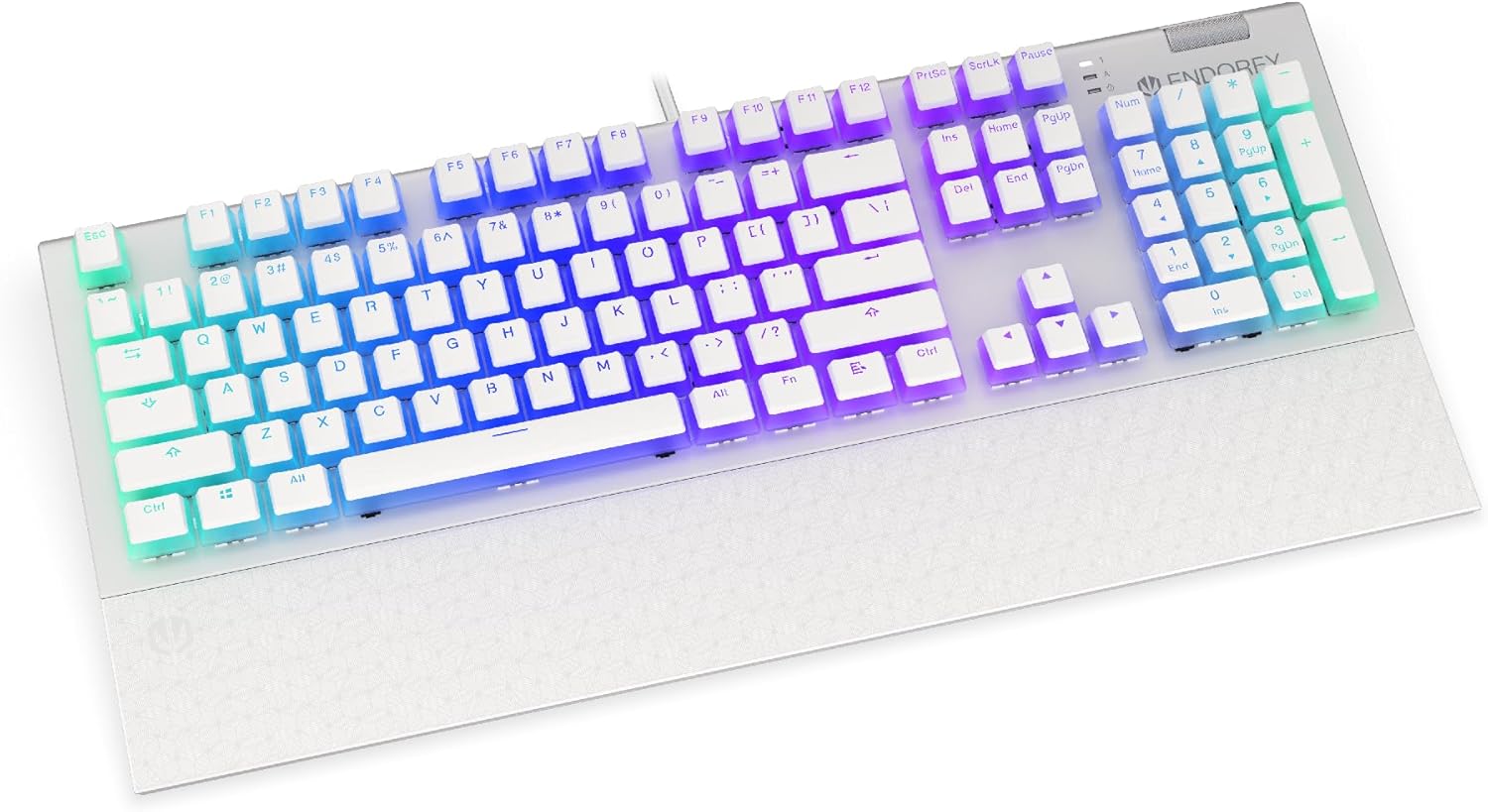
Image: Front view of the ENDORFY Omnis Pudding Onyx White Red mechanical keyboard, showcasing its full layout and connected cable.
2. Attaccà u poggiapolsi
Align the magnetic wrist rest with the front edge of the keyboard. The magnets will automatically secure it in place, providing ergonomic support during use.

Imagine: Angulata view of the ENDORFY Omnis Pudding Onyx White Red mechanical keyboard with the magnetic wrist rest attached, highlighting the seamless integration.
3. Installazione di u Software (Opzionale)
For advanced customization of lighting effects, key assignments, and macros, download the official ENDORFY software from the manufacturer's websitu. Segui l'istruzzioni nantu à u screnu per l'installazione.
Istruzzioni di funziunamentu
Funzioni di tastiera basiche
The keyboard features a standard full-size layout with a dedicated numpad, function keys (F1-F12), and navigation keys. All keys operate as standard input devices for your computer.
Volume Wheel Operation
The metal volume wheel located on the top right of the keyboard allows for quick audio adjustments:
- Rotate Up: Aumentà u voluminu.
- Rotate Down: Diminuisce u voluminu.
- Press Down: Disattivà/attivà l'audio.
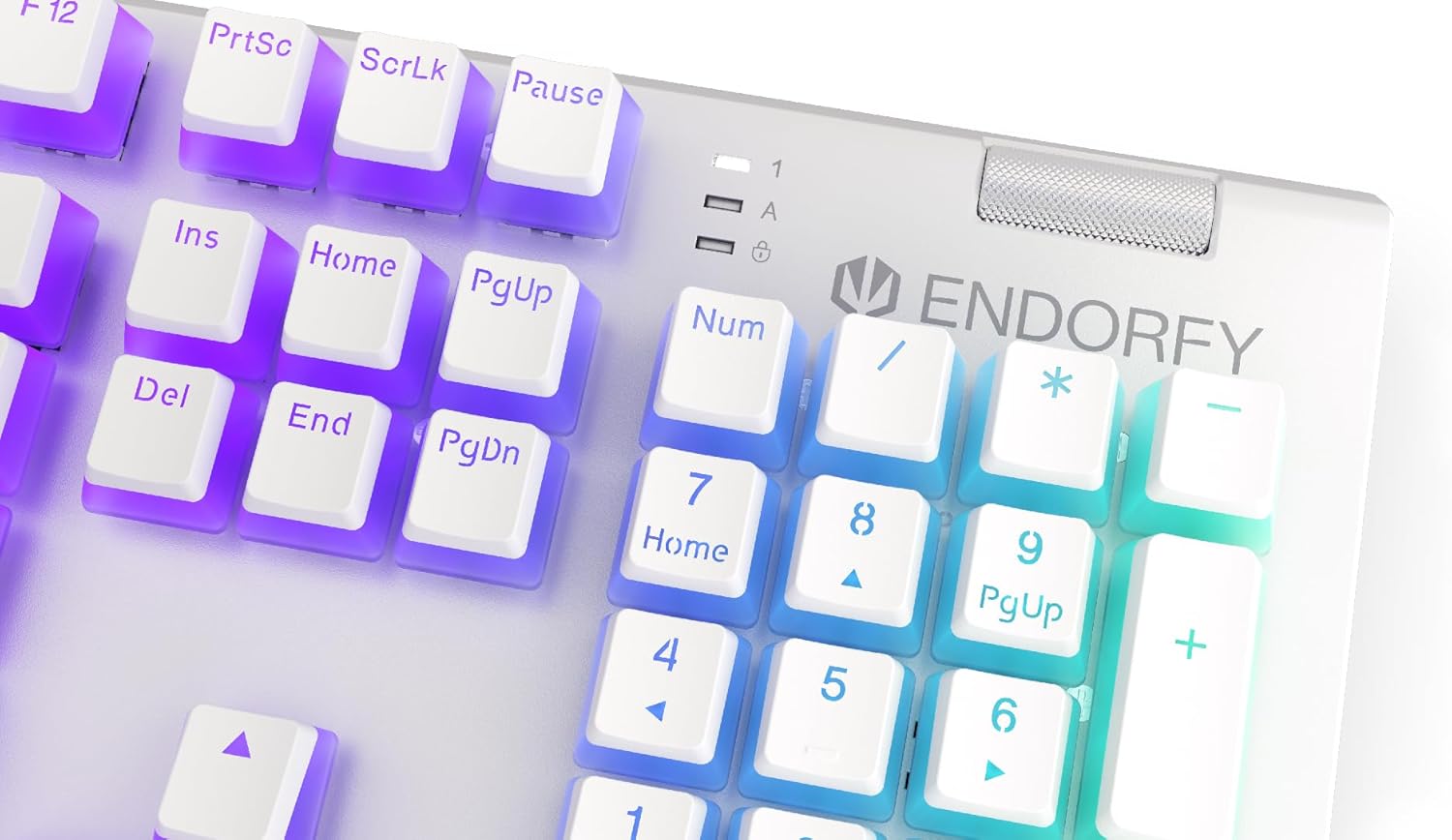
Imagine: Primu pianu view of the keyboard's numpad and the prominent metal volume wheel, indicating its position for easy access.
Cuntrollu di retroilluminazione RGB
The keyboard features customizable ARGB backlighting. Lighting effects and brightness can be adjusted using the dedicated ENDORFY software. Some basic lighting modes and brightness levels may also be accessible via keyboard shortcuts (e.g., Fn + arrow keys or specific function keys), though advanced customization is recommended through the software.

Image: The ENDORFY Omnis Pudding Onyx White Red mechanical keyboard illuminated with vibrant RGB backlighting, showcasing the Pudding keycaps.
N-Key Rollover (NKRO)
The keyboard supports N-Key Rollover, which means every key press is registered independently, regardless of how many other keys are being pressed simultaneously. This feature is particularly beneficial for fast typists and gamers, preventing ghosting or missed inputs.
Funzionalità di u software
The ENDORFY software allows users to:
- Customize ARGB lighting effects and colors.
- Rimappate e chjave individuali.
- Crea è assignà macro per sequenze di cumandamenti cumplesse.
- Gestisce parechji prufessiunalifiles per diverse applicazioni o ghjochi.
Mantenimentu
Pulizia di u Tastiera
Per mantene una prestazione è un aspettu ottimali:
- Scollegate a tastiera da u vostru urdinatore prima di pulisce.
- Aduprate un panno morbido e senza pelucchi leggermente dampinnaffiatu cù acqua o una suluzione di pulizia dolce per asciugà i tasti è u chassis.
- Per a polvera è i detriti trà i tasti, aduprate aria compressa.
- Evite l'usu di sustanzi chimichi duri o materiali abrasivi.
Rimozione è sustituzione di i tasti
The PBT Pudding keycaps can be removed for thorough cleaning or replacement. Use a keycap puller (not included) to gently lift keycaps straight up. When replacing, align the keycap with the switch stem and press down firmly until it clicks into place.

Imagine: Primu pianu view of the Kailh Red mechanical switches, visible when keycaps are removed, illustrating the switch mechanism.
Risoluzione di prublemi
- A tastiera ùn risponde micca:
Ensure the USB cable is securely connected to both the keyboard and the computer. Try connecting the keyboard to a different USB port or a different computer to rule out port or system issues. Restart your computer. - A retroilluminazione ùn funziona micca o hè incorretta:
Check the brightness settings via the ENDORFY software or any onboard shortcuts. Ensure the software is up to date. If specific keys have incorrect lighting, reset the lighting profile in u software. - Chjavi chì ùn si registranu micca:
Clean under the affected keycaps to remove any debris that might be obstructing the switch. If the issue persists, it may indicate a hardware fault; refer to the Warranty and Support section. - Wrist Rest Not Attaching Securely:
Ensure there is no debris between the keyboard and the wrist rest that might interfere with the magnetic connection.
Specificazioni
| Feature | Detail |
|---|---|
| Marca | ENDORFU |
| Numero di mudellu | EY5A036 |
| Culore | Biancu |
| Interruttori Chjave | Kailh Red Mechanical |
| Tasti di tasti | PBT Pudding |
| Disposizione | Full-size (US Layout) |
| Retroilluminazione | ARGB (Configurable RGB) |
| Connettività | USB-A (Detachable Cable) |
| Riposu di i polsi | Magneticu, Staccabile |
| Volume Control | Metal Volume Wheel |
| N-Key Rollover | Iè |
| Sistemi Operativi cumpatibili | Linux, Mac OS X 10.12 Sierra, Windows 7, Windows 8, Windows 10 |
| Usu cunsigliatu | Gaming, Multimedia |
| Materiale | Tereftalatu di polibutilene (PBT) |
Garanzia è Supportu
ENDORFY products are covered by a manufacturer's warranty. For detailed warranty terms, technical support, or service inquiries, please refer to the official ENDORFY websitu o cuntattate u vostru rivenditore lucale. Cunservate a vostra prova d'acquistu per e richieste di garanzia.


