1. Introduzione
This manual provides essential information for setting up, operating, and maintaining your DOOGEE X98 Pro smartphone. Please read it carefully to ensure proper use and to maximize the device's performance and longevity.

Figura 1: Overview of DOOGEE X98 Pro key features.
2. Cuntenutu di u pacchettu
Verificate chì tutti l'articuli sò presenti in u vostru imballaggio di u pruduttu:
- DOOGEE X98 Pro Mobile Phone
- Cable USB Type-C
- Protective Film (pre-applied or in box)
- SIM Card Pin Ejector
- Caricatore 5V/2A
- Manuale d'uso (stu documentu)
3. Disposizione di u dispositivu
Familiarize yourself with the physical components of your DOOGEE X98 Pro.

Figure 2: Rear design of the DOOGEE X98 Pro.
The device features a minimalist design with precision-engineered rounded edges for a comfortable grip. Key components include:
- Pulsante di putenza: Situatu à u latu, adupratu per accende / spegne u dispusitivu o sveglià / dorme u schermu.
- Pulsanti di volume: Situatu vicinu à u buttone di accensione, adupratu per aghjustà u vulume di i media è di e chjamate.
- Port USB Type-C: In fondu, per a carica è u trasferimentu di dati.
- Jack per cuffie da 3.5 mm: Per cunnette cuffie cablate.
- Dual Rear Camera Module: Located on the back, includes the 12MP AI main camera and 2MP portrait camera with triple LED flash.
- Camera frontale: Located at the top of the display, an 8MP AI Beautify camera.
- Vassoio per carte SIM/SD: On the side, for inserting Nano SIM cards and a microSD card.
4. Setup
4.1. Inserimentu di carte SIM è SD
- Truvate u cassettu di a carta SIM à u latu di u vostru telefunu.
- Insert the SIM ejector pin into the small hole on the tray to open it.
- Tirate fora cù cura u vassoio.
- Place your Nano SIM card(s) and/or microSD card into the designated slots on the tray. Ensure the gold contacts face downwards. The phone supports dual Nano SIMs or one Nano SIM and one microSD card up to 1TB.
- Spinghje delicatamente u vassoio in u telefunu finu à chì si sente un clic in u so postu.
4.2. Accensione iniziale
- Press and hold the Power button on the side of the phone until the DOOGEE logo appears.
- Segui l'istruzzioni nantu à u screnu per compie a cunfigurazione iniziale, cumprese a selezzione di a lingua, a cunnessione Wi-Fi, a cunfigurazione di u contu Google è i paràmetri di sicurezza.
4.3. Charging the Battery
Before first use, it is recommended to fully charge the device. Use the provided 5V/2A charger and Type-C USB cable.
- Connect the Type-C end of the USB cable to the phone's charging port.
- Connect the USB-A end of the cable to the power adapter.
- Inserite l'adattatore di corrente in una presa murale.
- L'indicatore di carica apparirà nantu à u screnu.
The 4200mAh battery supports 10W fast charging.
5. Operating Instructions
5.1. Navigazione basica
The DOOGEE X98 Pro runs on Android 12.0, offering an intuitive user experience. Navigation is primarily touch-based:
- Tap: Selezziunate un articulu o aprite una applicazione.
- Swipe: Scroll through lists, home screens, or app drawers.
- Pizzicà: Zoom avanti o indietro nantu à e foto è web pagine.
- Pressa Longa: Accede à i menu cuntestuali o move l'icone.
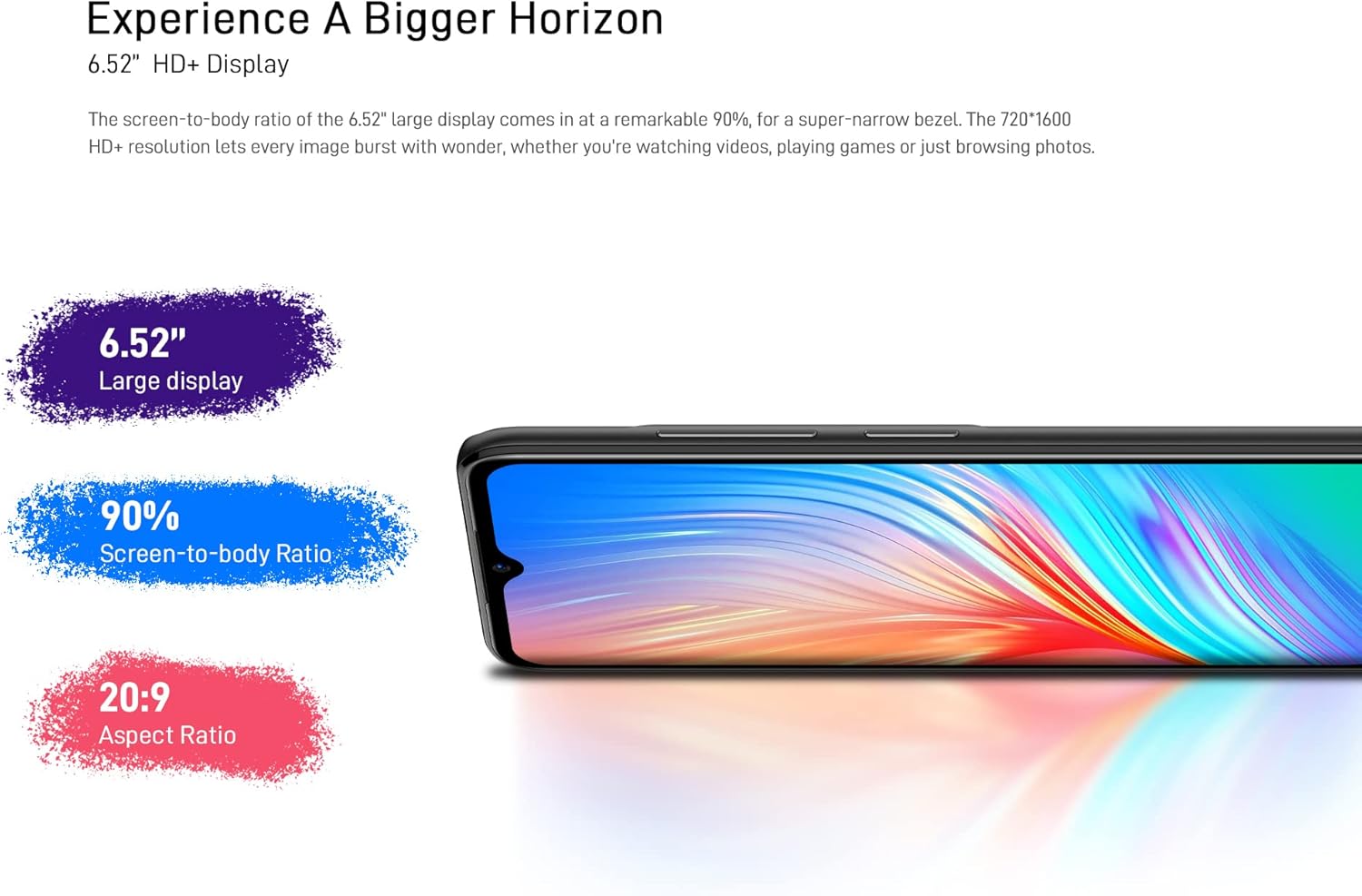
Figure 3: The 6.52-inch HD+ display.
5.2. Sbloccamentu faciale
The device supports face recognition for quick and secure unlocking.
- Andà à Impostazioni > Sicurezza > Sbloccamentu faciale.
- Follow the on-screen prompts to register your face.
- Ensure good lighting conditions during registration for optimal performance.
5.3. Camera Usage
The DOOGEE X98 Pro features a 12MP AI Dual Rear Camera and an 8MP Front Camera.
Rear Camera (12MP AI Dual Camera)

Figure 4: Rear camera specifications.
Aprite l'app Camera per accede à diverse modalità:
- Foto: Standard mode for capturing still images. Features include AI Beauty, HDR, and a 78.1° visual angle with F1.8 aperture.
- Ritrattu: Utilizes the 2MP portrait camera for depth effects.
- Modu di notte: Enhances clarity in low-light conditions.
- Slow Motion: Records videos in slow motion.

Figura 5: Esample of Night Mode photography.
Front Camera (8MP AI Beautify)
The 8MP front camera is designed for clear selfies and video calls, featuring AI Beautify mode.
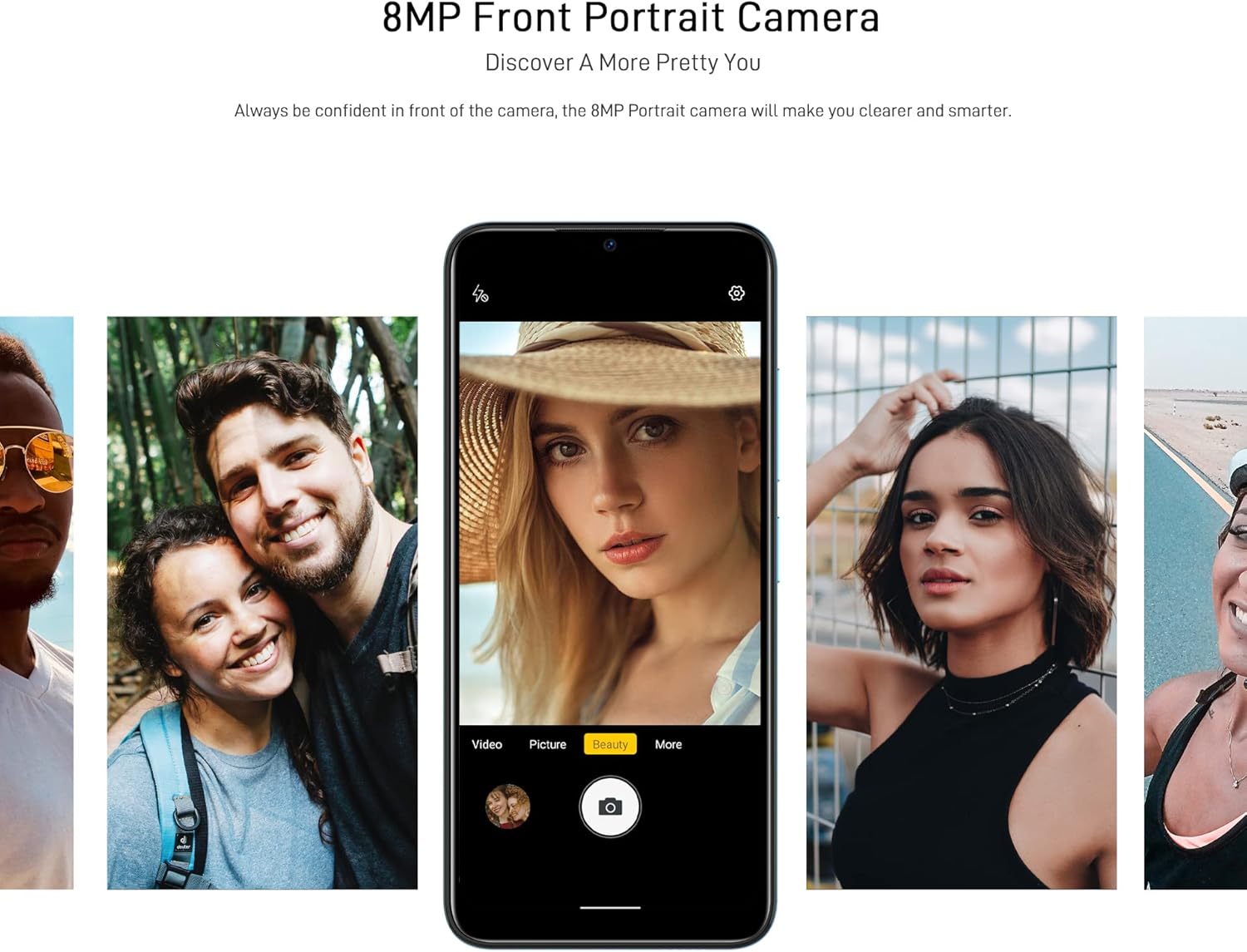
Figure 6: Front camera in use for portraits.
5.4. Connectivity
- Wi-Fi: Cunnette si à e rete senza filu via Impostazioni > Rete è internet > Wi-Fi. Supports 2.4G (b/g/n).
- Bluetooth: Accoppiate cù altri dispositivi Bluetooth via Impostazioni > Dispositivi cunnessi > Bluetooth. Supports BT5.0.
- Dati mobili: Enable or disable mobile data via Settings> Network & internet> Network mobile. Supports 2G/3G/4G LTE.
- GPS: The device supports GPS, Glonass, Galileo, and Beido for accurate navigation.
- OTG: On-The-Go (OTG) functionality allows connecting USB peripherals like flash drives.
5.5. Storage Management
The phone comes with 64GB of internal storage, expandable up to 1TB using a microSD card. To manage storage, go to Settings> Storage.
6. Mantenimentu
6.1. Pulizia di u vostru dispositivu
Aduprate un pannu dolce è senza pelu per pulisce u schermu è u corpu di u vostru telefunu. Evitate l'usu di prudutti chimichi aggressivi o materiali abrasivi.
6.2. Updates Software
Verificate regularmente l'aghjurnamenti di u sistema per assicurà chì u vostru dispositivu abbia l'ultime funzionalità è patch di sicurezza. Andate à Impostazioni > Sistema > Aghjurnamentu di u sistema.
6.3. Cura di batterie
- Evitate d'espone u telefunu à temperature estreme.
- Ùn lasciate micca chì a batteria si scarichi cumpletamente spessu.
- Aduprate solu u caricatore è u cavu cumpatibili originali o certificati.
7. Risoluzione di prublemi
If you encounter issues with your DOOGEE X98 Pro, try the following solutions:
- U dispositivu ùn si accende micca: Assicuratevi chì a batteria sia carica. Cunnette u caricatore è aspettate uni pochi di minuti prima di pruvà à accende di novu.
- L'applicazioni si bloccanu o si bloccanu: Close the app and reopen it. If the issue persists, restart the phone. Clear the app's cache via Impostazioni > Applicazioni > [Nome di l'applicazione] > Archiviazione è cache > Svuota a cache.
- Povera vita di a batteria: Riduce a luminosità di u schermu, disattiva e funzioni inutilizate cum'è Wi-Fi o Bluetooth, è chjude l'applicazioni in background. Verificate l'usu di a batteria in Settings> Battery per identificà l'applicazioni chì cunsumanu assai energia.
- Prublemi di cunnessione (Wi-Fi/Bluetooth/Dati mobili): Toggle the respective connection off and on. Restart your phone or the router/paired device.
- U sbloccamentu faciale ùn funziona micca: Ensure your face is well-lit and unobstructed. Re-register your face if necessary.
Per i prublemi persistenti, cunsiderate di fà un reset di fabbrica (Impostazioni> Sistema> Opzioni di reset> Sguassà tutti i dati (resettore di fabbrica)). Attenzione: Questu cancellerà tutti i dati di u vostru telefunu. Fate una copia di salvezza di i dati impurtanti prima di cuntinuà.
8. Specificazioni
Detailed technical specifications for the DOOGEE X98 Pro:
| Feature | Specificazione |
|---|---|
| Mudellu | X98 Pro |
| Sistema upirativu | Android 12.0 |
| Processore | MediaTek Helio G25 Octa Core, 2.3 GHz, 12nm |
| GPU | IMG-GE8320, up to 650 MHz |
| RAM | 4 GB |
| Storage internu | 64 GB |
| Storage espansibile | TFlash/microSD card up to 1TB |
| Mostra | 6.52-inch HD+ Waterdrop Screen, 720*1600 resolution, 90% screen-to-body ratio |
| Camera posteriore | 12MP SONY AI Dual Camera (f/1.8, 78.1° visual angle) + 2MP Portrait Camera, Triple LED Flash |
| Camera frontale | 8MP AI Beautify Camera |
| Batteria | 4200mAh, 10W Type-C Fast Charge |
| Carta SIM | Dual Nano SIM (or 1 Nano SIM + 1 microSD) |
| Bande di rete | 2G GSM, 3G, 4G LTE |
| Wi-Fi | 2.4G (b/g/n) |
| Bluetooth | BT5.0 |
| Navigazione | GPS, Glonass, Galileo, Beido |
| Sensori | Face Unlock, G-sensor, Proximity Sensor, Ambient Light Sensor, Compass (Magnetic), Geomagnetism |
| Porti | Tipu C, Jack per cuffie da 3.5 mm |
| Dimensioni | 165.3 mm x 76.3 mm x 8.8 mm |
| Pesu | 205 g (cumpresa a batteria) |

Figure 7: MediaTek Helio G25 Octa-core Processor.

Figure 8: Optimized performance for gaming.
9. Informazioni di sicurezza
Per piacè osservate e seguenti linee di sicurezza:
- Ùn smuntate, ùn riparate o ùn mudificate micca l'apparechju voi stessu.
- Evite l'esposizione di u dispositivu à a temperatura estrema, u sole direttu o l'umidità elevata.
- Use only approved accessories (charger, cable, etc.).
- Mantene u dispusitivu luntanu da l'acqua è altri liquidi.
- Smaltite u dispusitivu è a so batteria in modu rispunsevule secondu e regulazioni lucali.
10. Garanzia è Support
For warranty information, please refer to the warranty card included in your product package or visit the official DOOGEE website. For technical support or service inquiries, please contact DOOGEE customer service through their official channels.


