Introduzione
This manual provides detailed instructions for the setup, operation, maintenance, and troubleshooting of your STEELPLAY Wireless Controller, model LA-0HNY-U4YG. Please read this manual carefully before using the product to ensure proper functionality and to prevent damage.
Istituisci
Cuntenutu di u pacchettu
Verificate chì tutti l'articuli sò presenti in u pacchettu:
- STEELPLAY Wireless Controller (LA-0HNY-U4YG)
- Cavu di carica USB
- Manuale d'uso (stu documentu)
Caricà u Controller
Before first use, fully charge the controller. Connect the USB charging cable to the controller's charging port and the other end to a powered USB port (e.g., gaming console, PC, USB wall adapter).
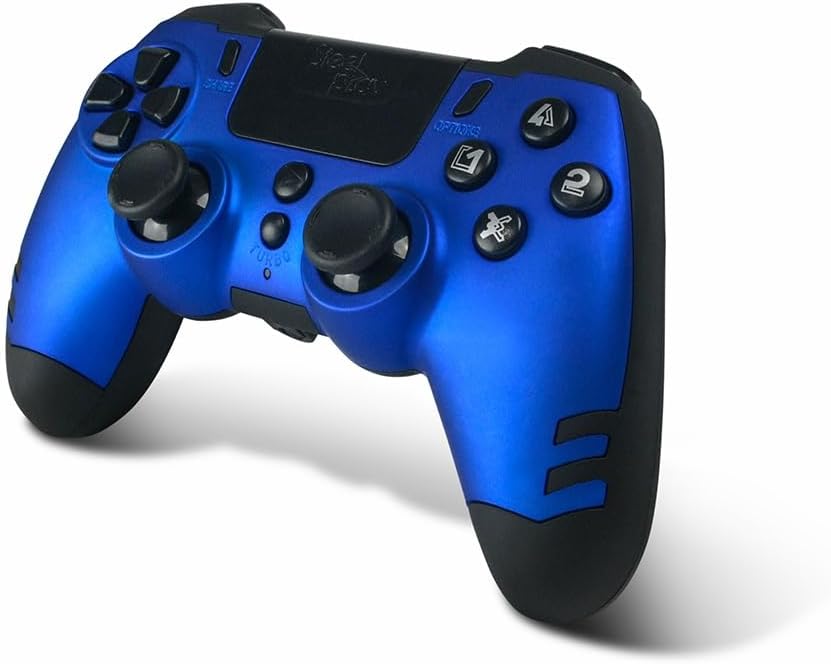
Image: The STEELPLAY Wireless Controller with a charging cable connected. This image illustrates the controller's design and potential charging port location.
Accoppiamentu cù un Dispositivu
Follow these steps to pair your wireless controller with your gaming console or PC:
- Assicuratevi chì u controller hè carricu.
- Turn on your gaming console or PC.
- Nantu à u controller, appughjà è tene premutu SHARE buttone è u PS button simultaneously until the light bar begins to flash.
- On your device, navigate to Bluetooth settings and select the "STEELPLAY Wireless Controller" from the list of available devices.
- Once paired, the light bar will stop flashing and remain lit, indicating a successful connection.
Istruzzioni di funziunamentu
Cuntrolli basi
The STEELPLAY Wireless Controller features standard gamepad controls. Familiarize yourself with the button layout:
- Pad Direzionale (D-Pad): Per un input direzionale precisu.
- Stick analogichi sinistra/destra: Per u muvimentu è u cuntrollu di a camera.
- Buttuni d'Azione (Triangulu, Cerchju, Croce, Quadratu): Per l'azzioni in ghjocu.
- Buttuni di spalla (L1, R1) è Grilletti (L2, R2): For various in-game functions.
- Buttone SPARTE: To share gameplay content.
- Buttone OPZIONI: To access in-game menus or pause.
- Buttone PS: To access the console's home menu or power on/off the controller.
- Touch Pad: For additional input, often used for navigation or specific game mechanics.
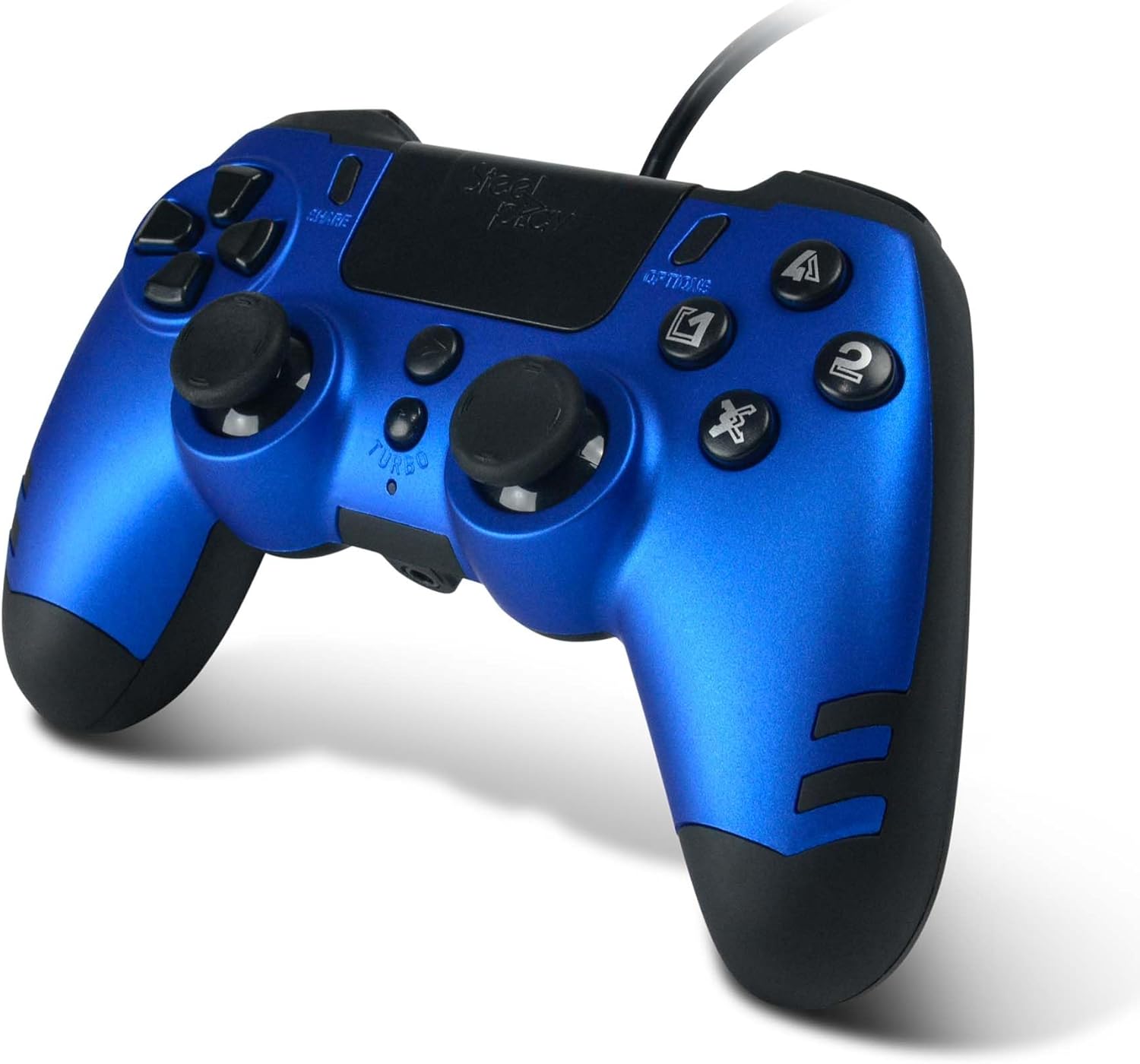
Imagine: Un dettagliu view of the STEELPLAY Wireless Controller, highlighting the layout of its 14 buttons, D-pad, and analog sticks.
Accensione / Off
- Per accende: Appughjà u buttone PS buttone.
- Per spegne: tene premutu u buttone PS button for approximately 10 seconds until the controller powers down.
Ricunnettà
Once paired, the controller should automatically reconnect to the last paired device when powered on. If it does not, press the PS button to initiate reconnection.
Mantenimentu
Pulizia
Per pulisce u controller, aduprate un pannu dolce è asciuttu. Per a sporcizia ostinata, asciugate leggermente.ampen the cloth with water. Do not use harsh chemicals, solvents, or abrasive cleaners, as these can damage the controller's finish and internal components.
Storage
Store the controller in a cool, dry place away from direct sunlight and extreme temperatures. Avoid placing heavy objects on the controller.
Cura di a batteria
The controller contains a rechargeable battery. To prolong battery life:
- Evitate di scaricà cumpletamente a batteria spessu.
- Caricate u controller regularmente, ancu s'ellu ùn hè micca adupratu per periodi prolungati.
- Ùn espone micca u controller à temperature superiori à 60 °C (140 °F).
Risoluzione di prublemi
- U controller ùn s'accende micca:
- Ensure the controller is fully charged. Connect it to a power source using the USB cable and allow it to charge for at least 30 minutes before attempting to power it on again.
- Controller does not connect or pair:
- Ensure the controller is in pairing mode (light bar flashing).
- Verify that the device you are trying to connect to has Bluetooth enabled.
- Eliminate qualsiasi accoppiamentu precedente di u controller da i paràmetri Bluetooth di u vostru dispositivu è pruvate à accoppià di novu.
- Move the controller closer to the device to ensure a strong signal.
- Restart both the controller and the device.
- Input lag or unresponsive buttons:
- Assicuratevi chì u controller sia cumpletamente caricatu. Una batteria bassa pò influenzà e prestazioni.
- Reduce interference by moving away from other wireless devices (Wi-Fi routers, other Bluetooth devices).
- If possible, try connecting the controller via a USB cable to see if the issue persists (if wired mode is supported).
Specificazioni
| Feature | Detail |
|---|---|
| Nome di mudellu | LA-0HNY-U4YG |
| Brand (Manufacturer) | STEELPLAY |
| Brand (Retail) | Lexip |
| Connettività | Wireless |
| Numero di Buttons | 14 |
| Dimensioni | 17.5 x 13 x 8.3 cm |
| Pesu | 350 g |
| Batterie incluse | No (Features an internal rechargeable battery) |
Garanzia è Supportu
Specific warranty information is not provided in this manual. Please refer to the retailer's purchase terms or the manufacturer's official website for detailed warranty policies and support contact information.
For further assistance, please contact STEELPLAY customer support through their official channels.


