1. Introduzione
This manual provides detailed instructions for the safe and effective use of your Technaxx TX-219 4-in-1 Multifunction Device. This versatile unit combines a jump starter, an air compressor, a power bank, and an LED light, designed for automotive and portable power needs. Please read this manual thoroughly before operation and retain it for future reference.
2. Istruzzioni di sicurità
Osservate sempre e seguenti precauzioni di sicurezza per prevene ferite o danni à u dispusitivu o à u veiculu:
- Leghjite tutte e struzzioni prima di l'usu.
- Mantene fora di a portata di i zitelli.
- Wear eye protection when operating the jump starter.
- Ùn espone micca u dispusitivu à a pioggia o l'umidità.
- Do not operate if the device or cables are damaged.
- Assicurà una ventilazione curretta durante l'usu.
- Cunnette u jump starter clamps correctly: positive to positive, negative to negative. Avoid short-circuiting.
- Ùn pruvate micca di inizià una batteria congelata.
- Disconnect the jump starter from the vehicle battery within 30 seconds after the engine starts.
- Do not use the air compressor continuously for more than 10 minutes to prevent overheating. Allow it to cool down.
- Mantene u dispusitivu in un locu frescu è seccu quandu ùn hè micca in usu.
3. Cuntenutu di u pacchettu
Verificate chì tutti l'articuli sò presenti in u pacchettu:
- Technaxx Jump Starter TX-219 Unit
- Adapter Cable with Battery Clamps
- Adattatore AC
- Compressed Air Hose
- Cavu USB
- Cavo adattatore di vittura
- Manuale d'usu

Figura 3.1: Overview of the Technaxx TX-219 package contents, showing the main unit, battery clamps, various charging cables, and the air hose.
4. Produttu Finituview
Familiarize yourself with the components of your Technaxx TX-219 device.

Figura 4.1: Angulu view of the Technaxx TX-219 unit, showing the digital display, control buttons, USB ports, and LED light.
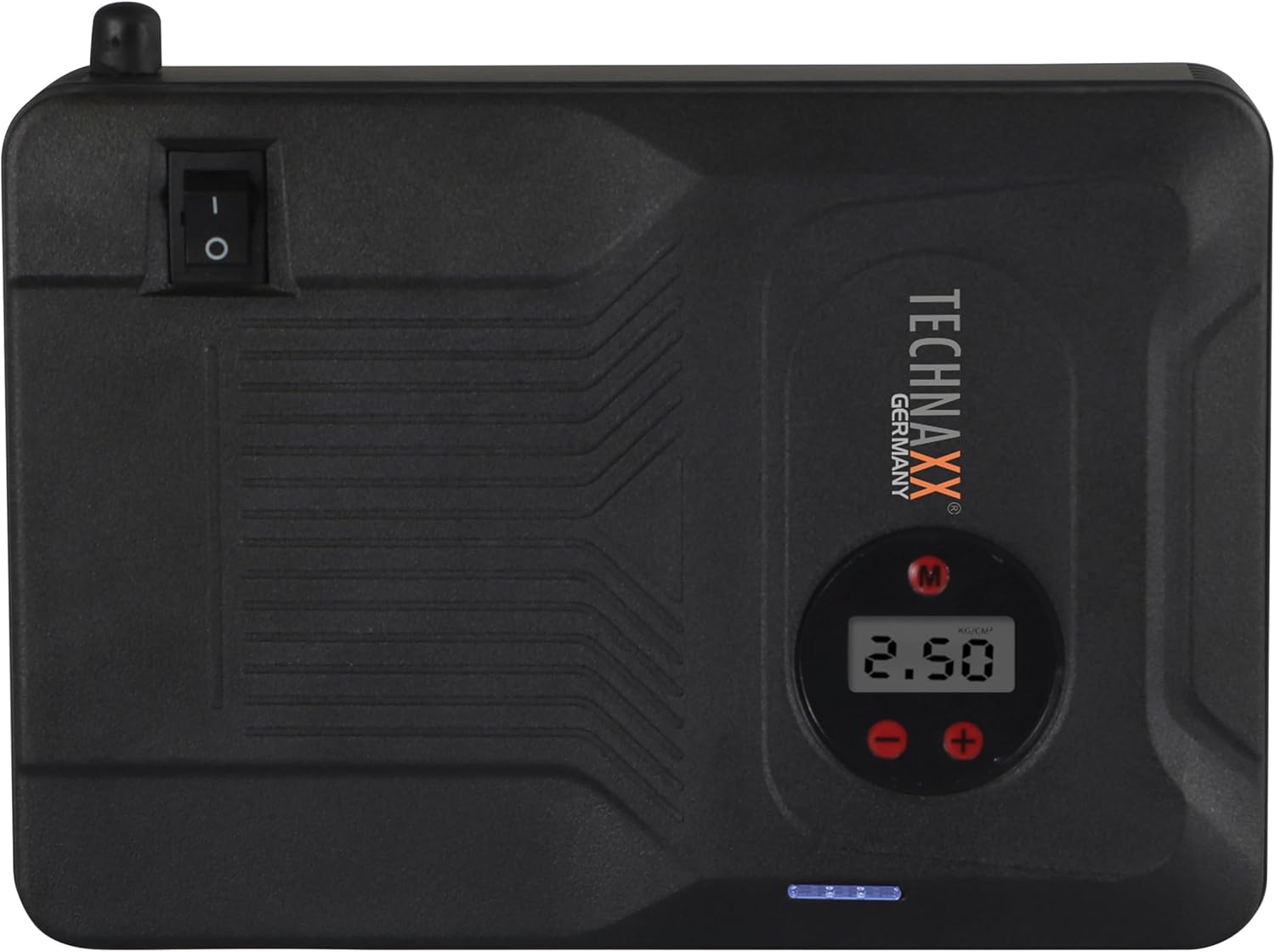
Figura 4.2: Top view of the device, highlighting the power switch and the digital display for pressure readings.

Figura 4.3: Fronte view of the device, showing the digital display, pressure adjustment buttons, and the power indicator lights.
Cumpunenti chjave:
- Display Digitale: Shows air pressure for the compressor and battery status.
- Buttuni di cuntrollu: For adjusting pressure settings and operating the device.
- USB-A Output Ports (5V/1A, 5V/2A): For charging external electronic devices.
- 15V/0.4A Input Port: For charging the internal battery of the TX-219.
- Jump Start Output Port: Connects to the battery clamp cable.
- Luce LED: Fornisce illuminazione.
- Switch di Potenza: Cuntrollu on/off per u dispusitivu.
- Cunnessione di u tubu d'aria: For the air compressor function.
5. Setup and Charging the Device
Before first use, fully charge the Technaxx TX-219 unit. It is recommended to recharge the device every 3 months to maintain battery health.
- Connect the AC adapter to the 15V/0.4A input port on the TX-219.
- Inserite l'adattatore AC in una presa di muru standard.
- The battery indicator lights on the device will illuminate to show charging progress. All lights will be solid when fully charged.
- Alternatively, use the car adapter cable to charge the device from a vehicle's 12V accessory socket.

Figura 5.1: The Technaxx TX-219 unit being charged or used as a power bank to charge a smartphone.
6. Operating Instructions
6.1. Avviamentu di un veiculu cù l'aiutu di l'avviamentu di un veiculu
The TX-219 can jump start gasoline engines up to 4.0L and diesel engines up to 3.0L.
- Ensure the TX-219 is sufficiently charged (at least 75% battery indicated).
- Spegne l'accensione di u veiculu è tutti l'accessori.
- Cunnette u rossu (+) clamp à u terminale pusitivu (+) di a batteria di u veiculu.
- Cunnette u neru (-) clamp à una parte metallica pulita è senza pittura di u bloccu motore o di u chassis di u veiculu, luntanu da a batteria. Do not connect to the negative (-) battery terminal directly unless specified by vehicle manufacturer.
- Connect the adapter cable to the jump start output port on the TX-219.
- Start the vehicle's engine. If it doesn't start immediately, wait 30 seconds before trying again. Do not crank for more than 3 seconds per attempt.
- Once the engine starts, immediately disconnect the adapter cable from the TX-219.
- Then, disconnect the black (-) clamp, seguitatu da u cl rossu (+)amp da a batteria di u veiculu.

Figura 6.1: The Technaxx TX-219 connected to a vehicle battery using the provided clamps for jump starting.

Figura 6.2: A close-up of the jump starter connected to a car battery, illustrating the process of jump starting.
6.2. Usendu u Compressore d'Aria
The integrated air compressor can inflate tires up to 3.5 Bar (approximately 50 PSI) and features an automatic shut-off.
- Connect the compressed air hose to the air hose connection port on the TX-219.
- Attach the other end of the hose to the tire valve.
- Turn on the TX-219. The digital display will show the current tire pressure.
- Use the '+' and '-' buttons to set the desired pressure. The display supports Bar, KPA, kg/cm², and PSI units.
- Press the compressor start button to begin inflation.
- U cumpressore si fermerà automaticamente una volta chì a pressione preimpostata hè ghjunta.
- Disconnect the air hose from the tire valve and the TX-219.

Figura 6.3: The Technaxx TX-219 being used to inflate a car tire, demonstrating the air compressor function.

Figura 6.4: A user inflating a tire with the TX-219, showing the digital display and the air hose connection.
6.3. Usu cum'è una batteria esterna
The 14000 mAh battery can charge various USB-powered devices.
- Connect your device's USB charging cable to one of the USB-A output ports (5V/1A or 5V/2A) on the TX-219.
- The TX-219 will automatically begin charging your device.
- Monitor your device's charging status. Disconnect once fully charged.

Figura 6.5: The Technaxx TX-219 connected to a smartphone via USB, illustrating its power bank functionality.

Figura 6.6: The TX-219 acting as a portable power bank, charging a mobile device.
6.4. Usendu a luce LED
The integrated LED light can be used for illumination in dark environments.
- Locate the LED light button on the device.
- Appughjà u buttone una volta per accende a luce LED.
- Press again to cycle through different light modes (e.g., steady, strobe, SOS, if available).
- Press and hold the button to turn off the LED light.

Figura 6.7: The TX-219's LED light providing illumination in a vehicle's engine compartment.
7. Specificazioni
| Feature | Specificazione |
|---|---|
| Mudellu | TX-219 |
| Tipu di batterie | Fosfatatu di Ferru di Litiu |
| Capacità batterie | 14000 mAh |
| Corrente di partenza | 350 A (Max. 600 A) |
| Jump Start Voltage | 12 Volts |
| Engine Compatibility (Gasoline) | Finu à 4.0 L |
| Compatibilità di u mutore (Diesel) | Finu à 3.0 L |
| Uscita USB-A 1 | 5 V, 2 A |
| Uscita USB-A 2 | 5 V, 1 A |
| Cumpressore d'aria | 12 V / 100 W, Max 3.5 Bar (approx. 50 PSI) |
| Input di carica | 15 V, 0.4 A (Massimu) |
| Luce LED | Funzioni multiple |
| Dimensioni (L x W x H) | 19 x 13 x 5.5 cm |
| Pesu | 1.16 kg |
| Certificazioni | CE |
8. Mantenimentu
- Pulizia: Asciugate l'apparechju cù un pannu dolce è asciuttu. Ùn aduprate micca prudutti chimichi aggressivi o detergenti abrasivi.
- Conservazione: Store the TX-219 in a cool, dry place, away from direct sunlight and extreme temperatures.
- Ricarica: Recharge the unit every three months, even if not in use, to prolong battery life.
- Ispezione di u cable: Ispettate regularmente tutti i cavi è i clampVerificate segni di danni, usura o corrosione. Rimpiazzate se necessariu.
9. Risoluzione di prublemi
| Prublemu | Causa Possibile | Soluzione |
|---|---|---|
| U dispositivu ùn accende micca. | A batteria hè scaricata. | Charge the TX-219 fully. |
| U veiculu ùn si avvia micca cù l'avviamentu. | Incorretta clamp connection; TX-219 battery too low; vehicle battery severely damaged. | Assicurà clamps are connected correctly (+ to +, - to chassis). Recharge TX-219. Consult a mechanic if vehicle battery is faulty. |
| U compressore d'aria ùn si gonfia micca. | Hose not securely connected; desired pressure already reached; device battery low. | Check hose connections. Verify desired pressure setting. Recharge TX-219. |
| A carica USB ùn funziona micca. | USB cable faulty; device not compatible; TX-219 battery low. | Try a different USB cable. Ensure your device is compatible. Recharge TX-219. |
| A luce LED ùn funziona micca. | Battery depleted; light button not pressed correctly. | Recharge TX-219. Press the LED button firmly. |
10. Garanzia è Support
For warranty information and technical support, please refer to the warranty card included with your product or visit the official Technaxx websitu. Conservate a vostra ricevuta di compra cum'è prova di compra.
Produttore: Technaxx
Numero di mudellu: 5031